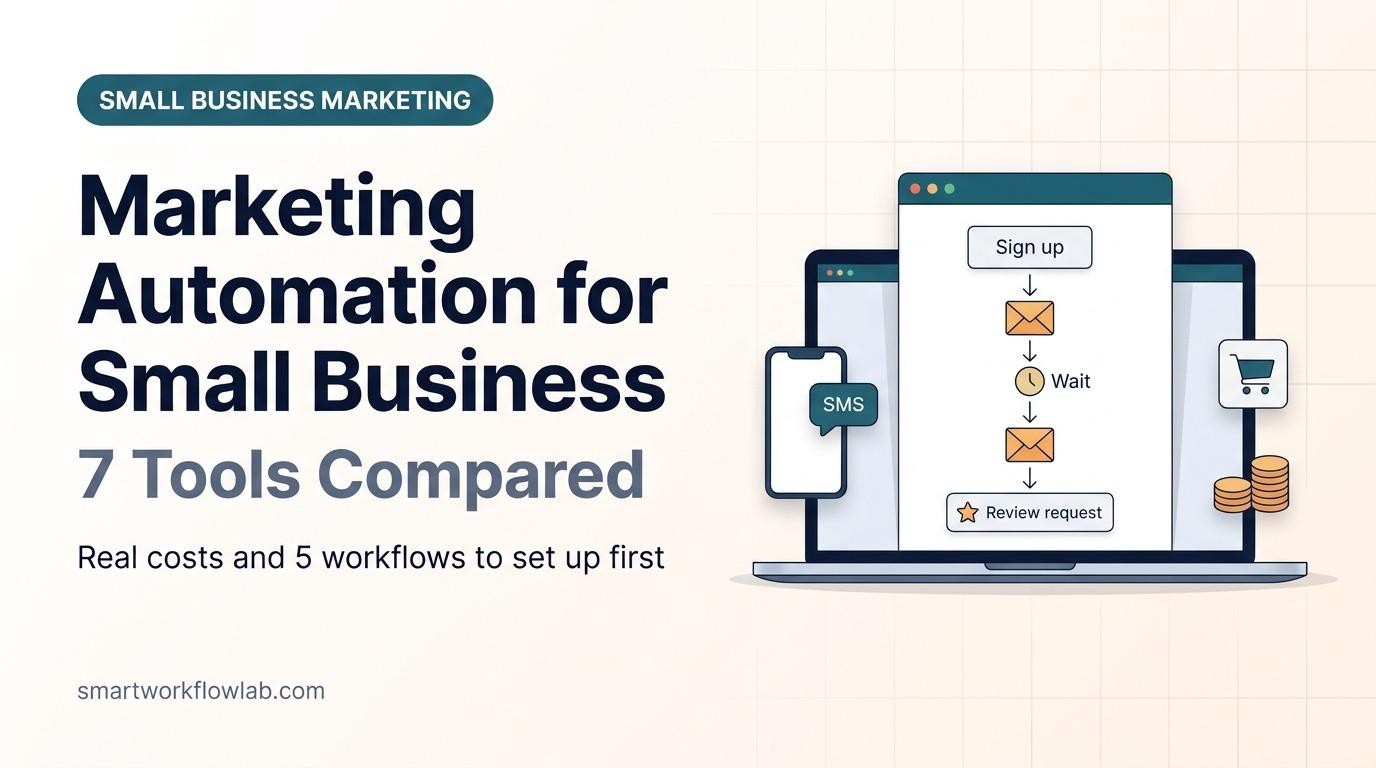
The best marketing automation tools for small business in 2026 are MailerLite for the best value, Brevo for email plus SMS and WhatsApp, Klaviyo for online stores, Kit for creators, ActiveCampaign for detailed sales follow-up, Mailchimp for advanced segmentation and HubSpot for a CRM-first setup. At 2,500 contacts, a plan with multi-step automation costs between $33 and $60 a month on six of the seven.
What is marketing automation? Marketing automation for small business is software that sends the right email, text or task automatically when a customer does something, such as signing up, booking, buying or going quiet.
For a small business, that’s less about complex “customer journeys” and more about five or six automations that run in the background: a welcome series, lead nurturing follow-ups, reminders, review requests and win-back emails. This guide compares the tools on real prices and limits, then gives you the five workflows to build first and how to measure them.
How we compared them: We priced every tool at the same list size, 2,500 contacts, on monthly billing. Prices come from each vendor’s pricing page or, where we couldn’t reach it, from a dated independent breakdown, and each source and its date sits next to the numbers it supports. Those dates run from July 15 to November 2, 2026, so check the vendor page linked beside each tool before you buy. We haven’t run paid accounts on all seven tools, so ease-of-use notes come from vendor documentation and our earlier comparisons. SmartWorkflowLab has no sponsorship or affiliate deal with any tool here.
What Marketing Automation Does for a Small Business
- Follows up when you can’t. A lead who fills in your form at 11 p.m. gets an answer straight away, and a reminder if they don’t book.
- Turns one-off buyers into repeat customers. Review requests, reorder reminders and win-back emails go out on time, every time.
- Saves you writing the same email again. A drip campaign written once keeps welcoming every new subscriber for months.
- Sends the right message to the right person. Tags and segments let you personalize by what someone bought, asked about or clicked, instead of emailing everyone the same thing.
Marketing Automation Tools at a Glance
| Tool | Best for | Free plan | Price at 2,500 contacts (monthly) |
|---|---|---|---|
| MailerLite | Best value for most small businesses | 250 subscribers, 3 automations | $33 (Comfort) |
| Brevo | Email plus SMS and WhatsApp | 300 emails a day, automation up to 2,000 contacts | $49 (Standard) |
| ActiveCampaign | Detailed sales and lead follow-up | No, free trial only | $49 (Starter), $119 (Plus) |
| Kit | Creators, courses and digital products | 10,000 subscribers, 1 automation | $59 (Creator, 3,000 tier) |
| Mailchimp | All-rounder with advanced segmentation | 250 contacts, single-step only | $60 (Standard) |
| Klaviyo | Online stores (Shopify, WooCommerce) | 250 active profiles, 500 sends | $60 (Email) |
| HubSpot | Teams that want a CRM first | 2 users, one email automation | Not priced at 2,500; Professional is $890 for 2,000 contacts |
Verdict: MailerLite is the cheapest full-featured choice for most small businesses, while Klaviyo earns its higher price only if you sell online and use its store data.
Real Cost at 2,500 Contacts
A list of 2,500 contacts is a common size for an established small business, so here’s what each tool costs at that size on the cheapest plan that includes multi-step automations, billed monthly:
| Tool and plan | Monthly price | What the automation allows |
|---|---|---|
| MailerLite Comfort | $33 | 50 automations, sends up to 10 times your subscriber tier |
| Brevo Standard (15,000 emails) | $49 | Automation for unlimited contacts; Starter ($25) automates only up to 2,000 contacts |
| ActiveCampaign Starter | $49 | Multi-step, up to 5 actions per automation, no branching |
| Kit Creator (3,000 tier) | $59 | Unlimited automations and sequences |
| Mailchimp Standard | $60 | Customer Journey Builder, up to 200 flows |
| Klaviyo Email | $60 | Flows built on store and website behaviour |
| ActiveCampaign Plus | $119 | Branching and advanced triggers |
| HubSpot Marketing Hub Professional | $890 for 3 seats and 2,000 contacts ($800 billed yearly) | Full omnichannel workflows; the next contact tier is 5,000, and there’s a $3,000 one-time onboarding fee |
Three billing rules change these numbers in practice:
- Brevo charges by emails sent, not contacts. The 15,000-email tier allows up to 2,500 contacts, which covers about six emails per contact a month. If you have more contacts, you move to the 20,000-email tier at $69.
- Mailchimp counts unsubscribed contacts unless you archive them, so an old list can cost more than its active size. Klaviyo bills only active profiles that can receive marketing.
- HubSpot Starter is cheap per seat at $9 a month billed yearly with 1,000 marketing contacts, but its automation is simple, and more contacts cost extra.
Verdict: For a 2,500-contact list, MailerLite at $33 is the cheapest real automation plan, and Brevo or ActiveCampaign Starter at $49 are the next step up.
Free Marketing Automation Plans Compared
| Free plan | Contacts | Sending limit | Automation |
|---|---|---|---|
| Kit Newsletter | Up to 10,000 subscribers | Unlimited sends | 1 automation and 1 sequence |
| Brevo Free | Up to 100,000 contacts | 300 emails a day | Up to 2,000 contacts in automations |
| MailerLite Free | Up to 250 subscribers | 2,500 emails a month | 3 automations |
| Klaviyo Free | Up to 250 active profiles | 500 emails a month | Flows included |
| Mailchimp Free | Up to 250 contacts | 500 sends a month | Single-step automations only |
| HubSpot Free | 2 users | Not stated | One email automation |
| ActiveCampaign | No free plan | Free trial | Free trial |
Verdict: Kit’s free plan is the most generous for growing a list, and Brevo’s is the most generous for sending to an existing list, so start with one of those if your budget is zero.
The 7 Best Marketing Automation Tools for Small Business
1. MailerLite: Best Value for Most Small Businesses
MailerLite covers what most small businesses need, including welcome series, tag-based sequences, date-based emails, A/B testing and e-commerce triggers, with a simpler editor than Mailchimp. In June 2026 it renamed its paid plans to Comfort and Power and cut its free plan to 250 subscribers.
- Pricing: Comfort costs $12 a month at 500 subscribers and $33 at 2,500, with 50 automations. Power costs $49 at 2,500 and removes the automation limit. See MailerLite’s pricing page.
- Pros: cheapest real automation plan, simple builder, landing pages and paid newsletters included
- Cons: small free plan, new accounts go through an approval review, fewer advanced triggers than Mailchimp or ActiveCampaign
- MailerLite vs Mailchimp: cheaper at every list size on the entry plans. See our full MailerLite vs Mailchimp comparison.
2. Brevo: Best for Email Plus SMS and WhatsApp
Brevo prices by emails sent, not contacts, and one workflow can mix email, SMS and WhatsApp, which suits appointment-based businesses such as salons, clinics and tutors. Brevo stores data in the EU.
- Pricing: Starter costs $25 a month for 15,000 emails but automates only up to 2,000 contacts. Standard, at $49 for the same volume, removes that cap. See Brevo’s pricing page; tier details from superdupr (October 2026).
- Pros: cheap for big lists you email rarely, multichannel workflows, generous free plan
- Cons: pricing by email volume takes some working out, full automation needs Standard, SMS and WhatsApp cost extra per message
- Brevo vs Mailchimp: far cheaper at large list sizes. See our Brevo vs Mailchimp comparison.
3. ActiveCampaign: Best for Detailed Sales Follow-Up
ActiveCampaign is built around automation and lead nurturing. Every plan includes its contact CRM, and ActiveCampaign says sales pipeline management is a paid add-on you can attach to any plan. The Starter plan limits each automation to 5 actions with no branching, so the Plus plan is where its real strengths, branching, contact scoring and advanced triggers, begin.
- Pricing: Starter costs $19 a month at 1,000 contacts and $49 at 2,500. The Plus plan costs $59 at 1,000 and $119 at 2,500. Prices from EmailToolTester (August 5, 2026).
- Pros: the most powerful automation builder here, lead scoring on Plus, CRM included
- Cons: no free plan, Starter is too limited for its real strengths, Plus costs more than double the cheapest alternatives
4. Kit: Best for Creators and Digital Products
Kit, formerly ConvertKit, is built for people who sell courses, ebooks and paid newsletters, with simple visual automations and email sequences.
- Pricing: the free Newsletter plan allows up to 10,000 subscribers with one automation and one sequence. Creator costs $39 a month at 1,000 subscribers and $59 at 3,000, with unlimited automations and sequences. See Kit’s pricing page; figures from RealCostLabs (verified October 11, 2026).
- Pros: huge free plan, simple visual automations, built-in selling of digital products
- Cons: less suited to local service businesses, fewer e-commerce features, price tiers jump from 1,000 to 3,000 subscribers
5. Mailchimp: Best All-Rounder With Advanced Segmentation
Mailchimp’s Customer Journey Builder on Standard allows up to 200 flows with branching, predictive segments and many store triggers, and it has one of the largest integration libraries. The free plan was cut on February 17, 2026 to 250 contacts and 500 sends a month, with single-step automations only.
- Pricing: Standard costs $20 a month at 500 contacts and $60 at 2,500. See Mailchimp’s pricing page.
- Pros: advanced journeys and segmentation, large integration library, well known
- Cons: more expensive than MailerLite and Brevo, unsubscribed contacts count toward your bill unless archived, weak free plan
6. Klaviyo: Best for Online Stores
Klaviyo is built around store data: browsing, cart and purchase history drive its flows for abandoned carts, browse abandonment, post-purchase and win-back emails. Since February 2025, it bills only active profiles that can receive marketing.
- Pricing: the Email plan costs $20 a month for 500 active profiles, $30 for 1,000 and $60 for 2,500. Email plus SMS starts at $35. See Klaviyo’s pricing page; figures from Carly (July 15, 2026).
- Pros: the deepest e-commerce automation here, strong Shopify integration, SMS in the same flows
- Cons: costly for service businesses that don’t use store data, prices rise quickly with list size, no yearly discount
7. HubSpot: Best for Teams That Want a CRM First
HubSpot’s free CRM and Marketing Hub Starter are a cheap way to keep contacts, deals and emails in one place, but Starter only has simple automation.
- Pricing: Starter costs $9 per seat a month billed yearly with 1,000 marketing contacts. Professional costs $890 a month ($800 billed yearly) for 3 seats and 2,000 contacts, plus a $3,000 one-time onboarding fee. From HubSpot’s own pricing guide, updated September 14, 2026.
- Pros: excellent free CRM, everything in one place, room to grow into sales and service tools
- Cons: Professional is a big jump in price, contacts cost extra, Starter automation is basic
Also Considered
- Constant Contact is popular with US local businesses and easy to use, but at 2,500 contacts its Standard plan costs $75 a month for three template-based automation paths, and custom paths need Premium at $150, according to Dreamlit (updated October 1, 2026). MailerLite gives you 50 automations for $33.
- Keap combines a CRM, invoicing and automation for service businesses, but it starts at $299 a month ($249 billed yearly) for 2 users, according to SaaS CRM Review (July 24, 2026), so it suits businesses ready to replace several tools at once.
- GetResponse and Omnisend are solid alternatives, GetResponse for webinars and Omnisend for online stores, but MailerLite and Klaviyo cover the same ground for most small businesses.
5 Marketing Automations Every Small Business Should Set Up First
These five cover most of the value for a small business, and the first four work on almost any tool above. Each one should have an exit condition, so a contact who buys or replies stops getting the sequence.
1. Welcome Series (Drip Campaign)
- Trigger: someone joins your list through a signup form or checkout. Use double opt-in if you email people in the EU.
- Steps: email 1 straight away (thank them and deliver anything you promised), email 2 after 2 days (your story or best content), email 3 after 5 days (an offer or a clear next step).
- Measure: click rate on each email and how many new subscribers buy or book within 30 days.
- Works on: every tool, including most free plans, though Mailchimp Free and HubSpot Free allow only a single email.
2. Lead or Quote Follow-Up (Lead Nurturing)
- Trigger: a contact form, quote request or consultation booking.
- Steps: an instant confirmation email, a task or alert for you to call within one working day, a follow-up email after 3 days if there’s no reply, and a final check-in after 7 days.
- Measure: reply rate and quote-to-booking rate.
- Works on: every tool, but it’s strongest in ActiveCampaign and HubSpot, which tie the follow-up to a deal or pipeline stage. For a service business, see our guide to automating client onboarding with AI.
3. Review Request
- Trigger: an order is delivered or an appointment is marked complete.
- Steps: wait 3 to 7 days, send a short email or SMS with one link to your Google or product review page, then one reminder after another 4 days if they haven’t clicked.
- Measure: click rate on the review link and new reviews per month.
- Works on: every tool. Brevo can send it by SMS or WhatsApp, which suits local businesses.
4. Win-Back for Quiet Subscribers
- Trigger: no clicks in 90 days. Use clicks rather than opens, because Apple Mail Privacy Protection makes many opens look real when they aren’t.
- Steps: a “still interested?” email with your best offer, a last-chance email a week later, then remove or archive anyone who still doesn’t engage.
- Measure: how many quiet subscribers click again, and your bounce and spam-complaint rates afterwards.
- Why it matters: it keeps your list healthy for deliverability and, on Mailchimp, cuts your bill, because Mailchimp counts unsubscribed and inactive contacts unless you archive them.
5. Abandoned Cart (Online Stores Only)
- Trigger: a shopper adds to cart or starts checkout but doesn’t buy within about an hour.
- Steps: a reminder after 1 hour, a second email after 24 hours, and an optional small discount after 48 hours.
- Measure: cart recovery rate, meaning the share of abandoned carts that turn into orders.
- Works on: Klaviyo, Mailchimp, MailerLite, Brevo and ActiveCampaign once your store is connected.
Marketing Automation Beyond Email
Email does most of the work for a small business, but marketing automation also covers:
- Social media scheduling, which tools such as Buffer or Brevo’s and Mailchimp’s social posting handle. It saves time but doesn’t respond to customers.
- Lead scoring, which adds points for actions such as clicks and page visits so you call the hottest leads first. ActiveCampaign Plus and HubSpot Professional include it.
- Chatbots and auto-replies, which answer common questions on your website or WhatsApp. See our guide to automating WhatsApp replies with AI.
- Form-to-CRM routing, which sends new leads from your website form into your CRM or email tool. Zapier, Make and n8n handle this when tools don’t connect directly; we compare them in n8n vs Make and our Make.com alternatives guide.
Common Marketing Automation Mistakes
- Automating a messy list. Importing old, unconsented or bouncing contacts hurts deliverability from the first send. Clean the list first.
- Too many emails too fast. Five emails in five days annoys people. Space a welcome series over at least a week.
- Triggering on opens. Apple Mail Privacy Protection inflates open rates, so base triggers and decisions on clicks, replies and purchases.
- No exit conditions. Someone who already bought shouldn’t keep getting the “are you still thinking about it?” email.
- Set and forget. Check each workflow’s results monthly and fix the weakest email.
How to Choose the Right Tool
Ask four questions, in this order:
- Do you sell products online? If yes, start with Klaviyo, or Mailchimp if you also want a general email tool. Their store data powers the automations that earn the most.
- Do you need SMS or WhatsApp? If yes, Brevo puts them in the same workflow as email.
- Do you track deals or quotes through stages? If yes, ActiveCampaign Plus or HubSpot gives you a CRM with the automation.
- None of the above? Pick MailerLite for a small business, or Kit if you’re a creator selling digital products.
Then check the price at your real list size, not the “from” price, and confirm the plan you pick includes multi-step automation.
| If you are… | Choose |
|---|---|
| A local service business with a newsletter | MailerLite Comfort |
| A salon, clinic or tutor sending reminders by text | Brevo Standard |
| A Shopify or WooCommerce store | Klaviyo |
| A coach or creator selling courses | Kit Creator |
| A B2B firm following up quotes and proposals | ActiveCampaign Plus |
| A growing team that wants one CRM for sales and marketing | HubSpot |
| Starting with no budget | Kit Newsletter or Brevo Free |
Set It Up in One Week
- Day 1: Authenticate your sending domain. Set up SPF, DKIM and DMARC. Gmail and Yahoo have required this for bulk senders since February 2024, and Outlook since May 5, 2025. Our Brevo vs Mailchimp guide explains the sender rules.
- Day 2: Import only contacts who agreed to hear from you, with tags for where they came from. To contact people who haven’t subscribed, use one-to-one email outreach instead, never your newsletter tool.
- Day 3: Add a signup form to your website and checkout.
- Days 4 and 5: Build the welcome series and send yourself a test.
- Day 6: Build the lead follow-up or review request, whichever brings you more money.
- Day 7: Turn everything on and check the first results a week later, using clicks and replies rather than opens.
In the US, the CAN-SPAM Act requires every marketing email to include a working unsubscribe link and your physical business address, which most tools add automatically. If you email people in the EU or UK, you also need clear consent under GDPR.
AI in Marketing Automation
Every tool here now has AI features, mostly for writing subject lines and emails, suggesting send times or building segments. They save time on writing, but they don’t replace the five workflows above, which do the real work. For a wider view of AI tools by marketing task, see our guide to the best AI tools for marketing, and for automating the rest of the business, our AI workflow automation guide for small businesses.
Frequently Asked Questions
What is marketing automation for a small business?
Marketing automation for small business is software that sends the right email, text or task automatically when a customer does something, such as signing up, booking, buying or going quiet. In practice it means a welcome series, lead follow-ups, reminders, review requests and win-back emails that run without anyone pressing send.
What is the best marketing automation tool for a small business?
For most small businesses, MailerLite is the best value at $33 a month for 2,500 subscribers with 50 automations. Brevo suits businesses that also need SMS or WhatsApp, Klaviyo suits online stores, Kit suits creators, ActiveCampaign suits detailed sales follow-up, Mailchimp suits advanced segmentation and HubSpot suits teams that want a CRM first.
How much does marketing automation cost for a small business?
At 2,500 contacts on monthly billing, plans with multi-step automation cost $33 on MailerLite Comfort, $49 on Brevo Standard or ActiveCampaign Starter, $59 on Kit Creator and $60 on Mailchimp Standard or Klaviyo Email. HubSpot’s full workflows need Marketing Hub Professional at $890 a month ($800 billed yearly) for 3 seats and 2,000 contacts, plus a $3,000 onboarding fee.
Is there free marketing automation software?
Yes. Kit’s free Newsletter plan allows up to 10,000 subscribers with one automation and one sequence, Brevo’s free plan automates for up to 2,000 contacts with a limit of 300 emails a day, and MailerLite’s free plan allows 3 automations for up to 250 subscribers. Mailchimp’s and HubSpot’s free plans offer only single-step or single email automation.
What should a small business automate first?
Start with a welcome series for new subscribers, because it reaches people when interest is highest and works on every free plan. Then add lead or quote follow-ups, review requests after a sale or appointment, abandoned-cart emails if you sell online, and a win-back email for subscribers who have gone quiet.
Do I need a CRM for marketing automation?
Not at first. Email tools such as MailerLite, Brevo, Kit and Klaviyo store contacts, tags and purchase data well enough for most small businesses. A CRM such as HubSpot or ActiveCampaign becomes worth it when you track deals or quotes through stages and want sales follow-ups tied to each contact.
Sources
- Vendor pricing pages: MailerLite, Brevo, Mailchimp, Kit and Klaviyo
- HubSpot Marketing Hub pricing guide (September 14, 2026) and ActiveCampaign on its plans and add-ons
- Dated price breakdowns: Brevo tiers, superdupr (October 2026), ActiveCampaign, EmailToolTester (August 5, 2026), Kit, RealCostLabs (October 11, 2026) and Klaviyo, Carly (July 15, 2026)
- Klaviyo’s active-profile billing
- Also considered: Constant Contact, Dreamlit (October 1, 2026) and Keap, SaaS CRM Review (July 24, 2026)