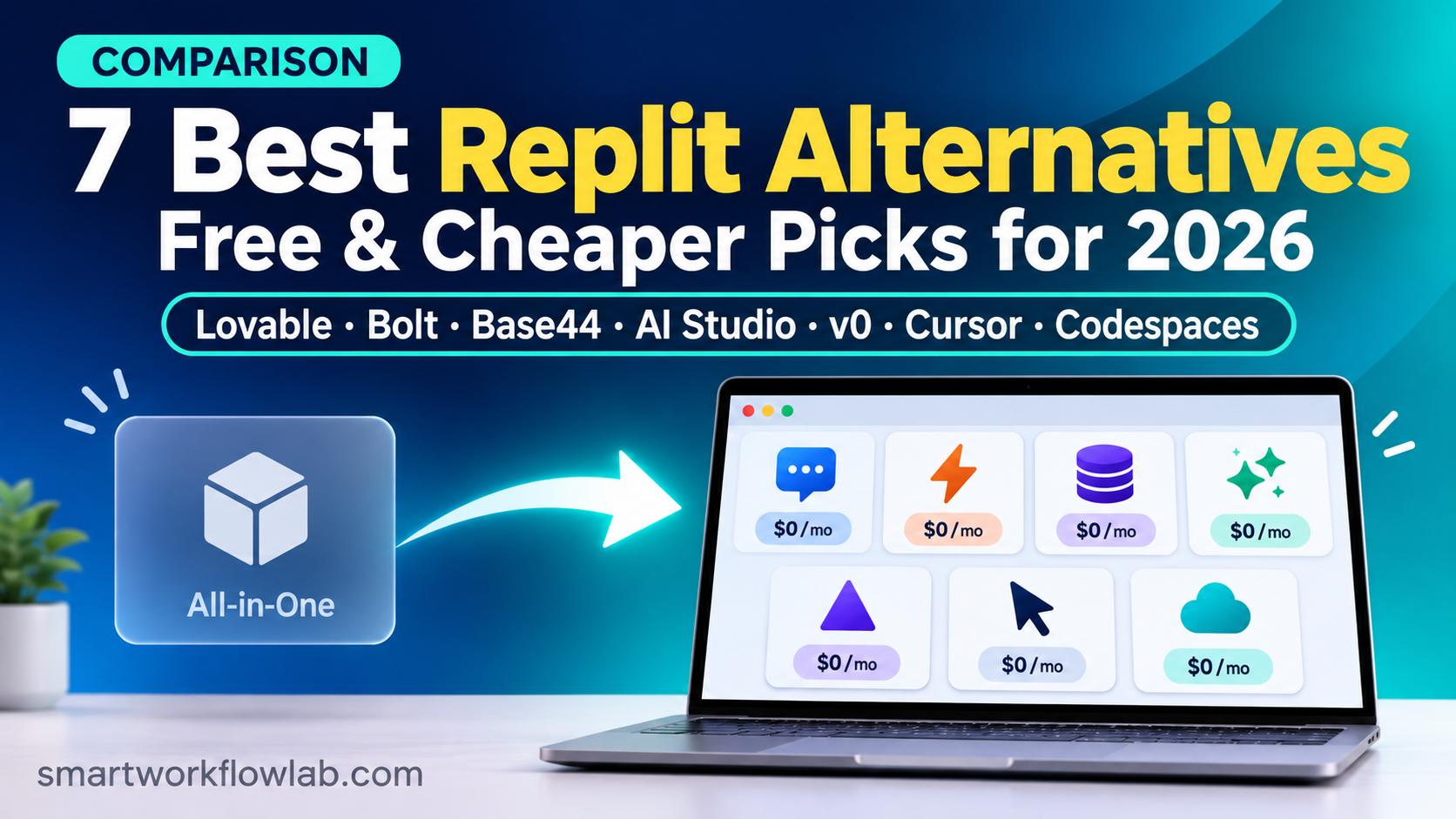
For most non-coders, the closest Replit alternative is Lovable: it builds a full web app from a prompt and syncs real code to GitHub on every plan. Bolt.new is best for budget testing, Base44 for zero code, Google AI Studio for free building, and Cursor or GitHub Codespaces for people who write code.
Quick route: building apps by chatting with AI, see picks 1 to 5. Writing code yourself, see picks 6 and 7. Running Python or teaching a class, jump to Python and classroom alternatives.
What is Replit? Replit is a browser-based platform where you write code, chat with an AI agent that builds web and mobile apps for you, store data and publish the app, all in one place.
That all-in-one setup is why people like Replit, and also why leaving it takes some thought. Replit does several jobs at once: an AI app builder, an online code editor and a hosting service. Most alternatives replace only one or two of those jobs, so the right pick depends on which part of Replit you actually use.
How we compared them: This is a research comparison based on pricing pages, documentation and features, not a hands-on test, so our picks are “best fit” calls rather than test results. We checked Replit, Bolt, v0, Cursor and GitHub Codespaces at the source on November 3, 2026, and Lovable and Base44 on November 2. Windsurf and Google Colab prices come from dated independent sources, and we label any source written by a company that sells a competing product. SmartWorkflowLab has no sponsorship or affiliate deal with any tool in this list.
Replit Pricing in 2026: The Baseline
Before comparing alternatives, here is what Replit itself costs. Replit uses effort-based pricing: each Agent request costs more or less depending on how complex the work is, and Replit asks you to confirm before it starts paid work.
| Plan | Monthly | Billed yearly | What you get |
|---|---|---|---|
| Starter | Free | Free | Daily Agent allowance, Lite build only, 1 published app that goes offline after 30 days |
| Core | $20 | $18/mo | $20 of monthly credits, full Agent with Plan and Build modes, up to 5 collaborators |
| Pro | $100 | $90/mo | $100 of credits (larger tiers up to $2,500), up to 15 builders, credits roll over for 2 months |
| Enterprise | Custom | Custom | SSO, SCIM, audit logs, private networking options |
Sources: Replit pricing, Replit plans documentation and Starter plan documentation, checked November 3, 2026.
Two newer details matter. First, Core’s credits reset each billing cycle and don’t roll over, while Pro’s roll over for two months. Second, Replit now offers Free Mode, an Agent allowance on Starter, Core and Pro that costs nothing extra. On Core and Pro it resets every five hours and has a weekly cap, but Replit’s Free Mode page doesn’t publish the exact limits.
Verdict: Replit costs $0, $20 or $100 a month for its main plans, and its effort-based Agent pricing makes the real monthly bill hard to predict in advance.
Why People Look for a Replit Alternative
Most people who search for an alternative are reacting to one of these problems:
- Unpredictable bills. With effort-based pricing, a simple change can cost a few cents and a large task several dollars. You only see the cost when the Agent proposes the work.
- Credits that expire. On Core, unused credits vanish at the end of each billing cycle.
- A thin free plan for publishing. Starter allows one published app, it goes offline after 30 days and it carries a “Made with Replit” badge.
- Schools lost their classroom tool. Replit stopped Teams for Education in November 2023 and removed it, with its data, on August 1, 2024, according to Replit’s announcement.
- Trust in the Agent. In July 2025, Replit’s Agent deleted the production database of SaaStr founder Jason Lemkin during a code freeze, as Fortune reported. Replit’s CEO called it unacceptable and added automatic separation of development and production databases and a planning-only chat mode.
- You only need part of Replit. If you only want an AI that builds web apps, or only want to code in a browser, a specialist tool can be cheaper or simpler.
Replit Alternatives at a Glance
| Tool | Best fit for | Free plan | Entry paid plan (monthly) | Backend and hosting | Code you can take away |
|---|---|---|---|---|---|
| Lovable | Non-coders who want real code | 5 credits a day (up to 30 a month) | Pro: $25 ($21 yearly) | Lovable Cloud (runs on Supabase) or your own Supabase | Yes, GitHub sync on every plan |
| Bolt.new | Testing ideas on a budget, mobile apps | 1M tokens a month (300K a day) | Pro: $25 | Bolt Cloud, or Supabase on Pro and Teams | Yes |
| Base44 | No code at all | 25 message credits a month | Starter: $20 ($16 yearly) | Base44’s own backend, built in | GitHub sync from Builder, still needs Base44 |
| Google AI Studio | Free full-stack prototypes | Free to build, usage limits apply | Pay only above free limits | Firestore and Firebase Authentication | Yes |
| v0 by Vercel | Polished React and Next.js front ends | $5 of credits once, 7 messages a day | Plus: $30 per user | Vercel hosting | Yes |
| Cursor | Developers who want AI in their editor | Free, limited use | Plus: $8 ($80 a year) | None, bring your own host | Yes, it’s your own code |
| GitHub Codespaces | Coding in the browser, like classic Replit | 120 core hours and 15 GB a month | Pay as you go | None, bring your own host | Yes, it’s your own repository |
Verdict: Lovable, Bolt.new and Base44 replace Replit’s AI app builder, Google AI Studio does the same for free, and Cursor and GitHub Codespaces replace Replit’s code editor for people who write code.
First, Decide Which Part of Replit You’re Replacing
Replit bundles three jobs. Match the job to the tool:
- “I describe an app and the AI builds it.” Look at Lovable, Bolt.new, Base44, Google AI Studio or v0. These are AI app builders, often called vibe coding tools.
- “I write code and want an editor in the browser.” Look at GitHub Codespaces. It gives you a full VS Code editor in the cloud, which is what Replit was originally known for.
- “I write code and want an AI pair programmer.” Look at Cursor. It runs on your own computer and works on your own files.
How easy it is to leave each builder later depends on its backend, the part that stores your data and logs users in. Tools built on standard services such as Supabase or Firebase are easier to move away from than tools with their own private backend.
1. Lovable: Best Fit for Non-Coders
What is Lovable? Lovable is an AI app builder from Stockholm that turns a text prompt into a React web app, with a built-in backend and two-way GitHub sync.
Lovable is the closest replacement for Replit’s Agent if you don’t write code yourself. You chat, it builds, and the code lands in a GitHub repository you own, on every plan including Free. Its backend, Lovable Cloud, runs on Supabase, and you can connect your own Supabase project instead, which makes it easier to move the app later. Its pricing page also shows what common prompts cost: changing a button’s style costs 0.50 credits, adding sign-up and login costs 1.20 and building a landing page with three generated images costs 1.70, according to Lovable’s pricing page.
Pricing: Free gives 5 credits a day, up to 30 a month. Pro costs $25 a month, or about $21 billed yearly, with 100 monthly credits plus the 5 daily ones, and unused credits roll over on paid plans. Business costs $42 a month billed yearly and adds team controls and SSO. Source: Lovable’s plans documentation, checked November 2, 2026.
Pros
- GitHub sync on every plan, so you can leave at any time with your code.
- A standard Supabase backend, which you can take with you.
- Example credit costs are published, so you can estimate a project.
Cons
- Builds web apps only. For a phone app you’d make it installable from the browser or wrap it yourself.
- Not a general code editor. You can’t use it to run a Python script or a bot the way you can on Replit.
- The free plan’s 30 credits a month is enough to test, not to build a real app.
Verdict: Pick Lovable if you want an AI to build a customer-facing web app and you want real code on GitHub that a developer can take over later. For a deeper look, read our Base44 vs Lovable comparison.
2. Bolt.new: Best Fit for Budget Testing and Mobile Apps
What is Bolt.new? Bolt.new is an AI app builder from StackBlitz that builds and runs full-stack web and mobile apps in the browser and charges in tokens rather than credits.
Bolt has the most generous free plan among the subscription builders in this list. Its tokens measure how much text the AI reads and writes, so small, focused prompts stretch further than vague ones. Unlike Lovable, it can also build mobile apps through its Expo integration if you say “mobile app” in your first prompt.
Pricing: Free gives 1 million tokens a month with a daily cap of 300,000. Pro costs $25 a month for 10 million tokens with no daily cap, and Teams costs $30 per member a month. Hosting and databases come from Bolt Cloud, and connecting your own Supabase database needs Pro or Teams. Paid tokens roll over. Bolt advertises up to 28% off for yearly billing but doesn’t list the yearly price. Sources: Bolt pricing and Bolt’s help center, checked November 3, 2026.
Pros
- The largest free allowance among the paid builders for trying an idea.
- Web and mobile apps from the same tool.
- Paid tokens roll over, unlike Replit Core’s credits.
Cons
- Token use grows as your app grows, because the AI reads more of the project with each prompt.
- Costs are harder to predict than Lovable’s published per-prompt examples.
- Built for apps, not general coding.
Verdict: Bolt.new is the cheapest way to test several app ideas, web or mobile, because its free plan gives 1 million tokens a month and its paid tokens don’t expire at the end of each month.
3. Base44: Best Fit for No Code at All
What is Base44? Base44 is a Wix-owned AI app builder that turns a prompt into a web app with a built-in database, user logins and hosting, with no setup and no code in sight.
Base44 suits people who found Replit too technical. It sets up the database and logins on its own, and its running costs, such as sending emails or calling AI models, come from a separate pool of integration credits rather than your building budget.
Pricing: Free gives 25 message credits a month (at most 5 a day), 100 integration credits and up to 5 apps. Starter costs $20 a month, or $16 billed yearly, with 100 message credits and 2,000 integration credits. Builder costs $50, or $40 billed yearly, and adds GitHub sync and App Store files for a lightweight mobile wrapper. Unused credits expire each month. Full details are in our Base44 pricing guide.
Pros
- Nothing to connect: the database, logins, file storage and email work out of the box.
- Database reads and writes don’t use credits.
- Separate credits for building and running, so a busy app doesn’t eat your building budget.
Cons
- Base44 runs your app on its own backend, so exported code still depends on it and leaving means a rebuild.
- GitHub sync starts on Builder, at $40 a month billed yearly.
- Unused credits expire every month.
Verdict: For internal tools, client portals and simple business apps where you never want to see code, Base44 is the easiest choice, though leaving it later is harder than leaving Lovable.
4. Google AI Studio: Best Free Option
What is Google AI Studio? Google AI Studio is Google’s browser tool for building with Gemini, and its Build mode turns a prompt into a full-stack web app that can use Google’s Firestore database and Firebase sign-in.
Since March 19, 2026, AI Studio’s agent can spot when your app needs to store data or log users in, and set up Firestore and Firebase Authentication for you after you approve it, according to the Firebase blog. It also drafts the database security rules, which Google says you should review before you share the app.
Pricing: Building in AI Studio is free. Apps come with a free tier on Google’s services, and you pay Google Cloud or Firebase rates only if your app goes past those limits. Google’s post doesn’t list the exact limits, so check your project’s billing page before you launch.
Pros
- Free to build, with a real database and Google sign-in.
- Built on standard Google services, so the app isn’t locked to a small vendor.
- Google’s recommended replacement for Firebase Studio’s app prototyping.
Cons
- Costs after launch depend on Google Cloud usage, which takes some learning.
- You must check the generated security rules yourself.
- Less hand-holding than Lovable or Base44 for complete beginners.
Verdict: If you want a working prototype without a subscription, start with Google AI Studio, which builds full-stack apps with a database and sign-in at no cost until your app passes Google’s free usage limits.
5. v0 by Vercel: Best Fit for Polished Front Ends
What is v0? v0 is Vercel’s AI app builder, which turns prompts into React and Next.js apps and deploys them on Vercel’s hosting.
v0 is strongest when the look of the app matters most, such as a landing page, dashboard or SaaS front end, and it fits naturally if you already host on Vercel.
Pricing: New Free users get a one-time $5 of credits and up to 7 messages a day. Plus costs $30 per user a month and includes $30 of credits per user, and Business costs $100 per user a month. Unused monthly credits expire after 65 days. The older $20 Premium plan is closed to new users. Source: v0 pricing documentation, last updated October 31, 2026.
Pros
- Clean, modern React and Next.js code.
- One-click deployment to Vercel.
- Good at turning a description or screenshot into a polished interface.
Cons
- At $30 per user, it has the highest entry price among the app builders here.
- The free credits are now a one-time grant for new users, not a monthly allowance.
- Ties you closely to Vercel’s hosting.
Verdict: Choose v0 when the interface matters most and you already use Vercel; for a solo builder on a budget, Lovable, Bolt or Base44 cost less to start.
6. Cursor: Best Fit for Developers
What is Cursor? Cursor is an AI code editor built on VS Code that runs on your own computer and can write, edit and explain code across your whole project.
If you used Replit to write code yourself and liked the AI help, Cursor is the stronger editor. It doesn’t host apps or give you a database, so you pair it with a host such as Vercel, Netlify or a server of your own.
Pricing changed in October 2026. Cursor is now sold as part of The X Subscription, alongside Grok and X Premium, according to Munder Difflin’s summary of the October 12 change. Cursor’s own documentation lists these plans, checked November 3, 2026:
| Plan | Monthly | Yearly | Usage |
|---|---|---|---|
| Free | $0 | $0 | Limited Agent and Chat |
| Plus | $8 | $80 | Base usage |
| Premium | $30 | $300 | 4x Plus |
| Super | $100 | $1,000 | 15x Plus |
| Ultra | $200 | $2,000 | 50x Plus |
Teams seats cost $30, $100 or $200 per user a month, matching Premium, Super or Ultra; Plus isn’t available for teams. On the new plans, third-party models such as Claude or GPT are billed at API prices from prepaid credit, and only on Premium and above. Older plans, including the $20 Pro plan, keep working for existing customers.
Pros
- Works on any language and any project on your computer.
- You keep full control of your code, files and hosting.
- The cheapest paid entry here, at $8 a month for Plus.
Cons
- No hosting, database or one-click publishing.
- Needs basic coding knowledge to get real value.
- Using Claude or GPT models now costs extra and needs Premium at $30 or more.
Verdict: For developers, Cursor wins on AI coding help because it works on your own files with any language, but check which models you need before you pick a plan, since outside models now cost extra. Compare it with GitHub’s assistant in our Cursor vs GitHub Copilot guide.
7. GitHub Codespaces: Best Fit for Coding in the Browser
What is GitHub Codespaces? GitHub Codespaces is a cloud development environment that opens a full VS Code editor in your browser, connected to a GitHub repository.
Codespaces replaces the original reason many people joined Replit: coding in a browser without installing anything. It’s free for light use and runs any language that works on Linux.
Pricing: Personal accounts on GitHub Free get 120 core hours of compute and 15 GB of storage a month at no cost. Because the smallest machine has 2 cores, 120 core hours means about 60 hours of actual use. GitHub Pro raises that to 180 core hours (about 90 hours) and 20 GB. After that, a 2-core machine costs $0.18 an hour and storage costs $0.07 per GB a month. Source: GitHub Codespaces billing documentation, checked November 3, 2026.
Pros
- A real VS Code editor in the browser, with extensions.
- Generous free hours for students and hobby projects.
- Your code lives in your own GitHub repository from the start.
Cons
- No AI app builder. AI help comes from GitHub Copilot, which is a separate subscription.
- No built-in hosting for your finished app.
- Hours run out faster on larger machines, because billing scales with the number of cores.
Verdict: GitHub Codespaces is the closest thing to classic Replit for people who write their own code, with about 60 free hours a month and your code in your own repository.
What the Entry Plans Cost Side by Side
Credits, tokens and core hours don’t buy the same amount of work, so compare entry prices and the rules around them:
| Tool | Entry paid plan | Billed yearly | Unused allowance |
|---|---|---|---|
| Cursor Plus | $8 a month | $80 a year | Base usage, no outside models |
| Replit Core | $20 a month | $18 a month | Credits reset each cycle |
| Base44 Starter | $20 a month | $16 a month | Credits expire monthly |
| Lovable Pro | $25 a month | About $21 a month | Credits roll over |
| Bolt Pro | $25 a month | Up to 28% off | Tokens roll over |
| v0 Plus | $30 per user a month | Not published | Credits expire after 65 days |
| GitHub Codespaces | Pay as you go | Not applicable | Free hours reset monthly |
| Google AI Studio | Free to build | Not applicable | Pay only above free limits |
Verdict: Cursor Plus is the cheapest paid plan at $8 a month but is only an editor. Among the app builders, Replit Core and Base44 Starter tie at $20 a month, Base44 is cheapest billed yearly at $16, and Google AI Studio and GitHub Codespaces cost nothing for light use.
Free Replit Alternatives
If you want to spend nothing, these are the most useful free plans:
- Google AI Studio: free full-stack building with a database and sign-in.
- Bolt.new Free: 1 million tokens a month, enough to test a few small apps.
- Lovable Free: 5 credits a day, up to 30 a month, with GitHub sync.
- GitHub Codespaces: 120 core hours a month, about 60 hours on the smallest machine.
- Google Colab: free Python notebooks in the browser.
- Cursor Free: an AI editor with limited use.
Python, Students and Classroom Alternatives
Many people first used Replit to run Python or to teach a class. Replit removed its classroom product, Teams for Education, on August 1, 2024, so schools need something else.
- Google Colab runs Python notebooks in the browser for free, with access to GPUs for data and machine-learning work. Colab Pro costs $9.99 a month for 100 compute units and faster GPUs, according to FreeTier.co, verified August 18, 2026. It’s built for notebooks, not for hosting a web app.
- GitHub Codespaces handles full Python projects with files, packages and a terminal. Verified students can get GitHub Pro through GitHub Education, which raises the free allowance to 180 core hours a month.
- Self-hosted editors such as code-server or Coder run VS Code in the browser on a server you control. They suit schools and teams that want no per-user subscription and full control of student data, but someone has to manage the server.
What If You Build Mobile Apps?
Replit’s Agent can build mobile apps with React Native and Expo, preview them on your phone with Expo Go and submit iOS builds to TestFlight and the App Store, which needs an Apple Developer Program membership. Publishing to Google Play isn’t supported yet, according to Replit’s mobile documentation.
If mobile matters to you, your options shrink:
- Bolt.new builds mobile apps through Expo, so it’s the closest match.
- Base44 can create App Store and Google Play files for a lightweight wrapper around your web app, on the Builder plan or higher.
- Lovable, v0 and Google AI Studio build web apps only. You can make the app installable from the browser or wrap it with a tool like Capacitor.
Skip These: Firebase Studio and Glitch
Many older lists still recommend two tools that are closing or already gone:
- Firebase Studio. Google announced its shutdown on March 19, 2026, and it stays open only until March 22, 2027, according to the Firebase blog. New sign-ups and new workspaces stopped on June 22, 2026, and remaining data is deleted at the shutdown, according to Google’s migration guide as summarized by AgentDeals. Google suggests Google AI Studio for app prototyping or its Antigravity desktop editor for coding. Apps already deployed to Firebase keep running.
- Glitch. Glitch ended project hosting and user profiles on July 8, 2025, according to Glitch’s announcement, so it’s no longer a place to build or host apps.
Also Worth Considering
- Windsurf: an AI code editor similar to Cursor, with a free plan and Pro at $20 a month, according to Verdent’s March 2026 guide. Confirm the current price on Windsurf’s site, since its plans change often.
- GitHub Spark: GitHub’s own prompt-to-app builder, with hosting, data storage and GitHub sign-in built in. It launched in public preview for Copilot Pro+ subscribers in July 2025, according to GitHub’s changelog, so check which Copilot plans include it now.
- Bubble: a visual no-code builder with its own database and hosting. It takes longer to learn than the AI builders, but it suits complex business logic.
- CodeSandbox: a browser-based coding environment that’s popular for front-end and JavaScript projects.
- Claude Code: Anthropic’s coding agent that works in your terminal on your own files, for developers who prefer an agent over an editor. See our Claude directory page.
How to Move a Project Off Replit
- Connect your project to GitHub from Replit’s Git tools, or download it as a file. Your code is ordinary code, so any editor can open it.
- Export your database. Data doesn’t travel with the code, so export it before you cancel.
- Copy your secrets. API keys and passwords stored in Replit’s secrets panel need to be added again in the new tool.
- Set up hosting first. Publish the app on the new host and test it before you shut down the Replit version.
- Cancel last. Downgrade Replit only after the new version works, so your users never see a broken app.
Should You Leave Replit at All?
Stay on Replit if you use all of it: an AI agent, a code editor in many languages, mobile apps, a database and hosting in one place. Free Mode also takes some of the sting out of its pricing, since part of your Agent use costs nothing extra on Core and Pro.
Leave if you only need one of those jobs, if unpredictable Agent bills keep surprising you, or if you want code that lives in your own repository from day one. For non-coders, Lovable is the safest first step; for developers, Cursor or Codespaces plus a separate host is the usual path. If you’re still unsure how to weigh price against features, our guide on how to choose the right AI tool walks through it.
Frequently Asked Questions
What is the best alternative to Replit?
For most non-coders, Lovable is the closest fit, because it builds a full web app from a prompt and syncs standard code to GitHub on every plan. Bolt.new suits budget testing and mobile apps, Base44 is the simplest all-in-one option, and people who write code themselves should look at Cursor or GitHub Codespaces.
Is there a free alternative to Replit?
Yes. Google AI Studio lets you build full-stack web apps from a prompt for free, with Firestore and Firebase sign-in set up for you, until your app passes Google’s free usage limits. Bolt.new’s free plan gives 1 million tokens a month, Lovable gives 5 credits a day, Google Colab runs Python notebooks for free and GitHub Codespaces gives 120 free core hours a month.
What is the best Replit alternative for Python?
Google Colab is the easiest free option for running Python in a browser, especially for data work and learning. For full Python projects with files, packages and a terminal, GitHub Codespaces gives you a complete cloud editor with 120 free core hours a month, which is about 60 hours on the smallest machine.
Is Lovable better than Replit?
Lovable is better for non-coders who mainly want a web app and clean code on GitHub, with credit costs shown per prompt. Replit is better if you want one place to write code in many languages, run an AI agent, build mobile apps, use a database and host the app, and if you’d use its Free Mode Agent allowance.
Is Bolt.new cheaper than Replit?
Not at the entry level. Bolt Pro costs $25 a month and Replit Core costs $20, or $18 a month billed yearly. Bolt’s free plan is more generous for testing, with 1 million tokens a month, and its paid tokens roll over, while Replit Core’s monthly credits reset each billing cycle.
Why do people switch from Replit?
The most common reasons are unpredictable bills under Replit’s effort-based Agent pricing, Core credits that don’t roll over, the Starter plan’s single published app that goes offline after 30 days, the end of Replit’s classroom product in 2024, and trust in the Agent after it deleted a user’s production database in July 2025.
Is Firebase Studio still a good Replit alternative?
No. Google announced on March 19, 2026 that Firebase Studio is being shut down. New sign-ups and new workspaces stopped on June 22, 2026, and the service closes on March 22, 2027. Google points users to Google AI Studio or its Antigravity editor instead.
Can I move my project off Replit?
Yes. Replit projects are normal code, so you can connect a project to GitHub or download it, then open it in Cursor, GitHub Codespaces or another editor. Export your database and copy your secrets separately, because they don’t travel with the code, and set up hosting somewhere else before you cancel.
Sources
- Replit: pricing page, plans documentation, Starter plan, Free Mode and mobile apps, checked November 3, 2026; Teams for Education announcement
- Lovable: pricing page and plans documentation, checked November 2 and 3, 2026
- Bolt.new: pricing page and help center, checked November 3, 2026
- Base44: cost guide, last updated November 1, 2026
- Google AI Studio and Firebase Studio: Firebase blog, March 19, 2026 and AgentDeals shutdown summary (independent source)
- v0: pricing documentation, last updated October 31, 2026
- Cursor: plans documentation, checked November 3, 2026, and Munder Difflin’s summary of the October 2026 change (independent source)
- GitHub Codespaces: billing documentation, checked November 3, 2026
- GitHub Spark: GitHub changelog, July 23, 2025
- Glitch: Glitch announcement
- Google Colab: FreeTier.co, verified August 18, 2026 (independent source)
- Windsurf: Verdent pricing guide, March 2026 (independent source, sells a competing coding tool)
- Replit Agent incident: Fortune, July 23, 2025