Email outreach is sending short, personal emails to people who don’t know you yet, to start a conversation that leads to a sale, partnership, backlink or job. To get replies, send from a warmed-up secondary domain, write under 80 words with one clear ask, personalize with real details, and send a first email plus two follow-ups. Two large 2025 datasets put the average reply rate at 3.43% (Instantly) and 4.5% (Hunter), and the best senders get above 10%.
This guide covers what to expect, the setup that keeps you out of spam, a before-and-after rewrite, outreach and reply templates, the rules on cold email and the email outreach software worth paying for.
How we put this together: Reply-rate and timing figures come from two large 2025 datasets published by outreach tool vendors, Instantly and Hunter, and we name the source next to each number. Sending limits and sender rules come from Google’s own help pages. Tool prices come from vendor pricing pages where we could reach them; where we couldn’t, we used a dated breakdown and give its date beside the price. We haven’t run paid campaigns on every tool, so the tools section compares published features and prices rather than our own test results. SmartWorkflowLab has no sponsorship or affiliate deal with any tool here.
What Is Email Outreach?
Email outreach is one-to-one email sent to people who haven’t asked to hear from you, to start a specific conversation: a sales call, a partnership, a backlink, a hire or a client project. A good outreach email is short, written for one person or a small group with the same problem, and makes one easy ask the recipient can say yes or no to.
It’s used for:
| Type of outreach | Goal | Example ask |
|---|---|---|
| Cold sales email | Book a call or demo | “Worth a 15-minute call next week?” |
| Link building and PR | Get a backlink, mention or feature | “Would this stat fit your guide on X?” |
| Partnerships | Co-marketing, referrals, integrations | “Open to swapping a newsletter feature?” |
| Creator or influencer | Sponsorship or collaboration | “Can I send you a sample?” |
| Recruiting | Hire someone | “Open to hearing about a role?” |
| Freelance pitching | Win a client | “I noticed X on your site. Can I fix it?” |
Email Outreach vs Email Marketing
Email marketing goes to people who subscribed: newsletters, promotions and automated sequences sent from tools such as MailerLite or Mailchimp. Email outreach goes to people who didn’t, one person or a small segment at a time, usually from a normal inbox. Don’t send cold outreach from your newsletter tool, because most email marketing platforms forbid sending to contacts who haven’t opted in. For automated emails to subscribers, see our guide to marketing automation for small business.
What Reply Rate Should You Expect?
Two large 2025 datasets, both from outreach tool vendors, give a realistic picture:
| Finding | Figure | Source |
|---|---|---|
| Average reply rate | 3.43% | Instantly, 2025 data |
| Average reply rate | 4.5% (31 million emails) | Hunter, 2025 data |
| Top 25% of senders start at | 5.5% | Instantly |
| Top 10% of senders start at | 10.7% | Instantly |
| Share of replies from the first email | 58% | Instantly |
| No personalization vs two custom details in the body | 3.6% vs 5.6% | Hunter |
| Segments of 21 to 50 people vs 500 or more | 6.2% vs 2.4% | Hunter |
| One email vs a three-email sequence | 3.3% vs 6.8% | Hunter |
| Manually edited vs fully automated emails | 5.2% vs 4.4% | Hunter |
Sources: Instantly Cold Email Benchmark Report 2026 (updated January 12, 2026) and Hunter’s State of Email Outreach 2026. Both companies sell outreach software, so treat these as their users’ results, not independent research.
The takeaway: small, well-targeted segments, real personalization and a three-email sequence roughly double the average reply rate. Volume alone doesn’t.
How to Do Email Outreach in 6 Steps
1. Build Your Email Outreach Strategy: Pick a Narrow Target
Start with an ideal customer profile (ICP): the type of company or person who has the problem you solve, can pay for it and can say yes. Hunter found that sequences sent to 21 to 50 people got nearly three times the reply rate of those sent to 500 or more, so build small segments that share one specific problem, such as “dental clinics in Texas with no online booking” rather than “small businesses”. Then write down the one reason this group should care about your email now.
2. Set Up a Sending Domain That Protects Your Main One
Cold email carries more spam risk than normal email, so don’t send it from the domain your customers and invoices rely on.
Use a secondary domain. Pick one that looks like your main one, such as getyourbrand.com, and redirect it to your website. Instantly’s cold email strategy guide recommends 3 to 5 inboxes per domain.
Authenticate it with SPF, DKIM and DMARC. Your email provider gives you the exact values. For a domain sending through Google Workspace, the DNS records look like this:
Type   Name                  Value
TXT    @                     v=spf1 include:_spf.google.com ~all
TXT    google._domainkey     v=DKIM1; k=rsa; p=(long key from your Google admin console)
TXT    _dmarc                v=DMARC1; p=none; rua=mailto:dmarc@yourdomain.com
What Google and Outlook require. Google’s sender guidelines require SPF or DKIM for every sender, and SPF, DKIM and DMARC for anyone sending 5,000 or more emails a day to Gmail, with a DMARC policy of at least “none”. Bulk marketing mail also needs a one-click unsubscribe (the List-Unsubscribe header). Outlook has required SPF, DKIM and DMARC for high-volume senders since May 5, 2025.
Add a custom tracking domain if your tool tracks clicks, so your links don’t share a tracking domain with every other user of that tool.
Warm up each new inbox, then ramp slowly. Instantly’s ramp plan for new domains suggests:
| Days | Cold emails per inbox per day | Move on only if |
|---|---|---|
| 1 to 3 | 0, warmup only | Test emails reach the inbox at least 80% of the time |
| 4 to 7 | 10, 12, 15, 18 | Bounces at or below 1%, spam complaints under 0.1% |
| 8 to 14 | 20, 22, 24, 28 | Inbox placement still at least 80% on Gmail and Outlook |
| 15 onwards | Up to 30 | Replies steady, no spike in complaints |
To send more, add more warmed-up inboxes rather than pushing one inbox past 30 to 50 a day. Keep warmup running after you launch.
Know the hard limits and thresholds. Google limits personal Gmail to 500 emails a day and Google Workspace to 2,000, according to Google’s sending limits page, but cold email near those limits will land in spam. Google says to keep your spam rate below 0.10% in Postmaster Tools and never reach 0.30%. Microsoft’s SNDS gives similar reputation data for Outlook.
3. Find and Verify Email Addresses
Use an email finder such as Hunter or Apollo to get work addresses, then verify every address before you send. Treat catch-all addresses, which accept mail for any name at a domain, as risky, because the verifier can’t confirm the person exists. Instantly’s ramp plan pauses sending when bounces pass 1%. Never buy email lists: they’re full of bad addresses and people who never agreed to be contacted.
4. Write a First Email That Gets Read
- Keep it under 80 words. Instantly found shorter first emails perform best.
- Use a 5 or 6 word subject line. Hunter found these got the best reply rates, and generic lines such as “Quick question” did worse than average.
- Personalize with two real details, such as a recent post, a product launch or a gap you noticed on their site. Hunter’s data showed this lifted replies from 3.6% to 5.6%. A first name and company name alone don’t count, and spintax, which randomly swaps words to make each email look different, isn’t personalization either.
- Make one small ask that’s easy to answer, such as a yes or no question, not a 45-minute call.
- Write it yourself or edit the AI draft. Hunter’s manually edited emails beat fully automated ones, 5.2% to 4.4%. Our comparison of ChatGPT vs Claude for cold emails shows how to get a usable first draft.
5. Send a First Email Plus Two Follow-Ups
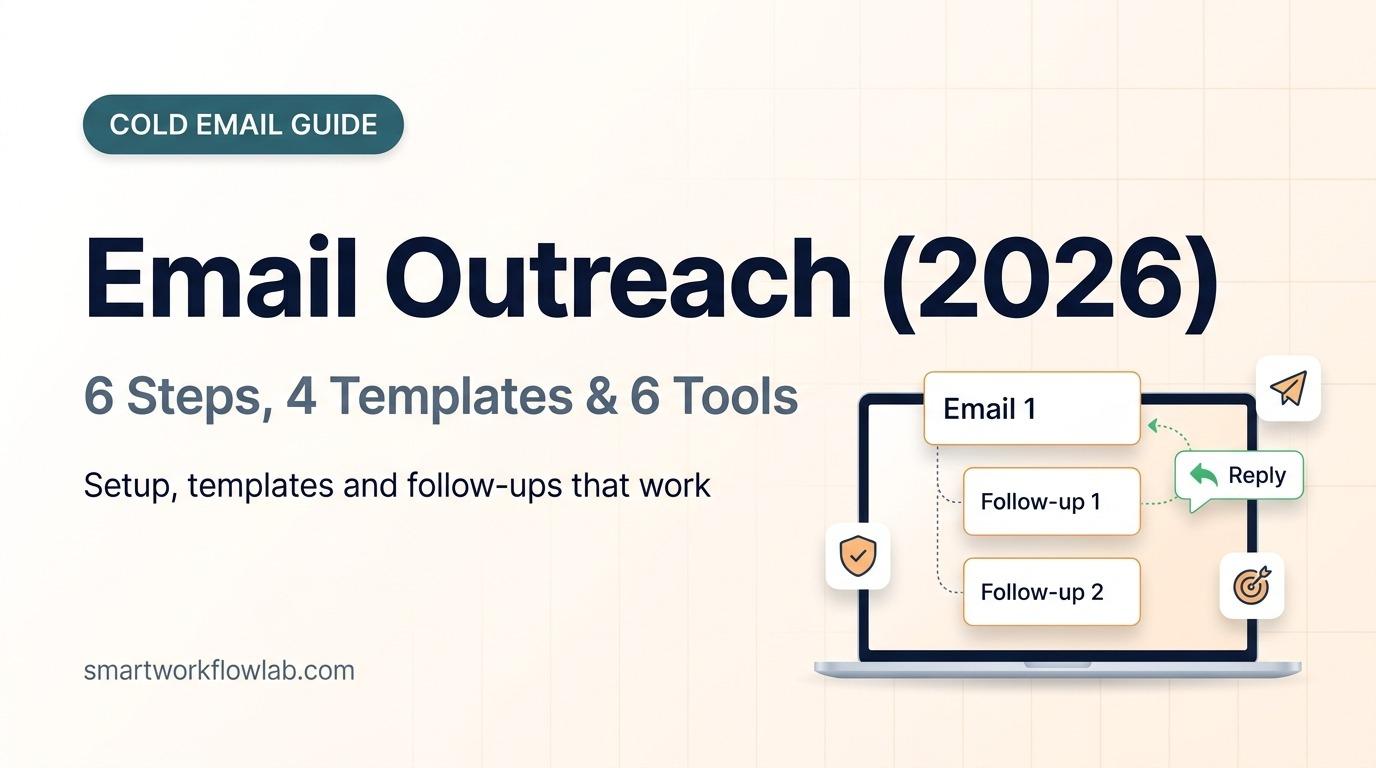
Instantly found 42% of replies come from follow-ups, not the first email. Hunter’s data peaked at three emails in total, a first email and two follow-ups, and reply rates fell after that. Instantly recommends going to 4 to 7 touches only when each one adds something new. A sensible default is three emails a few working days apart, each adding a new reason to reply, such as a short example, a result or a simpler ask. Stop as soon as someone replies or opts out.
When to send: Instantly’s 2025 data showed Wednesday with the highest engagement, Tuesday and Wednesday with the most replies, and Friday with the most auto-replies. Send during your recipient’s working hours, then test your own timing.
6. Measure, Test and Improve
- Track replies and positive replies, not opens. Positive reply rate is the share of recipients who reply with interest, such as “tell me more” or “let’s talk”. Apple Mail Privacy Protection and image blocking make open rates unreliable.
- Watch bounce and spam rates every day during the first weeks, using the thresholds in step 2.
- A/B test one thing at a time, such as the subject line or the ask, and as a rough rule, wait for at least 100 recipients per version before you pick a winner.
- Change the target, not just the words, if a segment gets almost no replies after 100 sends.
Before and After: Rewriting a Bad Outreach Email
Before (130 words):
Subject: Quick question
Hi there,
I hope this email finds you well! My name is Sam and I’m the founder of BrightWeb Studio, a full-service digital agency with over 10 years of experience helping businesses of all sizes grow their online presence through web design, SEO, social media marketing, paid ads and branding. We have worked with hundreds of happy clients across many industries and we pride ourselves on delivering exceptional results. I came across your website and I think there are a lot of opportunities to improve it. Would you be interested in jumping on a 30-minute call this week so I can walk you through our services and show you some case studies? Let me know what time works best for you. Looking forward to hearing from you!
Best regards, Sam
What’s wrong with it:
- A generic subject line and greeting that could go to anyone
- The first four sentences are about the sender, not the reader
- “A lot of opportunities” is vague, with no real detail about their site
- Five services listed, so nothing stands out
- A 30-minute call is a big ask from a stranger
After (60 words):
Subject: Riverside Dental’s booking form on mobile
Hi Dr. Patel,
I tried booking a cleaning at Riverside Dental on my phone, and the date picker cut off below Thursday. We fixed the same issue for Oak Street Dental last spring, and their online bookings went up the following month.
Want me to send a 2-minute video showing the fix on your site?
Sam, BrightWeb Studio [Business address]
The rewrite is a third of the length, opens with something only this recipient would recognise, offers one proof point and asks for a yes or no. The names and details are illustrative, so replace them with real ones from your own research.
Email Outreach Templates
Replace everything in square brackets with real, specific details. Each template is under 80 words.
Cold Sales Email
Subject: [Their company]’s booking page on mobile
Hi [Name],
I tried booking at [their business] on my phone and the form [specific problem]. We fix that for [type of business]: [result for a similar client, with numbers].
Would it help if I sent a 2-minute video showing the fix on your site?
[Your name] [Company, address]
Link Building or PR Email
Subject: A newer stat for your [topic] guide
Hi [Name],
Your guide on [topic] cites [old source or year]. We just published [your data or resource], which shows [one specific finding].
If it’s useful, feel free to use it as a source. Happy to send the raw data too.
[Your name]
Partnership Email
Subject: Newsletter swap with [your brand]?
Hi [Name],
Our [audience] overlaps with yours: we both write for [who]. I’d like to feature [their product or post] in our newsletter to [number] readers next month.
Would you be open to a mention in yours in return?
[Your name]
Follow-Up Email
Subject: Re: [original subject]
Hi [Name],
One more idea on this: [new, specific example or result they didn’t see in the first email].
Is this worth a look, or should I close the loop?
[Your name]
For freelancers, our guide to writing freelance proposals with ChatGPT covers the pitch that comes after a reply.
How to Handle Replies
Most replies aren’t a clear yes. Answer within a working day, and keep your reply as short as theirs.
“Not right now.”
Thanks for letting me know, [Name]. Would it be OK if I checked back in [month]? If anything changes before then, just reply here.
“Who are you? How did you get my email?”
Fair question. I’m [name] from [company]. I found your address on [source] while looking at [type of business] with [problem]. I won’t email again unless you’d like me to.
“Talk to my colleague.”
Thanks, [Name]. I’ll reach out to [colleague] and mention you suggested it. Is there anything I should know before I do?
“Not interested” or “Remove me.”
Understood, I’ve removed you from my list. Thanks for replying.
Then actually remove them from every sequence, which the law requires in most countries.
Is Cold Email Outreach Legal?
In the US, cold B2B and B2C email is legal under the CAN-SPAM Act without prior consent, as long as you follow its rules, summarized in the FTC’s CAN-SPAM compliance guide:
- Use honest “From” and routing information, and a subject line that matches the content.
- Include your valid physical postal address.
- Tell people how to opt out and honor opt-outs within 10 business days.
- You stay responsible even if a tool or agency sends for you.
Outside the US, rules are stricter. In the EU, GDPR and national e-privacy laws apply, and some countries require consent even for business emails. In the UK, the Privacy and Electronic Communications Regulations (PECR) allow cold email to corporate addresses but treat sole traders and partnerships like individuals, who need consent. Canada’s CASL generally requires consent, with narrow exceptions. Check the rules for each country you email, keep messages relevant to the person’s job, and always offer a simple way to opt out. This is general information, not legal advice.
6 Email Outreach Tools Compared
These are the six tools we’d shortlist for a small business. We compared their published prices and features rather than running campaigns on each.
| Tool | Best for | Starting price (monthly) | What you get |
|---|---|---|---|
| Gmail mail merge | Small, personal campaigns | Included in some Google Workspace plans | Up to 1,500 recipients a day, automatic unsubscribe link |
| Smartlead | Lowest-cost sending at volume | $39 ($32.50 billed yearly) | 6,000 emails and 2,000 contacts a month, unlimited inboxes and warmup |
| Instantly | Sending at volume with simple setup | $47 ($37.60 billed yearly) | 5,000 emails and 1,000 contacts a month, unlimited inboxes and warmup |
| Hunter | Finding addresses plus simple sequences | Free; Starter $49 ($34 billed yearly) | Free: 50 credits, 1 inbox; Starter: 3 inboxes |
| Apollo | Prospect database plus sequences | Free; Basic $60 per user ($49 billed yearly) | Contact database, unlimited sequences on Basic |
| Lemlist | Email plus LinkedIn steps | $69 ($55 billed yearly) | Email plan with warmup; Multichannel adds LinkedIn, SMS and calls |
Sources: Smartlead pricing and Instantly pricing, both checked November 2, 2026; Gmail mail merge help; Hunter from Saleshandy (October 2026), Apollo from Docket (prices verified April 2026) and Lemlist from Zeliq (October 2026). We couldn’t load Hunter’s, Apollo’s or Lemlist’s own pricing pages, and Saleshandy, Docket and Zeliq sell competing tools, so check the vendor page before you buy.
1. Gmail Mail Merge: Best for Small, Personal Campaigns
If you send fewer than a few hundred personal emails a day, you may not need separate email outreach software. Gmail’s built-in mail merge, on Google Workspace plans from Business Standard up and Workspace Individual, sends personalized copies to up to 1,500 recipients a day and adds a unique unsubscribe link automatically. It has no automatic follow-ups, so you send those yourself.
2. Smartlead: Best Low-Cost Option for Volume
Smartlead’s Base plan costs $39 a month for 6,000 sends and 2,000 contacts, with unlimited inboxes and warmup. Pro, at $94, raises that to 90,000 sends and 30,000 contacts and adds a CRM, API and webhooks. It suits agencies and teams that rotate many inboxes.
3. Instantly: Best for Volume With a Simple Setup
Instantly’s Growth plan costs $47 a month for 5,000 emails and 1,000 uploaded contacts, with unlimited inboxes and warmup on every plan. Hypergrowth, at $97, covers 25,000 contacts. Its lead database and AI features cost extra through separate credit plans.
Verdict: Smartlead gives you more emails and contacts than Instantly for less money at the entry level, while Instantly’s plan structure is simpler for a first campaign.
4. Hunter: Best for Finding Addresses Plus Simple Sequences
Hunter is best known for finding and verifying work email addresses, and it also sends simple sequences. The free plan includes 50 credits a month and one connected inbox. Starter costs $49 a month ($34 billed yearly) with 3 inboxes and up to 2,500 recipients per sequence, but warmup is a paid add-on.
5. Apollo: Best Prospect Database With Sequences
Apollo combines a large database of business contacts with email sequences, so you can find, filter and email prospects in one place. It has a free plan, and Basic costs $60 per user a month, or $49 billed yearly, with unlimited sequences and A/B testing. Check every address before you send, because database contacts go out of date.
6. Lemlist: Best for Email Plus LinkedIn
Lemlist’s Email plan costs $69 a month ($55 billed yearly) and includes its Lemwarm warmup. Multichannel, at $109 per user ($87 billed yearly), adds LinkedIn steps, SMS and calls, which suits teams that reach prospects on more than one channel.
For Link Building Outreach
The tools above are built for sales. For link building and PR, BuzzStream, Pitchbox and Respona add website prospecting, contact research and relationship tracking. A simple prospecting tip that works with any tool: search for pages in your niche that cite an outdated statistic or a dead link, then offer your newer data or resource as the replacement.
Other Tools to Consider
Woodpecker, Reply.io, Saleshandy, Snov.io and Mailshake are other established cold email platforms. GMass, Mailmeteor and YAMM add mail merge with follow-ups inside Gmail.
Common Email Outreach Mistakes
- Sending from your main domain. One bad campaign can push your normal business email into spam.
- Skipping warmup and sending hundreds of emails from a new inbox on day one.
- Buying lists instead of building and verifying your own.
- Fake personalization, such as “I loved your website!” with nothing specific.
- Long emails with several asks. Keep one ask, under 80 words.
- Following up with “just bumping this”. Every follow-up should add something new.
- Ignoring opt-outs, which breaks the law in the US and most other countries.
Frequently Asked Questions
What is email outreach?
Email outreach is sending personal, one-to-one emails to people who don’t know you yet, to start a conversation that leads to a sale, partnership, backlink, interview or job. Unlike email marketing, it goes to people who haven’t subscribed, so it has to be short, relevant to each recipient and easy to say no to.
What is a good reply rate for email outreach?
Two large 2025 datasets put the average reply rate at 3.43% (Instantly) and 4.5% (Hunter, 31 million emails). Above 5.5% puts you in Instantly’s top quarter of senders, and the top 10% start at 10.7%. Track replies, not opens, because privacy features make open rates unreliable.
How many follow-up emails should I send?
Send a first email plus two follow-ups, three emails in total. Hunter found three-email sequences got a 6.8% reply rate against 3.3% for a single email, with results falling after that. Go further only if each extra email adds something new; Instantly recommends 4 to 7 touches in that case.
How many outreach emails can I send per day?
Google limits personal Gmail to 500 emails a day and Google Workspace to 2,000, but those are ceilings, not targets. For cold outreach, Instantly recommends at most 30 to 50 emails per inbox per day after at least two weeks of warmup, spread across several inboxes on a secondary domain.
Is cold email outreach legal?
In the US, yes, under the CAN-SPAM Act, as long as you use honest sender details and subject lines, include your physical address and a working opt-out, and honor opt-outs within 10 business days. EU, UK and Canadian rules are stricter, especially for emailing individuals, so check local consent rules before you send there.
What is the best email outreach software?
Instantly and Smartlead are the best value for sending at volume, with unlimited inboxes and warmup from $47 and $39 a month. Hunter and Apollo combine finding email addresses with sending, Lemlist suits teams that also want LinkedIn steps, and Gmail’s built-in mail merge is enough for a few hundred personal emails a day.
When is the best time to send outreach emails?
Midweek. Instantly’s 2025 data showed Wednesday with the highest engagement and Tuesday to Wednesday with the most replies, while Friday brought the most auto-replies. Send in your recipient’s working hours and test your own timing, because your audience may differ.
Sources
- Instantly Cold Email Benchmark Report 2026, cold email strategy guide and ramp plan for new domains
- Hunter, State of Email Outreach 2026
- Google: email sender guidelines, Gmail sending limits and mail merge
- FTC CAN-SPAM Act compliance guide
- Tool pricing: Smartlead and Instantly (November 2, 2026), Hunter via Saleshandy (October 2026), Apollo via Docket (April 2026), Lemlist via Zeliq (October 2026)