I sent 47 AI-generated proposals on Upwork last quarter. The first 20 — pure ChatGPT, zero edits — got a 0% response rate. The next 27, using the workflow in this post, landed a 31% interview rate. The difference wasn’t better prompts. It was knowing which 20% of the proposal ChatGPT can’t write for you.
Here’s the exact system I use now, step by step.
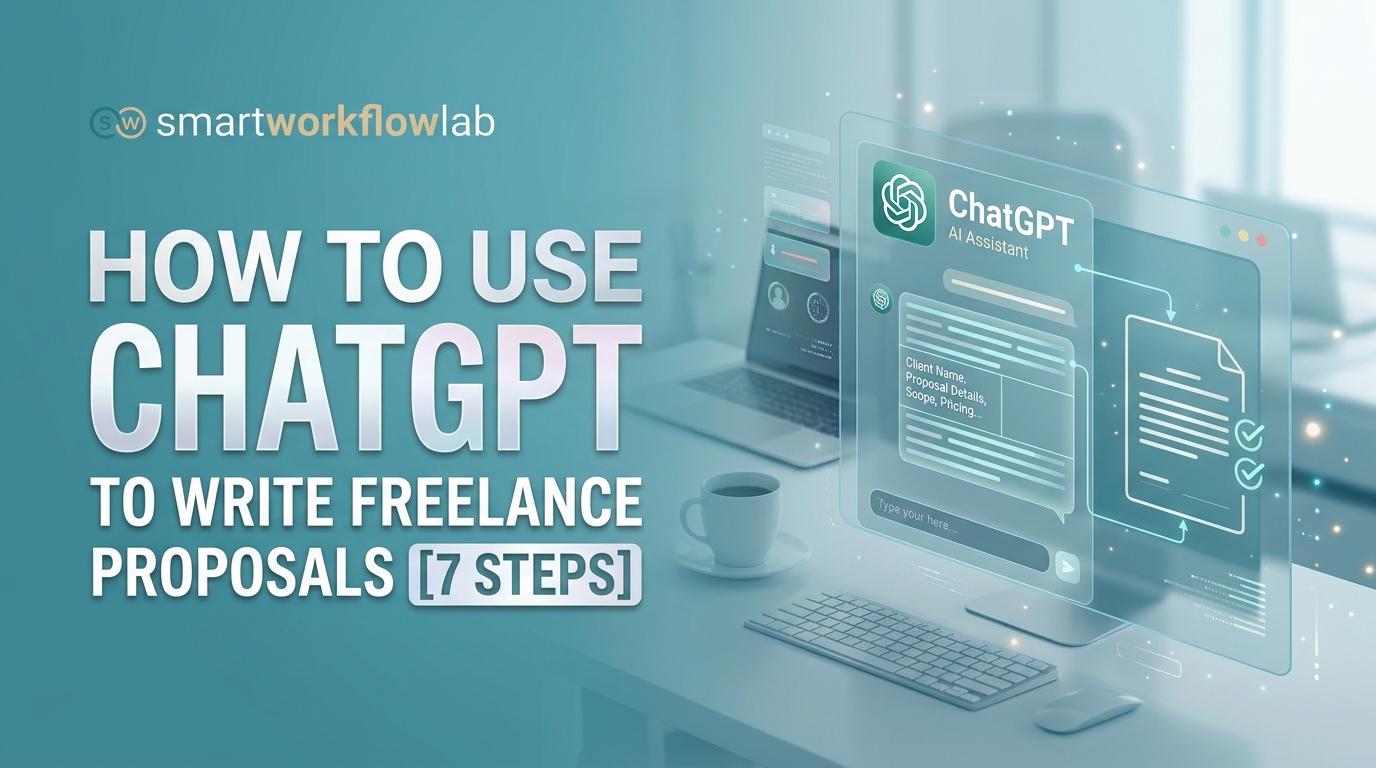
How to Use ChatGPT to Write Freelance Proposals
To write freelance proposals with ChatGPT, paste the client’s job posting into ChatGPT and ask it to identify the client’s core pain points. Then feed it your relevant experience and a structured prompt to generate a client-focused draft. Personalize the output with specific observations only you can make, and edit for a human tone.
The 7 steps:
- Analyze the job posting with ChatGPT
- Identify the client’s top 2–3 pain points
- Feed ChatGPT your skills, portfolio, and rate
- Generate a draft using a structured proposal prompt
- Replace every generic line with a specific client observation
- Edit tone and check for AI-detection flags
- Save the prompt as a reusable template
The rest of this post walks through each step with the exact prompts I use, real before/after examples, and the mistakes that cost me those first 20 rejections.
Why Most Freelancers Waste Hours on Proposals (And Why AI Alone Doesn’t Fix It)
The math behind freelance proposals is brutal. A typical freelancer spends 20–40 minutes writing each one, sends 8–15 per week, and hears back from maybe two. That’s roughly 5 hours a week spent on pitches that go nowhere.
ChatGPT seems like the obvious fix. And it is — partially. The problem is what happens when you take the shortcut too far.
During my 0% response phase, every proposal I sent was structurally sound. Clean grammar. Professional tone. Clear call-to-action. They read like a good proposal. But they also read like every other AI-written proposal the client received that day. On a busy Upwork listing, a client might scan 30–50 bids. When half of them open with “I noticed you’re looking for a website redesign and I’d love to help,” the client’s eyes glaze over.
The framework that fixed my results is simple: ChatGPT handles the 80% — structure, grammar, professional phrasing, formatting. You handle the 20% — specific client observations, relevant portfolio proof, your actual personality. That 20% is what converts.
This post gives you the complete workflow, with every prompt included.
What You Need Before You Start
ChatGPT Version — Does It Matter?
The free tier works for basic proposals. GPT-4o mini can follow instructions and produce a clean draft. But if you’re sending more than five proposals per week, ChatGPT Plus at $20/month is worth the upgrade for three reasons: GPT-4o produces noticeably better output on nuanced prompts, the longer context window means it retains your portfolio details across a multi-step conversation, and you can build a Custom GPT — essentially a personal proposal assistant pre-loaded with your experience and tone.
A quick note on alternatives: Claude handles tone-matching particularly well if you want something that mirrors your natural writing style. Gemini integrates with Google Workspace, which is convenient if your portfolio and client notes live in Google Docs. The prompts in this guide are written for ChatGPT, but the workflow itself applies to any of them.
Gather These Before You Prompt
Before you open ChatGPT, have four things ready:
- Your niche and positioning — one sentence. “I build Shopify stores for DTC brands” is useful. “I’m a web developer” is not.
- 2–3 portfolio pieces with measurable results — “Redesigned checkout flow for Brand X, conversion rate went from 1.8% to 3.4%.” Specific numbers matter.
- Your rate — know both your hourly rate and a project-based rate. Value-based pricing converts better in proposals, but you need the hourly number as a reference point.
- The full job posting — copy the entire text. Don’t summarize it. ChatGPT needs the client’s actual words.
The 7-Step Workflow: From Job Posting to Sent Proposal in 15 Minutes
Step 1 — Analyze the Job Posting Before Writing a Word
Most guides on how to use ChatGPT to write freelance proposals skip this step entirely, and it’s the reason most AI proposals sound generic.
Don’t ask ChatGPT to write the proposal yet. Ask it to read. Paste the full client brief — the job posting from Upwork, Fiverr, Freelancer.com, wherever — and have ChatGPT pull it apart before it writes anything.
Prompt #1 — The Analyzer:
Here is a freelance job posting from [Upwork/Fiverr/Freelancer.com]:

"""
[PASTE FULL JOB POSTING HERE]
"""

Analyze this posting and give me:
1. The client's #1 problem they need solved (in one sentence)
2. Their 2–3 specific pain points (read between the lines — what are they frustrated about?)
3. The deliverables they expect
4. Any red flags (vague scope, unrealistic timeline, low budget signals)
5. The tone of the posting (formal, casual, urgent, exploratory)

Do not write a proposal yet. Just analyze.
Why this matters: this is chain-of-thought prompting. You’re forcing ChatGPT to reason about the client’s situation before composing anything. In practice, the proposal it generates two steps later will be dramatically more relevant because of this analysis. I’ve tested skipping this step vs. including it — the difference in output quality is the gap between a template and a pitch.
The red-flag detection is also genuinely useful. I’ve avoided at least a dozen scope-creep nightmares because ChatGPT flagged “the deliverables section is vague but the timeline is aggressive — this client may not have a clear picture of what they want yet.”
Step 2 — Load Your Context (Role, Experience, Portfolio)
Now give ChatGPT the other half of the equation: you.
The single biggest mistake I see freelancers make is typing “write me a proposal” with zero context about who they are. That’s like asking someone to write your resume without telling them where you’ve worked.
Prompt #2 — The Context Loader:
You are a professional freelance [YOUR ROLE, e.g., web developer / copywriter / graphic designer] writing a proposal for the job posting you just analyzed.

Here is my background:
- Niche: [e.g., Shopify e-commerce sites for DTC brands]
- Years of experience: [X]
- Relevant portfolio piece: [Describe 1 project — what you did, the measurable result]
- My rate: [$/hr or $X project fee]
- My tone: [confident and warm / direct and professional / casual and approachable]

Remember this context for all the prompts that follow.
This is role assignment — you’re telling ChatGPT who to be and what it knows. The more specific you are here, the less editing you’ll do later.
Here’s what this looks like in practice:
| Element | ❌ Vague Prompt | ✅ Specific Prompt |
|---|---|---|
| Role | (none) | “You are a freelance UX designer” |
| Client context | (none) | Pain points from Step 1 analysis |
| Experience | (none) | “5 years, specializing in SaaS onboarding flows” |
| Tone | (none) | “Confident, not salesy” |
| Format | “Write a proposal” | “Under 200 words, end with a question as CTA” |
The left column produces something interchangeable. The right column produces something that sounds like it was written by a specific person for a specific client. That difference is everything.
Step 3 — Generate the Proposal Draft
Now ChatGPT has the client analysis (Step 1) and your background (Step 2). It can write a proposal that follows the anatomy clients actually respond to: hook, problem restatement, approach, timeline, pricing, call-to-action.
Prompt #3 — The Proposal Generator:
Using the job analysis and my background above, write a freelance proposal with this structure:

1. HOOK (1–2 sentences): Open with a specific observation about the client's business or project that proves I read their posting — not a generic intro.
2. PROBLEM RESTATEMENT (1–2 sentences): Restate their core problem in my own words to show I understand what they actually need.
3. MY APPROACH (3–5 bullet points): Concrete steps I'd take on this project. Mention specific tools or methods where relevant.
4. TIMELINE & DELIVERABLES: Realistic milestones for the scope described.
5. PRICING: State my rate with a brief note on what's included and what isn't.
6. CTA (1 sentence): End with a low-pressure question that invites a reply, not a hard close.

Constraints:
- Total length: under 200 words
- Tone: [confident / warm / direct — pick one]
- Do NOT use these phrases: "I'd love to help," "I'm excited about this opportunity," "I'm the perfect fit," or "don't hesitate to reach out"
- Do NOT start with "Dear" or "Hi there"
Two notes on this prompt. First, the 200-word limit is intentional. On Upwork especially, clients don’t read long proposals. They scan. A tight proposal with a strong opening line gets read. A 500-word essay gets skipped. Second, the banned phrases list matters more than you’d think. Those phrases have become AI tells — clients see them constantly and they signal “this person didn’t write this.”
The output from this prompt is your 80% draft. It will be well-structured, relevant to the job posting, and professionally worded. It will also be missing the thing that actually wins gigs.
Step 4 — The Human Edit (This Is the 20% That Wins)
Here’s what separates proposals that get interviews from proposals that get archived.
The draft from Step 3 is solid. But “solid” is what every other ChatGPT-assisted freelancer is also sending. The human edit is where you go from “sounds professional” to “sounds like someone who actually read my posting and thought about my problem.”
I edit every proposal in three passes:
Pass 1 — Replace generic lines with specific observations. If you can paste the same sentence into ten different proposals unchanged, rewrite it. Here’s what this looks like:
| Line | AI Draft | After My Edit |
|---|---|---|
| Hook | “I noticed you’re looking for a website redesign.” | “I pulled up your current site — product pages take 6+ seconds to load and the mobile nav buries your top sellers below the fold.” |
| Social proof | “I have experience with similar projects.” | “I did this exact Shopify migration for [Brand] last quarter — their add-to-cart rate went up 34% in the first month.” |
| CTA | “Let me know if you’d like to discuss.” | “Would a 15-minute call Thursday or Friday work to walk through my approach?” |
The left column is what ChatGPT produces. The right column is what gets replies. Every edit adds one thing: proof that a real person with real experience looked at this specific client’s situation.
Pass 2 — Cut the filler. AI-generated text tends to over-explain. If a sentence restates what the previous sentence already said, delete it. If a bullet point in your approach section says “conduct thorough research and analysis,” replace it with what you’d actually do: “audit your current product pages against your top 3 competitors using Ahrefs.”
Pass 3 — Read it out loud. This catches the rhythm problem. AI text has an even, metronomic cadence — every sentence is roughly the same length, with the same structure. Real writing varies. Short sentence. Then a longer one that develops the point. Then another short one. If your proposal sounds like a news anchor reading a teleprompter, break up the pattern.
Step 5 — Check for AI-Detection Red Flags
This is the section no other guide on how to use ChatGPT to write freelance proposals includes, and I think it’s a mistake to ignore it.
Clients are getting sharper at recognizing AI output. Some Upwork postings now explicitly say “no AI-generated proposals.” Even when they don’t, experienced clients who review dozens of bids develop an instinct for the pattern. Here are the tells I’ve learned to watch for:
- Em dash overuse — ChatGPT loves em dashes. Two or more in a 200-word proposal is a flag.
- “Not just X, but Y” constructions — this phrasing is an AI fingerprint. Cut it every time.
- Balanced sentence pairs — “While [thing], [other thing]” appearing multiple times.
- Superlative stacking — “exceptional,” “transformative,” “cutting-edge” in the same paragraph.
- Overly smooth transitions — real proposals written by busy freelancers don’t have perfect paragraph flow. A little roughness is human.
Two tools help here. Grammarly’s readability score flags monotone sentence length — useful for catching the metronomic rhythm I mentioned above. Hemingway Editor highlights overly complex sentences, which AI tends to produce when it’s trying to sound “professional.” Neither tool is an AI detector, but they catch the stylistic problems that make AI text recognizable.
If you want a direct check, paste your final draft into GPTZero or Originality.ai. Don’t obsess over the score — these tools produce false positives regularly. But if it reads above 85% AI-generated, you haven’t edited enough. Go back to Pass 1.
Prompt #4 — The Humanizer (optional but useful):
Review this proposal and flag any sentences that sound generic or could be pasted into any proposal unchanged. For each one, suggest a rewrite that sounds more specific and conversational. Also flag overused AI phrases like "I'd love to," "leverage," "don't hesitate," "I'm excited," or "proven track record."

"""
[PASTE YOUR EDITED DRAFT]
"""
I want to be clear about the goal here: it’s not to “trick” a detector. It’s to make the proposal sound like you wrote it — which, after proper editing, you did. AI-assisted writing that’s been genuinely revised by a human stops pattern-matching to a chatbot on its own.
Step 6 — Save It as a Reusable Template
Once you have a proposal that gets a response, turn it into a system. Future proposals should take 10–15 minutes, not 30.
Two approaches:
Quick version: Save your prompt chain (Steps 1–3) as a document in Notion, Google Docs, or a plain text file. Each time, swap in the new job posting and update your relevant portfolio piece. This is what I did for the first two months and it works fine.
Better version: Build a Custom GPT on ChatGPT Plus. Upload your portfolio summary, three to five past winning proposals as few-shot examples, and a short note on your preferred tone. Now you have a dedicated proposal writer that already knows your background. You paste a job posting, it runs the analysis and generates a draft in one turn. I switched to this approach in month three and it cut my per-proposal time from 15 minutes to about 8.
Prompt #5 — The Template Saver:
Based on the proposal we just created, build me a reusable template. Use [BRACKETS] for every variable I'll swap out for each new client (their problem, my relevant experience, my rate, the specific observation). Keep the structure and tone locked. I want to fill in the brackets and have a strong first draft in under 5 minutes.Step 7 — Write the Follow-Up Before You Hit Send
This takes 30 seconds and most freelancers skip it entirely.
Write your follow-up message at the same time as the proposal. If you wait until three days later, you’ll either forget or overthink it. Batch-produce it now, schedule it for day three or five, and move on.
Prompt #6 — The Follow-Up:
Write a follow-up message for the proposal above. I sent it [3/5] days ago and haven't heard back.

Rules:
- Under 60 words
- Do NOT use "just checking in" or "following up on my proposal"
- Add one small piece of value: a relevant insight about their project, a quick observation about their business, or a link to a related case study
- End with a specific, low-pressure question
- Tone: warm, not pushy
On Upwork, a well-timed follow-up with added value can double your response rate. The key phrase is “added value.” A follow-up that says “Just wanted to check if you saw my proposal” adds nothing. A follow-up that says “I noticed your site’s checkout page doesn’t have trust badges — adding them typically lifts conversions 5–12%. Happy to include that in the project scope” gives the client a reason to reply.
Niche-Specific Prompt Adjustments
Once you understand how to use ChatGPT to write freelance proposals, the next question is adapting the workflow to your niche. A web developer’s proposal looks nothing like a copywriter’s. Here’s how to adjust the core prompt.
For Developers and Designers
Emphasize your tech stack, specific frameworks (React, Shopify, WordPress), and propose a timeline with sprint-based milestones. Clients hiring developers care about process as much as output. Add to your Step 3 prompt: “Include specific technologies I’d use and break the timeline into 1–2 week sprints with defined deliverables at each stage.”
For Writers and Content Creators
Lead with your understanding of their brand voice and audience. Offer a sample headline or angle to prove you’ve thought about their content, not just your credentials. Add: “Open with a suggested headline or content angle for their project that demonstrates I understand their audience.”
For Virtual Assistants and Generalists
Reliability and tool proficiency matter more than creativity here. Name the specific tools you use — Notion, Slack, Asana, ClickUp — and mention your availability window and timezone. Add: “Emphasize specific tools I’m proficient in, my weekly availability in [timezone], and my response-time commitment.”
For Creative Freelancers Pitching Larger Projects
If the project warrants a visual pitch alongside the written proposal, Gamma lets you turn your ChatGPT draft into a polished presentation deck in minutes. Useful for projects on Toptal, Contra, or LinkedIn outreach where a PDF leave-behind can set you apart from a plain-text bid.
When NOT to Use ChatGPT for Proposals
Every guide on this topic is relentlessly pro-AI. Here’s the honest counterpoint.
High-ticket projects ($5K+). When the contract value is high enough, the client expects a bespoke proposal that demonstrates strategic thinking. An AI-generated structure is fine as scaffolding, but the content needs to be deeply custom. Spending 90 minutes on a $10K proposal is a better ROI than spending 15 minutes on it.
Repeat clients. If you’ve worked with someone before, a templated proposal feels impersonal. These clients already trust you. A short, direct message — “Here’s how I’d approach this one, based on what worked on the last project” — outperforms a structured pitch.
Upwork listings with screening questions. Some Upwork job postings require you to answer specific questions before submitting your bid. These answers carry more weight than the cover letter itself. Spend your time crafting those responses. The cover letter can be shorter and simpler.
Strong-portfolio niches on visual platforms. If you’re a designer on Fiverr or Dribbble and your portfolio speaks for itself, a short personal note often outperforms a structured proposal. Let the work do the selling.
My recommendation: use ChatGPT for volume plays — the 5–15 proposals you send per week on competitive platforms. Switch to manual for high-conviction bids where the gig is clearly worth the extra time investment.
How to Track Whether AI Proposals Actually Work for You
Most freelancers have no idea what their proposal conversion rate is. That means they can’t tell if ChatGPT is helping or just making them feel productive.
Set up a simple spreadsheet with five columns:
| Date | Platform | Job Title | AI-Assisted? | Outcome |
|---|---|---|---|---|
| Sep 12 | Upwork | Shopify redesign | Yes | Interview |
| Sep 12 | Upwork | Blog writing | Yes | No reply |
| Sep 13 | Fiverr | Logo design | No | Hired |
Track every proposal for 30 days. Then calculate your conversion funnel: proposals sent → viewed → interview → hired.
Benchmarks from my own tracking and what I’ve seen reported in freelancer communities: on Upwork, a 10–15% interview rate is average. Above 20% means your proposals are strong. Below 5% means something is broken — either targeting, pricing, or the proposals themselves.
After 30 days, compare your AI-assisted proposals against your manually written ones. If the conversion rates are similar, the AI approach is saving you time without costing you gigs. If the manual proposals convert significantly higher, your editing process (Step 4) needs work.
This data is the only honest answer to “does using ChatGPT for proposals actually help?” The answer is specific to your niche, your platform, and your edit quality. The spreadsheet tells you.
Use ChatGPT for Pricing, Too
Pricing is the other proposal bottleneck. Too high, you lose the bid. Too low, you devalue your work and resent the project by week two.
ChatGPT can’t give you exact market rates — it doesn’t have access to real-time Upwork data. But it can help you frame value-based pricing, which is what actually wins clients on price.
Prompt #7 — The Pricing Framer:
I'm a freelance [role] quoting a [project type] for a [client type]. The scope includes [describe deliverables and timeline]. My experience level is [junior/mid/senior].

Suggest:
1. A reasonable project-based price range for this scope
2. How to frame the price in terms of ROI or value to the client (not hours worked)
3. What to include in the base price and what to list as a paid add-on
4. A one-sentence pricing justification I can add to the proposal
One practical tip: always present a project-based rate in the proposal rather than an hourly rate, even if you calculated it from your hourly number internally. Clients buying outcomes respond better than clients buying hours. The prompt above helps you make that frame shift.
The Takeaway
That’s the complete system for how to use ChatGPT to write freelance proposals that actually get replies. But speed without personalization is just faster rejection.
The workflow above works because it treats AI as a drafting partner, not a ghostwriter. ChatGPT handles the structure, the phrasing, the formatting — the 80% that used to eat your afternoon. You handle the specificity, the proof, and the personality — the 20% that clients actually respond to.
Start with one proposal today using this method. Track the result. Refine the template. That’s the entire system — no 47-step framework required.
Frequently Asked Questions
Can Upwork clients tell if a proposal was written by ChatGPT?
Often, yes — not through AI detectors, but through pattern recognition. Unedited AI proposals share recognizable traits: em dashes in every paragraph, overly smooth transitions, and phrases like “I’d be thrilled to leverage my expertise.” Clients reviewing 30–50 proposals per listing start noticing the pattern. The fix isn’t avoiding AI. It’s editing the output until it sounds like a specific person wrote it for a specific job.
What is the best ChatGPT prompt for freelance proposals?
There’s no single “best prompt.” A prompt without context about the client and your experience produces generic output every time. The most effective approach is the multi-step workflow above: analyze the job posting first (Prompt #1), load your context second (Prompt #2), then generate the draft (Prompt #3). The sequence matters more than any individual prompt.
How long should a freelance proposal be?
On Upwork, under 200 words. Clients scan, they don’t read — especially on high-volume listings. On Fiverr, your gig description does the heavy lifting, so direct messages to prospective buyers can be even shorter at 50–100 words. For off-platform cold outreach via LinkedIn or email, 150–250 words is the target. In every case, a shorter proposal with a strong hook outperforms a longer one with a weak opening.
Is it ethical to use AI for freelance proposals?
Using AI to draft proposals is no different from using Grammarly to fix grammar or a template to structure a pitch. It’s a tool. What matters is that the final proposal accurately represents your skills, your experience, and your thinking. Don’t fabricate case studies. Don’t claim expertise you don’t have. Edit the output until it reflects your actual voice. The ethical issue isn’t AI assistance — it’s misrepresentation, and that existed long before ChatGPT.
Does ChatGPT work for non-English proposals?
It handles major languages well — Spanish, French, German, Portuguese, Arabic. For less widely spoken languages or markets with specific cultural communication norms, you’ll need heavier editing. A useful approach: draft in English for structure, then prompt ChatGPT to translate while adapting formality and cultural tone for the target market. Always have a native speaker review the final version.
How many proposals should I send per day on Upwork?
Quality beats volume, but volume matters when you’re building momentum. Aim for 5–10 targeted proposals per day during your first few months. Each one should be customized using the workflow above — not the same prompt with a different client name swapped in. As your profile strengthens and you collect reviews, drop to 3–5 per day and be more selective. Remember that each Upwork proposal costs Connects, so spray-and-pray is literally expensive.