Last month, a three-person marketing agency I advise discovered they’d been double-invoicing a client for six weeks. Not because anyone was careless. Their invoicing process involved a shared Google Sheet, a QuickBooks login, and someone remembering to hit “send” on Fridays. The total damage: a $4,200 refund and an awkward conversation with their biggest account.
That’s not a people problem. That’s a system problem, and it’s exactly the kind of problem AI solves well.
This guide shows you how to automate invoicing with AI, step by step, using tools you can set up this afternoon. No custom code. No enterprise budget. Whether you’re a freelancer chasing 15 unpaid invoices or a finance team processing 5,000 inbound vendor bills a month.
How to Automate Invoicing with AI
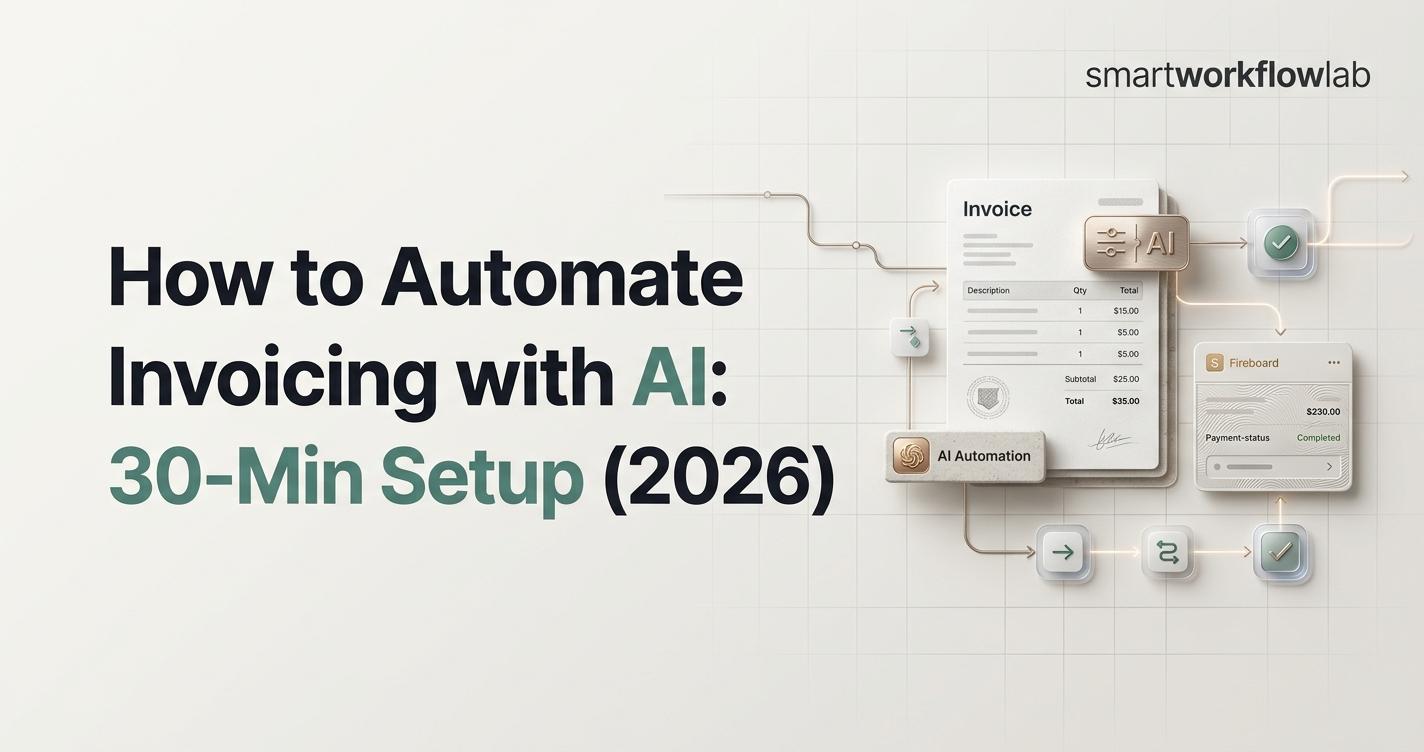
To automate invoicing with AI, connect a trigger event (a closed deal, completed project, or billing date) to a workflow tool like Zapier or Make.com. The AI extracts or generates invoice data using OCR and LLMs, populates a template, and sends the invoice through your accounting platform. It then schedules payment reminders automatically, replacing 6–15 hours of manual work per month.
Here’s the process in five steps:
- Map your invoice triggers
- Set up AI-powered data extraction or generation
- Connect your accounting platform
- Add approval routing and exception handling
- Automate payment reminders and reconciliation
The rest of this post walks through each step with specific tools, real configurations, and the actual LLM prompts I use.
Why Manual Invoicing Is Costing You More Than You Think
The Hidden Math
Most people underestimate what manual invoicing actually costs because the expense is spread across multiple people doing small tasks. Someone opens the email. Someone else keys the data. A third person chases the approver.
When you add it all up, the industry benchmarks are striking:
- Cost per invoice: $12.88–$19.83 for manual processing vs. $2.36–$5 with AI automation (APQC/Ardent Partners AP benchmarks)
- Processing time: 10–30 minutes per invoice manually vs. 1–2 seconds with AI (Parseur global trends report)
- Error rates: 39% of manually processed invoices contain at least one error; AI-powered systems run below 0.1% (Factura.ai accuracy research)
- Late payment drag: The average Days Sales Outstanding (DSO) for manually invoiced businesses is 35–55 days. Automated systems compress this to 20–30 days
There’s a second-order effect that’s easy to miss. When invoicing runs on autopilot, your financial data becomes clean and structured by default. That means better cash flow forecasting, faster month-end close, and audit trails that don’t require a weekend of digging.
Who This Guide Is For
- Freelancers and solopreneurs sending 10–50 invoices per month (you’re billing clients: outbound invoicing)
- Small business owners and agencies managing both accounts receivable (AR) and accounts payable (AP)
- Finance managers and AP teams processing 100+ inbound vendor invoices monthly
Quick self-test: if invoicing-related tasks eat more than 2 hours of your month, automation will pay for itself within 90 days.
How AI Invoice Automation Actually Works
Before we build anything, it helps to understand what’s actually happening under the hood. You don’t need to become a machine learning engineer, but knowing the layers helps you pick the right tools.
The Three AI Layers
Layer 1: OCR (Optical Character Recognition) This is the “eyes” of the system. OCR reads invoices from PDFs, scanned documents, and images, converting visual content into machine-readable text. It’s been around for decades, but modern OCR paired with AI is dramatically more accurate with messy, inconsistent formatting.
Layer 2: NLP and LLMs (Natural Language Processing / Large Language Models) This is the “brain.” NLP and LLMs interpret the extracted text, understanding that “Net 30” is a payment term, not a product line. They can also generate invoice content from deal data, contract terms, or time entries. This is the layer that’s changed most in the last two years.
Layer 3: Machine Learning Pattern Recognition This is the “memory.” ML models learn from your specific invoicing patterns over time: auto-coding GL entries, predicting which approver to route to, flagging anomalies like duplicate invoices or unusual amounts. The more invoices it processes, the better it gets.
AI Invoicing vs. Traditional Rule-Based Automation
Traditional invoice automation uses rigid templates. It works fine until a vendor sends an invoice in a slightly different format, and then it breaks.
AI-based automation adapts. It handles different formats, languages, and layouts without reprogramming. The metric that captures this difference is the touchless processing rate: the percentage of invoices that flow from receipt to payment with zero human intervention. Traditional automation typically plateaus below 30%. AI-driven systems reach 70–90%.
That’s the architectural difference that matters. Not the marketing buzzwords; the straight-through processing rate.
Step-by-Step: Build Your AI Invoicing System in 30 Minutes
This is the core of the guide. Pick your tools from the options below, follow along, and you’ll have a working automation by the end.
Short on time? Follow only Steps 1, 3, and 6 using Zapier + FreshBooks. That’s the minimum viable automation: a trigger, AI-generated invoice, and automated payment reminders. It takes about 30 minutes and covers 80% of what most freelancers and small businesses need. The remaining steps (approval routing, reconciliation, reporting) add controls and visibility. Build those when you’re ready.
Step 1: Map Your Invoice Triggers
Every automation starts with a trigger: the event that says “it’s time to create or process an invoice.” Write yours down before you touch any software.
Common triggers I see across client setups:
- A deal marked “Closed Won” in your CRM (HubSpot, Salesforce, Pipedrive)
- A project milestone completed in your PM tool (Asana, Monday, ClickUp)
- A subscription renewal date hit in your billing platform (Stripe, Chargebee)
- Time entries approved for the week (Harvest, Toggl)
- A PDF landing in a shared inbox or Google Drive folder (for inbound AP)
Technically, these triggers work through webhooks and API calls between your tools. But you don’t need to write any code. Zapier and Make.com handle the API connections behind a visual interface; you just select the trigger app, authenticate, and choose the event.
The rule I always give clients: If you cannot name the trigger in one sentence, you’re not ready to automate that process yet. Start with your most common, most predictable trigger. For most freelancers, that’s “project completed.” For most AP teams, that’s “invoice email received.”
Step 2: Choose Your Automation Platform
This is the connective tissue: the platform that watches for your trigger and orchestrates the AI + accounting steps. Here’s how the main options compare based on my testing:
| Platform | Best For | AI Capability | Starting Price | Learning Curve |
|---|---|---|---|---|
| Zapier | Freelancers, SMBs, fastest setup | Built-in AI actions, ChatGPT modules | Free–$69/mo | Low |
| Make.com | Complex multi-step workflows | OpenAI/Claude modules, HTTP flexibility | Free–$16/mo | Medium |
| Power Automate | Microsoft 365 organizations | AI Builder with prebuilt invoice model | $15/user/mo | Medium |
| n8n | Developers, self-hosted control | Any LLM via HTTP, full customization | Free (self-hosted) | High |
My recommendation for most readers: Start with Zapier if you want speed and simplicity. Move to Make.com when you need conditional logic that Zapier handles clumsily, like branching paths or iteration over line items. Use Power Automate only if your organization already runs Microsoft 365. Its AI Builder invoice model is genuinely excellent for inbound AP, but the platform itself is harder to learn than it needs to be.
One detail that rarely gets mentioned: Zapier’s free tier limits you to 100 tasks per month. If you send 30 invoices a month and each Zap has 3 steps, you’ll hit that limit in your first month. Budget $19.99/month minimum for the Starter plan.
Step 3: Set Up AI Data Extraction or Invoice Generation
This is where the AI actually does its work. There are two distinct paths depending on your situation.
Path A: You’re Processing Invoices You Receive (Inbound AP)
You need an AI extraction tool that reads incoming invoices (PDFs, scans, email attachments) and pulls out structured data: vendor name, invoice number, line items, totals, tax amounts, PO references.
The tools I’ve tested:
- Rossum — Best accuracy on complex, multi-page invoices. Enterprise-priced.
- Docsumo — Strong accuracy with a more accessible price point. Good API.
- Veryfi — Fastest processing. Real-time OCR via mobile SDK. Works well for receipt-heavy businesses.
- Power Automate AI Builder — If you’re already in the Microsoft ecosystem, its prebuilt invoice model is surprisingly good and requires zero ML knowledge.
- Vic.ai — True AI-first AP automation with proprietary computer vision. High accuracy but enterprise-focused.
Connect the extraction output to your accounting platform via your automation tool (Zapier, Make.com, etc.). The flow: email arrives → AI extracts fields → data pushed to QuickBooks/Xero/NetSuite as a new bill.
Path B: You’re Creating Invoices to Send (Outbound AR)
This is the path most guides skip, and it’s the one freelancers and agencies actually need. You’re not processing vendor invoices; you’re generating your own.
The flow: trigger fires → pull deal/project data → feed into LLM → generate invoice content → populate template → create in accounting platform → send to client.
Here’s the actual LLM prompt I use in my Zapier workflows (adapted from dozens of iterations):
You are an invoicing assistant for a professional services business.
Given the following project data, output a JSON object for an invoice.

Project data:
- Client name: {{client_name}}
- Client email: {{client_email}}
- Services delivered: {{line_items}}
- Agreed rate: {{rate}}
- Hours/units: {{quantity}}
- Tax rate: {{tax_rate}}
- Payment terms: {{payment_terms}}

Output this exact JSON structure:
{
  "line_items": [
    {"description": "...", "quantity": ..., "unit_price": ..., "total": ...}
  ],
  "subtotal": ...,
  "tax": ...,
  "total_due": ...,
  "due_date": "calculate from today + payment terms",
  "notes": "a one-sentence professional thank-you note"
}

Rules: Calculate all math precisely. Format currency to 2 decimal places.
Do not invent line items not present in the project data.
Why this matters: I’ve never seen another guide on how to automate invoicing with AI that includes the actual prompt. They all say “use AI to generate the invoice” without showing what that looks like in practice. The prompt above took me about 15 iterations to get reliable. The key breakthrough was forcing JSON output and adding the “do not invent line items” rule, which prevented hallucinated charges that would have been embarrassing to send to clients.
Feed the JSON output into a “Create Invoice” action in your accounting platform. QuickBooks, FreshBooks, Xero, and Zoho Invoice all accept line-item data via their Zapier integrations.
Step 4: Connect Your Accounting Platform
Your automation platform needs to write into your accounting system. Here’s how the major platforms compare for this specific use case:
| Platform | Best For | AI Features | Zapier/Make.com Integration |
|---|---|---|---|
| QuickBooks Online | SMBs wanting full accounting | AI categorization, smart invoicing | Excellent — dozens of actions |
| FreshBooks | Freelancers, service businesses | AI time tracking, smart reminders | Good — solid create/update actions |
| Xero | Growing businesses, global | Bank reconciliation AI | Excellent — robust API |
| Zoho Invoice | Budget-conscious (free tier) | Recurring invoices, auto-reminders | Good — covers the basics |
| Wave | Solopreneurs (totally free) | Basic categorization | Limited — fewer automation triggers |
| NetSuite / SAP / Dynamics 365 | Enterprise, multi-entity | Full AP/AR automation suites | Native connectors, complex setup |
| Sage | Mid-market, manufacturing | AP workflow automation | Decent — improving |
My honest take: For 80% of readers of this guide, QuickBooks Online or FreshBooks is the right choice. QuickBooks if you want full accounting integration. FreshBooks if you’re a freelancer or consultant who bills for time and wants the simplest possible experience.
Don’t pick a platform for its AI features alone. Pick it for how well it handles the boring stuff: tax calculations, multi-currency support, and how clean the Zapier/Make.com integration is. The AI layer sits on top.
One practical detail: make sure your automation creates invoices in “draft” status first, not “sent.” This gives you a safety net to catch errors before they reach clients. After you trust the system (usually 2–4 weeks), switch to auto-send for routine invoices.
Step 5: Add Approval Routing and Exception Handling
For inbound AP, you need controls. Not every invoice should be auto-approved and paid.
Build a human-in-the-loop checkpoint based on amount thresholds:
- Under $500: auto-approve and post to accounting
- $500–$5,000: route to manager for one-click approval
- Over $5,000: require dual approval
In Zapier, use a “Delay Until Approved” step with a notification to Slack or email. In Power Automate, use the built-in “Approval” action; it’s one of the platform’s genuine strengths.
For exception handling, set up flags for:
- Duplicate detection: Same invoice number + vendor + amount within 30 days = flag
- PO mismatch: Invoice references a purchase order that doesn’t exist or has the wrong amount (three-way match)
- Vendor bank detail changes: Sudden change in payment details is a fraud red flag. Always route to human review
Bill.com (BILL) has the most refined approval workflows I’ve tested. If your primary challenge is getting invoices approved by the right people without email chaos, it’s the purpose-built solution. Tipalti handles this at enterprise scale with global payment compliance built in.
Step 6: Automate Payment Reminders
The invoicing itself is only half the problem. Getting paid is the other half.
Set up a reminder sequence that runs without you:
- Day 0: Invoice sent confirmation (“Your invoice #1042 has been delivered”)
- Day 7: Friendly check-in (“Just a reminder that invoice #1042 is due in 23 days”)
- Day 30 (due date): Payment due notice
- Day 37: Firm follow-up with late fee notice if applicable
- Day 45: Escalation with a different tone, possibly a different contact at the client
Use your automation platform’s AI text module to generate the reminder copy. Personalized, professional reminders outperform generic templates. FreshBooks has this built in: their smart reminders analyze client payment behavior and adjust timing and wording automatically. Users report roughly a 25% reduction in late payments after enabling them.
Melio is another strong option for automated payment collection, particularly if you want to give clients the option to pay by ACH (lower fees than credit cards).
One thing AI can’t do: make a broke client pay. If someone is at Day 60+, pick up the phone. Automation handles the routine follow-up so you have the energy for the conversations that actually require a human.
Step 7: Set Up Reconciliation and Reporting
The final piece: matching payments received to invoices sent. This is where finance teams lose entire weekends at month-end.
The simplest version: connect Stripe (or your payment processor) to QuickBooks via Zapier. Three actions:
- Trigger: Payment received in Stripe
- Action 1: Find matching invoice in QuickBooks by amount + client
- Action 2: Mark invoice as paid, log payment date
This runs continuously, not as a month-end batch. Every payment reconciles within minutes of arriving.
For reporting, use Airtable or Notion as a central invoice tracker that syncs with your accounting platform. Set up a monthly automated summary: total invoiced, total collected, outstanding balance, overdue amount, and top clients by revenue. This takes 20 minutes to configure and saves hours of spreadsheet work every month.
Best AI Invoicing Tools by Use Case (2026)
For Freelancers and Solopreneurs
- FreshBooks ($17–$55/mo) — Best overall for service businesses. AI-powered time tracking suggests entries based on your calendar. Smart payment reminders optimize send times per client.
- Zoho Invoice (free up to 1,000 invoices/year) — The best free option with real automation features. Branded client portal, auto-reminders, multi-currency support.
- Wave (free) — Solid basics with no cost. Limited automation capabilities, but enough for under 20 invoices per month.
- Bookipi — Combines invoicing with AI-generated proposals and contracts. Useful if you want one platform from pitch to payment.
For Small Businesses and Agencies
- QuickBooks Online ($30–$200/mo) — Default choice for most SMBs. Intuit’s AI handles categorization, receipt matching, and invoicing insights. The ecosystem is unmatched.
- Sai by Simular — AI-native end-to-end invoice workflows. Newer player but strong on automation-first design.
- Zapier + your existing tool — Often the smartest move. Don’t replace your accounting platform; add an AI automation layer on top of it.
For Mid-Market and Enterprise AP Teams
- Vic.ai — Proprietary computer vision, highest accuracy I’ve seen on complex invoices. Enterprise-priced.
- Rossum — Cognitive data capture for high-volume processing. Strong on messy, multi-format documents.
- Hypatos — Deep learning document automation. Strong ERP integration.
- Tipalti — End-to-end AP and AR with global payment compliance.
- Swfte — AI agent approach with native connectors into NetSuite, SAP, and Dynamics 365.
What Can Go Wrong: Guardrails You Need Before Going Live
Most guides on how to automate invoicing with AI tell you about the benefits. Few mention what breaks. Here’s what I’ve seen fail in real implementations.
The 5 Most Common AI Invoicing Failures
1. Tax calculation errors. LLMs are unreliable at math and jurisdiction-specific tax rules. Never trust an LLM to calculate sales tax, GST, or VAT from scratch. Use your accounting platform’s tax engine and let the AI handle everything else.
2. Duplicate invoices. The same invoice gets processed twice, resulting in a duplicate payment you may never catch. Mitigation: build a dedup check by hashing the invoice number + vendor name + total amount. If that hash already exists in the last 90 days, flag it for human review.
3. Dirty vendor master data. If your ERP has five entries for “AT&T” (AT&T, At&t, ATT Corp, AT&T Inc., AT&T Services), the AI will treat them as five different vendors. Clean your vendor master data before you automate. Garbage in, garbage out, just faster.
4. GL miscoding. The AI extracts invoice data perfectly but posts it to the wrong general ledger account. This is more common than extraction errors and harder to catch. Set a confidence threshold: if the AI’s coding confidence is below 90%, route to a human for account assignment.
5. Over-automating edge cases. Retainers, partial deliveries, milestone billing, multi-currency invoices with fluctuating exchange rates. These are real business complexities that need clear rules before you automate them. A mistake I see often: teams try to automate everything on day one. Start with the 80% of invoices that are straightforward. Handle the weird ones manually until you’ve built rules for them.
The Human-in-the-Loop Rule
Start with AI handling 80% of invoices autonomously and humans reviewing 20%. Expand the automation boundary as confidence scores improve and your exception-handling rules mature.
A non-negotiable: never fully remove human review from high-value invoices. Modern AI achieves 95%+ accuracy on standard invoices. That sounds great until you remember that a 5% error on a $100,000 invoice is $5,000. On routine $500 invoices, let the AI run. On anything above your pain threshold, keep a human in the loop.
When NOT to Automate Invoicing
This is the section no one else writes, and it’s the one that might save you the most time.
Don’t automate if you send fewer than ~20 invoices per month as a freelancer. A clean template in FreshBooks or Zoho and 30 minutes of focused work is cheaper than the time you’ll spend configuring and debugging automation workflows.
Don’t automate inbound AP if you process fewer than ~100 vendor invoices per month. A standard accounting platform with basic receipt capture handles this volume fine. The setup cost and monthly subscription of dedicated AI tools won’t pay back.
Don’t automate before you’ve standardized. If every invoice you send is completely different — different structures, different terms, different approval flows — automating that chaos just produces faster chaos. Standardize your invoicing process first. Get it working reliably with templates. Then automate the standardized version.
The litmus test I use with clients: Can you describe your invoicing process in exactly five steps? If yes, you’re ready to automate. If it takes more than five, simplify first.
Measuring ROI: The Numbers That Prove It’s Working
Track these five metrics before and after implementation. If you skip the baseline measurement, you won’t know whether the automation is actually working or just feels different.
| Metric | Manual Baseline | Automated Target |
|---|---|---|
| Cost per invoice | $15–$40 | $2–$5 |
| Processing time per invoice | 10–30 minutes | Under 60 seconds |
| Error rate | 3–39% | Under 0.5% |
| DSO (Days Sales Outstanding) | 35–55 days | 20–30 days |
| Touchless processing rate | 0% | 70–90% |
Sources: APQC, Ardent Partners AP benchmarks; Factura.ai invoice processing statistics; Parseur global trends report
ROI Payback Timeline
The payback period depends on your volume:
- Freelancers and SMBs: 1–3 months. Low setup cost (often just a Zapier subscription), immediate time savings.
- Mid-market businesses: 6–9 months. Higher tool costs, more complex implementation, but larger absolute savings.
- Enterprise AP teams: 3–6 months. Higher volume means fixed costs amortize faster.
The ROI category most people overlook is early payment discount capture. Many vendor invoices offer 2/10 Net 30 terms, meaning a 2% discount if you pay within 10 days. If your manual process takes 12 days from receipt to approval, you can never capture those discounts. AI automation that processes invoices in hours makes those discounts systematically capturable.
For a mid-size business with 200 eligible invoices per month averaging $5,000 each, that’s $20,000/month, or $240,000 annually, in discounts that were previously impossible to claim (Hypatos ROI benchmarks). This single benefit often exceeds the direct labor savings in year one.
Frequently Asked Questions
Can AI generate invoices automatically?
Yes, AI can generate invoices automatically from structured data like deal records, contract terms, time entries, and project milestones. LLMs draft the content and accounting platforms format and send the output. Tools like Zapier + QuickBooks or Make.com + FreshBooks can auto-create and send invoices the moment a project completes or a deal closes.
What is the best AI tool for invoicing in 2026?
The best AI invoicing tool depends on your size and whether you’re sending or receiving invoices. For freelancers: FreshBooks for simplicity, Zoho Invoice if you want free. For SMBs: QuickBooks Online for full accounting integration. For enterprise AP: Vic.ai or Tipalti for end-to-end automation. The “best” tool depends entirely on whether you’re sending invoices (AR) or processing them (AP), and at what volume.
How much does AI invoice automation cost?
AI invoice automation ranges from free to several hundred dollars per month. Free options exist (Zoho Invoice, Wave). A typical freelancer stack (Zapier + FreshBooks) runs $40–$90/month. Mid-market AP tools (Bill.com, Docsumo) run $45–$200/month. Enterprise platforms (Vic.ai, Tipalti, Hypatos) price by invoice volume. Almost all offer free trials; test with real invoices before committing.
Is AI invoicing accurate enough to trust?
AI invoicing is accurate enough for routine invoices, but high-value ones still need human review. Modern AI achieves 95%+ accuracy on standard invoices from established vendors with consistent formatting. Accuracy drops on handwritten invoices, poor-quality scans, and unusual layouts. Trust AI for routine invoices under your risk threshold. Keep human review on high-value and unusual invoices. Accuracy improves over time as the system learns your specific patterns.
Can I use ChatGPT or Claude to create invoices?
Yes, you can use ChatGPT or Claude to create invoice content, but not as standalone invoicing systems. LLMs excel at generating invoice data from natural language descriptions and structuring it into usable formats. However, you need an automation layer (Zapier, Make.com) to trigger the generation and an accounting platform (QuickBooks, Xero) to handle sending, tracking, payment processing, and tax compliance. The LLM is one layer in the stack, not the whole stack.
What’s the difference between AI invoicing and traditional automation?
The key difference between AI invoicing and traditional automation is adaptability. Traditional automation follows fixed rules and templates; it processes identical invoices fast but breaks when formats vary. AI invoicing uses machine learning and NLP to adapt to different invoice formats, languages, exceptions, and edge cases. The practical difference: traditional automation plateaus at ~30% touchless processing. AI-driven systems reach 70–90% because they handle the variability that breaks rigid rules.
Your Next Step
You don’t need to build the entire system from this guide in one sitting. Start with the smallest useful automation: one trigger, one AI action, one output.
For most freelancers, that’s: project completed in your PM tool → Zapier creates a draft invoice in FreshBooks → you review and send. That single Zap takes 15 minutes to configure and will save you 30 minutes every time it runs.
For AP teams, it’s: invoice PDF lands in a shared folder → AI Builder or Docsumo extracts the fields → data populates a draft bill in QuickBooks. One flow. No more manual data entry for your highest-volume vendor.
The technology to automate invoicing with AI is mature, affordable, and accessible to non-technical users. The biggest leverage isn’t the AI itself; it’s removing the human bottleneck between “work done” and “invoice sent.”
Build that first automation today. The first payment reminder that fires without you touching anything will make the whole setup feel worth it.