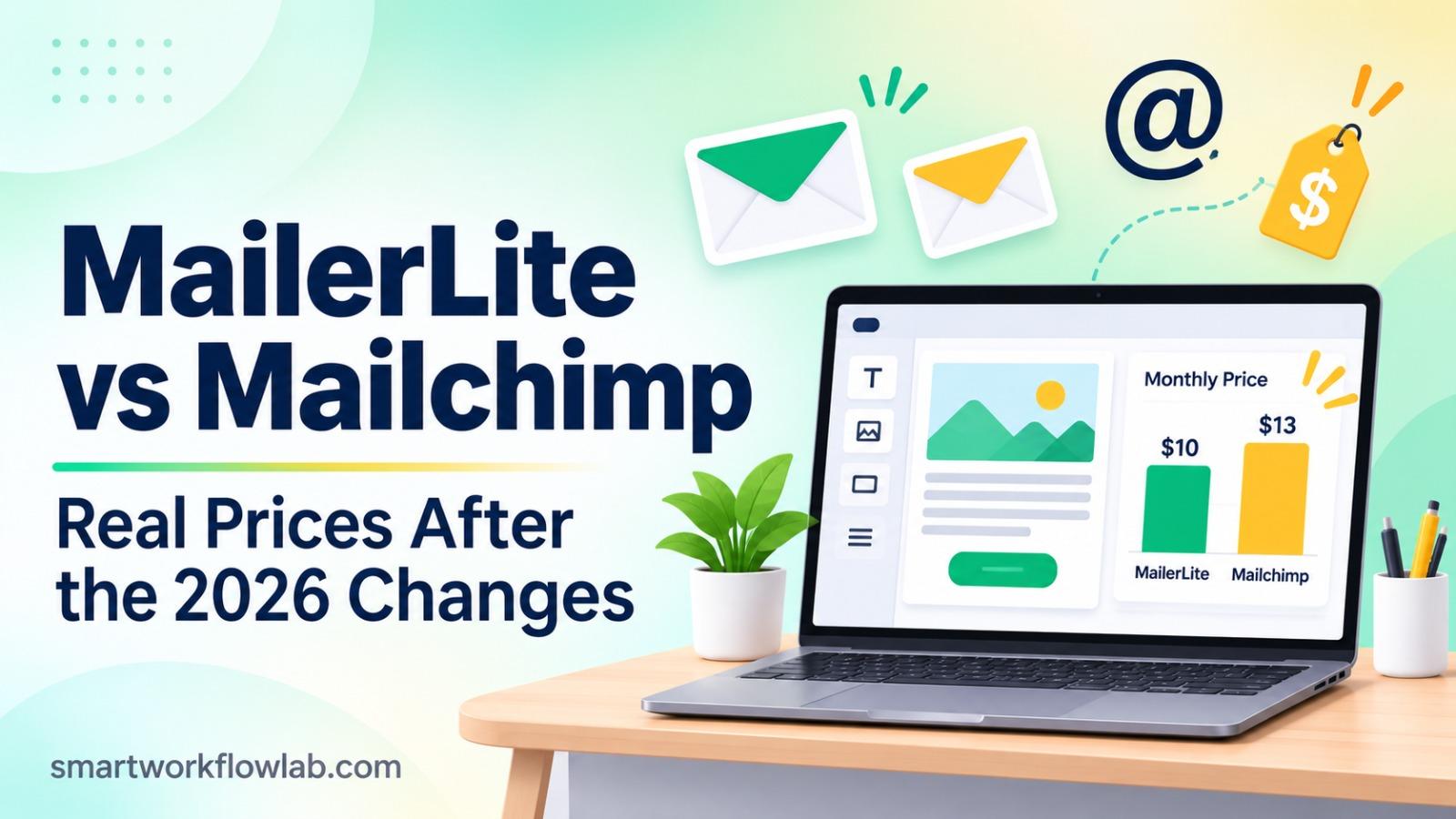
MailerLite is the better pick for most small businesses and creators in 2026: its entry plan costs less at every list size, it’s simpler, and it includes landing pages and paid newsletters. Mailchimp wins if you need advanced segmentation or deep online-store integrations. At 5,000 subscribers, MailerLite costs $49 a month against $75 for Mailchimp.
Both tools changed their pricing in 2026, so many older comparisons are out of date. Mailchimp cut its free plan to 250 contacts in February. MailerLite renamed its paid plans to Comfort and Power in June, added limits to the cheaper plan and shrank its free plan too.
This MailerLite vs Mailchimp guide compares them on what matters to small businesses: real monthly and yearly cost, free plans, support and seats, automation, AI, deliverability rules and how to switch.
How we evaluated
- Prices and plan limits were checked between October 28 and November 2, 2026. Mailchimp’s prices at each list size matched across three independent breakdowns dated February to July 2026; MailerLite’s come from breakdowns checked in October 2026. Each section links the vendor’s own pricing page so you can confirm.
- We compared seven things: monthly and yearly cost from 500 to 50,000 subscribers, free plans, support and seats, automation, AI, deliverability requirements and switching.
- This is a research-based comparison built from official pricing and help pages and independent breakdowns, not a hands-on deliverability test. Neither company sponsored this article, and there are no affiliate links.
MailerLite vs Mailchimp at a Glance
| Feature | MailerLite | Mailchimp |
|---|---|---|
| Best for | Creators, freelancers, small businesses on a budget | Online stores and teams that need advanced segmentation |
| Paid from (500 contacts) | $12/month (Comfort) | $13/month (Essentials) |
| Cost at 5,000 contacts | $49 (Comfort) / $69 (Power) | $75 (Essentials) / $100 (Standard) |
| Email sends | 10× your subscriber tier (Comfort), unlimited fair use (Power) | 10× contacts (Essentials), 12× (Standard), 15× (Premium) |
| Automation | 50 automations (Comfort), unlimited (Power) | Basic on Essentials; up to 200 flows on Standard |
| AI writing help | On Comfort and Power | On Standard and above |
| Integrations | 100+ | 300+ |
| Who counts toward price | Active subscribers | All contacts, including unsubscribed, until archived |
| Owner | MailerLite (independent) | Intuit |
Pricing in 2026: What You’ll Actually Pay
MailerLite
In 2026 MailerLite renamed its paid plans: Growing Business became Comfort and Advanced became Power. Accounts move to the new plans at their next renewal, and there’s no option to keep the old price.
| Subscribers | Comfort | Power |
|---|---|---|
| 500 | $12 | $25 |
| 1,000 | $19 | $39 |
| 2,500 | $33 | $49 |
| 5,000 | $49 | $69 |
| 10,000 | $89 | $129 |
| 25,000 | $179 | $239 |
| 50,000 | $319 | $389 |
Monthly billing; yearly billing is 10% cheaper. Figures from October 2026 pricing data and an October 2026 tier list; confirm on MailerLite’s pricing page.
- Comfort limits: 50 automations, 10 signup forms, 10 sites and landing pages combined, 3 user seats, sends up to 10× your subscriber tier.
- Power: unlimited features and seats, unlimited sending under a fair-use policy, 24/7 live chat.
- Billing rule: unsubscribed and bounced contacts don’t count, but deleted contacts still count until your next billing date.
Mailchimp
| Contacts | Essentials | Standard | Premium |
|---|---|---|---|
| 500 | $13 | $20 | – |
| 2,500 | $45 | $60 | – |
| 5,000 | $75 | $100 | – |
| 10,000 | $110 | $135 | $350 |
| 25,000 | $270 | $310 | $620 |
| 50,000 | $385 | $450 | $815 |
Monthly prices, consistent across breakdowns from February 2026, March to July 2026 and July 2026. None of them publishes a 1,000-contact price, so use Mailchimp’s pricing calculator for that size.
- Free plan: cut on February 17, 2026, from 500 contacts and 1,000 sends to 250 contacts and 500 sends a month.
- Billing rule: Mailchimp bills on all contacts in your audience, including unsubscribed ones, until you archive or delete them.
What the Unsubscribed-Contacts Rule Costs
Say you have 5,000 active subscribers and another 5,000 people who unsubscribed over the years but are still in your audience. Mailchimp bills you as a 10,000-contact account: $110 a month on Essentials instead of $75, or $420 extra a year. MailerLite bills only the 5,000 active subscribers: $49. Archive old contacts on Mailchimp regularly to avoid this.
Side-by-Side Monthly Cost
| Subscribers | MailerLite Comfort | Mailchimp Essentials | MailerLite Power | Mailchimp Standard |
|---|---|---|---|---|
| 500 | $12 | $13 | $25 | $20 |
| 2,500 | $33 | $45 | $49 | $60 |
| 5,000 | $49 | $75 | $69 | $100 |
| 10,000 | $89 | $110 | $129 | $135 |
| 25,000 | $179 | $270 | $239 | $310 |
| 50,000 | $319 | $385 | $389 | $450 |
Yearly Cost on the Entry Plans
MailerLite’s yearly price includes its 10% discount for annual billing; Mailchimp’s is 12 months at the monthly rate.
| Subscribers | MailerLite Comfort (paid yearly) | Mailchimp Essentials | You save with MailerLite |
|---|---|---|---|
| 2,500 | $356 | $540 | $184 |
| 5,000 | $529 | $900 | $371 |
| 10,000 | $961 | $1,320 | $359 |
| 25,000 | $1,933 | $3,240 | $1,307 |
| 50,000 | $3,445 | $4,620 | $1,175 |
The takeaway: MailerLite’s entry plan is cheaper at every size, and the gap doesn’t flip as you grow: it’s over $1,000 a year from 25,000 subscribers. The only exception is the smallest list on the higher plans, where Mailchimp Standard ($20) beats MailerLite Power ($25) at 500 subscribers.
Free Plans Compared
Both free plans got smaller in 2026, and both now stop at 250 subscribers.
| Free plan | MailerLite | Mailchimp |
|---|---|---|
| Subscribers | 250 | 250 contacts |
| Emails per month | 2,500 | 500 (250 per day) |
| Automations | 3 | Single-step automations only |
| Landing pages | 1, plus 1 website | Landing pages included |
| User seats | 2 | 1 |
| Support | Email and chat for the first 14 days | Email for the first 30 days |
| Branding | MailerLite logo | Mailchimp logo |
Verdict on free plans: MailerLite’s is more useful, with five times as many monthly emails and real multi-step automations. Treat both as a way to test before you pay.
Support, Team Seats and Integrations
| Plan level | MailerLite | Mailchimp |
|---|---|---|
| Entry plan | Comfort: 3 seats, 24/7 email support | Essentials: 3 seats, 24/7 email and chat |
| Middle plan | Power: unlimited seats, 24/7 live chat | Standard: 5 seats, 24/7 email and chat |
| Top plan | Enterprise: success manager, priority help | Premium: unlimited seats, phone and priority support |
| Integrations | 100+, including Shopify, WooCommerce, Stripe and Zapier | 300+, with the deepest e-commerce connections |
| Transactional email | Separate product (MailerSend), billed separately | Mailchimp Transactional (formerly Mandrill), a paid add-on |
Sources: Mailchimp plan details, MailerLite plan details and integration counts.
What this means: a team of four on a budget needs MailerLite Power (unlimited seats) or Mailchimp Standard (5 seats). If live chat matters, MailerLite only offers it on Power.
MailerLite’s Account Approval
MailerLite reviews every new account before you can send your first campaign. Expect questions about your website and how you collect subscribers; bought or scraped lists are not allowed. Have your website live and your signup form in place before you apply. Mailchimp also has anti-spam checks but no upfront approval step.
Ease of Use
MailerLite is simpler. Its drag-and-drop editor, automation builder and landing page builder have fewer menus and settings, so there’s less to learn before your first campaign.
Mailchimp is more powerful but more crowded. It has grown into a full marketing platform with SMS, social posting, the Customer Journey Builder and detailed analytics, so finding what you need takes longer. Teams that use those extra tools get more value from the complexity.
Both include ready-made templates, A/B testing on paid plans and RSS-to-email campaigns for blogs. Mailchimp Premium adds multivariate testing and deeper comparative reports.
Automation
Mailchimp is stronger at the top end. Its Customer Journey Builder on Standard allows up to 200 automation flows, with branching paths, predictive segments and many e-commerce triggers, such as abandoned cart and product-based emails, especially with a connected Shopify or WooCommerce store.
MailerLite covers most small-business needs more simply. Welcome series, tag-based sequences, date-based emails and e-commerce triggers are all there. Comfort caps you at 50 automations, which is plenty for most small businesses; Power removes the limit.
Both work with Zapier and Make for connecting forms, CRMs and spreadsheets. Our Make.com alternatives guide compares the automation platforms, and our guide to automating client onboarding with AI shows a full example.
AI Features
- MailerLite: an AI writing assistant that suggests subject lines, headlines and newsletter copy, plus translations. Since the 2026 plan change it’s included on Comfort, not just the top plan.
- Mailchimp: generative AI for writing emails and subject lines, content suggestions and predictive analytics on Standard and above, branded as Intuit Assist by Mailchimp’s owner, Intuit.
Both are helpful for first drafts. Check the facts and tone yourself before you send; our ChatGPT vs Claude test for cold emails shows how differently AI tools write the same email.
Deliverability and the 2024 Sender Rules
Since February 2024, Google and Yahoo require bulk senders to:
- Authenticate their sending domain with SPF, DKIM and DMARC
- Offer one-click unsubscribe and honor it within two days
- Keep spam complaints low, below 0.3% of messages
Both MailerLite and Mailchimp support all of this: they guide you through domain authentication, add one-click unsubscribe headers and support double opt-in for GDPR-friendly signups. In practice, your list quality matters more than the tool. We haven’t run our own inbox-placement test, so we don’t rank one above the other on deliverability.
Tip: authenticate your domain on day one and remove contacts who haven’t opened in six months. On Mailchimp, that also lowers your bill.
Landing Pages, Websites and Selling
MailerLite includes more for creators. Every paid plan includes landing pages, simple websites, signup forms and pop-ups, and you can sell digital products and paid newsletter subscriptions through Stripe.
Mailchimp focuses on online stores. It has landing pages and a basic website builder, but its real strength is deep store integration, product recommendations and purchase-based segments.
Which One Should You Choose?
| If you… | Choose |
|---|---|
| Run a newsletter, blog or creator business | MailerLite |
| Want the lowest cost at any list size | MailerLite |
| Want landing pages, a simple website and paid newsletters | MailerLite |
| Are new to email marketing and want it simple | MailerLite |
| Run a Shopify or WooCommerce store with many products | Mailchimp |
| Need predictive segments and advanced analytics | Mailchimp |
| Use tools that only integrate with Mailchimp | Mailchimp |
| Need advanced automation under 500 contacts and won’t use paid newsletters | Mailchimp Standard ($20 vs Power’s $25) |
Our pick for most small businesses: MailerLite. It does what most small teams need for less money and less effort. Choose Mailchimp when your business runs on an online store or you’ll actually use its advanced segmentation.
How to Move From Mailchimp to MailerLite
If you’re looking for a Mailchimp alternative mainly to cut costs, this is the usual move:
- Clean your Mailchimp audience first. Remove bounced and long-inactive contacts; there’s no point moving them.
- Apply for your MailerLite account with your website and signup form live, so approval goes smoothly.
- Export or import. Export your audience as a CSV in Mailchimp, or use MailerLite’s built-in Mailchimp import. Only bring over subscribed contacts.
- Keep your tags. Map Mailchimp tags to MailerLite groups so your segments survive.
- Rebuild forms and automations. Signup forms, welcome series and other automations don’t transfer; recreate the most important ones first.
- Authenticate your domain and warm up. Send your first campaigns to your most engaged subscribers, then to the rest.
Other Email Tools Worth a Look
- Brevo (formerly Sendinblue): priced by emails sent rather than contacts, which suits large lists you email rarely.
- Kit (formerly ConvertKit): built for creators selling courses and digital products.
- Sender: a budget option that came out cheaper than MailerLite at the list sizes one October 2026 review checked.
For a wider view of marketing tools with AI built in, see our list of the best AI tools for marketing.
Frequently Asked Questions
Is MailerLite better than Mailchimp?
For most small businesses, creators and freelancers, yes. MailerLite’s entry plan is cheaper than Mailchimp’s at every list size we compared, it’s simpler to use, and it includes landing pages, websites and paid newsletters. Mailchimp is better if you need its larger integration library, advanced segmentation and predictive analytics, or you sell through an online store that already connects to it.
Is MailerLite cheaper than Mailchimp?
Yes, on the entry plans. At 2,500 subscribers, MailerLite Comfort costs $33 a month against $45 for Mailchimp Essentials. At 5,000 subscribers it’s $49 against $75, and at 10,000 it’s $89 against $110. The one exception is small lists on the higher plans; at 500 subscribers, Mailchimp Standard at $20 is cheaper than MailerLite Power at $25.
Is MailerLite still free?
Yes, but the free plan shrank in 2026. It now allows up to 250 subscribers and 2,500 emails a month, down from 500 subscribers and 12,000 emails, with 3 automations, 2 user seats and MailerLite branding on your emails.
Is Mailchimp still free?
Yes, but only for very small lists. Since February 17, 2026, Mailchimp’s free plan allows 250 contacts and 500 email sends a month, with a daily limit of 250 sends, one user seat and email support for the first 30 days only.
Did MailerLite raise its prices in 2026?
Yes. In 2026 MailerLite renamed Growing Business to Comfort and Advanced to Power, added limits to the cheaper plan, and raised prices at larger list sizes. Existing customers move to the new plans at their next renewal; there is no grandfathered pricing.
Which has better automation, MailerLite or Mailchimp?
Mailchimp offers more advanced automation on its Standard plan, with up to 200 automation flows in its Customer Journey Builder, predictive segments and more e-commerce triggers. MailerLite’s automation builder is simpler and covers most small-business needs; Comfort allows 50 automations and Power has no limit.
Can I move from Mailchimp to MailerLite?
Yes. Export your Mailchimp audience as a CSV, or use MailerLite’s built-in Mailchimp import, then recreate your signup forms and automations. Only move subscribed contacts, keep their tags so your segments survive, and expect MailerLite to review your new account before your first send.
Final Verdict
Pick MailerLite if you want lower cost and a simpler tool, and Mailchimp if your business runs on an online store or advanced segmentation; start on either free plan with your real list before you pay.