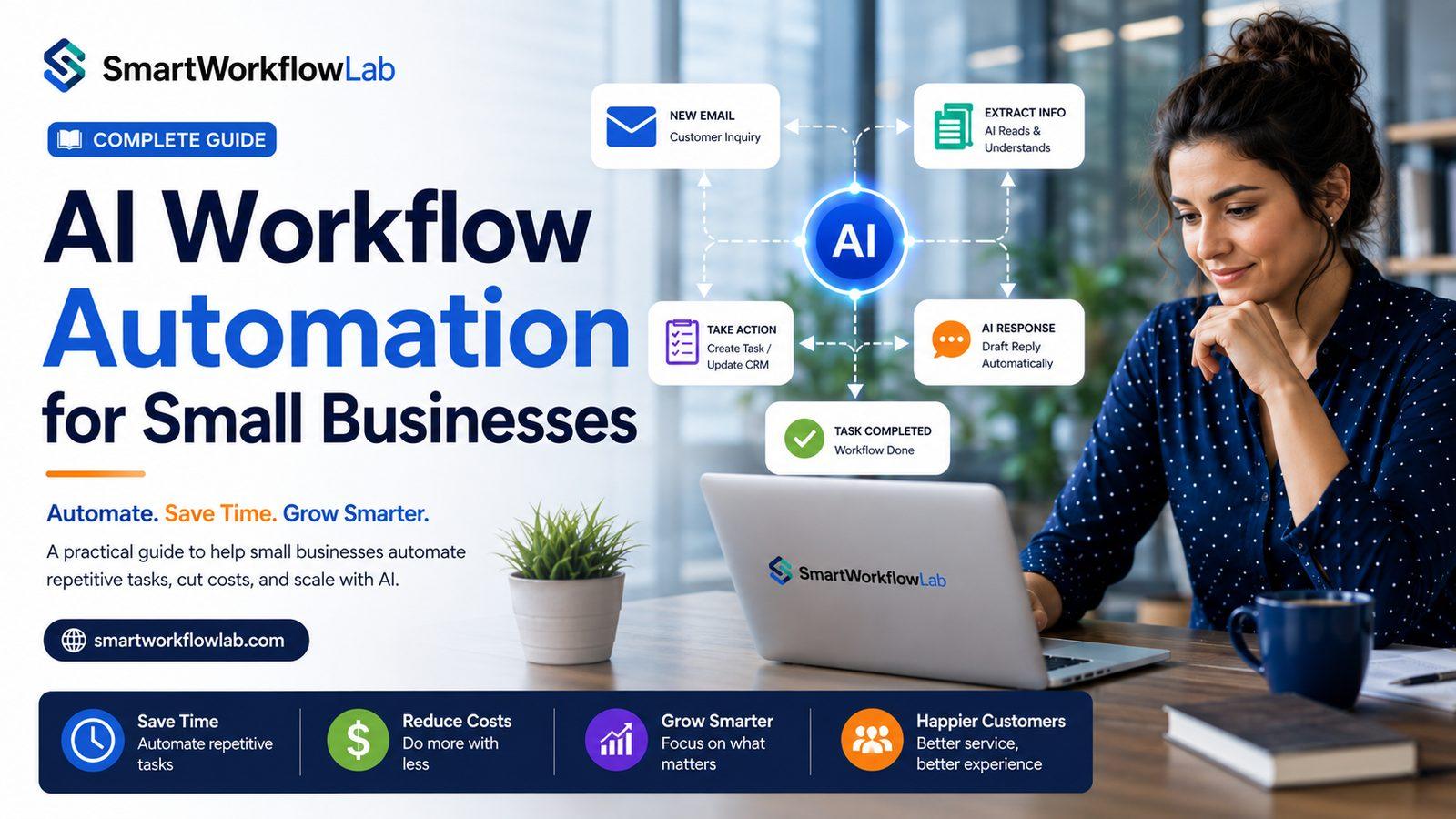
Small business owners rarely have a “manual data entry” line item on their to-do list. It just gets absorbed — into evenings, into weekends, into the hour before closing when someone finally sits down to update the books. With a handful of employees wearing multiple hats, there’s no dedicated team to hand repetitive work off to. It just gets done, slowly, by whoever has a spare hour.
AI workflow automation changes that math. It doesn’t require a large IT department or an enterprise budget — it requires identifying the repetitive tasks eating your team’s time and letting software handle the parts that don’t need a human’s judgment.
This guide walks through what that looks like in practice: the processes worth automating first, realistic tools by category, a step-by-step way to get started, and the mistakes that trip up small businesses most often.
What Is AI Workflow Automation?
AI workflow automation is the use of artificial intelligence — machine learning, natural language processing, and document understanding — to carry out business tasks with little or no manual work, including tasks that involve interpreting unstructured information rather than following a rigid, pre-set rule.
That’s the key difference from older, traditional automation. A basic rule (“if email subject contains ‘invoice,’ move to folder X”) breaks the moment something doesn’t match exactly. AI-driven automation reads the content of that email, understands what it’s actually about, and decides what to do — extracting an invoice number, drafting a reply, or flagging it for a person — even if it’s never seen that exact format before.
Why should a small business care? Because traditional automation tools required either a developer to build rigid rules or a large enough team to absorb the manual work when the rules didn’t fit. AI-driven tools are increasingly built for non-technical users, priced by usage rather than by seat, and flexible enough to handle the messy, inconsistent inputs a small business actually deals with — a customer email written in shorthand, a supplier invoice in a format you’ve never seen before.
A simple real-world example: a local plumbing business gets service requests through its website form, by phone, and through texts to the owner’s personal number. An AI-driven workflow can read incoming messages regardless of channel, pull out the customer’s address and the nature of the job, and add it directly to the scheduling calendar — instead of the owner manually copying details from three different places every morning.
Why Small Businesses Need AI Workflow Automation
Limited staff. Most small businesses don’t have a dedicated data-entry role or a large admin team — the same two or three people handle everything, which means repetitive tasks compete directly with customer-facing work.
Time-consuming repetitive work. Retyping the same information across systems, or manually building the same report every week, consumes hours that a small team simply doesn’t have to spare.
Manual data entry. Copying details from an invoice, order form, or email into a spreadsheet or accounting system is slow and error-prone, especially when it’s squeezed in between other responsibilities.
Customer support overload. A small team fielding every customer question personally — including the routine ones — quickly gets buried, especially during busy seasons.
Slow approval processes. A purchase request or time-off request sitting in an owner’s inbox for days isn’t a sign of bad management — it’s a sign nobody’s tracking what’s waiting.
Administrative bottlenecks. Scheduling, onboarding paperwork, and internal coordination often fall on whoever has a spare moment, which means they get done inconsistently.
Rising operational costs. As a business grows, manual processes don’t scale gracefully — they require proportionally more time or more hires just to keep up.
Human errors. Fatigue and multitasking lead to mistakes in manual work — a wrong number on an invoice, a missed follow-up — that are avoidable with automated validation.
Benefits of AI Workflow Automation for Small Businesses
Saves Time
Automating data entry, scheduling, and routine communication frees up hours that would otherwise go into tasks that don’t require a human’s judgment — time that can go back into serving customers or growing the business.
Reduces Operational Costs
Less manual labor per transaction means a small team can handle more volume without a proportional increase in headcount or overtime.
Improves Customer Service
Automated responses to routine questions mean customers get faster answers, even outside business hours, while staff focus on the conversations that need a human touch.
Increases Productivity
When staff aren’t manually reconciling spreadsheets or chasing down approvals, they can spend more of the day on work that actually grows the business.
Reduces Human Errors
Automated validation catches mismatches — a total that doesn’t add up, a missing field — before they become a bigger problem downstream.
Supports Business Growth
Automated processes handle increased volume without requiring the business to hire proportionally, which matters enormously for a small business trying to scale carefully.
Improves Team Collaboration
Automated notifications and routing keep small teams aligned on who’s handling what, without relying on someone remembering to forward an email.
Enables Better Decision Making
Automated reporting gives owners a clearer, more current view of the business instead of a picture that’s only as fresh as the last manual spreadsheet update.
Scales Without Hiring Large Teams
A small business can take on more customers or orders without needing to hire an admin team to match, because the repetitive parts of that growth are already automated.
Business Processes That Small Businesses Can Automate
- Lead management — capturing and routing new inquiries automatically
- CRM updates — logging customer interactions without manual entry
- Email responses — handling routine questions instantly
- Appointment scheduling — letting customers book without back-and-forth
- Invoice processing — extracting and matching invoice data automatically
- Payroll preparation — pulling hours and rates into payroll systems automatically
- Employee onboarding — routing new-hire paperwork without manual re-entry
- Inventory management — tracking stock levels and triggering reorder alerts
- Order processing — moving orders from receipt to fulfillment without manual handoffs
- Customer support — resolving routine questions instantly, escalating the rest
- Marketing campaigns — scheduling and personalizing outreach automatically
- Social media scheduling — queuing and publishing content without daily manual posting
- Document processing — extracting data from forms, contracts, and receipts
- Internal approvals — routing requests to the right person automatically
- Task assignments — distributing incoming work based on type or availability
- Reporting — building recurring reports from live data instead of manual compilation
- Data collection — gathering form or survey responses into a structured format
- Business analytics — surfacing trends from existing data without manual analysis
Not every process on this list is worth automating for every business — the right starting point depends on where your specific operation feels the most strain today.
Real-World Examples of AI Workflow Automation
These scenarios are illustrative, meant to show common automation patterns by industry — not a claim about any specific business’s results.
Retail Stores. A boutique owner manually updates inventory counts across an online store and a physical register. Automated inventory syncing keeps both in step without manual reconciliation.
Medical Clinics. Front-desk staff spend time each day manually entering patient intake forms. Document automation extracts the relevant fields directly into the practice management system.
Law Firms. A small firm’s paralegal manually reviews contracts for key dates and clauses. AI-assisted extraction flags relevant terms for review instead of requiring a full manual read-through.
Accounting Firms. Bookkeepers manually key in client receipts and invoices each month. Automated document processing extracts the data, leaving staff to review only exceptions.
Marketing Agencies. An account manager manually compiles a monthly performance report for each client. Automated reporting pulls the numbers into a consistent format without manual assembly.
Real Estate Agencies. An agent manually follows up with every website lead. Automated, personalized follow-up sequences keep leads warm without a rep drafting each message individually.
Construction Companies. A project manager manually tracks subcontractor invoices against the project budget. Automated matching flags discrepancies instead of requiring a manual line-by-line check.
Educational Institutes. Administrative staff manually process enrollment forms each term. Document automation extracts the relevant fields, smoothing out a seasonal workload spike.
Restaurants. A manager manually reconciles supplier delivery invoices against orders placed. Automated matching handles the routine matches, flagging only discrepancies.
E-commerce Businesses. A store owner manually responds to repetitive order-status questions. An AI-driven support workflow resolves these instantly, freeing time for product and growth work.
Best AI Workflow Automation Tools for Small Businesses
For a wider view across every category, see our roundup of the best AI tools for business.
Rather than recommending one platform, it’s more useful to understand the categories and where each tends to fit.
| Category | Examples | Best Fit |
|---|---|---|
| General-purpose automation connectors | Zapier, Make, Microsoft Power Automate | Connecting existing apps and automating simple, multi-step triggers without custom development |
| CRM and marketing platforms with built-in automation | HubSpot, Salesforce | Businesses centering operations around sales and customer relationships |
| Enterprise-grade RPA platforms | UiPath, Automation Anywhere | Larger small businesses or franchises with more complex, high-volume processes |
| Productivity suite automation | Google Workspace Automation, Microsoft 365 | Businesses already standardized on one ecosystem looking for lightweight, built-in automation |
| Custom AI solutions | Purpose-built workflows, often via a development partner | Businesses with specific, non-standard processes that off-the-shelf tools don’t cleanly cover |
Most small businesses start with a general-purpose connector or their existing CRM’s built-in automation before considering a custom-built solution, since the upfront cost and complexity are lower.
How to Choose the Right AI Workflow Automation Platform
- Business goals — pick a platform based on the specific process you’re automating, not the one with the longest feature list.
- Ease of use — a platform your team can actually manage without ongoing developer support tends to get used; one that doesn’t, often doesn’t.
- Integrations — check that it connects cleanly to the tools you already use before committing.
- Scalability — make sure it can handle your growth without requiring a full platform switch a year from now.
- Pricing — usage-based pricing tends to fit small businesses better than large flat enterprise contracts.
- Security — look for encryption and access controls appropriate to the data you’re handling, especially for customer or financial information.
- Support — responsive support matters more for a small business without in-house IT than it does for a large enterprise.
- Customization — confirm the platform can adapt to your specific process, not just a generic template.
- Analytics — visibility into what’s actually being saved helps justify (or reconsider) the investment.
- API availability — matters if you expect to need custom connections down the road.
- Cloud deployment — reduces the infrastructure burden on a small team with no dedicated IT staff.
Step-by-Step Implementation Guide
- Identify repetitive work. List the tasks your team does the same way, over and over, that don’t require much judgment.
- Document existing workflows. Write down exactly how the process works today, including the exceptions — you can’t automate what you haven’t mapped.
- Choose automation opportunities. Prioritize the processes that are both high-volume and well-defined; they’re the fastest path to a clear win.
- Select the right platform. Match the platform to the process, not the other way around.
- Build workflows. Start with the core, common-case path before trying to handle every possible exception.
- Test automation. Run the automated process alongside the manual one for a period before fully cutting over.
- Train employees. Make sure staff know what the automation does — and what to do when it flags something it can’t handle.
- Monitor KPIs. Track time saved, error rate, and cost per transaction against your baseline.
- Continuously improve. Revisit the workflow as your business changes — new vendors, new services, new volume.
Common Mistakes to Avoid
Automating broken processes. If a workflow is inefficient today, automating it just makes the inefficiency faster. Fix the process first.
Ignoring employee training. A powerful tool that staff don’t understand how to use — or trust — won’t deliver the time savings on paper.
Choosing overly complex software. A platform built for enterprise IT departments can be more overhead than a small business needs or can maintain.
Poor workflow planning. Skipping the mapping step tends to surface expensive gaps only after the automation is already live.
No performance monitoring. Without a baseline and ongoing tracking, it’s hard to know whether the automation is actually saving time or money.
Weak security controls. Especially with customer or financial data, security should be a vetting criterion from the start, not an afterthought.
Skipping documentation. Without a record of how a workflow was built, it’s harder to troubleshoot or hand off when staff change.
Best Practices
- Start small — automate one clear, well-defined process before expanding.
- Focus on repetitive work — the highest-volume, lowest-judgment tasks offer the fastest payoff.
- Measure ROI — track time and cost against a real baseline, not a guess.
- Review workflows regularly — a process that worked well a year ago may need adjusting as the business changes.
- Maintain data quality — clean, consistent source data makes automation far more reliable.
- Keep humans involved where needed — not every decision should be fully automated, especially anything customer-sensitive or high-stakes.
- Optimize continuously — treat automation as an ongoing practice, not a one-time project.
- Partner with experienced consultants — someone who’s implemented automation for similar businesses can help you avoid the mistakes above.
Frequently Asked Questions
What is AI workflow automation? It’s the use of artificial intelligence to carry out business tasks with minimal manual work, including tasks that involve interpreting unstructured information like emails, documents, or customer messages.
Can small businesses afford AI automation? Yes. Many modern platforms are priced by usage rather than requiring a large upfront investment, which makes automation accessible even for very small teams.
What tasks should be automated first? High-volume, repetitive, well-defined tasks — like data entry, scheduling, or routine customer questions — usually offer the clearest and fastest payoff.
Is AI automation difficult to implement? A focused, single-process pilot is usually manageable without a large technical team, especially with a general-purpose automation platform or an experienced implementation partner.
Does AI replace employees? It typically changes what employees spend their time on rather than replacing them outright — reducing repetitive work while freeing staff for higher-value tasks a small business often can’t afford to neglect.
How secure is workflow automation? Security depends on the specific platform and how it’s configured. Look for encryption, access controls, and data handling practices appropriate to your industry before adopting any tool.
How long does implementation take? A focused pilot on a single process can often go live within a few weeks. Broader automation across multiple processes is typically phased over a longer period.
What industries benefit the most? Any small business with repetitive, high-volume administrative or customer-facing work tends to see strong results — retail, healthcare, professional services, and e-commerce are common early adopters.
Can AI integrate with existing software? Most modern automation platforms connect via APIs or built-in integrations to common accounting, CRM, and scheduling tools, though older or highly customized systems may need extra integration work.
Is workflow automation worth it? For high-volume, repetitive processes, most small businesses see a clear return. For low-volume or constantly changing tasks, the investment is harder to justify — which is why picking the right starting point matters.
Is AI workflow automation good for small businesses? Yes, particularly because modern tools no longer require the large IT budgets or technical teams that automation once demanded.
How much does workflow automation cost? Costs vary by platform and process complexity, but many small-business-friendly tools start at a modest monthly cost and scale with usage rather than requiring a large fixed contract.
Conclusion
A small business doesn’t need a large IT department or an enterprise budget to benefit from AI workflow automation. It needs a clear look at where the repetitive work actually lives, a well-chosen starting point, and a willingness to measure whether the automation is actually working before expanding it further.
Start with one process. Prove it out. Then move to the next.
If you’re not sure where to begin, that’s exactly the conversation SmartWorkflowLab has with small business owners every week. We look at your actual operations — not a generic template — and help you find the automation that will genuinely make a difference for your team.
Ready to reclaim your time? Talk to SmartWorkflowLab about a workflow assessment — no obligation, just a practical look at where automation would help most.