You have a client call at 3pm, another at 4:30, and a discovery call tomorrow that you know will run long. You are not going to remember who promised what. So you look for an AI note taker, and within five minutes you are staring at two names: Otter and Fireflies.
They look almost identical from the outside. Both join your Zoom or Google Meet, both transcribe, both write summaries, both have free plans. The price difference on the pricing pages is a dollar or two.
But once you dig into the limits, the differences get real. One caps your free meetings at 30 minutes. The other gives you unlimited transcription but quietly rations storage and AI credits. One supports six languages, the other over a hundred. And both are now defending lawsuits about recording people without proper consent, which matters a lot if you talk to clients for a living.
This guide breaks it all down for solopreneurs, freelancers and small teams, with real 2026 pricing, the fine print most comparison posts skip, and a clear recommendation at the end.
Quick verdict
- Pick Otter if most of your calls are in English, you want the cleanest live transcript, and you are a single user paying yearly.
- Pick Fireflies if you talk to clients in other languages, your calls run long, or you want meeting notes to flow into a CRM and other tools.
- Pick neither (yet) if your calls involve highly sensitive client data and you have not sorted out consent. Read the privacy section first.
How we evaluated
We compared Otter and Fireflies on the things that actually change your monthly bill and your day-to-day experience, not on marketing claims:
- Pricing and plan limits checked against each vendor’s pricing page and help-center documentation as reported in October 2026, cross-checked across multiple independent pricing breakdowns.
- Free plan usefulness for a realistic freelancer workload: 8 to 12 client calls a month, 45 to 60 minutes each.
- Language support, recording length, storage and AI usage caps.
- Privacy and legal exposure, including the status of active lawsuits as of November 2026.
- Fit for small teams (1 to 5 seats), including seat math on annual billing.
We do not accept payment for rankings, and neither tool sponsored this article. Prices change often, so treat the numbers below as a snapshot and confirm on the vendor’s page before you buy.
Otter vs Fireflies at a glance
Here is the side-by-side that matters. If you only read one section, read this one.
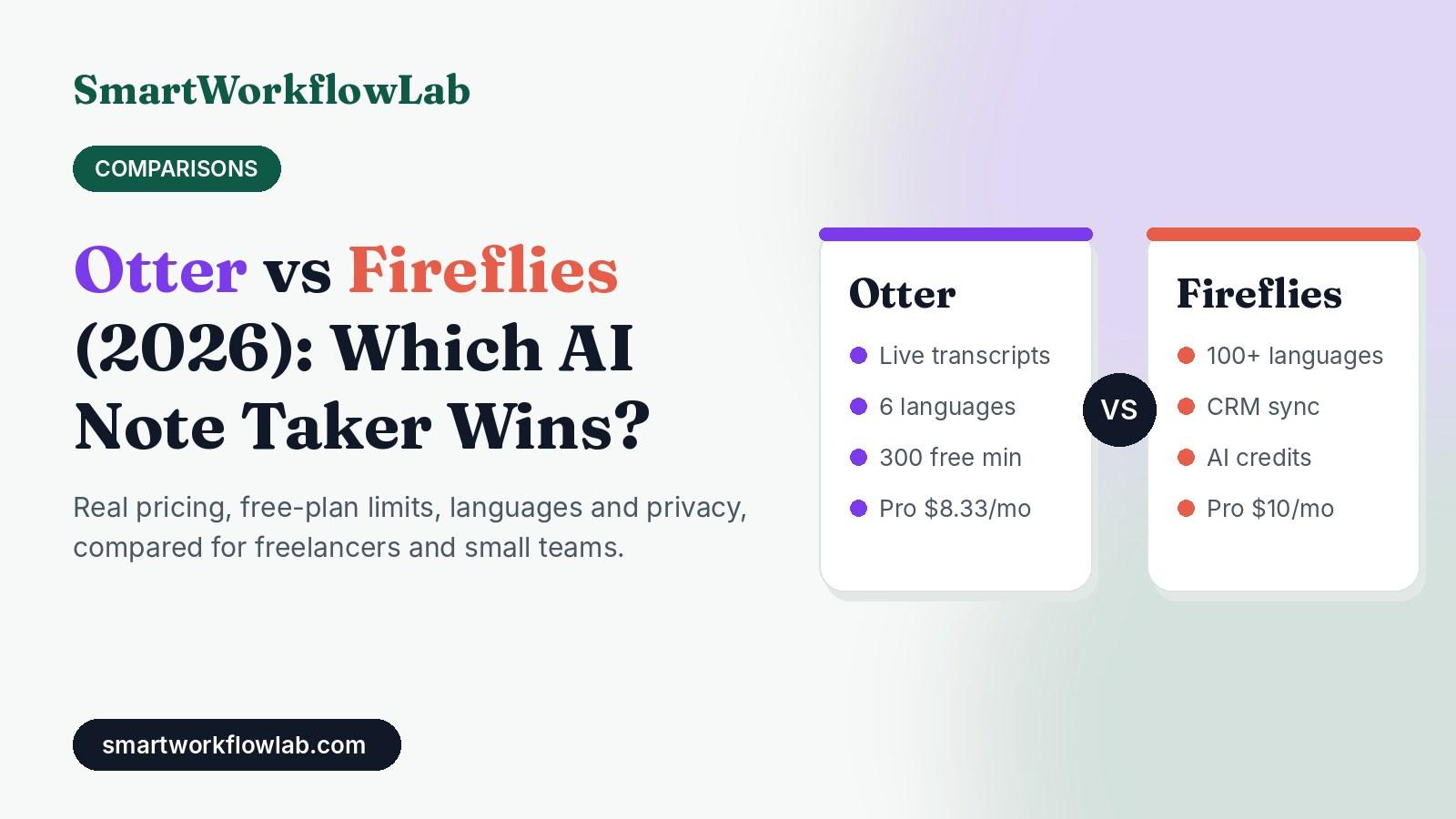
| Feature | Otter | Fireflies |
|---|---|---|
| Free plan | 300 min/month, 30 min cap per conversation | Unlimited transcription (with auto-join on), 400 min team storage |
| Cheapest paid seat (annual) | $8.33/month (Pro) | $10/month (Pro) |
| Cheapest paid seat (monthly) | $16.99/month | $18/month |
| Team plan (annual) | $19.99/user/month (Business) | $19/user/month (Business) |
| Longest single meeting | 30 min (Free), 90 min (Pro), 4 hrs (Business) | 2 hrs (Pro), 3 hrs (Business) |
| Languages | 6 (two in beta) | 100+ |
| AI usage limit | AI Chat questions: 20 / 50 / 200 per month | AI credits: 20 / 20 / 30 / 50 per month |
| Best at | Clean English live transcripts, simple workflow | Multilingual calls, integrations, long recordings |
| Legal status | Consolidated class action, core claims proceeding | Separate biometric privacy (BIPA) suits pending |
Now let’s unpack what those rows mean in practice.
Pricing breakdown: where the real costs hide
On paper, Otter and Fireflies cost almost the same. The real difference is in what each plan rations. Otter rations minutes. Fireflies rations storage and AI credits. Which one hurts you depends on how you work.
Otter pricing in 2026
| Plan | Annual billing | Monthly billing | Key limits |
|---|---|---|---|
| Basic | Free | Free | 300 min/month, 30 min per conversation, 3 lifetime file imports, 20 AI Chat questions |
| Pro | $8.33/user/month | $16.99/user/month | 1,200 min/month, 90 min per meeting, 10 imports/month, 50 AI Chat questions |
| Business | $19.99/user/month | $30/user/month | No monthly meeting-minute cap, 4-hour meetings, 200 AI Chat questions, admin tools |
| Enterprise | Custom | Custom | SSO, API, advanced security |
The catch with Otter: the 90-minute cap on Pro. If you run workshops, long discovery calls or recorded interviews, a 2-hour session gets cut short unless you are on Business. And the free plan’s 30-minute limit per conversation makes it more of a demo than a working tool for client calls.
Fireflies pricing in 2026
| Plan | Annual billing | Monthly billing | Key limits |
|---|---|---|---|
| Free | $0 | $0 | Unlimited transcription with auto-join on, 400 min storage per team, 20 AI credits |
| Pro | $10/seat/month | $18/seat/month | 8,000 min storage per seat, 2-hour recordings, 20 AI credits |
| Business | $19/seat/month | $29/seat/month | Unlimited storage, 3-hour recordings, conversation intelligence, 30 AI credits |
| Enterprise | $39/seat/month (annual only) | Not offered | 50 AI credits, SSO, compliance features |
The catch with Fireflies: AI credits. Transcription and basic summaries are generous, but the smarter features (asking the AI assistant questions about a meeting, advanced summaries, extracted action items) draw from a monthly credit pool. Run out, and you either wait for next month or buy a credit pack, starting around $5 a month for 50 credits.
There is a second catch on the free plan. Unlimited transcription only applies when auto-join is turned on, meaning Fireflies joins every calendar meeting automatically. Turn auto-join off (which many privacy-minded people do), and you are limited to a handful of transcriptions.
What you will actually pay: three real scenarios
Sticker prices are less useful than real scenarios, so here is the math for three common setups.
| Scenario | Otter | Fireflies | Cheaper option |
|---|---|---|---|
| Solo freelancer, annual billing | $99.96/year (Pro) | $120/year (Pro) | Otter by ~$20 |
| Solo freelancer, monthly billing | $16.99/month | $18/month | Otter by ~$1 |
| 5-person team, Business, annual | ~$1,199/year | $1,140/year | Fireflies by ~$59 |
The money difference is small either way. Do not choose based on the price. Choose based on which limit you will hit first: Otter’s minute and meeting-length caps, or Fireflies’ storage and AI credits.
If you are trying to keep your whole AI stack lean, our guide to AI workflow automation costs shows how small subscriptions like these add up across a year.
Free plan showdown: which one can you actually live on?
This is where most freelancers start, so let’s be specific. Imagine a typical month: 10 client calls, each about 50 minutes.
On Otter Basic:
- Total time needed: 500 minutes. You only get 300.
- Worse, each call is cut off at the 30-minute mark. Every single one of your 50-minute calls loses its last 20 minutes, which is usually where the decisions and next steps happen.
- Verdict: not usable for client work. Fine for short internal check-ins or trying the interface.
On Fireflies Free:
- Transcription covers all 10 calls, as long as auto-join is on.
- But 10 calls at 50 minutes is 500 minutes, and the team storage pool is 400 minutes. You will need to delete or export older meetings to keep going.
- 20 AI credits will cover some summaries and questions, but not unlimited use.
- Verdict: workable for a light schedule if you clean out storage regularly.
Winner for free users: Fireflies, with one important condition. Auto-join means the bot can show up in meetings you did not intend to record. Check your calendar settings carefully, and read our guide on whether you need consent for an AI note taker before letting any bot join calls automatically.
Transcription quality and live experience
Both tools produce transcripts that are good enough for notes, summaries and searching for “what did she say about the deadline?” Neither is perfect, and accuracy drops for both with heavy accents, cross-talk and bad microphones.
Where they feel different:
Otter feels like a live transcript first. Its roots are in real-time transcription, and it shows. You can watch the text appear during the call, highlight moments, and add comments as things happen. Speaker identification learns names over time, which is useful if you meet the same clients repeatedly.
Fireflies feels like a meeting database first. The live experience is fine, but its real strength is what happens after the call: searchable archives across all your meetings, topic tracking, and pushing notes into the rest of your tools.
A practical tip for both: audio quality matters more than which tool you choose. A cheap USB microphone and asking people to unmute one at a time will improve your transcripts more than switching apps.
Languages: the dealbreaker for global freelancers
If you work only in English, skip this section. If you do not, this may decide everything.
- Otter transcribes six languages: English, Spanish, French, German, Japanese and Simplified Chinese, with German and Chinese still marked beta. Each conversation is transcribed in one selected language, so a mixed Spanish-English call only gets one of them right.
- Fireflies supports 100+ languages, and its Business plan adds a multi-language mode for mixed-language calls.
For freelancers serving clients in South Asia, the Middle East, Latin America or across Europe, this is not a small gap. An Urdu, Hindi, Arabic or Portuguese call simply is not supported on Otter.
Winner: Fireflies, clearly.
Summaries, AI chat and action items
Both tools generate an automatic summary after each call, list action items, and let you ask an AI questions about what was said.
Otter’s approach: AI Chat lets you ask questions about one meeting or across meetings. You get 20 questions a month on Basic (3 per conversation), 50 on Pro, and 200 on Business. For most solo users, 50 is plenty.
Fireflies’ approach: its assistant, AskFred, plus advanced summaries and action items draw from monthly AI credits (20 on Free and Pro, 30 on Business, 50 on Enterprise). One meeting can use several credits if you run multiple AI actions on it.
In practice, this means Otter is more predictable for AI features, while Fireflies is more generous with transcription but metered on the smart stuff. If you love asking follow-up questions about every call, Otter Pro’s 50 questions may stretch further than Fireflies Pro’s 20 credits.
To get better summaries from either tool, treat them like any other AI: give them context. Simple prompts like “List every commitment with the person responsible and the date” work far better than “summarize.” Our list of ChatGPT prompts that save time includes several that translate directly to meeting assistants.
Integrations and automation
This is where Fireflies pulls ahead for anyone building workflows.
Fireflies is designed to push meeting data elsewhere: CRMs like HubSpot and Salesforce, Slack, project management tools, and automation platforms like Zapier. Sales and customer-facing teams use it to log calls automatically. Check which plan unlocks the specific CRM you use, because deeper CRM features sit on higher tiers.
Otter integrates with Zoom, Google Meet and Teams, plus calendar apps, Slack and some CRMs on paid plans, and it offers an API on Enterprise. It is perfectly connected for an individual, but less oriented toward pushing every meeting into a pipeline.
A simple workflow you can copy
Here is a lightweight setup that works with either tool, and one that pairs nicely with our client onboarding automation guide:
- Connect your calendar so the note taker joins only meetings with a specific tag, like “[REC]” in the title. This keeps it out of personal or sensitive calls.
- After each call, have the tool send the summary to a dedicated Slack channel or email folder.
- Use an automation tool (see our Zapier vs Make comparison) to turn action items into tasks in your task manager.
- Send the client a recap email within an hour, drafted from the summary and edited by you. Clients notice this, and it prevents “I thought we agreed…” disputes later.
- Archive or delete recordings after the project ends, especially on Fireflies Free where storage is tight.
If you need help picking the task manager for step 3, our roundup of AI task management tools covers the best options.
Privacy, consent and the lawsuits you should know about
This section matters more in 2026 than it ever has, and most comparison posts barely mention it.
The legal situation
- Otter: Several lawsuits filed from August 2025 onward were consolidated in federal court in Northern California. They allege the Otter bot recorded and transcribed meetings without all participants’ consent and used that data to improve its AI. In August 2026, a federal judge partly denied Otter’s motion to dismiss, allowing the core wiretap and biometric claims to move forward.
- Fireflies: Faces separate lawsuits under Illinois’ Biometric Information Privacy Act (BIPA), filed in December 2025 and March 2026, focused on voice data.
None of these cases had been decided as of November 2026, and a lawsuit is an allegation, not a verdict. But they highlight a real risk for anyone recording client conversations.
What this means for you
The legal problem is mostly about consent. Some US states (California among them) require every participant to agree before a conversation is recorded. Other countries, including much of Europe, take secret recording very seriously. If your note taker auto-joins a call and a participant never agreed, the risk can land on you, not just the vendor.
A practical checklist before you hit record:
- Announce the bot at the start of every call and give people the option to say no.
- Turn off auto-join for meetings with external guests unless you have consent built into your booking process.
- Add a line to your contracts or booking confirmations stating that calls may be recorded and transcribed by an AI assistant.
- Never record calls involving health, legal or financial details unless your plan and contract explicitly cover that type of data.
- Check training settings. Read how each vendor uses your data. Otter’s privacy policy states it trains on de-identified audio and transcripts.
We go deeper on this in our article on whether Otter is safe for confidential meetings, and our guide to what happens to data you share with AI tools applies to every note taker on the market.
Winner: neither. Both carry legal questions right now. The safer choice is the one you configure carefully.
Who should choose Otter
Otter is the better pick if:
- Your calls are almost all in English. Its live transcript experience is polished and easy to follow.
- You are a solo user paying annually. At $8.33 a month, Otter Pro is the cheapest serious plan in this comparison.
- Your meetings are under 90 minutes. If they are, Pro’s limits rarely get in the way.
- You want predictable AI features. 50 AI Chat questions a month on Pro is clear and easy to budget.
- You attend lectures, webinars or interviews and want to follow along with live text.
Real-world example: A freelance copywriter with 12 client calls a month, all in English, each around 45 minutes. Otter Pro covers everything with room to spare, for about $100 a year.
Who should choose Fireflies
Fireflies is the better pick if:
- You speak with clients in more than one language. This alone settles it for many global freelancers.
- You need a usable free plan and can live with storage cleanup.
- Your calls run long. Two-hour recordings on Pro beat Otter Pro’s 90-minute cap.
- You want meetings to feed other tools, like a CRM or project tracker.
- You run a small sales or client-success team where every call should be logged.
Real-world example: A small agency in Lahore with three account managers handling clients in English, Urdu and Arabic. Fireflies is the only one of the two that handles all three languages, and Business adds the mixed-language mode for calls that switch between them.
Decision guide: pick in 30 seconds
| If this sounds like you… | Choose |
|---|---|
| “I only need English and want the cheapest paid plan.” | Otter Pro |
| “I want a free plan that can handle real client calls.” | Fireflies Free |
| “My calls are in multiple languages.” | Fireflies |
| “My meetings often run over 90 minutes.” | Fireflies Pro or Otter Business |
| “I want notes pushed into my CRM automatically.” | Fireflies |
| “I want to read a live transcript during lectures or webinars.” | Otter |
| “I handle sensitive client information.” | Fix consent and data settings first, then decide |
Still unsure? Our framework on how to choose the right AI tool walks through the same questions for any software decision.
Our recommendation
For most solopreneurs and freelancers working in English, Otter Pro on annual billing gives the best value: cheap, clean and predictable.
For anyone working across languages, running longer calls, or building automated workflows, Fireflies is the stronger tool, and its free plan is the better starting point for testing on real client work.
Whichever you pick, start on the free plan for two weeks, record a few real calls (with consent), and check three things: how accurate the transcript was for your accent and your clients’ accents, whether you hit any limit, and whether the summary actually saved you time. That test will tell you more than any comparison table, including this one.
And if meeting notes are just one piece of a bigger automation plan, our guide to AI workflow automation for small businesses shows how to connect them to the rest of your work. For more tools worth trying without spending a rupee, see our list of free AI tools for small business.