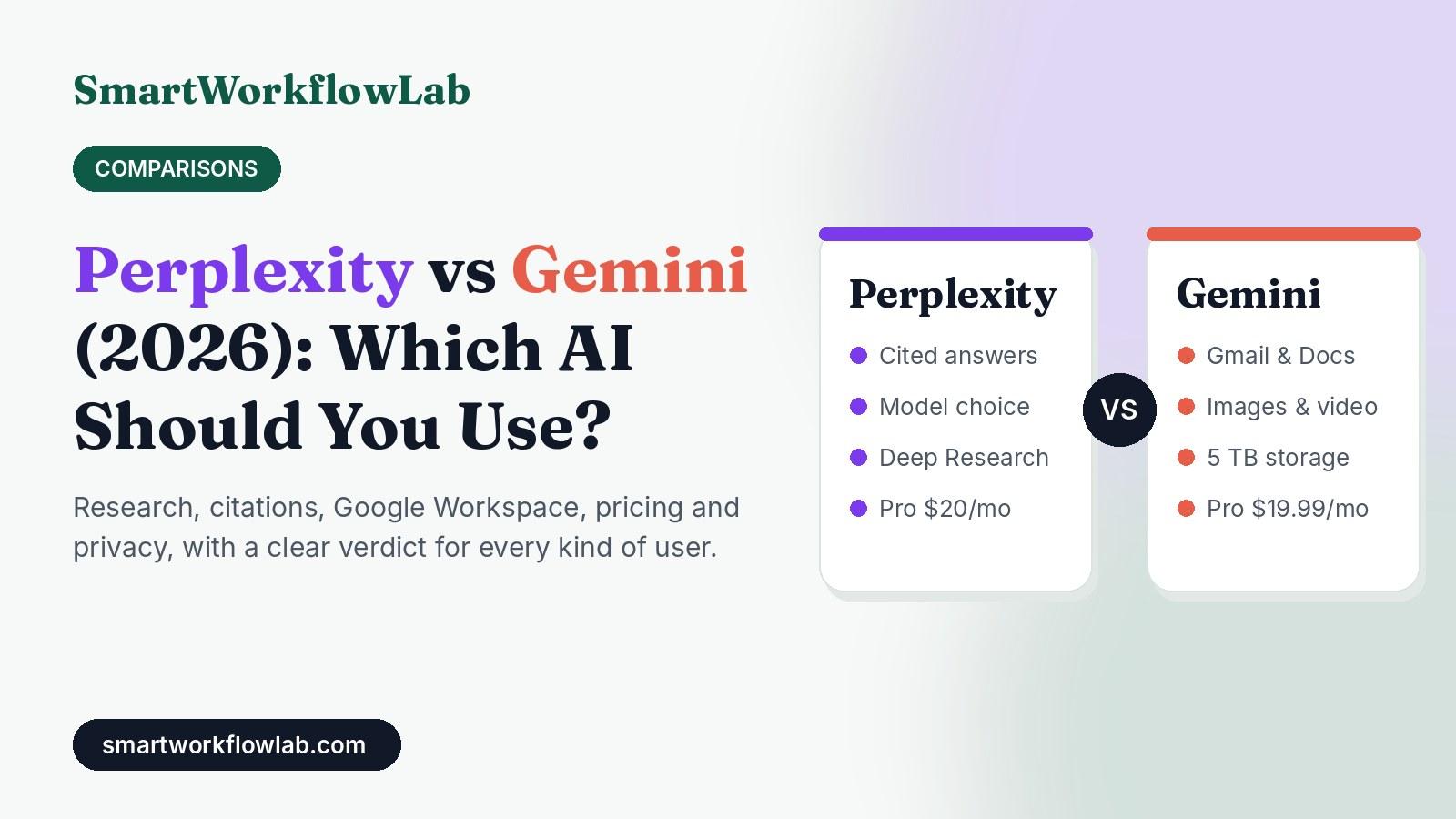
Perplexity and Gemini both answer questions with live information from the web, both have free plans, and both cost about $20 a month for the serious version. So which one deserves your time?
The short version: they are built for different jobs. Perplexity is a research engine that shows its sources. Gemini is Google’s all-purpose assistant that lives inside Gmail, Docs, Android and Chrome. Picking the right one is less about which AI is smarter and more about where your work happens.
This guide compares them on what actually matters in 2026: current plans and prices, research quality, citations, Google Workspace, creative tools, privacy and value for money. At the end you’ll find a decision table and five test prompts so you can try both yourself in ten minutes.
Quick verdict
- Choose Perplexity if you research, fact-check or write content that needs sources you can click.
- Choose Gemini if you live in Google Workspace, want images or video, or want one subscription that also gives you large Google storage.
- Use both free plans if you are not sure. Many people keep Perplexity for research and Gemini for everything else.
How we evaluated
- Plans and prices were checked against each vendor’s current plan pages and several up-to-date pricing breakdowns in October 2026. Both companies change plans often, so confirm before you buy.
- Features were compared on the jobs our readers do most: research, writing, summarising documents, email and spreadsheet work, and quick answers.
- We do not quote benchmark scores. Public AI benchmarks change every few weeks and rarely match everyday use. Instead, we give you a test kit so you can compare both tools on your own questions.
- Neither company sponsored this article.
Perplexity vs Gemini at a Glance
| What matters | Perplexity | Gemini |
|---|---|---|
| What it is | AI answer engine built on web search | Google’s general AI assistant |
| Best at | Research with sources | Work inside Google apps, creative tasks |
| Citations | Numbered sources on almost every answer | Sometimes; use “double-check” to verify |
| Free plan | Yes: cited answers, limited advanced searches | Yes: fast model, limited Pro model and Deep Research |
| Main paid plan | Pro: $20/month | Google AI Pro: $19.99/month |
| Cheapest paid option | Pro ($20) | Google AI Plus ($4.99) |
| Top plan | Max: $200/month | Google AI Ultra: from $99.99/month |
| Choice of AI models | Yes, pick from several leading models on Pro | Google’s own Gemini models only |
| Google Workspace (Gmail, Docs, Sheets) | Connectors, but not built in | Built in on paid plans |
| Image and video generation | Limited | Strong (images, plus video on higher plans) |
| Storage included | None | 400 GB (Plus), 5 TB (Pro), 20 TB+ (Ultra) |
| Browser | Comet browser (free) | Gemini built into Chrome |
Pricing: What You Get for Free and for $20
Prices are in USD as of October 2026.
Perplexity plans
| Plan | Price | What you get |
|---|---|---|
| Free | $0 | Cited answers, basic models, limited daily use of advanced searches and research, the Comet browser |
| Pro | $20/month | Choice of top AI models, Deep Research, file and document analysis, connectors to your apps, premium data sources |
| Max | $200/month | Everything in Pro with much higher limits, newest frontier models first, more agent and video features |
| Enterprise Pro / Max | From $40 per user/month | Team admin, central billing, enterprise security |
Gemini plans (Google AI)
| Plan | Price | What you get |
|---|---|---|
| Free | $0 | Fast Gemini model, limited access to the Pro model and Deep Research, Gemini Live, Canvas, Gems |
| Google AI Plus | $4.99/month | More Pro model and Deep Research use, more image and video generation, 400 GB storage |
| Google AI Pro | $19.99/month | Expanded Pro model and Deep Research, Gemini in Gmail, Docs and Sheets, 5 TB storage |
| Google AI Ultra | From $99.99/month | Highest limits, Deep Think, agent features, 20 TB+ storage |
The value angle: Google AI Pro bundles 5 TB of Google storage that many people would pay for anyway. If you already pay for extra Google Drive space, Gemini can effectively cost you very little. Perplexity Pro has no bundle, so you are paying purely for research.
Research and Search Quality
This is the comparison most people care about, and it is where the two tools differ most.
Perplexity was built as a search engine first. Every answer comes from a fresh web search and shows numbered citations. You can open each source, see where a claim came from, and ask a follow-up that searches again. For questions about current prices, recent news, product comparisons or anything you need to quote, this design is hard to beat.
Gemini was built as an assistant first. It can search Google and often gives fluent, well-organised answers, but it doesn’t always show where each claim came from. Its “double-check response” option highlights statements and links them to Google results, which helps, but it is an extra step you have to remember.
In practice:
- For “what is true right now” questions (prices, laws, product specs, news), Perplexity’s citations make it faster to trust or reject an answer.
- For “explain this to me” questions (concepts, how-tos, brainstorming), Gemini’s answers are often more readable and conversational.
- For local and Google-specific information (maps, places, YouTube), Gemini has a natural edge because it draws on Google’s own services.
Whichever you use, check facts before you publish or act on them. Our guide to fact-checking AI content shows a quick routine that works for both.
Deep Research: Perplexity vs Gemini
Both tools offer a Deep Research mode that runs dozens of searches and writes a long report with sources. Both include limited use on their free plans.
| Perplexity Deep Research | Gemini Deep Research | |
|---|---|---|
| Speed | Usually faster | Usually slower, longer reports |
| Citations | Inline, numbered, easy to check | Source list, sometimes less tied to each sentence |
| Report length | Focused | Longer and more detailed |
| Export | Copy, share link, export as document | One click to Google Docs |
| Best for | Fact-heavy briefs, competitor and market checks | Background reading, long-form research you will edit in Docs |
If you write client reports or blog research, Perplexity’s tighter citations save checking time. If you want a long first draft to build on inside Google Docs, Gemini’s report is more convenient.
Writing, Summaries and Documents
Both can draft emails, rewrite text and summarise long documents.
- Gemini handles long files well and works directly on documents stored in Google Drive. On paid plans you can ask it to summarise a Gmail thread or draft a reply without leaving your inbox.
- Perplexity Pro can analyse files you upload and lets you choose the model that writes the answer, so you can pick a model you know writes well.
For pure writing quality, the model matters more than the app. If writing is your main job, a dedicated assistant may suit you better; see our best AI writing tools for freelance writers. For summarising long PDFs, our guide to summarising long PDFs with AI for free compares both approaches.
Google Workspace and Everyday Productivity
This is Gemini’s clearest win.
On Google AI Pro and above, Gemini works inside Gmail, Docs, Sheets, Slides and Meet. You can ask it to find an email, summarise a thread, draft a reply in your tone, build a formula, or turn meeting notes into action items, all in the app you already use. On Android phones it can also act as your system assistant.
Perplexity connects to apps through connectors on its paid plans, but it isn’t part of your email or documents in the same way. You go to Perplexity, ask, and bring the answer back.
Rule of thumb: if most of your workday happens in Google apps, Gemini will save you more time than Perplexity, even if Perplexity is the better researcher.
Images, Video and Creative Work
Gemini is far stronger here. Google’s image and video generation tools are part of its plans, with more generations on Plus, Pro and Ultra. Perplexity offers some image and video generation on higher plans, but it is a side feature, not the focus.
If you need social media graphics, quick visuals or short video clips, Gemini (or a dedicated design tool) is the better pick.
Privacy and Data
Both companies may use your conversations to improve their products unless you change settings, and both offer business plans with stronger protections.
- Perplexity: check the AI data retention setting in your account and use Enterprise plans for client work.
- Gemini: your activity setting controls whether chats are saved and reviewed. Workspace business accounts follow different, stricter rules than personal Google accounts.
Never paste client secrets, passwords or personal data into either tool on a personal plan. Our guides on what happens to data you share with AI tools and whether it’s safe to put client information into ChatGPT apply equally to Perplexity and Gemini.
Which Should You Choose?
| If you are… | Choose | Why |
|---|---|---|
| A blogger, researcher or journalist | Perplexity | Sources on every answer, faster fact-checking |
| A student writing essays | Perplexity (plus Gemini free) | Citations you can follow, Gemini for summaries |
| A freelancer or small team on Google Workspace | Gemini | Works inside Gmail, Docs and Sheets |
| A marketer making visuals and copy | Gemini | Image and video tools included |
| Someone who wants storage too | Gemini (Google AI Pro) | 5 TB of Google storage included |
| A power user who wants model choice | Perplexity Pro | Pick from several leading models in one app |
| On a tight budget | Both free plans | Free tiers cover light daily use |
For more student-specific picks, see our best AI tools for students. If you are also weighing ChatGPT, our ChatGPT vs Gemini comparison covers that matchup.
Test Them Yourself in 10 Minutes
Benchmarks can’t tell you which tool fits your questions. These five prompts will. Run each one in both tools and compare.
- A current fact: “What does [a tool you use] cost per month right now? Give sources.” Check whether the price matches the vendor’s page.
- A research brief: “Summarise the main arguments for and against [a topic in your industry], with sources.” Count how many sources you can actually open.
- A document task: Upload a PDF you know well and ask for the five most important points. Did it miss anything obvious?
- A writing task: “Rewrite this paragraph to sound friendlier and shorter,” then paste your own text. Which version would you send?
- A local or Google task: “Find three well-rated coffee shops near [your area] open after 9pm.” Gemini usually wins this one.
Whichever tool wins three or more for you is the one to pay for, if you pay for either.
Final Verdict
Perplexity is the better research tool. Gemini is the better everyday assistant. If your work depends on accurate, sourced information, Perplexity Pro is worth $20 a month. If you already live in Google’s world, Google AI Pro gives you a capable assistant inside your apps plus storage you may already need, which makes it the better value.
And if you’re unsure, start with both free plans for a week. Your own questions will make the choice for you.