By the SmartWorkflowLab Editorial Team. Our editors have tested every ChatGPT plan tier, reviewed OpenAI’s data policies against their primary sources, and consulted freelancer service agreements to produce this guide. We don’t sell security software and have no vendor partnerships.
Last verified: September 2026. We re-check OpenAI’s policies quarterly and update this post when they change.
You’re halfway through a client proposal, a meeting summary, or a messy spreadsheet cleanup. You copy a block of text — names, revenue figures, project details — and hover over the ChatGPT input box. It would save you thirty minutes. But that text belongs to your client, and you signed an agreement saying you’d keep it confidential.
Every other guide answering this question is written by a security vendor that ends with a pitch for its own product. This one won’t. We tested the settings, read OpenAI’s actual help pages, and checked the contract language most freelancers and agencies overlook.
Here’s what you need to know.
Is It Safe to Put Client Information Into ChatGPT?
Usually not. On ChatGPT’s consumer plans, your prompts are stored on OpenAI’s servers and may train future models unless you opt out, and no contract protects your client’s confidentiality. Business and Enterprise plans disable training by default, but regulated data like patient records needs a signed Business Associate Agreement most plans don’t offer.
Whether it’s truly safe to put client information into ChatGPT depends on which plan you’re using, what type of data you’re entering, and what your client contract says. Here’s how each plan compares:
| Free / Go / Plus / Pro | Business (formerly Team) | Enterprise / Edu | API | |
|---|---|---|---|---|
| Trains on your data by default? | Yes (opt-out available) | No | No | No (since March 2023) |
| Data retained after deletion? | 30 days | 30 days | Admin-controlled | 30 days (ZDR available) |
| DPA available? | No | Yes | Yes | Yes |
| BAA available (HIPAA)? | No | No | Yes (sales-managed only) | Yes (on request) |
| Suitable for client PII? | No | Conditional | Conditional | Conditional |
That table is the short version. The rest of this post explains why each column matters — and why the settings inside ChatGPT are only half the problem.
Five Risks You’re Actually Taking (Not Just One)
Most articles treat this as a single question: safe or not safe? In practice, pasting client information into ChatGPT exposes you to five separate risks. Each has a different cause and a different fix. Lumping them together is why most advice on this topic is vague.
Risk 1: Model training
On consumer plans, OpenAI uses your conversations to improve future models by default. That’s stated clearly in their help docs. The “Improve the model for everyone” toggle (under Settings → Data Controls) lets you opt out, but here’s what most guides don’t mention: it only affects future conversations. Anything you submitted before flipping that switch stays in the training set. There’s no retroactive opt-out.
This isn’t a hypothetical problem. In April 2023, Samsung engineers accidentally uploaded proprietary source code and meeting notes to ChatGPT, prompting Samsung to ban generative AI tools company-wide. That incident remains the most cited real-world example of corporate data leaking through a consumer AI tool.
In practice, this means the first thing you should do on any ChatGPT account used for work — before you type a single prompt — is turn that toggle off. I checked three colleagues’ accounts recently. Two had never touched the setting.
Risk 2: Data retention and human review
Training and retention are two different things, and almost every article I’ve read conflates them.
Even with training disabled, OpenAI retains your chats for up to 30 days after deletion for abuse monitoring. During that window, authorized staff or service providers can review them. Temporary Chat conversations aren’t used for training and auto-delete within 30 days, but they’re still on OpenAI’s servers during that period.
So “I turned off training” doesn’t mean “my data is private.” It means your data won’t shape future models. It’s still sitting on a server, and a person could read it.
Risk 3: Account compromise
This one gets overlooked because it’s not about OpenAI’s policies — it’s about your account security. Stolen ChatGPT credentials have appeared on dark web marketplaces at scale. If someone gets into your account, they see your entire chat history, including every client name, project detail, and revenue figure you ever typed in.
The Memory feature adds another layer. Memory stores facts across conversations and persists even when you delete chats. If you told ChatGPT “my client Acme Corp is preparing for an IPO” three months ago, that may still be in your Memory even after you cleared the chat.
Risk 4: Contract and NDA breach
This is the risk that matters most to freelancers and agencies, and it’s the one almost no competitor article covers properly.
Your ChatGPT settings are between you and OpenAI. Your NDA is between you and your client. These are separate agreements, and satisfying one doesn’t satisfy the other.
A platform can encrypt your data, never train on it, retain nothing, and still put you in breach of the confidentiality agreement you signed. Why? Because most NDAs prohibit disclosing confidential information to third parties. OpenAI is a third party. Typing your client’s information into ChatGPT is a disclosure — regardless of what OpenAI does with it afterward.
I’ve reviewed a dozen freelancer service agreements in the past year. None of them explicitly addressed AI tools. Most were written before ChatGPT existed. That gap between what your NDA prohibits and what you understand it to prohibit is exactly where problems live.
Risk 5: Regulatory violation
GDPR, HIPAA, and CCPA each create separate obligations that sit on top of your contract.
GDPR: If you’re a freelancer or agency handling your client’s customer data, you’re almost certainly a data processor. Your client is the data controller. Processors need a Data Processing Agreement from the controller, and need to list sub-processors. When you paste that data into ChatGPT, OpenAI becomes a sub-processor — and you probably haven’t disclosed that to your client. Consumer ChatGPT plans don’t even offer a DPA.
HIPAA: This is the one that trips up small healthcare practices. Upgrading to a paid plan doesn’t solve it. OpenAI offers a BAA only for sales-managed Enterprise or Edu accounts. ChatGPT Business — the $20/seat/month plan — is explicitly not eligible. OpenAI’s own help page says so directly. Even with a BAA, the covered entity retains full compliance responsibility.
CCPA: If the client data includes California residents’ personal information, similar processor/controller obligations apply.
What ChatGPT Actually Does With Your Prompts
Understanding the mechanics helps you make better decisions. Three processes happen to your data, and they’re often confused.
Model training means your prompts are fed into the training pipeline that shapes future model versions. On consumer plans, this is on by default. On Business, Enterprise, and API, it’s off by default.
Data retention means OpenAI keeps a copy of your conversation on their servers. Deleted chats are scheduled for permanent removal within 30 days. But “scheduled for removal” is not “deleted instantly.” During that window, the data exists.
Abuse monitoring is a separate 30-day hold that applies to everyone — including Temporary Chat users and Business plan customers. OpenAI’s trust and safety team can review flagged conversations during this period. This is the part most people miss: even the strictest plan settings don’t eliminate the abuse monitoring window.
One more thing worth knowing: the NYT preservation order. In May 2025, a court order in the New York Times copyright case forced OpenAI to retain consumer and API data indefinitely. That order ended on September 26, 2025, and standard 30-day deletion resumed. But OpenAI has stated it still stores a limited set of data from April–September 2025 under legal hold. If you used ChatGPT with client data during that window, that data may still exist on their servers.
Check Your Contract Before You Check the Settings
This is the section I wish every other guide included.
Your NDA probably doesn’t mention AI
Most confidentiality agreements define “confidential information” broadly and prohibit disclosure to third parties. Some list authorized recipients. Almost none written before 2023 say anything about AI tools, which means there’s no explicit permission to use them — and a reasonable reading of “don’t disclose to third parties” covers pasting data into a tool owned by a San Francisco company.
The fix is straightforward: update your client agreements to address AI use. Add a clause that either permits use of specified AI tools under specified conditions, or prohibits it. Either way, making it explicit protects both sides.
If you’re a processor, you need a DPA — and you probably don’t have one
Here’s a scenario I see constantly: a virtual assistant, consultant, or bookkeeper handles client customer data daily. Under GDPR, they’re a data processor. Their client should issue them a Data Processing Agreement. In practice, most clients never do. That means neither party has formally agreed on how that data can be handled — and the freelancer is pasting it into ChatGPT without realizing they’ve just added an undisclosed sub-processor.
This isn’t theoretical. It’s how most small service businesses operate right now.
For lawyers: ABA Model Rule 1.6
Legal professionals face an additional layer. Pasting client facts into ChatGPT Free or Plus means disclosing confidential information to a third party with no contractual duty to protect it. That directly conflicts with ABA Model Rule 1.6, which requires reasonable efforts to prevent unauthorized disclosure. The ABA has issued ethics opinions addressing generative AI use — check the current guidance before relying on any ChatGPT plan for client work.
(This isn’t legal advice. If you’re unsure about your obligations, talk to a lawyer who specializes in professional ethics.)
What You Should Never Enter, Regardless of Plan
Some data categories don’t belong in any consumer AI tool, period. This isn’t a scare list — it’s a practical boundary:
PII — full names paired with addresses, government ID numbers, phone numbers, or email addresses. A name alone is low risk. A name tied to a Social Security number is a breach waiting to happen.
PHI — patient records, diagnoses, prescriptions, insurance details. No consumer AI tool from any vendor (OpenAI, Anthropic, Google) offers BAA eligibility on free plans.
Financial data — credit card numbers, bank account details, tax IDs, internal revenue figures tied to named entities.
Credentials — passwords, API keys, MFA tokens. These show up in ChatGPT prompts more often than you’d think, usually copy-pasted from a config file by mistake.
Trade secrets and legal documents — client contracts, source code, internal strategies, patent applications.
One detail I haven’t seen other guides mention: file uploads follow separate rules. When you upload a PDF or spreadsheet to ChatGPT, it’s saved to your Library. Deleting the chat doesn’t delete the file. You have to go into Library and remove it separately. I tested this on my own account — deleted a chat that included an uploaded document, and the file was still sitting in Library the next day.
How to Use ChatGPT With Client Work Without the Risk
The answer isn’t to stop using ChatGPT. That’s unrealistic, and banning it just drives usage underground — what the industry calls shadow AI. A Cyberhaven study found that nearly 40% of data flowing into AI tools involves sensitive information, and much of it goes through personal accounts outside any company controls.
The better approach is a set of clear rules.
Anonymize before you paste
This is the single most effective habit. Before any client data goes into ChatGPT, strip out every identifier.
There are three levels, and they matter:
Redaction removes the information entirely. “Acme Corp’s Q3 revenue was $4.2M” becomes “[REDACTED]’s Q3 revenue was [REDACTED].” Fast, but you lose context the model might need.
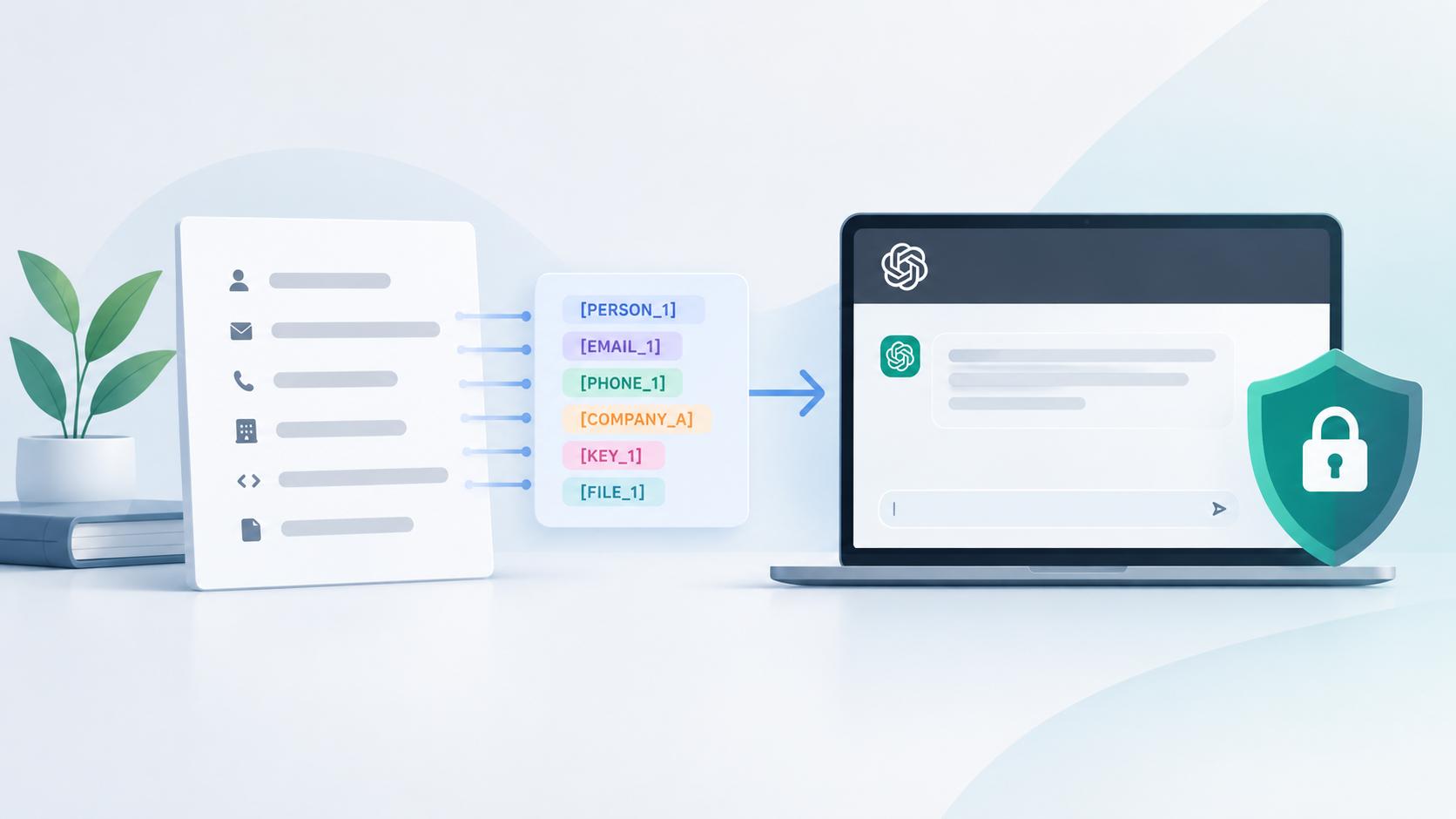
Pseudonymization replaces real identifiers with fake but consistent ones. “Acme Corp” becomes “Company A” throughout. You keep the relationships and structure, which produces better outputs.
Anonymization transforms the data so it can’t be linked back to the original subject at all. This is the strongest protection but the hardest to do well.
In practice, pseudonymization hits the sweet spot for most client work. Replace company names, people’s names, and specific figures with placeholders. Use find-and-replace systematically — don’t do it by eye. A single missed name in a three-page brief defeats the purpose.
For teams processing client data at volume, tokenization tools and DLP (data loss prevention) software can automate this step — they intercept sensitive values before they reach the AI tool and replace them with non-reversible tokens. For most freelancers and small agencies, though, manual pseudonymization with find-and-replace is sufficient and costs nothing.
(We have a separate step-by-step guide on how to anonymize data before using ChatGPT, with before-and-after examples.)
Use Temporary Chat for anything borderline
When you’ve removed identifiers and the remaining content is low-sensitivity, Temporary Chat reduces your exposure. It won’t train on the conversation, and it auto-deletes within 30 days. It’s not a vault — but it’s a meaningful step down from a standard chat that sits in your history indefinitely.
Upgrade to ChatGPT Business for daily team use
At $20/seat/month (annual billing, 2-seat minimum — OpenAI cut this from $25 in April 2026), ChatGPT Business disables training by default and adds admin controls plus SSO. For a small agency where multiple people use ChatGPT daily, it’s a reasonable investment.
But understand what it doesn’t do: no BAA (HIPAA-regulated data is still off-limits), no data residency options, and the 30-day abuse monitoring retention still applies.
Use the API for regulated or high-volume workflows
The API hasn’t used customer data for training since March 2023. Zero Data Retention is available for qualifying endpoints, which means prompts and outputs aren’t stored after the request completes. If you’re building tools that process client data programmatically — report generators, document summarizers, intake form processors — the API is the right path.
Write a one-page AI policy for your team
Don’t publish a 20-page document nobody reads. One page, three categories:
Green: Public information, your own content, brainstorming with no client data. Use ChatGPT freely.
Amber: Internal data, low-sensitivity client work. Use only after anonymizing, with Temporary Chat or a Business plan.
Red: PII, PHI, anything under NDA, financial records, credentials. Never enters ChatGPT. No exceptions.
Pin it where your team can see it. Review it quarterly. That simple framework eliminates most of the risk.
Frequently Asked Questions
Does ChatGPT use my data for training?
On ChatGPT Free, Go, Plus, and Pro plans, yes by default. You can opt out via Settings → Data Controls → “Improve the model for everyone.” Business and Enterprise plans disable training by default. The API hasn’t trained on user data since March 2023. Opting out only affects future conversations, so data already submitted may remain in the training set.
Can OpenAI employees read my chats?
Authorized OpenAI personnel and service providers can review conversations flagged during abuse monitoring, regardless of your plan or training settings. Enterprise offers more restricted access and admin audit controls, but no plan guarantees zero human review.
Does using ChatGPT break my NDA?
It can. Entering information covered by a confidentiality agreement into any third-party tool may count as unauthorized disclosure, even if that tool doesn’t train on your data. The key question is how your NDA defines disclosure and authorized recipients. If AI tools aren’t explicitly permitted, assume they’re not.
Is ChatGPT HIPAA compliant?
Not on consumer or Business plans. A Business Associate Agreement (BAA) is available only for sales-managed Enterprise, Edu, and Healthcare accounts, plus qualifying API customers. As of 2026, no free AI tool from any major vendor, including OpenAI, Anthropic, or Google, offers BAA eligibility.
Is Temporary Chat private?
Temporary Chat conversations aren’t used for training and auto-delete within 30 days. But they’re still stored on OpenAI’s servers during that window and remain subject to abuse monitoring review. Reduced exposure is a more accurate description than private.
Is it enough to just delete the chat?
No. Deleted chats are scheduled for removal within 30 days, not erased instantly, and may be kept longer under legal hold. Files uploaded during the chat stay in your Library until you delete them separately.
Do I have to tell my clients I use AI?
No universal law requires it, but your contract might. GDPR requires data controllers to inform data subjects about automated processing. Professional ethics rules in law, healthcare, and finance may also require disclosure. Even where it’s not legally required, disclosing builds trust and avoids surprises. When in doubt, tell them.
Is it okay if I anonymize the data first?
Anonymization significantly reduces the risk, but only if done thoroughly. One missed name, email address, or project identifier defeats the entire exercise. Use find-and-replace across the full text, not just the parts you remember. Then read it once more before pasting.
The Bottom Line
Is it safe to put client information into ChatGPT? Not on a personal account. Not with real names, real numbers, or anything covered by an NDA or regulation. And not without reading your own client agreement first — because your contract matters more than ChatGPT’s settings.
The answer isn’t to avoid ChatGPT. It’s to treat it the way you’d treat any third-party tool that handles someone else’s data: with specific rules, clear boundaries, and no assumptions.
Five risks. Five separate decisions. Start with your contract, then choose the plan and workflow that match.
SmartWorkflowLab publishes honest, no-vendor guides on AI tools for freelancers and small businesses. This post will be updated when OpenAI changes its data policies or plan structure. Have a correction or something we missed? Contact us.