Your bookkeeper pasted last quarter’s payroll into ChatGPT to “clean up the formatting.” Your marketing assistant ran client testimonials through a free AI writing tool. Neither meant any harm — and both may have just handed your most sensitive data to a model that trains on user inputs.
The Stanford AI Index Report documented 233 AI-related privacy incidents in 2024, up 56.4% from the year before. Small businesses without dedicated security teams account for a growing share of them.
This guide gives you the risks, the rules, and a concrete five-day rollout plan to use AI confidently — without becoming a cautionary tale.
What Is AI Privacy for Small Business?
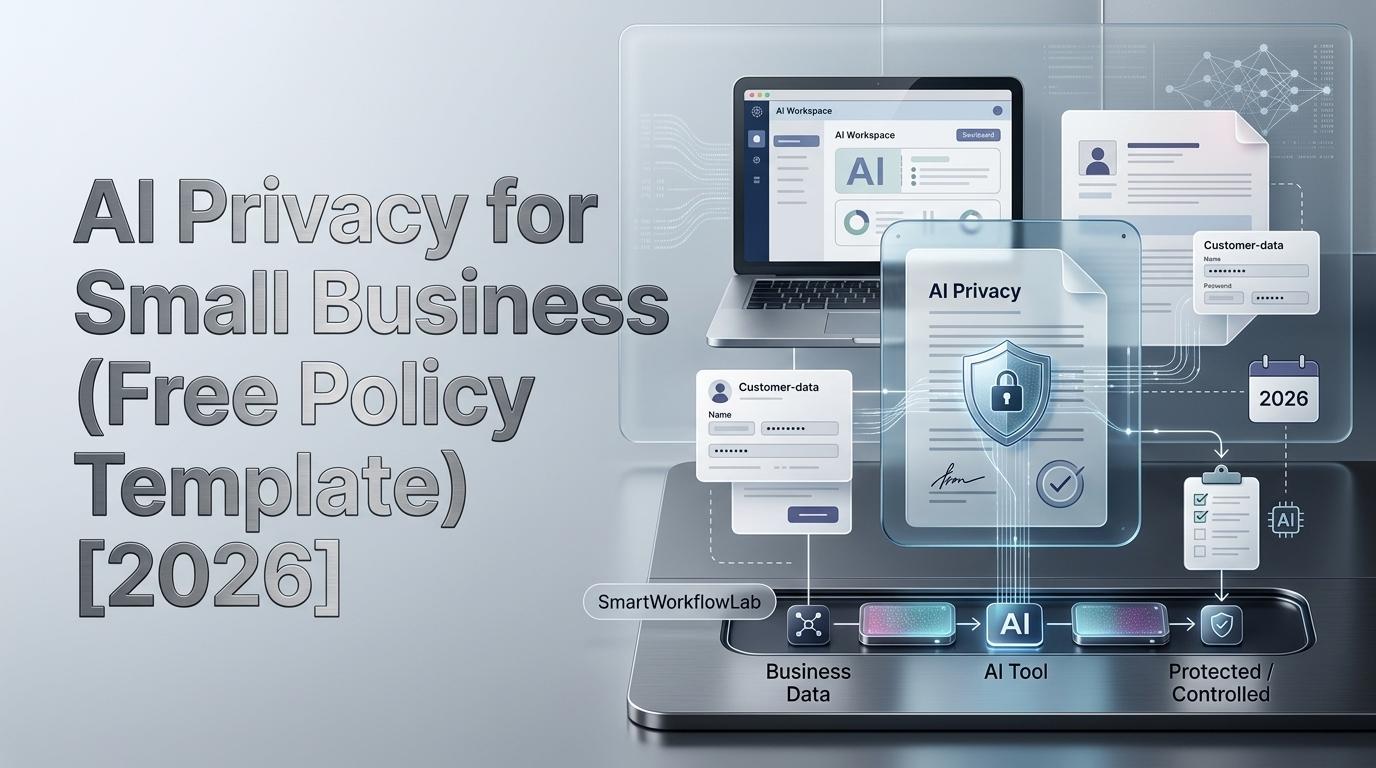
AI privacy for small business is the set of policies, tool choices, and data-handling practices that keep sensitive business, customer, and employee information protected when using artificial intelligence platforms. It covers how AI vendors collect, store, and train on your data — and how your business stays compliant with privacy regulations like HIPAA, CCPA, and the EU AI Act.
You don’t need a dedicated IT security team to get this right. You need clear rules, the right tool tiers, and a quarterly review habit.
That definition covers four practical areas:
- Policy creation — clear internal rules about what data goes into which tools
- Vendor vetting — checking how each AI provider handles your inputs
- Data classification — sorting your data by sensitivity before it ever touches AI
- Compliance monitoring — keeping up with the regulations that apply to your industry and location
Most of what follows is about making these four areas concrete and actionable.
Why AI Privacy Is a Small Business Problem Now
Your Team Is Already Using AI — With or Without Permission
According to the SMB Group, 42% of small and medium businesses now use AI in at least one business process, up from 23% in 2024. But that stat undercounts reality. It measures official adoption. It doesn’t count your office manager who uses Claude to draft client emails, or your developer who pastes error logs into ChatGPT, or your HR person who runs interview notes through Gemini to summarize them.
This is shadow AI — employees adopting free AI tools on their own, without company knowledge or approval. In practice, the risk isn’t AI itself. It’s AI use you don’t know about and can’t govern.
The Incident Numbers Are Climbing
That Stanford figure — 233 incidents in a single year — reflects mostly large, documented cases. Small businesses rarely make the news when data leaks through an AI tool. They just lose a client, face a compliance inquiry, or discover the exposure months later.
Gartner projects that 40% of enterprise applications will embed task-specific AI agents by 2026, up from under 5% in 2025. These aren’t chatbots you type into. They’re agents with file system access, browser access, and the ability to take autonomous actions. The attack surface is expanding well beyond “someone pasted something into a chatbot.”
The Cost of Getting It Wrong
When I talk to small business owners about AI privacy, most underestimate the consequences. The thinking is usually: we’re too small to get fined.
That’s not how it works. The FTC has brought enforcement actions under existing consumer protection laws against businesses of all sizes. State attorneys general in California, Colorado, and Illinois are actively enforcing new AI-related provisions. And the Samsung incident from 2023 — where employees uploaded proprietary source code and confidential meeting notes to ChatGPT, triggering a company-wide ban — demonstrates that even sophisticated organizations make these mistakes. At a 20-person firm, nobody is watching for it.
Beyond fines, there’s the harder-to-measure cost: customer trust. A small business runs on reputation. One disclosure that client data was fed into a public AI tool can undo years of relationship-building.
How AI Tools Actually Handle Your Data
This is the section most guides get wrong or skip entirely. There are three distinct things an AI tool can do with your data, and confusing them leads to bad decisions.
When AI Trains on Your Data
Training means the AI provider feeds your inputs into the model’s learning process. Your data becomes part of the system that serves every other user. Once it’s in, you can’t get it out.
Free-tier tools are the primary offenders. ChatGPT’s free version has historically used conversations for model training (OpenAI has added opt-out controls, but the default matters). Free Gemini operates similarly. When I tested this in early 2026, the default setting on most free-tier AI tools still allowed training on inputs unless the user actively changed a setting buried in account preferences.
What this means practically: a customer list, a financial summary, or a legal brief you paste into a free tool could influence future outputs for strangers. You lose all control over where that information lives. This is especially worth understanding if your team uses ChatGPT with any client-facing data — we broke down the five specific risks of putting client information into ChatGPT in a separate deep dive.
When AI Processes Your Data
Processing means the tool uses your input to generate a response, then doesn’t keep it. Your data goes in, the answer comes out, and — ideally — nothing is retained.
Paid business tiers generally operate this way. ChatGPT Team and Enterprise, Claude Pro and Team, Microsoft Copilot for Business — these operate under data processing agreements (DPAs) that contractually prohibit training on your inputs. This is the distinction that justifies the monthly cost.
The Grey Zone: Data Retention
Here’s where it gets subtle. Even tools that don’t train on your data may retain your inputs temporarily. ChatGPT Team retains conversations for 30 days for abuse monitoring. Some providers keep inputs for 90 days. The data isn’t being used to improve the model, but it exists on someone else’s servers for a window of time.
True zero-data-retention — where inputs are discarded immediately after generating a response — is typically only available at the enterprise tier or through API access with explicit retention settings.
A mistake I often see: business owners read “we don’t train on your data” and assume that means “we don’t store your data.” Those are different promises. Read the retention policy, not just the training policy.
The 7 AI Privacy Risks Every Small Business Faces
1. Shadow AI Usage
Employees using unapproved free-tier tools — ChatGPT free, free Gemini, Perplexity free — with business data. This is the most common risk across every industry I’ve worked with. Typical examples: pasting customer records to draft emails, uploading financial spreadsheets for analysis, sharing employee complaints for summarization. If your team is pasting client details into ChatGPT specifically, the risks of putting client information into ChatGPT go deeper than most people realize.
What to do: Create an approved tool list and distribute an acceptable use policy (template below).
2. Unintentional Model Training
Data entered into free tools may train the AI model permanently. Once it happens, it’s irreversible. The danger is amplified with personally identifiable information (PII) — customer names, addresses, health records, payment details.
What to do: Upgrade your most-used tools to paid business tiers. Understand the training vs. processing distinction covered above.
3. Vendor Data Retention and Sharing
Even paid tools may retain data for abuse monitoring, share aggregated insights with third parties, or store inputs on servers in jurisdictions with different privacy rules. I’ve reviewed DPAs from several major AI vendors, and the variation is significant. Some guarantee US-only data residency. Others don’t specify.
What to do: Read the DPA before signing up. Check data retention periods and data residency provisions. Use the vendor comparison table below.
4. AI Agents with Excessive Permissions
This risk is underappreciated because it’s newer. AI agents — the kind Gartner projects will appear in 40% of enterprise apps by 2026 — can access file systems, browse the web, execute code, and take autonomous actions. An agent connected to your CRM, email, or file storage with broad permissions can expose data even without malicious intent.
MCP servers and third-party plugins that pipe business data through unknown intermediaries add another layer of exposure most small businesses aren’t tracking.
What to do: Apply the principle of least privilege — grant agents only the minimum permissions they need. Review connected integrations quarterly.
5. Prompt Injection and Data Extraction
Prompt injection attacks trick AI tools into revealing data from prior conversations or connected systems. If you’re running an AI-powered customer service chatbot connected to your customer database, a crafted input could potentially extract information it shouldn’t share.
This is primarily a risk for businesses deploying customer-facing AI, not just using it internally. But it’s growing.
What to do: Use AI tools with robust input sanitization. Never connect AI directly to sensitive databases without an access-control layer between them.
6. Compliance Violations You Don’t Know About
A healthcare practice pasting patient notes into a public AI tool is likely violating HIPAA. A financial advisor sharing client portfolio details may be violating GLBA. An HR department running resumes through an AI screener in Illinois without disclosure may be violating HB 3773.
The regulatory landscape expanded substantially in early 2026 — the Colorado AI Act took effect in February, California’s AI transparency requirements in January, Illinois’ AI employment provisions in January. Recording requirements are part of this landscape too — several states now require explicit consent before an AI note taker can join a confidential meeting. Most small businesses haven’t updated their practices to match.
What to do: Check your industry against the regulatory table below.
7. Cyber Insurance Gaps
Many cyber insurance policies don’t explicitly address AI-related data exposure. I’ve reviewed several SMB-focused policies, and most were written before AI tools became mainstream in business workflows. If your team uses AI tools and a breach occurs through that channel, your policy may not cover it.
Questions to ask your insurer: Does the policy cover AI-related data exposure? Are incidents from employees voluntarily sharing data with third-party AI services covered? Is there an AI exclusion clause?
What to do: Add AI usage to your next cyber insurance review. Ask the questions above explicitly.
Which AI Privacy Laws Apply to Your Small Business?
There’s no single federal AI privacy law in the US as of 2026. Instead, you’re dealing with a patchwork of state laws, industry-specific regulations, and federal agency guidance. The table below maps which ones matter based on your industry and where your customers are.
| Regulation | What It Covers | Who It Applies To | Key Requirement |
|---|---|---|---|
| HIPAA | Patient health information | Healthcare providers, anyone handling PHI | AI vendor must sign a Business Associate Agreement (BAA) |
| CCPA/CPRA | California consumer personal data | Businesses with CA customers above revenue/data thresholds | Disclose AI use in privacy policy; honor opt-out of automated decisions |
| GDPR | EU resident personal data | Any business serving EU customers | Lawful basis for processing; data minimization; DPA with AI vendors |
| EU AI Act | AI systems by risk level | Any business deploying AI to EU users | Risk assessments for high-risk AI; transparency obligations |
| Colorado AI Act | High-risk AI decisions (effective Feb 2026) | Businesses using AI for employment, housing, education, healthcare, insurance, lending in CO | Impact assessments and consumer disclosure |
| FTC Guidance | Consumer protection, deceptive practices | All US businesses | Transparency about AI’s role; reasonable security measures |
| GLBA | Consumer financial information | Financial services businesses | Privacy notices; safeguards for customer account info |
| FCRA | Credit reporting data | Businesses using AI for credit scoring | Fair and accurate credit decisioning |
| FERPA | Student education records | Schools and ed-tech using AI | Parental consent; restrict AI vendor access to student records |
| Illinois HB 3773 | AI in employment decisions (effective Jan 2026) | Employers using AI in hiring/HR in Illinois | Notice and disclosure requirements |
| NIST AI RMF | AI risk management (voluntary) | Any business (voluntary framework) | Map, measure, manage, and govern AI risks |
If your business handles data under any of these frameworks, your AI tool choices are compliance requirements, not optional preferences.
When vetting AI vendors, ask whether they hold SOC 2 Type II certification — it means their data handling practices have been independently audited. Not every small business needs a SOC 2-certified vendor, but if you’re in a regulated industry, it’s a meaningful signal.
The AI Privacy Decision Matrix: Which Tool Tier for Which Task?
Every guide on this topic tells you “don’t put sensitive data in free tools.” That’s true but unhelpful. The real question is: which tasks are safe at which tier?
I built this matrix after auditing AI usage at several small businesses. The pattern that emerged was consistent: most businesses don’t need enterprise-tier everything. They need the right tier for the right task.
| Task Type | Low Sensitivity | Medium Sensitivity | High Sensitivity |
|---|---|---|---|
| Content drafting (blogs, social, marketing copy) | Free tier OK (ChatGPT, Gemini, Claude free) | Paid business tier (ChatGPT Team, Claude Pro) | Enterprise tier with DPA, or anonymize first |
| Data analysis and reporting | Free tier OK for public datasets | Paid business tier; check data retention | Enterprise with zero-data-retention, or local (Ollama, LM Studio) |
| Customer communication (emails, chatbot responses) | Free tier OK for templates | Paid business tier | Enterprise with BAA if healthcare/finance |
| Code generation and debugging | Free tier OK for non-proprietary code | Paid business tier | On-premise only; never share proprietary source code with cloud AI |
| HR and employee data | Not recommended at free tier | Paid business tier minimum | Enterprise or local model only |
| Legal document review | Not recommended at free tier | Paid business tier with DPA | On-premise or enterprise with explicit legal provisions |
Low sensitivity = public information, generic content, non-proprietary material. Medium sensitivity = internal documents, business strategy, non-regulated communications. High sensitivity = PII, health records, financial data, legal documents, proprietary code, HR records.
When in doubt, go one tier up. And if you serve EU customers, GDPR’s data minimization requirements push most medium-sensitivity tasks to the enterprise tier.
If your team records meetings with AI transcription tools, consent requirements vary by state — check whether you need consent for an AI note taker before deploying one.
AI Tool Privacy Comparison: Who Trains on Your Data and Who Doesn’t?
The gap between free and paid tiers on the same platform is often enormous. I spent time reviewing each vendor’s current terms to build this comparison.
Last verified: September 2026. AI vendor policies change frequently — verify these details against each vendor’s current terms before making purchasing decisions. SmartWorkflowLab has no affiliate relationships with any tools listed below. Our recommendations are based on independent review of publicly available terms and pricing.
| Tool | Free Tier Trains on Data? | Business Tier Trains? | Data Retention (Paid) | BAA Available? | DPA Available? | Approx. Business Tier Cost |
|---|---|---|---|---|---|---|
| ChatGPT (OpenAI) | Yes (opt-out available) | No (Team/Enterprise) | 30 days (Team); zero (Enterprise) | Enterprise only | Yes (Team+) | ~$25–30/user/mo |
| Claude (Anthropic) | No (current policy) | No | Zero-retention on API | Enterprise | Yes | ~$20–30/user/mo |
| Gemini (Google) | Varies | No (Workspace plans) | Per Workspace settings | Via Google Workspace BAA | Yes | ~$20/user/mo |
| Microsoft Copilot | Yes (free tier) | No (M365 Copilot) | Per M365 retention settings | Via M365 BAA | Yes | ~$30/user/mo |
| Midjourney | Yes | Yes (all tiers) | Retained | No | No | ~$10–60/mo |
| Jasper | No | No | Per contract | On request | Yes | ~$39/user/mo |
| Grammarly Business | Check current policy | No (Business tier) | Per retention policy | On request | Yes | ~$15/user/mo |
| Perplexity | Yes (free) | No (Pro/Enterprise) | Varies | Check current | On request | ~$20/user/mo |
The key takeaway: upgrading your most-used AI tool from free to a business tier is usually the single highest-ROI privacy investment a small business can make. For a 10-person team, switching ChatGPT from free to Team costs about $250–300/month. That’s less than one hour of a privacy attorney’s time.
Where “BAA Available?” shows “No” — that tool cannot be used with any HIPAA-regulated data. Period.
Note that Midjourney trains on user inputs at every tier. If you’re generating images from proprietary concepts, product designs, or confidential visual material, that’s worth knowing.
Your 5-Day AI Privacy Rollout Plan
Every guide says “create a policy” and “train your employees.” None of them tell you exactly what to do on which day. Here’s a plan designed for teams of 5–50 that you can start Monday.
Day 1: Audit Your AI Tool Usage
Survey your team with a simple question: which AI tools are you using for work, including free tools and browser extensions? Be specific — ask about Grammarly, Notion AI, built-in AI features in Canva or your CRM. People forget those count.
Create a spreadsheet with four columns: Tool Name, Who Uses It, What Data Goes In, Free or Paid. This audit almost always reveals tools leadership didn’t know about. That’s the point.
Day 2: Classify Your Data
Sort your business data into three tiers:
- Green (low sensitivity): Public information, generic marketing copy, non-proprietary content, research on publicly available topics.
- Yellow (medium sensitivity): Internal documents, business strategy drafts, non-regulated internal communications, meeting notes without client details.
- Red (high sensitivity): PII, customer records, health data, financial data, legal documents, proprietary source code, HR records, anything under regulatory protection.
Map each tier to the Decision Matrix above to see which AI tool tier is appropriate for each. For any data you classify as Yellow or Red, our guide on how to anonymize data before using ChatGPT walks through exact tools and worked examples.
Day 3: Upgrade or Replace Your Riskiest Tools
Look at your audit. Is any Red-tier data going through free AI tools? Stop that immediately, or switch to a paid business tier today.
Focus on the one or two tools your team uses most. In practice, most small businesses I’ve worked with get 80% of their AI privacy risk under control by upgrading a single tool — usually ChatGPT or whatever their team defaulted to.
Review the vendor’s DPA and data retention policy before committing. If the vendor can’t produce a DPA, that’s your answer.
Day 4: Distribute Your AI Acceptable Use Policy
Use the template in the next section as a starting point. Cover: approved tools, prohibited data types, anonymization requirements, output review expectations, and a reporting process for accidental data exposure.
Keep it to one page. A policy nobody reads is worse than no policy — it creates a false sense of compliance. Have every team member acknowledge it in writing. An email reply saying “read and understood” works fine.
Day 5: Set Up Ongoing Governance
Assign one person — doesn’t need to be an IT specialist — as the AI privacy point person. Their job: re-audit tools quarterly, watch for new employee AI adoption, review any incidents, and update the policy when regulations change.
If you handle regulated data (healthcare, finance, education), this is the day to schedule a compliance audit or contact a managed IT provider.
Also: call your cyber insurance broker. Ask whether your policy covers AI-related data exposure. Most policies written before 2024 don’t.
AI Acceptable Use Policy Template
This is the section most small business AI privacy guides skip — and it’s the one that makes the difference. Here’s a starter template you can adapt. It’s designed to be one page, plain language, and usable immediately.
[Company Name] — AI Acceptable Use Policy
1. Purpose. This policy defines how employees may use AI tools in their work to protect company, customer, and employee data.
2. Approved tools. The following AI tools are approved for business use: [List tools and their tiers, e.g., “ChatGPT Team — approved for Green and Yellow data.” “Claude Pro — approved for Green and Yellow data.”] All other AI tools are prohibited for business use unless explicitly approved by [designated person].
3. Data restrictions.
- Never enter into any AI tool: Social Security numbers, payment card data, patient health information, passwords, API keys, complete customer databases, proprietary source code marked confidential.
- Business-tier tools only (anonymize where possible): Customer names and contact info, internal financial summaries, HR communications, legal drafts.
- Any approved tool: Public-facing content, generic research queries, non-proprietary code, brainstorming.
4. Anonymization requirement. Before entering any Yellow or Red data into an AI tool, anonymize the data — remove or replace full names, email addresses, phone numbers, account numbers, physical addresses, and any other personally identifiable information.
5. Output review. All AI-generated content used in customer-facing communications, legal documents, or financial reporting must be reviewed by a human before use.
6. Reporting. If you believe you’ve shared restricted data with an AI tool, report it to [designated person] within 24 hours. No disciplinary action for good-faith reporting.
7. Review. This policy will be reviewed and updated quarterly, or whenever a new tool is adopted or a relevant regulation changes.
This template covers the core elements of the NIST AI Risk Management Framework: map, measure, manage, govern. It’s not a legal document — businesses in regulated industries should have counsel review it. But a plain-language policy that people actually read beats a 20-page document nobody opens.
Consider offering this as a downloadable .docx or PDF on your site — it’s the kind of practical asset people bookmark and share.
The Nuclear Option: Running AI Locally for Maximum Privacy
For businesses handling the most sensitive data — legal firms, healthcare practices, financial advisors — there’s an approach that eliminates the vendor trust question entirely: run the AI on your own hardware.
What Local AI Means
You download an open-weight AI model (typically 0.5 to 8 billion parameters) and run it on a computer you own. Your data never leaves your network. No privacy policy to read, no DPA to negotiate, no retention period to worry about. Privacy by architecture, not by contract.
Tools That Make It Practical
Ollama is free, open-source, and runs models like Llama, Mistral, and Phi with a simple command-line interface. It works on Mac, Windows, and Linux. Setup takes about 15 minutes if you’re comfortable with a terminal.
LM Studio offers a desktop GUI — no command-line knowledge needed. Download models and run them locally through a chat interface that feels like ChatGPT. I’ve set this up for non-technical business owners in under 30 minutes.
Both run on hardware most small businesses already own. A modern laptop with 16GB of RAM handles smaller models comfortably.
The Trade-Offs — and They’re Real
Local models are significantly less capable than frontier models like GPT-4, Claude, or Gemini. They work well for document summarization, simple drafting, basic data extraction, and straightforward code completion. They’re not going to produce the quality you’d get from a cloud-based frontier model on complex analysis or nuanced writing tasks.
The honest recommendation: use local AI for Red-tier tasks where data sensitivity is paramount, and paid cloud tiers for everything else. It’s not an all-or-nothing choice. A 3-billion-parameter model running on your laptop is the right tool for extracting entities from confidential legal documents. It’s the wrong tool for writing your annual strategy memo.
Frequently Asked Questions
Is it safe to use ChatGPT for business?
The free version may use your inputs for model training, which means sensitive business data could become part of the system. ChatGPT Team and Enterprise tiers don’t train on your data and include data processing agreements. For most small businesses, upgrading to Team (~$25/user/month) eliminates the primary risk.
What data should you never put into AI tools?
Never input Social Security numbers, payment card data, passwords, API keys, patient health information, complete customer databases, proprietary source code, or employee personnel files. When uncertain, anonymize first — swap real names and identifiers for generic placeholders before pasting anything.
Do AI tools store my business data?
Most AI tools retain your data for some period — the question is how long and what they do with it. Free tiers may retain inputs and use them for training. Paid business tiers typically process without retaining, though some keep inputs for 30–90 days for abuse monitoring. Enterprise tiers with zero-data-retention policies discard inputs immediately. Always check the vendor’s retention policy — “we don’t train on your data” and “we don’t store your data” are different promises.
What AI privacy laws apply to small businesses in 2026?
No single federal AI law exists in the US. Small businesses face state privacy laws (CCPA/CPRA, Colorado AI Act), industry regulations (HIPAA, GLBA, FERPA), and FTC enforcement guidance. If you serve EU customers, GDPR and the EU AI Act also apply. See the regulatory table above for a breakdown by industry.
Can AI tools violate HIPAA?
Yes. If a HIPAA-covered entity inputs protected health information into an AI tool, that vendor becomes a business associate and must sign a BAA. Most free-tier AI tools don’t offer BAAs. Using them with PHI is a HIPAA violation, regardless of intent.
How do I create an AI policy for my company?
Start with the template above: define approved tools, classify your data into sensitivity tiers, set anonymization requirements, establish output review processes, and create a reporting protocol for accidental exposure. Keep it to one page. Require written acknowledgment from every employee. Review quarterly.
Are enterprise AI plans worth the cost for a small business?
For most small businesses, a paid business tier — not necessarily the full enterprise tier — is the right balance. ChatGPT Team at ~$25/user/month or Claude Pro at ~$20/month eliminates the model training risk and provides a DPA. The enterprise tier is worth it only if you handle regulated data, need a BAA, or require zero-data-retention guarantees. The monthly cost of business-tier AI tools for a 10-person team is less than a single hour of a privacy attorney’s time.
The Bottom Line
The businesses that get AI privacy right in 2026 won’t be the ones that avoided AI. They’ll be the ones that matched each task to the right tool tier, told their teams what’s allowed, and checked their setup once a quarter.
You don’t need an IT department. You need a one-page policy, a tool upgrade or two, and the discipline to treat AI like any other vendor that touches your data: with a clear agreement and clear boundaries.
Start with the five-day plan above. By Friday, the biggest gaps will be closed.
Last updated: September 24, 2026. This guide is reviewed and updated quarterly as AI vendor policies and regulations change.