By [Author Name], SmartWorkflowLab — I’ve spent 4+ years testing AI and automation tools while running a solo marketing consultancy. The stack below handles my own client pipeline, content production, and project management across 15+ active accounts.
I spent three weeks testing 30+ AI tools on their free tiers — actually building workflows, not just reading feature pages. Most “best free tools” lists read like rewritten press releases. This one comes from hitting the free-tier walls, finding the workarounds, and figuring out which tools earn a permanent spot in a solopreneur’s daily stack.
Here’s the short answer if you’re in a hurry:
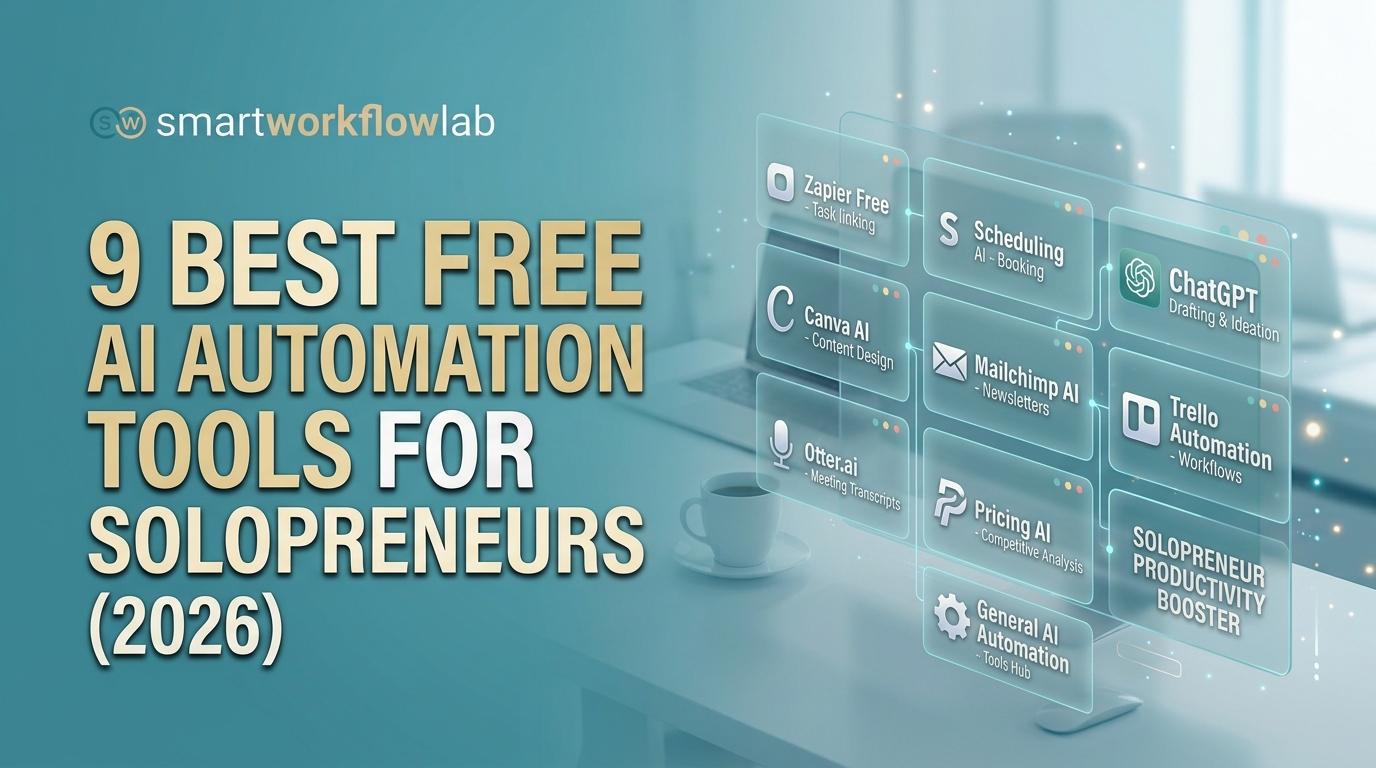
The best free AI automation tools for solopreneurs are ChatGPT (writing and research), Canva (design), Make (workflow automation), Notion (project management), and HubSpot CRM (client tracking). These five form a complete free stack. Add Trello, Fireflies.ai, Perplexity, and Zapier based on your specific business model — all offer usable free tiers.
The rest of this post breaks down each tool honestly: what the free tier actually gives you, where it falls short, and how to connect them into workflows that save 5–10 hours a week.
How I Picked These Tools
Dozens of listicles rank the best free AI automation tools for solopreneurs by rewriting feature pages. I did something different: I ran each tool in my actual business for at least two weeks. A tool made this list only if it met all three criteria:
- The free tier is genuinely usable — not a 7-day trial, not a “free” plan that locks every useful feature behind a paywall.
- It solves a real solopreneur bottleneck — content creation, client management, design, repetitive tasks, or research.
- It connects to other tools — standalone tools don’t compound. The best tools play well together through integrations or APIs.
I organized the nine picks by business function, because solopreneurs think in problems, not product categories.
1. ChatGPT (Free) — Writing, Research & First Drafts
What it does: General-purpose AI assistant for drafting, brainstorming, research synthesis, data analysis, and code generation.
When I started using ChatGPT for client proposal drafts at my consultancy, a $2,500 strategy proposal that used to take 90 minutes dropped to 25. Not because the AI writes perfect proposals — it doesn’t — but because editing a rough draft is faster than staring at a blank page.
Solopreneur use cases:
- Draft blog posts, email sequences, and social media captions
- Summarize long documents and research papers
- Brainstorm product names, taglines, and content angles
- Analyze spreadsheets and generate basic data visualizations
- Write and debug simple code snippets
Free tier reality: You get GPT-4o access with daily message limits that reset every 24 hours. Heavy users will hit the cap by mid-afternoon. No custom GPTs, limited DALL·E image generation, and restricted advanced data analysis. (See current ChatGPT plans)
The honest take: ChatGPT Free is the most versatile tool on this list — and the one most likely to produce generic output if you don’t prompt well. The difference between a vague prompt and a detailed one is the difference between useless filler and a workable first draft. Learn to write a good prompt before you judge the tool.
Worth noting: Google Gemini’s free tier is catching up fast — it offers a larger context window and real-time web grounding. For solopreneurs who primarily need research synthesis, Gemini is worth testing alongside ChatGPT.
Best for: Freelancers and consultants who write daily.
2. Canva Free — Design Without a Designer
What it does: Drag-and-drop design platform for social media graphics, presentations, short videos, documents, and basic brand assets.
Every solopreneur needs visuals. Not everyone needs — or can afford — a designer. Canva’s free tier is remarkable for what it includes: 250,000+ templates, a massive stock photo library, and enough design tools to produce professional-looking content consistently.
Solopreneur use cases:
- Social media posts, stories, and carousel slides
- Pitch decks and client presentations
- YouTube thumbnails and channel art
- Business cards, invoices, and one-pagers
- Short video clips with text overlays and transitions
Free tier reality: The biggest gaps: no Brand Kit (you can’t save your brand colors, fonts, and logos for one-click consistency), no background remover, no Magic Resize (you’ll manually resize for each platform), and limited access to premium templates and stock photos. (Compare Canva plans)
The honest take: Canva Free handles 80% of a solopreneur’s design needs. The missing 20% — Brand Kit and Magic Resize — becomes genuinely painful once you produce more than 3–4 pieces of content per week. That’s when Canva Pro ($12.99/month) starts paying for itself in time savings alone.
Best for: Content creators and product sellers who publish visual content regularly.
3. Zapier (Free) — Simple Workflow Automation
What it does: Connects 7,000+ apps through automated workflows called “Zaps.” If-this-then-that logic for non-technical users.
Zapier is the tool everyone recommends for automation. The free tier is also the one that disappoints most people. Here’s why it still makes the list — barely.
Solopreneur use cases:
- New form submission → email notification
- New email with specific subject → row added to Google Sheet
- New calendar event → Slack reminder
- New Stripe payment → thank-you email
Free tier reality: Unlimited Zaps, but each can only have two steps (one trigger, one action), and you get 100 tasks per month. That’s roughly 3 automated actions per day. No filters, no multi-step workflows, no conditional logic: adding a condition, a lookup or a second destination needs the paid Professional plan (from $19.99/month billed yearly). The 100-task limit was 750 tasks until late 2023, an 87% cut that made the free tier significantly less useful. (Current Zapier pricing)
The honest take: Zapier Free is a taste test, not a working solution. It’s useful for one thing: proving that automation works for your business before you commit to paying. For actual free-tier automation power, Make (next on this list) is the better choice.
Best for: Non-technical solopreneurs who want the simplest possible automation setup and don’t mind the tight limits.
4. Make (formerly Integromat) — Serious Automation, Actually Free
What it does: Visual workflow automation platform with a drag-and-drop scenario builder for complex, multi-step automations.
Make is the tool I recommend most when solopreneurs ask “how do I automate things for free?” The free tier, 1,000 credits per month with two active scenarios, actually lets you build real workflows.
Solopreneur use cases:
- New lead email → create HubSpot contact → send welcome email → log to spreadsheet (multi-step, all free)
- New blog post (RSS) → generate social captions via AI → save drafts to Notion
- New Calendly booking → create Trello card → send prep reminder 24 hours before meeting
Free tier reality: 1,000 credits per month (Make renamed “operations” to “credits” in 2025; one module run still uses one credit) and two active scenarios, running at most every 15 minutes. A 4-step scenario uses 4 credits per run, so with smart scenario design you can run about 250 workflow executions per month. That covers most solopreneurs’ needs until they’re processing serious volume.
The honest take: Make’s learning curve is steeper than Zapier’s. The visual builder looks like a flowchart, and you’ll spend 30–60 minutes learning the interface. But once you do, Make’s free tier gives you more automation power than Zapier’s paid Starter plan. That’s not hyperbole — it’s math: Make Free offers multi-step workflows with 1,000 credits; Zapier Free offers two-step Zaps with 100 tasks. (View Make pricing tiers)
For technically inclined solopreneurs comfortable with self-hosting, n8n deserves a mention. It’s open-source, completely free when self-hosted, and has no operation limits. The trade-off is setup complexity — you need a server or Docker knowledge.
Best for: Solopreneurs ready to invest an hour learning in exchange for genuinely powerful free automation.
5. Notion (Free) — Your Second Brain and Project Manager
What it does: All-in-one workspace combining notes, databases, wikis, project boards, and documents.
Notion replaced four separate tools for me: Evernote for notes, Google Docs for drafts, Airtable for databases, and a spreadsheet for my content calendar. (Airtable nearly made this list — its relational database features are genuinely powerful, but the free tier’s 1,000-record limit per base makes it too tight for a growing solopreneur.) Notion’s free tier is generous enough that most solopreneurs never need to upgrade.
Solopreneur use cases:
- Content calendar with status tracking (idea → draft → review → published)
- Client wiki with meeting notes, contracts, and project details
- Standard operating procedures and process documentation
- Personal CRM for networking contacts (before you need HubSpot’s scale)
- Knowledge base and research repository
Free tier reality: Unlimited pages and blocks. 5 MB per file upload — a real limit if you work with large images or video. 10 guest collaborators. No native automations on the free plan, so you’ll need Make or Zapier for automated workflows. API access is included, which is unusually generous for a free tier. (Notion pricing)
The honest take: Notion’s strength is its flexibility, and that’s also its weakness. You can spend days building an elaborate dashboard system and never actually do the work the system was meant to manage. My advice: start with one database (your content calendar or client tracker), use it for two weeks, then expand. Don’t build the perfect system first.
Best for: Content creators and consultants who need a central hub for everything.
6. Trello (Free) — Lightweight Project Management
What it does: Kanban-style project management with cards, lists, and boards. Simple enough to learn in five minutes.
Not every solopreneur needs Notion’s complexity. If your project management needs boil down to “what do I need to do, what’s in progress, and what’s done,” Trello is the leaner choice.
Solopreneur use cases:
- Client project tracking (To Do → In Progress → Review → Done)
- Weekly task management across multiple projects
- Editorial calendar for content publishing
- Product launch checklists with due dates
- Simple CRM pipeline (Lead → Contacted → Proposal → Closed)
Free tier reality: Unlimited cards, up to 10 boards, 10 MB per file attachment, and one Power-Up per board. Power-Ups are integrations and premium views (Calendar view, Slack, Google Drive), and you get exactly one per board. (Trello pricing)
The honest take: Trello wins on simplicity. If you’ve tried Notion and found yourself building systems instead of working, Trello’s opinionated structure is a feature, not a limitation. The 10-board limit only matters if you manage more than 10 distinct projects simultaneously — at that point, you likely need a dedicated PM tool regardless.
Best for: Freelancers managing 3–8 client projects who want zero-friction task tracking.
7. Fireflies.ai (Free) — AI Meeting Notes That Actually Work
What it does: Joins your Zoom, Google Meet, or Teams calls automatically, transcribes the conversation, and generates AI summaries with action items.
In practice, Fireflies changed one specific workflow for me: the post-meeting scramble. Before Fireflies, I’d spend 15–20 minutes after every client call typing up notes and action items from memory. Now the summary lands in my inbox before I’ve closed the Zoom window.
Solopreneur use cases:
- Auto-transcribe client calls with fully searchable transcripts
- AI-generated summaries highlighting key decisions and action items
- Share meeting recaps with clients instead of writing manual follow-up notes
- Build a searchable archive of every conversation you’ve had
Free tier reality: Unlimited transcription, but only while calendar auto-join is switched on (with it off, new free accounts get just a few transcriptions), 400 minutes of storage shared across your team, and 20 AI credits. AI summaries are limited on the free plan. Once storage fills up, you’ll need to delete old transcripts or upgrade. Integrations with Notion, Slack, and CRM tools are available, though some are restricted. The Slack integration is particularly useful — transcripts and action items post directly to a channel, so nothing gets buried in email. (Fireflies.ai plans)
The honest take: 400 minutes sounds workable until you do the math: that’s under 7 hours of recorded meetings, roughly two weeks for an active consultant. Download or archive your transcripts regularly, or you’ll hit the wall mid-quarter with no warning. The AI summaries on the free tier are useful but abbreviated compared to the paid version.
Best for: Consultants and coaches doing 5+ client calls per week.
8. HubSpot Free CRM — Client Tracking Without the Enterprise Price
What it does: Full-featured CRM with contact management, deal pipelines, email tracking, meeting scheduling, and basic reporting.
Most free CRMs are crippled demos. HubSpot’s is genuinely usable. I’ve recommended it to solopreneurs managing anywhere from 10 to 1,000 contacts, and the free tier handles that range without complaint.
Solopreneur use cases:
- Track every client interaction — emails, calls, meetings — in one timeline
- Build a visual deal pipeline from first touch to close
- Log and track follow-up tasks with email reminders
- Create a meeting scheduling link (like Calendly, built in)
- See which prospects open your emails and click your links
Free tier reality: Unlimited contacts with up to 5 email templates. No email sequences — automated follow-up chains are the upgrade trigger for most solopreneurs. HubSpot branding stays on forms and scheduling pages. No custom reporting beyond the built-in dashboards. (HubSpot CRM pricing)
The honest take: HubSpot Free CRM is the tool most solopreneurs should set up first and appreciate last. It doesn’t feel exciting — it’s a database of your business relationships. But three months in, when you can pull up every interaction with a prospect in one click, you’ll understand why it matters. The missing piece is sequences: once you’re manually following up with 50+ leads per month, the Starter tier ($15/month) pays for itself in recovered deals.
Best for: Service-based solopreneurs — freelancers, consultants, coaches — who sell through relationships.
9. Perplexity AI (Free) — Research Without the Tab Overload
What it does: AI-powered research engine that synthesizes information from across the web, with cited sources and links you can verify.
Perplexity fills a gap that ChatGPT doesn’t cover well: real-time, cited research. When I need current information — competitor pricing, industry statistics, recent news — ChatGPT’s training cutoff and occasional hallucinations make it unreliable. Perplexity searches the live web and shows you where it found every claim.
Solopreneur use cases:
- Competitor and market research with verifiable source citations
- Fact-checking statistics and claims before publishing content
- Quick industry analysis for client proposals
- Product comparison research for purchase decisions
- Finding recent case studies, data points, and benchmarks
Free tier reality: Unlimited quick searches and 5 Pro searches per day. Pro searches are deep-dive, multi-step research queries — significantly more thorough than quick searches. No file uploads on the free tier. The daily Pro limit resets at midnight. (Perplexity pricing)
The honest take: Five Pro searches per day is enough for most research needs if you’re intentional about when to use them. Save Pro searches for complex, multi-source questions (competitor analysis, market sizing). Use quick searches for factual lookups. I keep a running list of research questions and batch my Pro searches in the morning.
Best for: Solopreneurs who publish content, write proposals, or need to stay current on their industry.
Honorable Mentions
These didn’t make the top 9 but are worth a look depending on your niche:
| Tool | Category | Why It’s Worth a Look | Free Tier |
|---|---|---|---|
| Buffer | Social scheduling | Dead-simple scheduling for up to 3 channels | 3 channels, 10 posts each |
| Calendly | Scheduling | Booking links with zero back-and-forth | 1 event type |
| Reclaim.ai | Smart calendar | AI auto-blocks focus time and tasks | Free for individuals |
| Gamma | AI presentations | Generate slide decks from a single prompt | 400 AI credits |
| Descript | Audio/video editing | Edit video by editing the text transcript | 1 hour transcription |
| Copy.ai | Copywriting | Marketing copy templates and frameworks | 2,000 words/month |
| Lindy.ai | AI agents | Build custom AI agents for outreach and ops | Free tier with limits |
The Free-Tier Reality Check: What You Actually Get for $0
Most “best free tools” articles list features without mentioning what the free tier doesn’t include. That’s where this section comes in.
| Tool | What You Get | Biggest Constraint | Enough for Solo? |
|---|---|---|---|
| ChatGPT | GPT-4o, daily message caps | Limits hit by mid-afternoon on heavy days | Yes |
| Canva | 250K+ templates, 5 GB storage | No Brand Kit, no background remover | Yes |
| Zapier | Unlimited two-step Zaps, 100 tasks/mo | Two steps only, very tight task limit | Barely |
| Make | 1,000 credits/mo, 2 scenarios | Credits drain fast on complex flows | Yes |
| Notion | Unlimited pages, API access | No automations, 5 MB file upload cap | Yes |
| Trello | Unlimited cards, 10 boards | 1 Power-Up per board | Yes |
| Fireflies.ai | 400 min team storage, transcription with auto-join on | Storage fills in about two weeks of active use | Tight |
| HubSpot CRM | Unlimited contacts, deal pipeline | No email sequences | Yes |
| Perplexity | 5 Pro searches/day, unlimited quick | Pro search daily limit | Yes |
The verdict: Seven of nine tools offer genuinely usable free tiers for a solopreneur earning under $5K/month. Zapier Free is the weakest link — use Make as your free automation backbone instead.
Free tier details last verified September 2026. These change — verify before committing.
Best Free Stack by Solopreneur Type
There’s no single answer to “what are the best free AI automation tools for solopreneurs” because it depends on your business model. Here’s the 3-tool starter stack for each type:
The Freelancer (designers, developers, writers) HubSpot CRM + Trello + Make — keeps your client pipeline visible, projects on track, and eliminates double data entry between them.
The Content Creator (YouTubers, bloggers, podcasters) Notion + Canva + ChatGPT — covers the full content pipeline from idea to published asset. No automation tool needed here because the workflow is creative, not repetitive.
The Consultant / Coach Fireflies.ai + Notion + HubSpot CRM — automates the post-meeting workflow: Fireflies transcribes the call, key takeaways go to Notion, HubSpot reminds you to follow up.
The Digital Product Seller (courses, templates, SaaS) HubSpot CRM + Make + Perplexity — focuses on the revenue path: capture leads, automate nurture sequences, and research market positioning.
Don’t see your exact business? Pick the closest archetype and adjust from there.
3 Automation Recipes You Can Build in 15 Minutes
Listing tools is easy. Connecting them is where most solopreneurs stall. Here are three workflows using only free tiers — no code needed.
Recipe 1: Auto-Save Email Leads to Your CRM
Tools: Make + HubSpot Free | Setup: 10 minutes
Create a Make scenario with a Gmail trigger filtered to emails containing “inquiry” or “quote” in the subject. Connect the HubSpot module to auto-create a contact: map sender email → Email, sender name → First Name, subject line → Deal Name. Set it to run every 15 minutes. Every qualified inquiry now auto-creates a contact and deal in HubSpot.
Free tier cost: ~4 Make credits per lead. At 200 leads/month, that’s 800 credits, within the 1,000-credit limit.
Recipe 2: Meeting Notes to Task Board
Tools: Fireflies.ai + Notion Free | Setup: 8 minutes
Connect Fireflies to your video call platform, create a Notion “Action Items” database with columns for Task, Source Meeting, Due Date, and Status, then enable Fireflies’ native Notion integration. Action items from every call land in your task board automatically.
Free tier cost: Zero automation credits: this uses Fireflies’ built-in integration, not Make or Zapier.
Recipe 3: Blog Post → Social Media Drafts
Tools: Make + ChatGPT API + Notion Free | Setup: 15 minutes
In Make, set an RSS trigger on your blog feed. Add an HTTP module that sends the post title and first 200 words to ChatGPT with this prompt: “Write a Twitter thread (3 tweets), a LinkedIn post, and an Instagram caption from this article.” Route the output to a Notion “Social Drafts” database.
Free tier cost: ~6 Make credits per blog post. Publishing weekly? That’s 24 credits/month, barely a dent.
These three recipes save most solopreneurs 3–5 hours per week. Combined, they use fewer than 900 Make credits per month, leaving headroom on the free tier.
AI Agents vs. AI Tools: What’s Coming Next
Every tool on this list is an AI assistant — you prompt it, it responds. AI agents work differently: you give them a goal, and they figure out the steps autonomously.
The distinction matters for solopreneurs because agents can use other tools on your behalf. Instead of building a Make scenario to monitor competitor pricing, an agent checks prices, compares changes, and sends you an alert — without you configuring anything.
Agents available now:
- Zapier Central — natural-language automation builder with agent capabilities (free tier available)
- Lindy.ai — custom AI agents for sales, scheduling, and research (free tier with limits)
- Claude (Anthropic) — advanced reasoning with agentic coding (free tier)
- Cursor / Bolt.new — AI code editors that build full apps from prompts (free tiers)
What this means for your stack: the tools in this post are your foundation. They work today and will keep working. Over the next 12 months, expect Make and Zapier to add agent-like features — “describe what you want automated” instead of building visual flowcharts.
The solopreneurs who learn to work with AI tools now will have the instincts to manage AI agents later. Your free stack isn’t throwaway — it’s training.
When to Upgrade From Free to Paid
Free tiers are launch strategies, not forever strategies. Five signals it’s time to pay:
You’re hitting rate limits weekly. If Make’s 1,000 credits run out mid-month, you’re spending time rationing automations instead of running your business.
You need multi-step workflows from Zapier. The moment you need “when X happens, do Y then Z,” you need Zapier Professional (from $19.99/mo billed yearly) or Make’s Core plan (about $9-$12/mo for 10,000 credits).
You’re hiring help. Bringing on a VA or contractor? Notion’s 10-guest limit and Trello’s single Power-Up become real constraints.
Leads are slipping through manual follow-up. HubSpot Free lacks email sequences. If you’re manually following up with 50+ leads/month, Starter ($15/mo) pays for itself.
Your brand looks DIY. Canva Free without Brand Kit means every design takes 3x longer. At $12.99/month, the time savings compound fast.
Upgrade priority by ROI: Automation first (Make or Zapier, $9–$20/mo) → CRM second (HubSpot, $15/mo) → Design third (Canva Pro, $13/mo). For most solopreneurs, the tipping point arrives around $2K–$5K/month in revenue.
Prices verified September 2026.
5 Mistakes to Avoid With Free AI Tools
Tool sprawl. You sign up for 12 tools in a weekend and use none consistently. Cap your active stack at 4–5 tools — one per core function. If a new tool doesn’t replace an existing one, skip it.
Automating before standardizing. Don’t automate a workflow you haven’t done manually at least 10 times. Automation magnifies whatever process you feed it — including a broken one. Run it by hand for two weeks. Document the steps. Then build the scenario.
Ignoring data privacy. Free tiers often use your inputs for model training. Before pasting client contracts into any AI tool, check: does the free tier train on my data? Can I opt out? For sensitive work, use tools with no-training policies or ChatGPT’s temporary chat mode. For automation workflows handling sensitive data, consider self-hosted n8n.
The copy-paste tax. Using four great tools but manually copying data between them defeats the purpose. A lead arrives via email → you type it into HubSpot → create a Trello card → add it to Notion. That’s 10 minutes per lead. Build one Make automation and cut it to zero.
Treating free tiers as permanent. Google killed free G Suite. Notion removed team features. Zapier slashed free tasks from 750 to 100. Treat free tiers as a testing ground. Export your data monthly. Know your upgrade trigger before you need it.
Build Your Free AI Automation Stack, Then Build Your Business
The best free AI automation tools for solopreneurs aren’t the newest or flashiest — they’re the ones that actually remove work from your plate without requiring a paid plan to be useful. After testing dozens of tools, these nine earned their spot because they solve real problems at $0.
Here’s what to do this week: pick one tool from this list you’re not using yet. Set it up. Build one automation connecting it to something you already have — the Make + HubSpot recipe takes 10 minutes. One workflow. That’s how compounding starts.
Your free stack is a launchpad, not a ceiling. The solopreneurs who learn what to automate, how to connect systems, and where AI adds genuine value are the ones who’ll be ready when AI agents make today’s workflows look manual.
This post is updated quarterly as free tiers and tools change. Have a tool I missed? Drop it in the comments.
Frequently Asked Questions
What is the best free AI tool for solopreneurs?
It depends on your bottleneck. For content and research, ChatGPT Free is the most versatile starting point. For workflow automation, Make provides 1,000 free credits per month with multi-step workflows. For design, Canva Free covers most needs with 250,000+ templates. The right answer depends on whether your pain point is creation, management, or repetitive tasks.
Is Zapier free for solopreneurs?
Zapier offers a free plan with unlimited two-step Zaps (one trigger, one action) and 100 tasks per month. For most solopreneurs, this is too limited for meaningful automation. Make’s free tier, 1,000 credits a month with multi-step workflows, is the stronger free alternative.
Can I run a business using only free AI tools?
Yes, especially below $5K/month in revenue. A stack of ChatGPT, Canva, Make, Notion, and HubSpot CRM covers writing, design, automation, project management, and client tracking on free tiers. The constraint isn’t functionality — it’s scale. Free tiers hold up until you hit volume limits or need team collaboration features.
What’s the difference between AI tools and AI agents?
AI tools respond to your prompts — you ask, they deliver. AI agents take a goal and autonomously execute multi-step tasks, using other tools on your behalf. Most free AI tools today are assistants. Agents like Zapier Central and Lindy.ai are emerging but still early-stage. For solopreneurs right now, AI tools are practical and production-ready; agents are experimental.
How do I automate my business for free?
Start with Make’s free tier to connect your existing tools. Identify your most repetitive task — like logging email leads into a CRM — and build one scenario. Then add 1-2 more workflows. Common starter automations include auto-saving leads to your CRM, syncing meeting notes to a task board, and generating social drafts from blog posts — each takes under 15 minutes to build.
Are free AI tools safe to use with client data?
Check each tool’s data policy before inputting sensitive information. Notion and HubSpot do not use your content for AI model training. ChatGPT’s free tier may use conversations for improvement unless you use temporary chat mode. For client-sensitive data, prefer tools with explicit no-training commitments, and never paste unvetted confidential material into any AI tool.
What free AI tools can replace a virtual assistant?
No single tool replaces a VA, but a stack handles similar ground. ChatGPT drafts and researches. Fireflies.ai transcribes meetings. Make automates data entry. HubSpot tracks follow-ups. Together, they cover 60–70% of what a part-time VA does at $0/month. The gap is judgment and relationship context — AI handles routine tasks, not nuanced client relationships.
How many AI tools should a solopreneur use?
Four to five core tools: one for writing, one for design, one for automation, one for project management, and one for client tracking. More than that creates tool sprawl — spending more time managing tools than doing the work they’re supposed to support.