

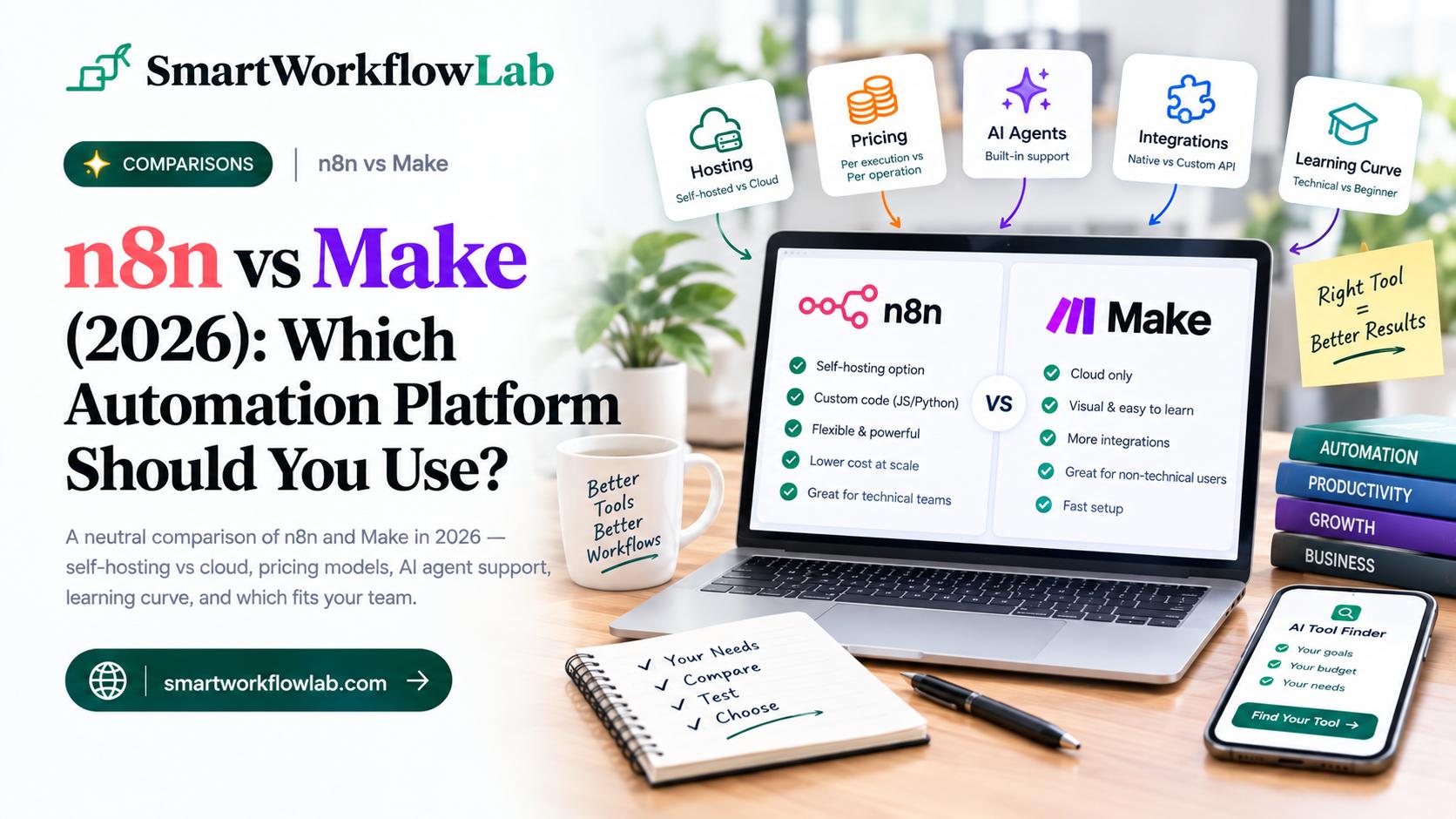
Ask around in any automation or no-code community and you’ll get two confident, completely opposite answers about n8n versus Make. One person swears n8n is the only serious choice for anything beyond toy workflows. The next says Make is faster, cleaner, and does everything they need. Both are right — about their own situation.
n8n and Make solve the same basic problem — connecting your apps so work happens automatically — but they’re built for different people. One assumes you’re comfortable with code and want to run your own infrastructure. The other assumes you want a visual, cloud-hosted tool that works the moment you sign up. Picking based on hype instead of fit is how teams end up either fighting a tool that’s too rigid or paying for power they never use.
This guide breaks down the real differences — hosting, pricing, AI features, and ease of use — so you can match the tool to your actual situation instead of whoever posted most recently in your feed.
The Short Answer
Choose Make if you want the fastest path to a working automation, don’t have a developer on hand, and prefer a fully managed cloud tool with a large library of ready-made integrations.
Choose n8n if you want to self-host for cost or data-control reasons, need custom code and deep AI agent workflows, or expect high enough volume that per-operation cloud billing would get expensive.
In one line: Make optimizes for speed and simplicity, n8n optimizes for control and cost at scale. Here’s what drives that split.
n8n vs Make at a Glance
| What matters | n8n | Make |
|---|---|---|
| Hosting | Self-hosted (free) or cloud | Cloud only |
| Best for | Technical teams, developers | Non-technical users, fast setup |
| Learning curve | Steeper | Gentler |
| Builder | Node-based, supports custom code | Visual drag-and-drop, more polished |
| Integrations | Fewer native, but any API via HTTP request | Larger pre-built connector library |
| Pricing model | Per execution (cloud) or free (self-hosted) | Per operation |
| Cost at high volume | Generally lower, especially self-hosted | Can climb quickly on complex workflows |
| AI agent support | More configurable, native LLM nodes | Improving, added AI agent features in 2026 |
| Data control | Full control if self-hosted | Data lives on Make’s cloud |
The Real Difference: Who Each Tool Is Built For
This is the split that decides everything else. n8n assumes you’re comfortable with — or willing to learn — a more technical way of working. Its node-based builder supports custom JavaScript and Python, HTTP request nodes for connecting to virtually any API, and the option to self-host on your own server. That’s real power, but it comes with real setup: OAuth configuration, expressions, and a learning curve that non-developers often find steep.
Make assumes you want to get an automation running today without touching code. Its visual, colorful builder guides you through connecting apps with pre-built modules, and its cloud hosting means there’s no server to manage. The trade-off is less flexibility for genuinely custom or unusual logic, and no option to run it anywhere but Make’s own cloud.
Neither approach is wrong. The mismatch happens when a non-technical team adopts n8n expecting a plug-and-play experience, or a technical team outgrows Make’s visual builder and starts fighting its limits.
Hosting and Data Control
This is n8n’s clearest structural advantage: it can be self-hosted. You can run n8n’s free, open-source Community Edition on your own server — a small cloud instance is often enough for moderate workloads — which means your workflow data never leaves infrastructure you control. For teams in regulated industries, or anyone with strict data-governance requirements, that’s not a nice-to-have, it’s often the deciding factor.
Make has no self-hosting option. It’s a fully managed cloud platform, which is precisely why it’s easier to start with — no server to provision, patch, or maintain. But your data lives on Make’s infrastructure, and there’s no way around that if data residency is a hard requirement for your business.
Pricing: Where the Real Cost Difference Shows Up
Both platforms bill differently, and the difference matters more as you scale.
Make bills per operation — every module execution inside a scenario counts, including checks that don’t do much visible work. Entry plans are affordable and simple, but complex, many-step, or high-frequency scenarios can consume operations faster than the sticker price suggests.
n8n bills per execution on its cloud plan, or costs essentially nothing beyond server hosting if self-hosted. A small VPS running n8n can handle a meaningful volume of workflows for a fraction of what an equivalent Make usage tier would cost — the trade-off being that you’re now responsible for that server.
The practical rule: for occasional, lower-volume automation, Make’s cloud pricing is simple and predictable. For heavy, high-frequency, or many-step workflows, self-hosted n8n usually wins on raw cost — provided your team can handle the setup and maintenance that comes with running your own instance. If you’re also calling AI APIs from within either tool, it’s worth estimating that separately — our guide on AI API cost calculator covers how token-based AI costs stack on top of your automation platform bill.
AI Agent Support in 2026
Both platforms leaned into AI agents this year, but they took different approaches. n8n offers dedicated nodes for OpenAI, Claude, Gemini, and other models with direct parameter control, native agent-loop support, and vector database integration — built for teams constructing genuinely custom AI agent pipelines. Make added its own AI agent capabilities in 2026 too, narrowing the gap for users who want AI steps without leaving its visual builder.
The practical difference: if you’re building a bespoke, code-level AI agent workflow, n8n’s configurability goes deeper. If you want to add straightforward AI steps — summarizing, classifying, drafting — inside an otherwise visual workflow, Make’s newer AI features are increasingly capable without requiring custom code.
Integrations
Make wins clearly on the number of ready-made, pre-built connectors — a large, polished library covering popular marketing, sales, and productivity apps out of the box. If the app you need is on that list, Make gets you connected in minutes.
n8n has fewer native integrations, but its HTTP request node means a technical user can connect to essentially any service with a public API, official connector or not. That closes much of the gap for teams willing to do a bit of setup, but it’s a real gap for anyone who wants everything pre-built and doesn’t want to touch an API document.
Which Should You Choose?
Match the tool to your team and situation rather than whichever one a YouTube video praised most recently:
- No developer on the team, want it working today — Make.
- Need to self-host for data control or compliance — n8n.
- High-volume or many-step workflows where cost matters — n8n, especially self-hosted.
- Want the widest pre-built connector library — Make.
- Building custom, code-level AI agent workflows — n8n.
- Prefer a fully managed tool with no server to maintain — Make.
For a lot of small teams, the pragmatic path is to start on Make’s free plan to prove the automation works, then evaluate self-hosted n8n later if volume or cost genuinely justifies the switch. For a closer look at how Make stacks up against the other major cloud player, our Zapier vs Make comparison covers that specific matchup in depth.
How SmartWorkflowLab Helps
We test automation platforms in real workflows, including the setup work that comparison articles often skip — provisioning a server for n8n, watching Make’s operation count climb on a real scenario, wiring up an actual AI agent node. That hands-on view is why our guidance centers on your team’s technical comfort and volume, not which tool has the flashier landing page.
If you’re deciding between n8n and Make for a specific project, or an existing automation is costing more than expected, that’s exactly the kind of practical problem we help work through.
Frequently Asked Questions
1. Is n8n or Make better in 2026?
It depends on your team. Make is better for non-technical users who want a fast, visual setup with the widest connector library. n8n is better for technical teams who need self-hosting, custom code, deep AI agent workflows, or lower costs at high volume. Neither is universally better — they serve different needs.
2. What is the main difference between n8n and Make?
n8n can be self-hosted for free and gives developers custom JavaScript and Python nodes for deep control. Make is cloud-only, more polished and visual, and easier for non-technical users to pick up. n8n trades ease of use for flexibility and cost control at scale.
3. Is n8n cheaper than Make?
At high volume, often yes, especially self-hosted, since n8n’s free Community Edition has no software cost beyond your own server. Make’s per-operation billing can climb quickly on complex or frequent workflows. At low volume, Make’s cloud plans can be simpler and cheaper to start with.
4. Do I need to know how to code to use n8n?
Not strictly, but it helps. n8n’s node-based builder works without code for many workflows, but its real power — custom JavaScript, HTTP requests, complex logic — assumes some technical comfort. Non-technical users generally find Make faster to learn from scratch.
5. Which has better AI agent support, n8n or Make?
n8n, for most technical use cases. It offers dedicated nodes for OpenAI, Claude, Gemini, and other models with direct parameter control and native agent-loop support. Make added its own AI agent features in 2026 too, but n8n’s AI integration is generally more configurable for custom agent workflows.
6. Can I self-host Make like I can with n8n?
No. Make is a cloud-only platform with no self-hosting option. n8n offers both a cloud-hosted service and a free, open-source version you can run on your own server, which matters for teams with strict data governance or private-data requirements.
7. Which has more integrations, n8n or Make?
Make has more pre-built, ready-to-use connectors out of the box. n8n has fewer native integrations but supports custom API and HTTP request nodes, so a technical user can connect to almost any service with an API, even without an official pre-built connector.
8. Should a small business choose n8n or Make?
For most small businesses without a developer on staff, Make is the faster, safer start thanks to its visual builder and large connector library. If you have technical capacity, expect to scale to high volume, or need to keep data on your own infrastructure, n8n’s self-hosted option is worth the steeper learning curve.
Final Thoughts
n8n versus Make isn’t a contest with one winner — it’s a fork based on who you are. Make hands you speed, polish, and a huge library of ready connectors, fully managed in the cloud. n8n hands you control, custom code, and a self-hosting option that pays off at scale, in exchange for a steeper learning curve.
Don’t pick based on which tool has louder fans this month. Pick based on whether your team has the technical comfort to run n8n, and whether your volume and data requirements actually need what self-hosting provides. If you’re still unsure, start on Make’s free plan, build your most important workflow, and see if you ever bump into its limits — that’s a better signal than any comparison, including this one.
Choosing an automation platform? SmartWorkflowLab tests these tools in real workflows and shares honest, no-affiliation verdicts. Explore our other automation guides, or get in touch if you want help picking or building the right setup.