

Google Sheets Social Media Calendar Template
A free Google Sheets social media calendar template to plan and schedule posts across platforms. Stay consistent and organised. Copy it in one click.
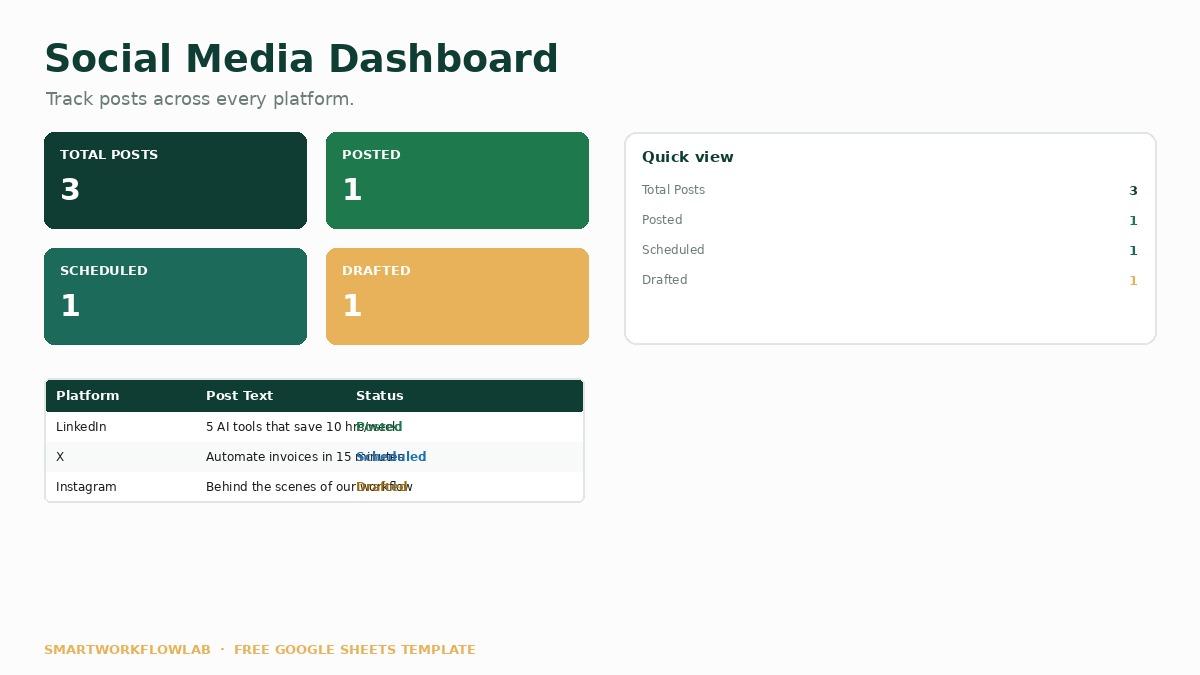
What's inside
- A monthly view of all scheduled posts
- Columns for platform, post text, image, and date
- Status tracking (drafted, scheduled, posted)
- Colour-coding by platform
- Ready to connect to automation tools
Consistency is what makes social media work, and consistency comes from planning ahead. This Google Sheets social media calendar gives you one simple place to plan every post across every platform — so you’re never scrambling for something to post.
It’s built as a structured spreadsheet, which means it’s not just for planning: you can connect it to an automation tool to publish posts automatically. Colour-coding by platform and a status column keep everything clear at a glance.
To turn this calendar into a hands-off posting system, follow our social media automation recipe, and use the marketing prompts to draft your posts faster.
Ready to use it?
Copy the Google Sheets template into your own workspace and start right away — it's free.
Frequently asked questions
How do I use this social media calendar?
Copy the sheet into your Google Drive, then fill in your posts with their platform, text, image, and scheduled date. Use the status column to track what's drafted, scheduled, and posted, so you always know where each post stands.
Can I automate posting from this sheet?
Yes. Because it's a structured spreadsheet, you can connect it to an automation tool and a scheduler to publish posts automatically. Our social media automation recipe walks through exactly how to do this.
Is this template free?
Yes, it's completely free to copy and use with a free Google account. Everything works within a standard Google Sheet, with no add-ons required.
More templates
Last updated July 12, 2026