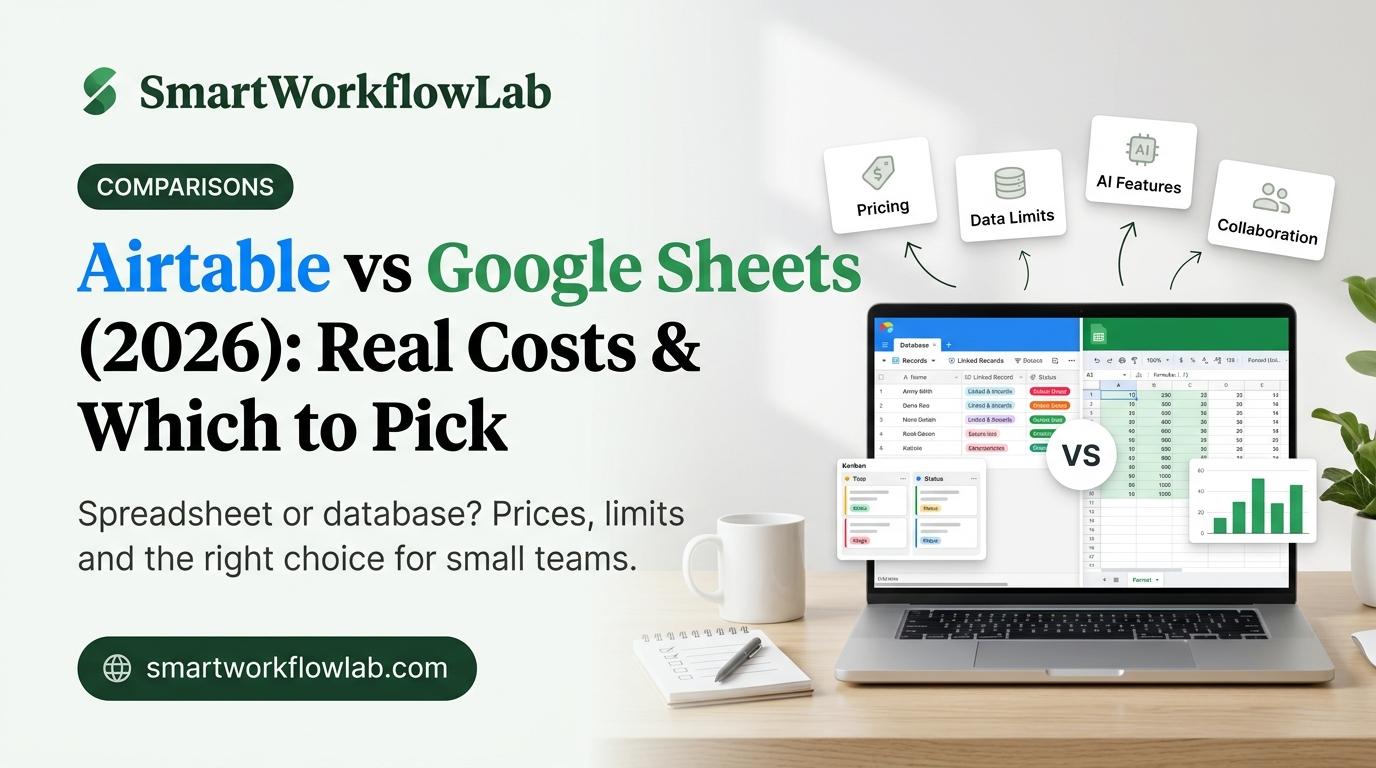
Use Google Sheets if your work is mostly numbers, formulas and quick lists you share freely. Use Airtable if your data is a set of connected records, like clients, projects and invoices, that several people update and view in different ways. Many small businesses end up using both: Sheets for money and reports, Airtable for running operations.
That is the short answer to Airtable vs Google Sheets. The longer answer depends on three things most comparisons skip: what Airtable actually costs once your team grows, how much more data Google Sheets can now hold, and what Airtable’s new owner might mean for you. This guide covers all three, with a cost table for teams of 1 to 10 people and clear rules for when to switch.
Quick verdict
- Google Sheets: budgets, invoices, forecasts, simple lists, anything shared with clients. Free for most people.
- Airtable: client trackers, CRMs, content calendars, project pipelines, inventory with linked records. Free for up to 5 editors and 1,000 records per base, then $20 to $24 per editor per month.
- Both: keep reports in Sheets and operations in Airtable, connected with an automation tool.
How we evaluated
- Prices and limits were checked between October 27 and November 2, 2026. Airtable’s per-seat prices come from Airtable’s pricing page; plan limits that Airtable doesn’t list there (records, automation runs, attachments) come from several independent pricing breakdowns updated in September and October 2026. Google Workspace prices were checked against current pricing guides, and Sheets features against Google’s own Workspace Updates blog.
- News and product changes are linked to their primary source: Bending Spoons’ and Airtable’s own announcements, and Airtable’s help center.
- We read the top-ranking comparisons for this topic and focused on what they miss or have out of date, such as the new Sheets cell limit and Airtable’s change of owner.
- This is a research-based comparison, not a hands-on benchmark. Where a feature depends on your plan, we say so.
- Use cases are judged for solopreneurs, freelancers and small teams of up to about 10 people, not large enterprises.
- Neither company sponsored this article, and there are no affiliate links in it.
Airtable vs Google Sheets at a Glance
| What matters | Google Sheets | Airtable |
|---|---|---|
| What it is | A spreadsheet | A database that looks like a spreadsheet |
| Best for | Calculations, budgets, reports, simple lists | Linked records: clients, projects, content, inventory |
| Free plan | Yes, with any Google account | Yes: 5 editors, 1,000 records per base |
| Paid price | Google Workspace from $7/user/month (yearly) | Team from $20/editor/month (yearly), $24 monthly |
| Data limit | 20 million cells per file (since Sept 2026) | 1,000 (Free), 50,000 (Team), 125,000 (Business) records per base |
| Linking records | No real links, only lookup formulas | Yes, linked records are the core feature |
| Views | Grid, plus filters and charts | Grid, Kanban, calendar, gallery, forms, interfaces; timeline on paid plans |
| Field types | Text, numbers, dates, dropdowns, checkboxes | 25+ types: attachments, ratings, collaborators, linked records |
| Formulas | Very powerful, cell by cell | Simpler, one formula per field (column) |
| Automation | Apps Script (code) or Zapier/Make | Built-in, no code: ~100 runs/month free, 25,000 on Team |
| No-code apps | AppSheet (included in Workspace Business plans) | Interfaces built into every base |
| AI | Gemini in Sheets (Workspace Business Standard or Google AI Pro) | Omni assistant and AI fields on all plans, using AI credits |
| Works offline | Yes | No |
| Learning curve | Low: most people already know it | Medium: you have to plan your tables |
What Is the Difference Between Airtable and Google Sheets?
Google Sheets is a spreadsheet: it stores values in cells and is built for calculations. Airtable is a database with a spreadsheet look: it stores records with fixed field types that can link to each other, and it adds views, forms and automations on top. That difference decides everything else.
A spreadsheet stores values in cells. Google Sheets doesn’t care what a cell means. That freedom is why it’s great for calculations: you can put a formula anywhere, reference any cell and model almost anything. It’s also why shared sheets break. One person types “Paid” and another types “paid ✓”, someone sorts only one column, and the totals stop adding up.
A database stores records with fixed fields. In Airtable, each row is a record (one client, one project, one invoice), and each column is a field with a type: a date is always a date, and a status is always one of your set options. Records can link to each other, so one client can connect to five projects and twelve invoices, and every view stays in sync.
Here’s a quick test. Look at your current spreadsheet and ask: “Am I copying the same names or IDs into more than one tab?” If yes, you’re using a spreadsheet as a database, and Airtable will feel like a relief. If not, Sheets is probably all you need.
Pricing: What You’ll Actually Pay
Prices are in USD, checked between October 27 and November 2, 2026.
Google Sheets
| Plan | Price per user/month | What you get |
|---|---|---|
| Personal Google account | Free | Sheets, 15 GB storage shared with Gmail and Drive |
| Workspace Business Starter | $7 yearly / $8.40 monthly | Business email, 30 GB per user; Gemini is limited and not in Sheets |
| Workspace Business Standard | $14 yearly / $16.80 monthly | 2 TB pooled storage, Gemini in Sheets |
| Workspace Business Plus | $22 yearly / $26.40 monthly | 5 TB pooled, extra security; same AI as Standard |
You can also get Gemini in Sheets on a personal account through a Google AI Pro subscription.
Airtable
| Plan | Price per editor/month | Records per base | Automation runs/month | Attachments per base |
|---|---|---|---|---|
| Free | $0 (up to 5 editors) | 1,000 | ~100 | 1 GB |
| Team | $20 yearly / $24 monthly | 50,000 | 25,000 | 20 GB |
| Business | $45 yearly / $54 monthly | 125,000 | 100,000 | 100 GB |
| Enterprise Scale | Custom | 500,000 | 500,000 | 1,000 GB |
Airtable charges only for people who can edit. Read-only viewers are free, and the free plan also allows up to 50 commenters. Each plan includes AI credits (500 per editor on Free, 15,000 per paid user on Team), and extra credit packs cost more.
Cost by team size
This is where the two tools really split. Here’s what a small team pays per month on yearly billing:
| Team size | Google Sheets (free accounts) | Google Workspace Business Standard | Airtable Free | Airtable Team |
|---|---|---|---|---|
| 1 person | $0 | $14 | $0 | $20 |
| 3 people | $0 | $42 | $0 | $60 |
| 5 people | $0 | $70 | $0 (if under 1,000 records per base) | $100 |
| 10 people | $0 | $140 | Not allowed (5-editor cap) | $200 |
| 10 people: 3 editors + 7 viewers | $0 | $140 | $0 (if under 1,000 records per base) | $60 |
Three notes:
- Only editors cost money on Airtable. The last row is the one most teams miss: if just 3 people update records and the rest only look, a 10-person team pays $60 a month on Team, or nothing on Free while it stays under 1,000 records per base. That is often cheaper than Workspace Business Standard.
- If your business already pays for Google Workspace for email, Sheets costs you nothing extra.
- Airtable’s free plan is generous on people but tight on data. 1,000 records per base goes fast if you log every lead or every order, so check your record count before you build your whole business on it.
Verdict on price: Sheets is cheaper when everyone edits. Airtable can be cheaper than Workspace Business Standard when only a few people edit.
Data Limits: Sheets Just Got Bigger
Most comparisons still say Google Sheets maxes out at 10 million cells. That changed. In September 2026, Google doubled the limit to 20 million cells per spreadsheet for Workspace and personal accounts alike, and it applies to existing files automatically.
What that means in practice:
- With 20 columns, a sheet can hold up to one million rows.
- Heavy formulas will still make a file feel slow long before that limit.
- Airtable’s limit is per base and per plan: 1,000 records free, 50,000 on Team. For most small businesses, Airtable’s record cap arrives far sooner than Sheets’ cell cap.
Verdict on size: for raw volume, Google Sheets wins easily. Airtable wins on keeping that data clean and connected.
Views, Forms and Interfaces
Google Sheets gives you one main view, the grid, plus filters, pivot tables and charts. Its newer Tables feature adds column types and dropdowns, but it’s still a spreadsheet at heart.
Airtable lets you show the same records in many ways without copying them:
- Kanban for sales pipelines or content stages
- Calendar for deadlines and publishing dates
- Gallery for products, portfolios or candidates
- Timeline and Gantt for projects (paid plans only)
- Forms that drop new records straight into a table
- Interfaces: simple dashboards and pages for teammates who shouldn’t touch the raw data
If several people need to see the same list differently (sales wants a pipeline, finance wants amounts, you want a calendar), Airtable saves hours of copying.
Formulas and Calculations
This is Google Sheets’ home ground. You can write a formula in any cell, use powerful functions like QUERY, ARRAYFORMULA, XLOOKUP and IMPORTRANGE, build pivot tables, and model budgets or cash flow with ease.
Airtable formulas work per field: one formula applies to the whole column. That’s cleaner and harder to break, but you can’t make one-off calculations in a single cell, and complex financial models are awkward.
Rule of thumb: if the main job is calculating, use Sheets. If the main job is tracking, use Airtable.
Automation
Airtable has built-in, no-code automations: “when a record matches a condition, send an email, create a record, or post to Slack.” The free plan includes about 100 runs a month, which is enough to test but not to run a business. Team raises that to 25,000 runs.
Google Sheets automates through Apps Script, Google’s free scripting tool. It’s very powerful, but it means writing JavaScript. Most non-coders connect Sheets to other apps with Zapier, Make or n8n instead.
Both tools connect well to automation platforms. If you’re choosing one, our Zapier vs Make comparison and the best Make.com alternatives cover the options. A common setup is a lead capture workflow into your CRM, with the CRM in Airtable and a summary in Sheets.
AI Features in 2026
Both tools now have AI built in, but they use it for different jobs.
Gemini in Google Sheets helps you create tables from a prompt, write formulas, summarize data and, with Fill with Gemini, fill a column automatically based on examples (such as writing a reply to each customer comment or pulling product details from a description). It needs Workspace Business Standard or Plus, or Google AI Pro on a personal account. It is not included in Business Starter.
Airtable’s Omni is an AI assistant available on all plans. It can answer questions about your base, build tables from a spreadsheet you upload, add fields and automations, and create interfaces from a plain-English request. It always asks before deleting anything, and new automations start switched off so you can review them. Omni and AI fields use AI credits, which run out, so heavy AI use can push you onto a paid plan or a credit pack.
Verdict on AI: Gemini is better for working on numbers. Omni is better for building a system around your data.
Collaboration and Sharing
Google Sheets is the easier tool for sharing. Anyone with a Google account can open a link, up to about 100 people can work in a file at the same time, comments and version history are free, and it works offline. Clients rarely need help opening a sheet. To stop accidental edits, use protected ranges (Data → Protect sheets and ranges) so only chosen people can change key columns, and data validation to limit a column to set options.
Airtable offers finer control: field types prevent bad entries, interfaces let people see only what they need, and you can share read-only views with anyone. The catch is cost. Every person who edits on a paid plan is a paid seat, and outside guests on Airtable portals cost extra (from $120 a month for 15 guests).
Verdict on collaboration: Sheets wins for sharing widely and cheaply. Airtable wins for controlling who sees and changes what.
Both have mobile apps. Google Sheets’ app is better for quick edits to numbers; Airtable’s app is better for adding records, checking a Kanban board or filling a form on the go.
Airtable’s New Owner: What It Means for You
This is the biggest change that most comparison posts haven’t caught up with.
- Bending Spoons, the company behind Evernote, Vimeo and Meetup, completed its purchase of Airtable on September 4, 2026.
- In an October 12, 2026 update, Airtable said that “nothing changes regarding your plan, price, or service offering” for now, and that it will focus on core features, AI (including an upgraded Omni) and admin controls.
- In the same update, Airtable said it is “parting ways with a large portion of the pre-acquisition team” and that Bending Spoons engineers, product managers and designers have been placed inside Airtable.
Nothing in your account has changed. But Bending Spoons has a history of changing plans and pricing after past acquisitions, so it’s sensible to plan for that possibility:
- Export your bases regularly (CSV per table) and keep a copy in Google Drive.
- Avoid locking critical processes into features you can’t rebuild elsewhere.
- Re-check pricing before renewing a yearly plan.
Google Sheets carries less of this risk: it’s part of Google Workspace, and its pricing changes affect your whole Workspace bill, not just one tool.
Which Should You Choose?
| If you are… | Choose | Why |
|---|---|---|
| A freelancer tracking income, expenses and invoices | Google Sheets | Formulas, free, easy to share with an accountant |
| A freelancer or agency managing clients and projects | Airtable | Link clients to projects, deadlines and files |
| Running a content calendar for a team | Airtable | Calendar and Kanban views, status fields, forms |
| Building a budget or financial forecast | Google Sheets | Cell-level formulas and pivot tables |
| Keeping a small CRM | Airtable | Linked records, personal views, reminders |
| Sharing data with clients who aren’t tech-savvy | Google Sheets | Everyone can open a link |
| Tracking inventory with suppliers and orders | Airtable | Records link across products, suppliers and orders |
| Working with 100,000+ rows of raw data | Google Sheets | Much higher data limit |
| On a team of 6+ where everyone edits, tight budget | Google Sheets | Airtable’s free plan stops at 5 editors |
| On a team of 6+ where only a few people edit | Airtable | Viewers are free; you pay only for editors |
| Wanting simple apps on top of an existing sheet | Google Sheets + AppSheet | AppSheet is included in Workspace Business plans |
5 Signs It’s Time to Move from Sheets to Airtable
- You copy the same client or product names into several tabs. That’s a database job.
- One wrong edit breaks everyone’s work. Airtable’s field types stop bad entries.
- You’ve built a “status” column and wish it were a Kanban board. Airtable gives you that view instantly.
- You need a form that adds rows cleanly. Airtable forms drop straight into your table.
- Different people keep asking for “their own version” of the sheet. Airtable views solve that without copies.
And the reverse: if you’re in Airtable but spend most of your time exporting to Sheets to do the math, keep the data in Airtable and do the reporting in Sheets.
How to Move from Google Sheets to Airtable
Airtable has a built-in Google Sheets importer. The import itself is quick; most of the work is cleaning the data and rebuilding links:
- Clean the sheet first. One header row, one record per row, no merged cells, no totals rows in the middle.
- Split it into topics. If one tab mixes clients and projects, plan two tables: Clients and Projects.
- Import. In Airtable, choose + Add or import → Google Sheets, pick the sheet, and let Airtable auto-select field types. It recognizes numbers, dates, checkboxes and dropdown-style columns.
- Fix field types. Check every column. Turn status columns into single-select fields and email columns into email fields.
- Rebuild the links. Change the “Client” column in Projects into a linked record field pointing to the Clients table. This is the step that makes Airtable worth it.
- Recreate your formulas. Formulas come across as their results, not as formulas, so rewrite the important ones as Airtable formula fields.
- Keep the old sheet read-only for a few weeks as a backup.
One thing to know: the import is a one-time copy, not a live sync. If you need both tools to stay in step, connect them with Zapier or Make.
Not Sold on Either?
- AppSheet: Google’s no-code app builder, included in Workspace Business plans for domain-verified accounts. It turns an existing Google Sheet into a simple mobile or web app, which covers many “I need Airtable-like apps” cases without leaving Google.
- Notion: better if your records sit next to documents, notes and wikis.
- Smartsheet: spreadsheet-style project management for larger teams.
- Microsoft Excel: the obvious choice if your company already runs on Microsoft 365.
Using Both Together
You don’t have to pick one. A setup that works well for small businesses:
- Airtable runs operations: clients, projects, content, orders.
- Google Sheets handles money and reporting: budgets, forecasts, monthly summaries.
- An automation tool copies new or finished Airtable records into a reporting sheet each day.
- Looker Studio (free from Google) turns that reporting sheet into a dashboard you can share with clients.
If you want to start in Sheets first, our free Google Sheets budget tracker and social media calendar templates are ready to copy. If you prefer a database-style tool, see the Notion CRM template too. For tracking tasks rather than records, our guide to AI task management tools compares the main options.
Frequently Asked Questions
Is Airtable better than Google Sheets?
Airtable is better when your data is a set of connected records, like clients linked to projects and invoices, and when you want forms, Kanban boards, calendars and built-in automations. Google Sheets is better for calculations, budgets, quick lists and sharing with many people for free. Neither is better for everyone; the right choice depends on whether you need a database or a spreadsheet.
Is Airtable free?
Yes, Airtable has a free plan. It allows up to 5 editors, 1,000 records per base, 1 GB of attachments per base, about 100 automation runs a month and two weeks of revision history. Paid plans start at $20 per editor per month on the Team plan when billed yearly, or $24 when billed monthly.
Is Google Sheets completely free?
Google Sheets is free with any personal Google account, with 15 GB of storage shared across Gmail, Drive and Photos. Businesses usually pay for Google Workspace, which starts at $7 per user per month billed yearly. Gemini AI inside Sheets needs Business Standard ($14) or a Google AI Pro subscription.
How many rows can Google Sheets handle?
Since September 2026, a Google Sheets file can hold up to 20 million cells, double the old 10 million limit. The number of rows depends on your columns; with 20 columns that is up to one million rows. In practice, files often feel slow long before that if they use many formulas.
Can I use Airtable and Google Sheets together?
Yes. Many small teams keep budgets and reports in Google Sheets and run client or project tracking in Airtable. You can connect them with automation tools such as Zapier or Make, so new Airtable records appear in a sheet automatically for reporting.
When should I switch from Google Sheets to Airtable?
Switch when you keep copying the same data between tabs, when one wrong edit breaks a shared sheet, when you need a form or a Kanban board on top of your data, or when different people need different views of the same list. If your work is mostly formulas and calculations, stay in Sheets.
What happened to Airtable in 2026?
Bending Spoons, the company that owns Evernote and Vimeo, completed its purchase of Airtable on September 4, 2026. Airtable has said nothing changes for customers’ plans or prices for now, and it is focusing on core features, AI and admin controls. It is worth keeping your data exportable in case plans change later.
Is Airtable or Google Sheets better for a CRM?
For a small business CRM, Airtable is usually better because it links contacts to deals, tasks and invoices, gives each person their own view, and can send reminders with built-in automations. Google Sheets works for a very simple lead list, but it gets messy once you track more than one thing per client.
Final Verdict
Google Sheets is the better spreadsheet. Airtable is the better database. If your work is about calculating, Sheets is free, fast and familiar, and it just doubled its data limit. If your work is about tracking connected things, Airtable will save you hours every week, as long as you stay within its free-plan limits or are happy to pay $20 to $24 per editor.
Not sure? Start in Google Sheets. The day you catch yourself copying the same names between tabs, or wishing your status column were a board, move that one process to Airtable’s free plan and see if it sticks. For more free tools that fit a small business stack, see our list of free AI tools for small business.