The best Airtable alternatives in 2026 are Baserow for an Airtable look-alike you can self-host, NocoDB for a free open-source database, Grist for spreadsheet power users, SmartSuite for an all-in-one business platform, and Notion or Coda when your data lives next to documents. All eight tools below start cheaper than Airtable’s $20 per editor, and three are open source.
Two things are pushing small teams to look at Airtable competitors right now. The first is price: Airtable Team costs $20 per editor per month billed yearly, commenters count as paid seats, and the free plan stops at 1,000 records per base. The second is ownership: Bending Spoons, the company behind Evernote and Vimeo, completed its purchase of Airtable in September 2026.
This guide compares eight apps like Airtable on price, record limits, AI, self-hosting and how easy they are to move to.
How we evaluated
- Prices and limits were checked between October 20 and November 2, 2026. We link each vendor’s pricing page and, where we relied on an independent breakdown of that page, we link and date that source too. Prices change often, so confirm before you buy.
- We compared each tool against Airtable on six things: cost for a small team, record limits, AI features, self-hosting and data control, views and automations, and how easy it is to import an Airtable base.
- This is a research-based comparison, not a hands-on benchmark. No tool below sponsored this article, and there are no affiliate links.
Why People Look for Airtable Alternatives in 2026
| Your reason for leaving | What to look for | Best alternatives |
|---|---|---|
| Paying $20+ for every editor | Cheaper seats, or only pay for builders | NocoDB, Baserow, Coda |
| The 1,000-record free limit | Bigger free plans or self-hosting | Grist, Baserow, NocoDB |
| Worried about the Bending Spoons takeover | Open source you can run yourself | Baserow, NocoDB, Grist |
| Data must stay in your region (GDPR) | Self-hosting on your own servers | Baserow, NocoDB, Grist |
| Need projects, CRM and docs in one place | An all-in-one work platform | SmartSuite, monday.com |
| Data lives next to notes and wikis | Docs with databases | Notion, Coda |
| Clients need to edit records | Cheaper client portals | Softr, SmartSuite |
What Airtable Costs in 2026 (the Number to Beat)
| Airtable plan | Price per editor/month | Records per base | Notes |
|---|---|---|---|
| Free | $0 (up to 5 editors) | 1,000 | About 100 automation runs a month |
| Team | $20 yearly / $24 monthly | 50,000 | Owners, editors and commenters are billed |
| Business | $45 yearly / $54 monthly | 125,000 | Adds SAML single sign-on and admin tools |
| Enterprise | Custom | 500,000+ | Large-scale governance |
Source: Airtable’s pricing page and its billing help page, checked November 2026.
Read-only collaborators are free. Clients who need to edit records through Airtable Portals cost extra, from about $120 a month for 15 guests. Airtable’s AI, the Omni assistant and AI fields, is on every plan but runs on credits: about 500 a month on Free and around 15,000 per editor on Team.
About the acquisition: Bending Spoons completed its purchase of Airtable on September 4, 2026. In an October 12, 2026 update, Airtable told customers that “nothing changes regarding your plan, price, or service offering,” and said it is “parting ways with a large portion of the pre-acquisition team.” Bending Spoons has reworked pricing after past acquisitions such as Evernote, so many teams are keeping an exit plan ready.
The figure to beat: a 5-person team where everyone edits pays about $100 a month on Airtable Team.
Airtable Alternatives at a Glance
| Tool | Free plan | Paid from (per user/month, yearly) | Records on cheapest paid plan | AI | Self-host |
|---|---|---|---|---|---|
| Baserow | 3,000 rows per workspace | $10 (Premium) | 50,000 per workspace | AI assistant on paid plans | Yes, open source |
| NocoDB | Self-hosted, unlimited | About $8 (cloud) | Check plan | Not a focus | Yes, open source |
| Grist | 5,000 records per document | $10 (Pro) | 100,000 per document | AI Assistant, credits | Yes, open source |
| SmartSuite | No (14-day trial) | $15 (Team, 3-seat minimum) | 5,000 per solution | AI agents | No |
| Notion | Yes, for individuals | $10 (Plus) | No set limit | Full AI on $20 Business plan | No |
| Coda | Yes | $12 per Doc Maker | No set limit | Built in | No |
| monday.com | 2 seats | $9 (Basic, 3-seat minimum) | Unlimited items | AI credits on paid plans | No |
| Google Sheets + AppSheet | Sheets is free | $7 (Workspace Business Starter) | 20 million cells per file | Gemini on Business Standard ($14) | No |
1. Baserow: Best Airtable Look-Alike You Can Self-Host
Best for: teams that like how Airtable works but want lower costs or full control of their data.
Baserow looks and feels the most like Airtable of any tool here: tables, linked records, and grid, gallery, form, Kanban and calendar views, plus an API, webhooks and an AI assistant on paid plans. It’s open source, so you can run it on your own server with Docker, and it can import an Airtable base directly.
Pricing (from Baserow’s pricing page, as extracted in August 2026):
- Free: $0, 3,000 rows and 2 GB of storage per workspace
- Premium: $10 per user per month, 50,000 rows per workspace, adds Kanban and calendar views
- Advanced: $18 per user per month, 250,000 rows, adds field-level permissions and SSO
Self-hosting the open-source version is free; you pay only for the server, often $10 to $20 a month for a small team.
Pros
- Most Airtable-like interface and data model
- Self-hosting with no per-seat fee
- Direct Airtable importer
Cons
- Smaller integration library than Airtable
- No equivalent to Airtable Sync between bases
- Some advanced features need a paid license even when self-hosted
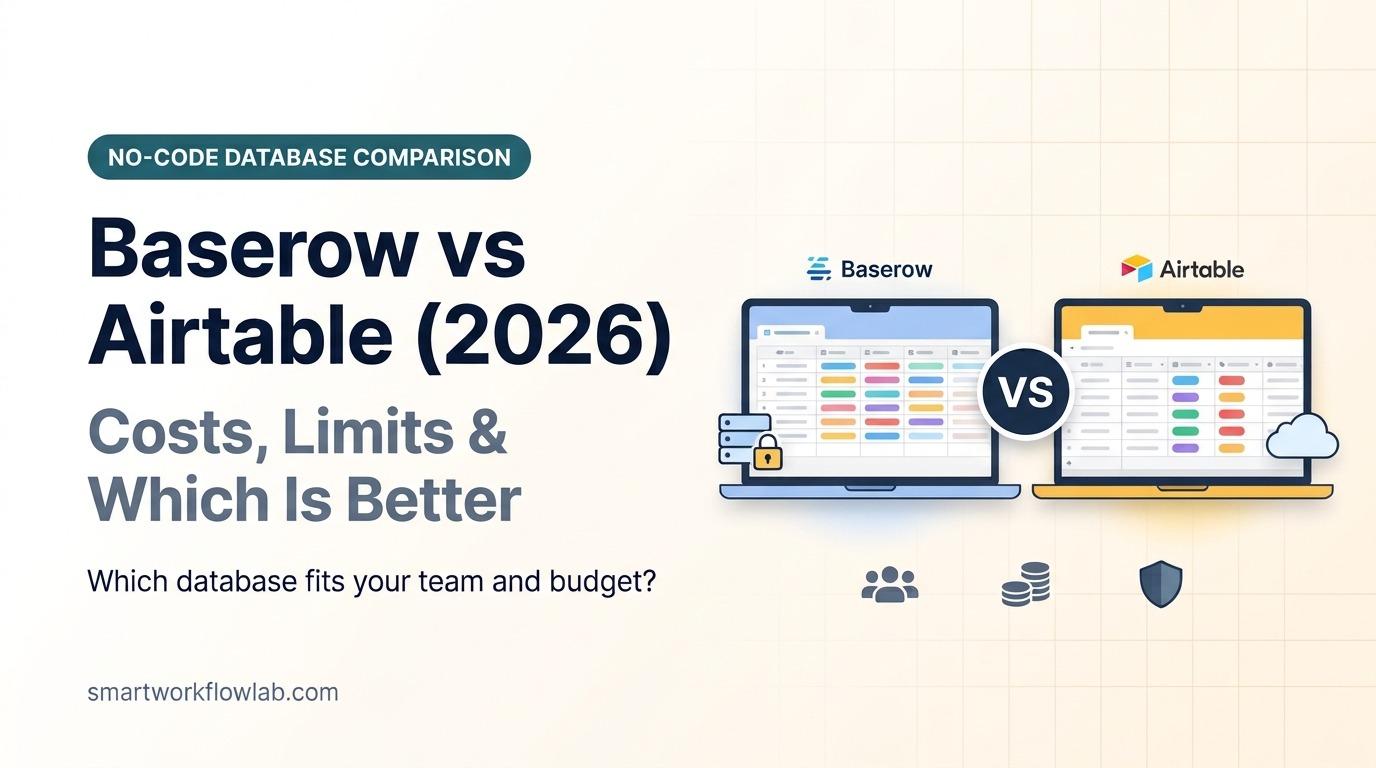
Baserow vs Airtable: the easiest switch. Same way of working, half the price per seat, and your data can live on your own server. See our full Baserow vs Airtable comparison for costs by team size and what the importer moves across.
2. NocoDB: Best Free Open-Source Option
Best for: technical users and teams who want unlimited records for free and can host their own software.
NocoDB turns a relational database into a spreadsheet-style interface. You can start fresh or connect it to an existing PostgreSQL or MySQL database, which makes it popular with teams that already keep data in SQL. It includes grid, gallery, form, Kanban and calendar views, and an API for every table.
Pricing: the self-hosted version is free with unlimited bases and records. NocoDB’s cloud plan costs about $8 per user per month, according to October 2026 pricing data. Check NocoDB’s pricing page for current cloud tiers and limits.
Pros
- Free and unlimited when self-hosted
- Works on top of an existing SQL database
- Cheapest cloud seats among the true databases here
Cons
- Self-hosting needs technical skill
- Interface is less polished than Airtable or Baserow
- Fewer built-in automations and no real Interfaces equivalent
NocoDB vs Airtable: pick it if cost matters most and someone on your team is comfortable with Docker.
3. Grist: Best for Spreadsheet Power Users
Best for: people who think in formulas and want spreadsheet flexibility with database structure.
Grist mixes a spreadsheet with a relational database. Every column can hold a formula, written in Python or familiar spreadsheet functions, and tables link to each other like Airtable records. Its access rules control exactly who sees which rows, which is useful when sharing data with clients.
Pricing: the free plan allows 5,000 records per document. Pro is $10 per user per month with 100,000 records per document, and Business is $30. The self-hosted Community Edition is free and open source.
Pros
- Powerful formulas, including Python
- The most generous free cloud plan here
- Open source and self-hostable
Cons
- Looks more like a spreadsheet than a polished app
- Fewer views and integrations than Airtable
- No direct Airtable importer; move data by CSV
Grist vs Airtable: better for calculations and data analysis, weaker for visual workflows.
4. SmartSuite: Best All-in-One Business Platform
Best for: small businesses that want projects, CRM, processes and databases in one tool.
SmartSuite is the closest Airtable competitor for teams that use Airtable as a business operating system. It adds project management, dashboards, document fields, automations and AI agents on top of an Airtable-style database, and it imports Airtable bases directly.
Pricing: SmartSuite removed its free plan for new sign-ups on January 1, 2026; there’s a 14-day trial instead. Team is $15 per user per month billed yearly with a 3-seat minimum and 5,000 records per solution; Professional is $32 with a 5-seat minimum and 100,000 records, according to June 2026 pricing breakdowns. Check SmartSuite’s pricing page.
Pros
- Broader than Airtable: projects, CRM and processes in one place
- Direct Airtable import
- Strong automations and dashboards
Cons
- No free plan anymore
- Seat minimums raise the real starting price
- Team plan’s 5,000-record cap is low
SmartSuite vs Airtable: pick it if Airtable runs your whole business and you want more built-in project features.
5. Notion: Best When Data Lives Next to Docs
Best for: teams whose trackers sit beside notes, wikis and meeting notes.
Notion’s databases show as tables, boards, calendars and timelines, and every row opens as a full page you can write in. They’re less powerful than Airtable for large datasets or heavy automation, but far better when each record needs notes attached.
Pricing: free for individuals. Plus is $10 per member per month billed yearly; full Notion AI needs Business at $20. See Notion’s pricing page and our Notion alternatives guide.
Pros
- Docs and databases in one place
- Huge template library
- Generous free plan for one person
Cons
- Large databases get slow
- Weaker automations than Airtable
- Full AI only on the $20 plan
Notion vs Airtable: choose Notion when every record needs a document; keep Airtable-style tools for big, structured datasets.
6. Coda (Superhuman Docs): Pay Only for Builders
Best for: teams where one or two people build and everyone else just uses the tables.
Coda, renamed Superhuman Docs in July 2026, combines documents with tables, buttons and automations. Its pricing model is the big draw: only Doc Makers, the people who create docs, pay. Editors and viewers are free.
Pricing: free plan available. Pro is $12 per Doc Maker per month billed yearly, up from $10 before the rebrand, and Business is $33. A 5-person team with one builder pays $12 a month. Existing Coda customers keep their current plan and price unless they upgrade.
Pros
- Only builders pay
- Powerful formulas and buttons
- Docs and data together
Cons
- Steeper learning curve
- Smaller community than Airtable
- List prices rose with the Superhuman rebrand
Coda vs Airtable: the cheapest way to give a whole team access when only one person builds.
7. monday.com: Best for Team Workflows
Best for: teams that use Airtable mainly to manage projects, requests and pipelines.
monday.com is a work management platform with boards, timelines, dashboards and automations that non-technical teams pick up quickly. It’s less flexible as a pure database, but much faster to roll out for project tracking.
Pricing: free for up to 2 seats. Basic is $9 per seat per month and Standard $12, both billed yearly with a 3-seat minimum, according to July 2026 pricing breakdowns. See monday.com’s pricing page.
Pros
- Very easy to learn
- Strong dashboards and automations on Standard
- Good mobile apps
Cons
- 3-seat minimum and seat bundles
- Not a true relational database
- Automations and integrations need Standard or higher
monday.com vs Airtable: better for running projects with a team, worse for storing and linking business data.
8. Google Sheets + AppSheet: Cheapest If You’re on Google
Best for: small teams already paying for Google Workspace.
If your “database” is really a set of lists, Google Sheets may be enough, and AppSheet can turn a sheet into a simple app with forms and views. AppSheet’s core edition is included in Google Workspace Business plans for domain-verified accounts.
Pricing: Sheets is free with any Google account. Workspace Business Starter costs $7 per user per month billed yearly; Gemini in Sheets needs Business Standard at $14.
Pros
- Little or no extra cost
- Everyone already knows spreadsheets
- AppSheet adds forms and simple apps
Cons
- No real linked records
- Gets messy as data grows
- AppSheet has its own learning curve
Google Sheets vs Airtable: fine for lists and numbers; our Airtable vs Google Sheets comparison shows where it stops being enough.
Also Worth a Look
- Teable: a newer open-source, Airtable-style database built on PostgreSQL that can handle millions of rows when self-hosted. Its cloud plans are priced per workspace rather than per user, starting with a free plan of 1,000 rows, according to a March 2026 review.
- Softr: not a database replacement but the answer to Airtable’s Portals pricing. It builds client portals and internal apps on top of Airtable, Google Sheets or its own database. Plans start at about $19 a month billed yearly, with limits on app users.
- ClickUp: if your bases are mostly task lists, ClickUp gives you tasks, docs and dashboards with a Free Forever plan and paid plans from $7 per user.
- Smartsheet: a spreadsheet-style project tool popular in larger companies. Pro is $9 per member per month billed yearly for up to 10 members, and there’s no free plan, only a 30-day trial, according to October 2026 pricing.
- Microsoft Lists: included with most Microsoft 365 business subscriptions, with Airtable-style lists, views and rules inside Teams and SharePoint.
- Trello: if your Airtable base is really a task board, see our Airtable vs Trello comparison.
What a 5-Person Team Actually Pays
Monthly cost for a 5-person team where everyone edits, billed yearly.
| Tool | Monthly cost | Notes |
|---|---|---|
| Airtable Team | $100 | Commenters are billed too |
| Baserow | $0 self-hosted / $50 Premium | Plus server costs if self-hosted |
| NocoDB | $0 self-hosted / ~$40 cloud | Plus server costs if self-hosted |
| Grist | $0 Free / $50 Pro | Free up to 5,000 records per document |
| SmartSuite Team | $75 | 3-seat minimum |
| Notion Plus | $50 | Full AI needs Business ($100) |
| Coda | $12 to $60 | Only Doc Makers pay |
| monday.com Basic | $45 | Standard is $60 |
| Google Workspace Starter | $35 | Includes Gmail, Drive and AppSheet core |
The takeaway: every alternative here starts cheaper than Airtable Team for a team where everyone edits. The open-source trio, Baserow, NocoDB and Grist, can cost almost nothing if you self-host.
Which One Fits Your Team?
| Your team | Best pick |
|---|---|
| Solo freelancer tracking clients and projects | Grist Free or Baserow |
| Small agency where everyone edits the same base | Baserow Premium |
| Team with a developer who can run a server | NocoDB or Teable |
| Business that runs operations, CRM and projects in one | SmartSuite |
| One ops person builds, everyone else uses it | Coda |
| Marketing or project team tracking requests | monday.com |
| Company already on Google Workspace or Microsoft 365 | AppSheet or Microsoft Lists |
| Agency that shares data with clients | Softr on top of your data |
Security, Data Location and Mobile
- Data location: self-hosting Baserow, NocoDB, Grist or Teable keeps every record on your own server, which makes GDPR and client data rules much simpler. For cloud plans, check each vendor’s trust page for SOC 2 reports and where data is stored.
- Mobile: Airtable, Notion, monday.com and SmartSuite have full mobile apps. The open-source tools are built mainly for the browser, so test them on your phone before switching a team that works in the field.
- Integrations: most of these tools connect to Zapier, Make or n8n, so you can rebuild many Airtable automations there. Our Make.com alternatives guide compares the main automation platforms.
How to Move Out of Airtable
- List what you use. Note your bases, linked fields, automations, Interfaces, Sync and forms. Linked records and automations take the most work to rebuild.
- Try a direct importer first. Baserow, NocoDB and SmartSuite can import from Airtable, which keeps field types and links better than a CSV.
- Otherwise, export CSVs. In Airtable, open each table’s grid view and choose Download CSV. Export every table, including hidden fields.
- Download attachments. Files in attachment fields don’t travel inside a CSV; save the important ones separately.
- Rebuild what doesn’t transfer. Interfaces, Sync, Extensions, automations and Portals have no export; recreate the ones you need in the new tool.
- Run both for two weeks. Keep Airtable read-only until your team is comfortable, then cancel.
Frequently Asked Questions
What is the best alternative to Airtable?
It depends on why you are leaving. Baserow is the closest look-alike and can be self-hosted. NocoDB is the best free option if you can host it yourself. Grist suits people who think in spreadsheet formulas. SmartSuite is the most complete business platform, and Notion or Coda fit teams whose data sits next to documents.
Is there a free alternative to Airtable?
Yes. Baserow, NocoDB, Grist and Teable are open source and free to self-host with no record limits. In the cloud, Grist’s free plan allows 5,000 records per document and Baserow’s free plan 3,000 rows per workspace, compared with Airtable’s 1,000 records per base. Google Sheets is free with any Google account.
Is there an open-source Airtable alternative?
Yes. Baserow, NocoDB and Grist are the three main open-source Airtable alternatives, and Teable is a newer one built on PostgreSQL. All of them can run on your own server with Docker, so your data stays under your control, and all of them also offer paid cloud plans.
Why are people leaving Airtable?
The main reasons are cost, since paid plans start at $20 per editor per month and commenters also count as paid seats on the Team plan; the free plan’s 1,000-record limit per base; and uncertainty after Bending Spoons completed its acquisition of Airtable in September 2026 and Airtable said it was parting ways with a large portion of its pre-acquisition team.
Is Baserow better than Airtable?
Baserow is better if you want lower cost, self-hosting or full control of your data, and it looks and works much like Airtable. Airtable is better if you rely on Interfaces, Sync, a large integration library and polished automations, and you don’t mind paying per editor.
What is the cheapest Airtable alternative for a small team?
Self-hosting Baserow, NocoDB, Grist or Teable costs only your server, often $10 to $20 a month for a small team. In the cloud, Coda is cheapest when only one person builds, at $12 a month for the whole team, and Google Workspace at $7 per user includes Sheets and AppSheet. For a true database where everyone edits, NocoDB at about $8 per user is the lowest, against $20 per editor for Airtable Team.
Can I move my data from Airtable to another tool?
Yes. Airtable can export any grid view as a CSV file, and Baserow, NocoDB and SmartSuite can import directly from Airtable, which keeps more of your structure. Interfaces, Sync, Extensions, automations and Portals don’t transfer and have to be rebuilt in the new tool.
Final Verdict
Start with Baserow if you want Airtable without the price, NocoDB if you want it free, and SmartSuite if you want more than Airtable ever offered, and test your pick on one base for two weeks before moving everything. Still deciding whether you need a database at all? Our Airtable vs Google Sheets and Airtable vs Trello comparisons will tell you.