

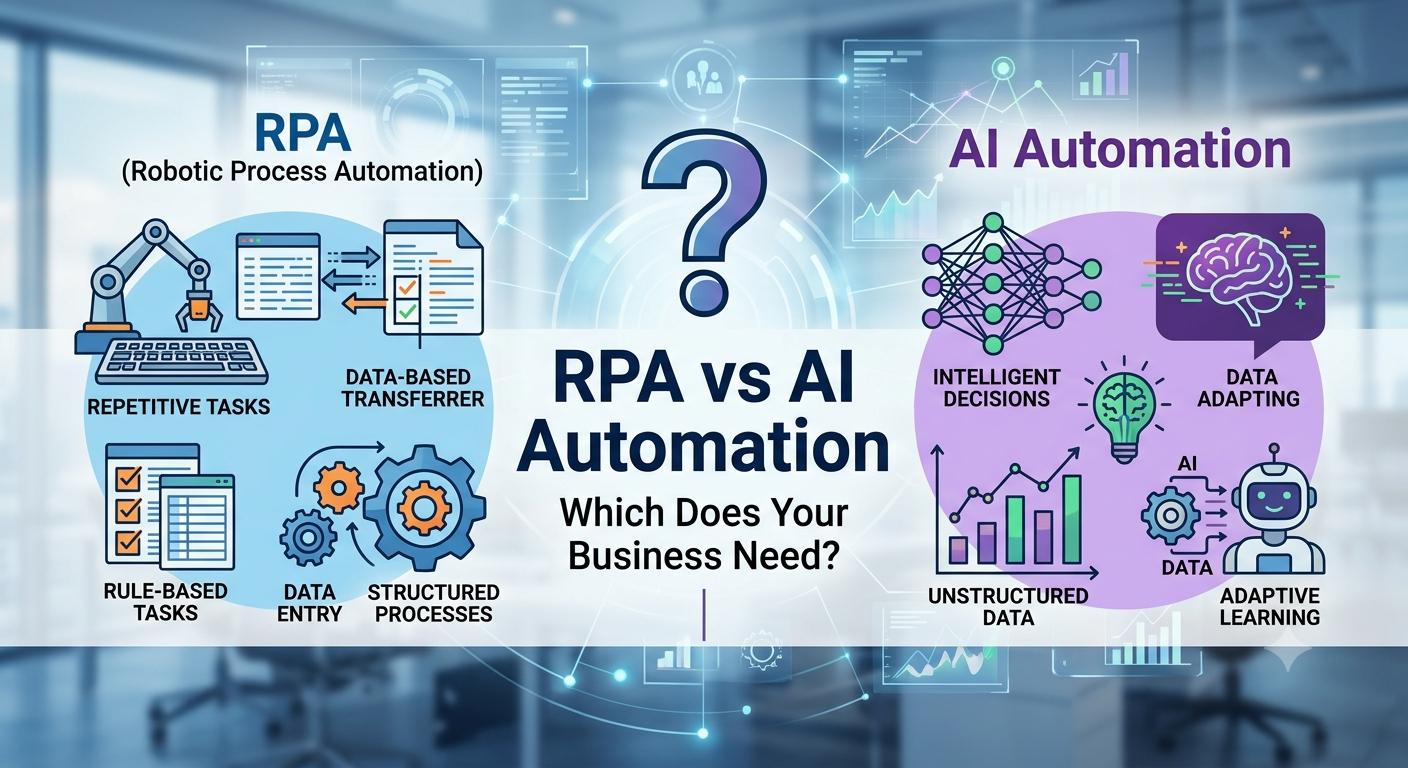
RPA vs AI Automation: Which Does Your Business Need?
“We already have automation” is one of the most common things a business owner says right before describing a process that still breaks every time a vendor changes their invoice format.
That gap usually comes down to one thing: the automation they have is RPA, and the problem they’re trying to solve needs AI — or the other way around, and they’ve been sold a heavier, more expensive tool than the job actually required.
RPA and AI automation get lumped together constantly, sometimes on purpose by vendors who’d rather not explain the difference. They solve different problems, and picking the wrong one for a given process is one of the most common reasons automation projects stall or quietly get abandoned. This guide breaks down what each one actually does, where they overlap, and how to figure out which one — or which combination — your business actually needs.
What Is RPA?
Robotic Process Automation (RPA) is software that mimics a human’s exact steps within digital systems — clicking buttons, copying data between fields, filling out forms — following a fixed, predefined set of rules.
RPA doesn’t understand what it’s doing in any real sense. It’s following a script: “open this application, click here, copy this field, paste it there, save.” That makes it fast and reliable for a specific, well-defined task — right up until something on the screen changes, at which point the automation breaks because the rule no longer matches what it’s seeing.
A simple example: an RPA bot logs into an accounting system every morning, opens a specific report, copies three numbers into a spreadsheet, and emails it to the finance team. As long as the report format never changes, the bot runs flawlessly for years without needing any adjustment.
What Is AI Automation?
AI automation uses machine learning, natural language processing, and related techniques to interpret content and make decisions — handling variation, ambiguity, and unstructured input that a fixed rule can’t account for.
Where RPA needs an exact match to function, AI automation is built to handle the version it hasn’t seen before. It can read a customer email written in casual language and understand what they’re asking for. It can extract an invoice total regardless of which of a hundred different vendor layouts it’s looking at. It can classify a support ticket by the actual content of the message, not just a keyword match.
Using the same example: instead of a fixed script that only works with one exact report format, an AI-driven system reads whatever report layout it receives, identifies the relevant figures based on context, and extracts them correctly even if the vendor slightly changes the format next quarter.
RPA vs AI Automation: Key Differences
| Capability | RPA | AI Automation |
|---|---|---|
| How it works | Follows fixed, predefined rules | Interprets content and context |
| Handles unstructured input | No | Yes |
| Handles varied formats/layouts | Poorly — breaks on changes | Well — adapts to variation |
| Makes judgment-based decisions | No | Yes, within defined boundaries |
| Learns and improves over time | No | Yes, with feedback |
| Best suited for | Repetitive, rules-based, high-volume tasks with a fixed structure | Tasks that require interpreting language, documents, or ambiguous input |
| Setup complexity | Generally simpler to configure for a fixed process | Requires more upfront tuning, but flexes better over time |
| Maintenance | Breaks and needs reconfiguration when the underlying system or format changes | More resilient to change, though still needs monitoring |
| Typical cost profile | Often lower per-bot cost for simple, well-defined tasks | Varies more, generally higher for sophisticated interpretation tasks |
Neither column is “better” in the abstract — they’re built for different kinds of work. The mistake most businesses make isn’t picking the wrong technology outright; it’s applying the wrong technology to the wrong process.
Where RPA Works Best
- Data migration between systems with a fixed, unchanging format on both ends.
- Routine report generation where the source and structure never vary.
- Login and navigation tasks across legacy systems without modern APIs.
- Copy-paste style data transfer between two applications that don’t otherwise talk to each other.
- Rule-based approvals where the criteria are simple and never involve judgment — for example, auto-approving a purchase order strictly under a fixed dollar threshold.
RPA shines when the process is repetitive, high-volume, and — critically — doesn’t change. The moment a process involves reading and interpreting content that varies from case to case, RPA starts to strain.
Where AI Automation Works Best
- Document processing — reading invoices, contracts, and forms that vary in layout, covered in more depth in our Intelligent Document Processing guide.
- Email and message classification — understanding intent from free-form text rather than matching keywords.
- Customer support responses — interpreting a question and generating an appropriate reply.
- Exception handling — deciding what to do with the messy 15–20% of cases that don’t fit a standard template.
- Predictive tasks — forecasting demand, flagging anomalies, or scoring leads based on patterns in data.
AI automation earns its cost on the variable, judgment-adjacent parts of a workflow — the parts where a rules engine would need an unreasonable number of exceptions coded in to keep up.
Why Businesses Often Combine Both
In practice, most mature automation setups use RPA and AI together, each handling the part it’s actually good at.
A common pattern: AI reads an incoming invoice, regardless of its layout, and extracts the vendor, amount, and line items — a task RPA can’t do reliably on its own. Once that data is extracted and validated, an RPA bot takes over the mechanical part: logging into the accounting system and entering the values into the correct fields, exactly the same way, every time.
This combination is often called intelligent automation or hyperautomation — using AI for the interpretation step and RPA for the deterministic, repetitive execution step that follows. Neither technology replaces the other; they cover each other’s blind spots.
How to Decide Which One Your Business Needs
Ask these questions about the specific process you’re evaluating, not about automation in general:
Does the input vary? If every instance of this task looks exactly the same — same format, same fields, same system — RPA alone may be enough. If the input varies (different vendors, different customers, free-form text), you need an AI component.
Does the task require judgment? If the decision is a fixed rule (“if amount is under $500, auto-approve”), RPA handles it. If the decision requires interpreting context (“does this customer complaint need escalation”), you need AI.
How often does the underlying system or format change? Frequent changes make RPA expensive to maintain, since every change requires reconfiguration. AI-driven systems tend to hold up better against this kind of drift.
What’s the volume and the cost of getting it wrong? High-volume, low-risk tasks are often fine with a simpler RPA setup. Lower-volume tasks with real consequences for errors may justify the extra investment in an AI-driven approach with proper validation.
Do you already have RPA in place? If so, the more cost-effective path is often layering AI on top of your existing RPA for the specific steps that need interpretation, rather than replacing the whole setup.
A useful rule of thumb: if you can write the entire process down as an unambiguous set of if-then rules with no exceptions, RPA is probably sufficient and the cheaper option. If writing those rules keeps requiring “except when…” clauses, that’s a sign the process needs AI.
Common Mistakes When Choosing Between Them
Buying AI for a problem RPA already solves. Not every process needs interpretation. A fixed, unchanging data transfer task doesn’t benefit from the added cost and complexity of an AI-driven system.
Trying to force RPA to handle variable input. Businesses sometimes keep adding exception rules to an RPA bot as it encounters new document formats, until the “simple” automation becomes an unmaintainable pile of edge cases that a properly built AI system would have handled from the start.
Assuming AI means no maintenance. AI-driven systems still need monitoring, retraining as data changes, and a human-in-the-loop process for low-confidence cases — it reduces maintenance burden, it doesn’t eliminate it.
Not mapping the process before choosing a tool. Whether you choose RPA, AI, or both, skipping the step of documenting exactly how the process works today — including its exceptions — tends to surface expensive gaps only after the automation is already live.
Treating vendor terminology as settled fact. Marketing language around “AI-powered RPA” varies a lot between vendors. Ask specifically what the tool does with content it hasn’t seen an exact match for before — that answer tells you more than the label on the product.
Frequently Asked Questions
What is the main difference between RPA and AI automation? RPA follows fixed, predefined rules and mimics exact steps within digital systems. AI automation interprets content and context, handling variation and ambiguity that fixed rules can’t account for.
Can RPA and AI work together? Yes. Many automation setups combine them — AI handles interpretation and decision-making, while RPA executes the resulting repetitive, deterministic steps. This combination is often called intelligent automation or hyperautomation.
Which is cheaper, RPA or AI automation? It depends on the process. RPA is often less expensive to set up for simple, unchanging tasks, but can become costly to maintain if the underlying process changes frequently. AI automation typically costs more upfront but handles variation with less ongoing reconfiguration.
Does RPA use artificial intelligence? Traditional RPA does not — it follows fixed rules. Some modern platforms marketed as “AI-powered RPA” combine RPA’s execution capabilities with AI components for interpretation, so it’s worth asking a vendor specifically what their AI component actually does.
Is RPA becoming obsolete because of AI? No. RPA remains well-suited to simple, high-volume, unchanging tasks where its lower cost and reliability are an advantage. AI is better suited to variable, judgment-adjacent work — the two serve different purposes rather than one replacing the other.
How do I know if my business needs RPA or AI? Look at the specific process: if the input is consistent and the decision is a fixed rule, RPA is likely sufficient. If the input varies or the task requires interpreting context, you need an AI component.
Can a small business use both RPA and AI? Yes. Small businesses often start with a simpler RPA or general-purpose automation tool for a fixed task, then add an AI component as they encounter processes with more variability — like document processing or customer communication.
What industries use RPA the most? Industries with high-volume, standardized back-office processes — banking, insurance, and manufacturing — have historically been heavy RPA adopters, often for tasks like data migration and routine reporting.
What industries benefit most from AI automation specifically? Industries dealing with unstructured input at volume — document-heavy fields like healthcare, legal, and finance, and communication-heavy fields like customer support — tend to see the strongest results from AI-driven automation.
How long does it take to implement RPA versus AI automation? A well-defined RPA bot for a simple task can often be built and deployed in a matter of days to a few weeks. AI automation projects usually take longer to scope and tune properly, though a focused pilot can still go live within several weeks.
Conclusion
RPA and AI automation aren’t competing answers to the same question — they’re answers to two different questions. RPA asks, “can this exact, repetitive task be executed by a script?” AI automation asks, “can this variable, judgment-adjacent task be interpreted and handled correctly?” Most real business processes contain a mix of both, which is exactly why the strongest automation setups usually combine the two rather than picking one exclusively.
The right starting point isn’t “RPA or AI” in the abstract — it’s looking honestly at your specific process, how much it varies, and how much judgment it actually requires.
If you’re trying to figure out which approach fits your business — or how to combine both without overbuilding — that’s exactly the conversation SmartWorkflowLab has with businesses every week. We look at your actual processes, not a generic template, and recommend the tool that fits the problem, not the one with the biggest budget behind it.
Not sure whether your process needs RPA, AI, or both? Talk to SmartWorkflowLab about a workflow assessment — no obligation, just a clear-eyed recommendation based on how your business actually operates.
SEO Package
SEO Title: RPA vs AI Automation: Which Does Your Business Need? (2026 Guide) | SmartWorkflowLab
Meta Description: RPA vs AI automation explained clearly — what each one does, where they overlap, and how to decide which one (or both) fits your business processes.
Slug: rpa-vs-ai-automation-guide-2026
Canonical URL: https://smartworkflowlab.com/rpa-vs-ai-automation-guide-2026
Focus Keyword: RPA vs AI Automation
Secondary Keywords: Robotic Process Automation, AI Workflow Automation, Intelligent Automation, Hyperautomation, Business Process Automation, RPA vs AI, AI Automation for Business
OG Tags:
- og:title — RPA vs AI Automation: Which Does Your Business Need?
- og:description — A clear, practical comparison of RPA and AI automation, and how to decide which one fits your business processes.
- og:type — article
- og:url — https://smartworkflowlab.com/rpa-vs-ai-automation-guide-2026
- og:image:alt — Side-by-side diagram comparing RPA’s fixed rule-based steps with AI automation’s context-aware decision-making
Twitter Tags:
- twitter:card — summary_large_image
- twitter:title — RPA vs AI Automation: Which Does Your Business Need?
- twitter:description — RPA follows rules. AI interprets. Here’s how to tell which one your business process actually needs.
Recommended Images:
| Image | Placement | Suggested Filename | Alt Text | Caption |
|---|---|---|---|---|
| Featured hero image | Top of article | rpa-vs-ai-automation-guide-2026.webp | Split illustration comparing a rule-based robot process with an AI-driven decision process | RPA follows fixed rules; AI automation interprets and adapts |
| RPA vs AI comparison diagram | “Key Differences” section | rpa-vs-ai-comparison-diagram.webp | Diagram comparing RPA’s fixed-rule execution with AI’s context-aware interpretation | How RPA and AI automation approach the same task differently |
| Hyperautomation workflow diagram | “Why Businesses Often Combine Both” section | hyperautomation-rpa-ai-workflow.webp | Diagram showing AI extracting data and RPA executing the resulting entry | AI and RPA working together in a single automated workflow |
| Decision flowchart | “How to Decide Which One Your Business Needs” section | rpa-vs-ai-decision-flowchart.webp | Flowchart guiding a business through choosing RPA, AI, or both | A simple decision path for choosing between RPA and AI automation |
Image Title: RPA vs AI Automation Comparison Guide 2026
Image Caption: RPA and AI automation solve different problems — most mature workflows end up using both.
JSON-LD: Article Schema
{
  "@context": "https://schema.org",
  "@type": "Article",
  "headline": "RPA vs AI Automation: Which Does Your Business Need?",
  "description": "A clear, practical comparison of RPA and AI automation — what each one actually does, where they overlap, and how to decide which one fits your business processes.",
  "author": {
    "@type": "Organization",
    "name": "SmartWorkflowLab",
    "url": "https://smartworkflowlab.com"
  },
  "publisher": {
    "@type": "Organization",
    "name": "SmartWorkflowLab",
    "logo": {
      "@type": "ImageObject",
      "url": "https://smartworkflowlab.com/logo.png"
    }
  },
  "mainEntityOfPage": {
    "@type": "WebPage",
    "@id": "https://smartworkflowlab.com/rpa-vs-ai-automation-guide-2026"
  },
  "datePublished": "2026-07-14",
  "dateModified": "2026-07-14",
  "image": "https://smartworkflowlab.com/images/rpa-vs-ai-automation-guide-2026.jpg",
  "keywords": "RPA vs AI Automation, Robotic Process Automation, AI Workflow Automation, Intelligent Automation, Hyperautomation, Business Process Automation"
}
JSON-LD: FAQ Schema
{
  "@context": "https://schema.org",
  "@type": "FAQPage",
  "mainEntity": [
    {
      "@type": "Question",
      "name": "What is the main difference between RPA and AI automation?",
      "acceptedAnswer": {
        "@type": "Answer",
        "text": "RPA follows fixed, predefined rules and mimics exact steps within digital systems. AI automation interprets content and context, handling variation and ambiguity that fixed rules can't account for."
      }
    },
    {
      "@type": "Question",
      "name": "Can RPA and AI work together?",
      "acceptedAnswer": {
        "@type": "Answer",
        "text": "Yes. Many automation setups combine them — AI handles interpretation and decision-making, while RPA executes the resulting repetitive, deterministic steps. This combination is often called intelligent automation or hyperautomation."
      }
    },
    {
      "@type": "Question",
      "name": "Which is cheaper, RPA or AI automation?",
      "acceptedAnswer": {
        "@type": "Answer",
        "text": "It depends on the process. RPA is often less expensive to set up for simple, unchanging tasks, but can become costly to maintain if the underlying process changes frequently. AI automation typically costs more upfront but handles variation with less ongoing reconfiguration."
      }
    },
    {
      "@type": "Question",
      "name": "Does RPA use artificial intelligence?",
      "acceptedAnswer": {
        "@type": "Answer",
        "text": "Traditional RPA does not — it follows fixed rules. Some modern platforms marketed as 'AI-powered RPA' combine RPA's execution capabilities with AI components for interpretation."
      }
    },
    {
      "@type": "Question",
      "name": "Is RPA becoming obsolete because of AI?",
      "acceptedAnswer": {
        "@type": "Answer",
        "text": "No. RPA remains well-suited to simple, high-volume, unchanging tasks, while AI is better suited to variable, judgment-adjacent work. The two serve different purposes rather than one replacing the other."
      }
    },
    {
      "@type": "Question",
      "name": "How do I know if my business needs RPA or AI?",
      "acceptedAnswer": {
        "@type": "Answer",
        "text": "Look at the specific process: if the input is consistent and the decision is a fixed rule, RPA is likely sufficient. If the input varies or the task requires interpreting context, you need an AI component."
      }
    },
    {
      "@type": "Question",
      "name": "Can a small business use both RPA and AI?",
      "acceptedAnswer": {
        "@type": "Answer",
        "text": "Yes. Small businesses often start with a simpler RPA or general-purpose automation tool for a fixed task, then add an AI component as they encounter processes with more variability."
      }
    },
    {
      "@type": "Question",
      "name": "What industries use RPA the most?",
      "acceptedAnswer": {
        "@type": "Answer",
        "text": "Industries with high-volume, standardized back-office processes, such as banking, insurance, and manufacturing, have historically been heavy RPA adopters."
      }
    },
    {
      "@type": "Question",
      "name": "What industries benefit most from AI automation specifically?",
      "acceptedAnswer": {
        "@type": "Answer",
        "text": "Industries dealing with unstructured input at volume, like healthcare, legal, finance, and customer support, tend to see the strongest results from AI-driven automation."
      }
    },
    {
      "@type": "Question",
      "name": "How long does it take to implement RPA versus AI automation?",
      "acceptedAnswer": {
        "@type": "Answer",
        "text": "A well-defined RPA bot for a simple task can often be built and deployed within days to a few weeks. AI automation projects usually take longer to scope and tune, though a focused pilot can still go live within several weeks."
      }
    }
  ]
}
JSON-LD: Breadcrumb Schema
{
  "@context": "https://schema.org",
  "@type": "BreadcrumbList",
  "itemListElement": [
    {
      "@type": "ListItem",
      "position": 1,
      "name": "Home",
      "item": "https://smartworkflowlab.com"
    },
    {
      "@type": "ListItem",
      "position": 2,
      "name": "Guides",
      "item": "https://smartworkflowlab.com/guides"
    },
    {
      "@type": "ListItem",
      "position": 3,
      "name": "RPA vs AI Automation: Which Does Your Business Need?",
      "item": "https://smartworkflowlab.com/rpa-vs-ai-automation-guide-2026"
    }
  ]
}