

A few years ago, spotting an AI image was almost a party trick. Count the fingers. Look for the melted text. Check if the earrings match. It felt like a game you could win with a sharp eye and five seconds of attention.
That game is over. Run a portrait through one of today’s frontier models — Nano Banana Pro, GPT Image, Flux — and you’ll struggle to find a single one of those old tells. The people who study this for a living now report that most viewers can’t reliably tell real from generated anymore, even when they’re specifically looking for it.
This guide walks through what actually still works when trying to spot AI-generated images in 2026, why the old advice needs replacing rather than patching, and what to do in the very common case where every check comes back inconclusive. It pairs well with a closer look at deepfake detection specifically, since video and audio fakes follow a related but distinct set of rules.
Why the Old Advice Stopped Working
Most guides to how to spot AI-generated images in 2026 still lead with visual tricks: count the fingers, check the text, look for the glossy skin. Those checks made sense when generators reliably got those details wrong. They don’t anymore.
The shift that matters is this: instead of asking “does this image look fake?”, ask “what evidence exists that it’s real?” That single reframe changes the whole approach, because it moves you away from squinting at pixels and toward checking actual evidence — where an image came from, whether it carries a verifiable signal, and whether the story around it holds up.
Fully AI-Generated vs. AI-Edited Real Photos
Before checking anything, it helps to know which of two different problems you’re actually looking at.
A fully AI-generated image was built from a text prompt with no camera and no original scene behind it. There’s nothing to trace back to, because nothing existed before the prompt.
An AI-edited real photo started as an actual photograph, then had something changed — a face swapped in, a person removed, a detail retouched. The original photo is real. Only part of it is fake.
This matters because it decides whether reverse image search will even help. A face-swapped photo often matches its original source online, since the base photo really was published somewhere. A from-scratch image has no original to find, so an empty search result tells you nothing either way.
Quick test: ask whether a version of this photo could plausibly predate the claim being made about it. If a reverse search turns up the identical image from years earlier in a different context, you’re looking at a real photo repurposed with a false claim — a different kind of fake than an AI generation, and arguably the more common one on social media right now.
The Verification Workflow, Step by Step
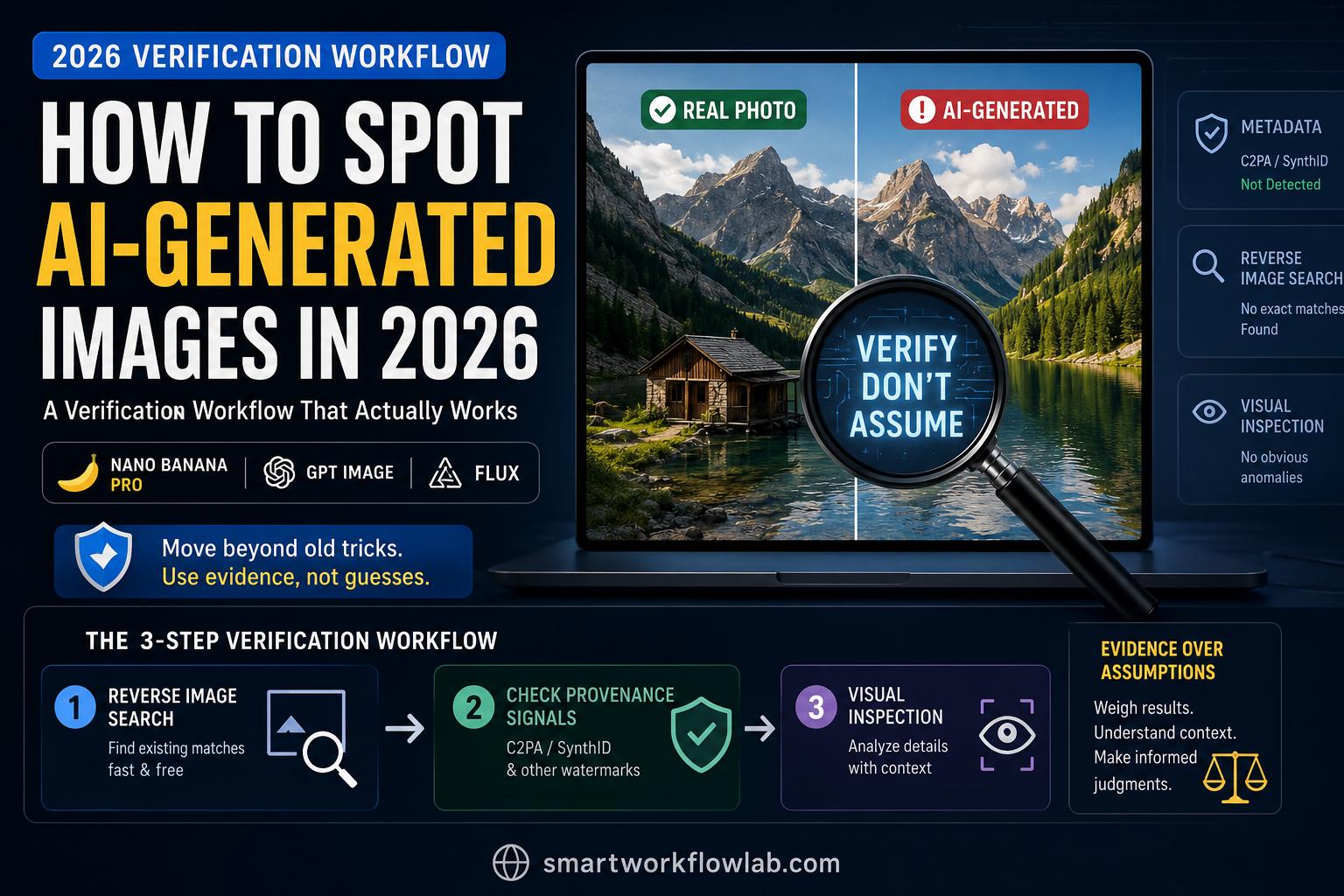
The checks people usually recommend aren’t equally fast or equally reliable, and doing them out of order wastes time. Here’s the sequence that actually works:
- Reverse image search, always first. Google Lens, TinEye, or Bing Visual Search. Ten seconds, free, and it answers the single most useful question: has this exact image appeared before, under a different story?
- Check for provenance signals if the search is inconclusive. Look for Content Credentials (C2PA) or a SynthID watermark using Gemini, Google’s SynthID Detector, or OpenAI Verify. These tools read embedded signals rather than guessing from pixels.
- Only then, look at the image itself. Visual inspection is the least reliable signal in 2026 — a last resort, not a first move.
The part most advice skips is what to do when results disagree:
| Reverse search | Provenance check | Visual inspection | What it means |
|---|---|---|---|
| Finds an older, unrelated match | — | — | Real photo, false context — the claim is the problem, not the image |
| No match | Watermark found | — | Very likely AI-generated |
| No match | No watermark found | Clean | Inconclusive — this is the normal result for most real photos too |
| No match | No watermark found | Flawed (shadows, focus, repetition) | Lean toward AI-generated, but treat it as a weak signal, not proof |
That third row is the one people misread constantly. A missing watermark doesn’t mean a photo is real — it just means no signal was detected, which happens with ordinary phone photos every day. Don’t let “no watermark” quietly become “verified real” in your head.
Signs of AI-Generated Images That Still Hold Up
If the faster checks didn’t settle anything, thirty seconds of close looking is worth it — just don’t expect a single flaw to be a verdict.
- Shadows and light direction. This tell has held up the longest, because it requires reasoning about one consistent light source across an entire scene. Fact-checkers have flagged viral images specifically because shadows fell in contradictory directions across the frame — a strong sign the scene was never lit by a single real light source.
- Depth of field extremes. Real cameras have a focus point, with objects growing progressively blurrier at distance. AI images tend to fail in one of two opposite ways: an even, filter-like blur across the whole frame, or almost everything crisply in focus at once, which real lenses rarely produce.
- Group photo uniformity. Generate a crowd and look closely — the same underlying face structure often repeats with cosmetic variation. A single portrait can look completely convincing; a group of strangers who all seem to share a template does not.
- Eyes, ears, and small anatomy. Lower priority than two years ago, but still worth a glance: corneal reflections that don’t match the scene’s lighting, ear cartilage that looks smoothed-over, hands with the right finger count but slightly wrong proportions.
Two or three of these stacking up in one image is a real signal. One odd shadow in an otherwise normal photo is not.
How to Spot AI in Non-Portrait Images
Most advice on this topic is secretly advice about spotting fake people, which leaves a blind spot — a lot of real-world AI image fraud has no face in it at all.
- Product and marketplace photos. Counterfeit listings increasingly use AI-generated shots instead of stolen photography. Check shadow consistency across packaging, and watch for logos or text that’s subtly warped.
- Real estate listings. A growing scam category built around AI-generated interior photos. Watch for room proportions that don’t quite make architectural sense and furniture shadows that don’t match the room’s other shadows. A listing with only a handful of suspiciously well-lit photos and a landlord requesting a deposit before any viewing is worth more suspicion than any single visual flaw.
- Landscapes and scenes. Look for repeating background elements — the same rock, tree, or cloud shape appearing more than once — and reflections in water or glass that don’t logically match what’s supposedly being reflected.
Provenance Tools and Watermarks: What They Can and Can’t Tell You
Two systems do most of the heavy lifting:
Content Credentials (C2PA) is an industry standard, backed by Adobe, Google, Microsoft, and Sony, that records how an image was created or edited — a digital paper trail attached to the file.
SynthID is Google’s invisible watermark, embedded directly into the pixels of supported AI-generated images. Because it’s baked into the image data rather than attached as metadata, it can survive some of the compression that strips other signals — which matters, since platforms like WhatsApp and iMessage routinely strip embedded credentials on upload.
The caveat that matters most: a valid credential proves which system produced the file, not that the scene it depicts is genuine. Someone could photograph a screen playing a deepfake video, and the resulting photo’s credentials would be completely valid, since the camera really did take that picture.
One more warning: reading an actual SynthID watermark requires technology only Google and its approved partners have access to. Third-party sites advertising “SynthID detection” are typically estimating whether an image looks AI-generated, not reading the actual watermark.
| Tool | What it checks |
|---|---|
| Gemini app (or Google Search / Chrome) | SynthID watermark and Content Credentials |
| Google SynthID Detector | SynthID watermark in images, video, and audio |
| OpenAI Verify | SynthID and Content Credentials in ChatGPT, DALL·E, and API-generated content |
| Google Lens / TinEye / Bing Visual Search | Matches against copies elsewhere on the web |
Platform-by-Platform: Where to Actually Check
The verification steps stay the same everywhere, but where you find the button to run them changes by platform.
- Instagram and Facebook apply an “AI info” label to detected content, visible in a post’s options menu. Its absence isn’t proof of anything, just that the detection system didn’t flag it.
- X (Twitter) relies on Community Notes — crowdsourced context attached once enough contributors agree. Treat a missing note as “not yet flagged,” not “verified real.”
- WhatsApp and iMessage re-compress images on send, which strips most embedded Content Credentials. This is exactly why a pixel-level watermark like SynthID matters more in these environments.
- On your phone generally, long-pressing an image and choosing “Search image,” or sharing directly to Google Lens from the share sheet, covers the reverse-search step without needing to save the file first.
When You Can’t Verify: Weighing the Uncertainty
Sometimes every check comes back inconclusive: no reverse match, no watermark, nothing visually off. This is genuinely common, and it’s the scenario most advice skips.
The move here is to stop interrogating the image and start interrogating the situation around it. Scam and misinformation images almost always come wrapped in urgency — a donation appeal, a “send money now” request, breaking news that can’t be corroborated anywhere else. That urgency is doing the persuasive work the image can’t do on its own.
A simple confidence scale helps:
- High confidence real: a plausible earlier source turns up, a credential check confirms it, or a trusted outlet has already verified it.
- Uncertain: all checks are inconclusive — treat the claim around the image with skepticism, not the pixels themselves.
- High confidence fake: a watermark is confirmed, multiple visual flaws stack up together, or urgency plus a request for money or personal information is present.
If you land in “uncertain” and the image is being used to ask you for anything, don’t treat it as proof just because you couldn’t disprove it.
What’s Legally Required to Be Labeled in 2026
In the EU, Article 50 of the AI Act sets out transparency obligations that become enforceable on August 2, 2026. Providers of AI systems that generate synthetic images, audio, video, or text must mark that output in a machine-readable format, and anyone deploying a realistic AI depiction of a real person has to disclose that it’s artificially generated, even without intent to deceive. Purely artistic, satirical, or clearly fictional content gets a lighter-touch disclosure requirement. Penalties for non-compliance can reach into the tens of millions of euros.
Several major platforms have also built in their own labeling requirements ahead of, or alongside, this regulation. The practical takeaway: labeling is becoming more common and more consistent through 2026, but it depends entirely on the platform or tool actually implementing it correctly. Don’t assume the absence of a label means an image was checked and cleared — it might just mean the system hasn’t caught up yet.
Quick-Reference Checklist
- Reverse image search first — Google Lens, TinEye, or Bing Visual Search.
- No match? Run a provenance check — Gemini app, SynthID Detector, or OpenAI Verify.
- Still inconclusive? Look for shadow inconsistencies, extreme or uneven depth of field, and repeated faces in group shots.
- Non-portrait image? Check packaging text distortion, room and light proportions, and repeating background elements.
- Everything comes back clean or unclear? Stop checking the pixels and start checking the claim.
- Never treat “no watermark found” as “confirmed real.” It just means nothing was detected.
Frequently Asked Questions
1. What’s the fastest way to spot an AI-generated image in 2026?
Run a reverse image search first. It takes seconds and tells you whether the image has appeared anywhere else online before you move on to slower checks like watermark detection or visual inspection.
2. Can AI detector tools be trusted?
Partially. Official tools that read actual embedded signals, like Gemini, Google’s SynthID Detector, and OpenAI Verify, are reliable for what they specifically check. Generic third-party “AI detector” websites that estimate from pixel patterns are far less reliable, especially against current frontier models.
3. Does no watermark mean an image is real?
No. It means no watermark was found, which is the standard result for most genuine photos too, since most cameras don’t embed one. It’s a null result, not a clean bill of health.
4. What’s the difference between a deepfake and an AI-generated image?
A deepfake specifically depicts a real person doing or saying something they didn’t, usually by altering or replacing footage of them. An AI-generated image is a broader category that includes deepfakes but also covers entirely fictional scenes, products, or people with no real-world counterpart at all.
5. Can you still tell AI images apart by looking at hands?
Sometimes, but it’s no longer a reliable primary check. Current frontier models get hands right often enough that treating this as your main test will miss a large share of genuinely fake images.
6. Are AI-generated images illegal to share without labeling them?
In the EU, Article 50 of the AI Act requires certain AI-generated content, including realistic depictions of real people, to be disclosed as artificially generated once enforcement begins on August 2, 2026. Requirements vary by region and by how the image is used.
7. How do scammers actually use AI-generated images?
Common patterns include fake lost-pet photos with rehoming fee requests, AI-generated dating profiles, fabricated fundraising appeals, and fake artist portfolios used to collect deposits for commissions that never get delivered.
8. What should I do if none of the checks give me a clear answer?
Shift your attention from the image to the situation around it. Urgency, a request for money or personal information, and an unverifiable source are stronger warning signs than any single visual flaw.
Final Thoughts
Spotting an AI-generated image in 2026 isn’t about training your eye to catch a mistake anymore — most of those mistakes have been fixed. It’s about knowing which check to run first, reading what the result actually means, and knowing when to stop checking the image and start questioning the claim around it.
Start with the reverse image search habit. It’s the fastest check, it works from your phone in ten seconds, and it resolves more cases than any visual trick ever will.
Want the fastest version of this on hand? Save the quick-reference checklist above, and bookmark this guide — the models will keep changing, and this workflow will get updated as they do.