

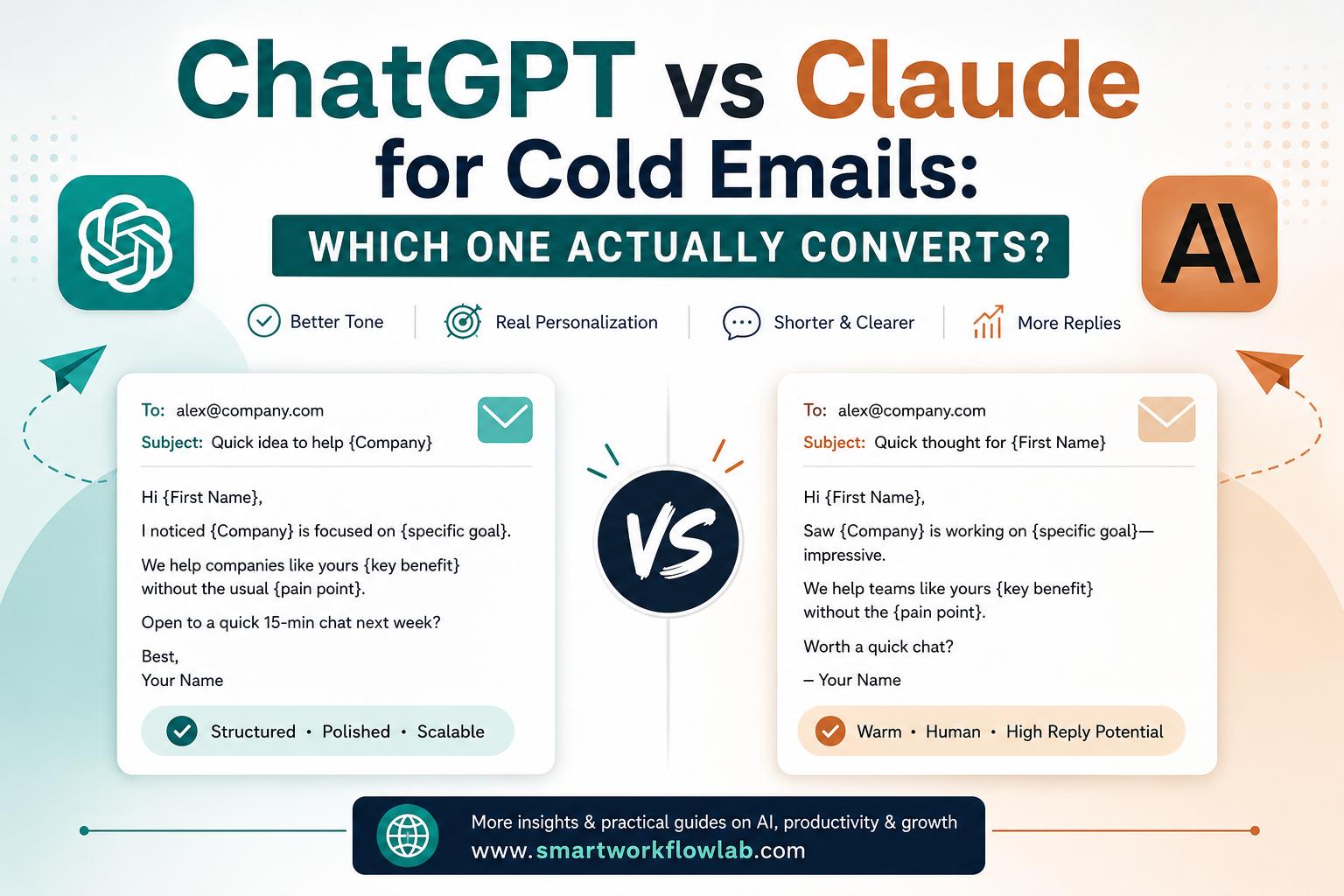
Most AI-written cold emails fail the same basic test: they don’t sound like a real person wrote them. A prospect can tell within the first line, and once they can tell, the email is gone. A lot of that outcome is decided before you write a single word — by which tool you hand the job to.
ChatGPT and Claude are the two models most people already have open, and both can write a cold email. The real question is which one writes emails that actually get replies, and when each one pulls ahead. So instead of a spec-sheet standoff, we wrote real outreach with both and judged them on the only things that move the needle in an inbox.
This comparison is written for founders, SDRs, and anyone doing outbound who wants a working answer, not a sales pitch. It covers tone, personalization, brevity, subject lines, pricing, and the exact prompts we used — plus where each tool falls short.
The Short Answer
For most people writing cold emails to a targeted list where each reply matters, Claude is the better default. It writes shorter, warmer, more human-sounding copy and needs less editing to pass the “did a real person send this?” test — which is what earns replies from senior buyers.
ChatGPT is the better pick when you need volume, tight templates, and structured multi-step sequences that follow a precise brief without the model improvising.
But here’s the part most “which is better” articles skip: the tool matters far less than the brief you give it. A lazy prompt gets you a generic email from either model. The rest of this guide is about when each tool wins, and how to get the best out of both.
How We Compared Them
We didn’t run a benchmark. We wrote the kind of cold emails you’d actually send, using identical prompts for both tools — no custom system prompts, no third-party layers, just the two chat interfaces most people already use.
Every email was judged on four things that decide whether outreach works:
- Tone — does it read like a person, or like AI?
- Personalization — does it use the prospect’s context, or fake it?
- Brevity — does it say one thing and stop?
- Reply-worthiness — would a busy person actually respond?
A note on numbers: reply rates depend heavily on your list quality, offer, and deliverability — not just the AI. So rather than quote a figure that won’t match yours, we’ve marked where to drop in your own results below. Run at least 20 to 30 sends per version before you trust any verdict. One email is a guess, not a test.
ChatGPT vs Claude at a Glance
| What matters | ChatGPT | Claude |
|---|---|---|
| Default tone | Polished, structured, slightly formal | Warmer, conversational, peer-to-peer |
| Sounds like AI? | More often — recognizable patterns | Less often — breaks the template |
| Default length | Longer (80–120 words) | Shorter (50–70 words) |
| Personalization | Great with structured data and a system prompt | Better at feeling specific from light context |
| Follows tight templates | Excellent — stays on rails | Good, but likes to rewrite structure |
| Bulk variations for A/B tests | Faster, more consistent | Slower, more varied |
| Subject lines | Solid, but leans on tired clichés | More curiosity-driven, less templated |
| Best for | Volume, sequences, tight control | Reply rate on targeted lists, senior buyers |
The pattern to keep in mind: ChatGPT is the reliable operator, Claude is the better writer. Which one wins depends on which problem you actually have.
Tone: Which One Sounds Like a Human?
This is where cold email is won or lost. A busy director reads your email in about eight seconds on their phone. If it smells like a template, it’s deleted before your offer even registers.
We gave both tools the same brief: write a cold email to a Head of Operations at a 40-person logistics company, selling delivery-scheduling software, under 80 words, sounding like a real person rather than a sales rep.
ChatGPT’s instinct was to open with a compliment, transition into a value pitch, and close with a meeting ask. Clean and correct — and instantly recognizable as outreach. It leaned on the familiar rhythm of “I wanted to reach out because…” followed by a list of benefits.
Claude’s instinct was to open mid-thought, closer to how a real person messages a stranger they respect. Shorter sentences, less throat-clearing, and more willing to break the standard email skeleton when asked.
The gap isn’t that ChatGPT can’t write a human email — it can, but you have to fight its defaults with instructions like “don’t start with ‘I’” and “delete anything that sounds like a pitch.” Claude tends to land there on the first try. Across hundreds of sends, that editing time compounds.
Winner: Claude, for tone, by a clear margin.
Personalization: Real vs Fake
There’s a specific kind of fake personalization that now hurts you: “I saw your recent post and found it really insightful.” Every experienced buyer has read that line a thousand times. It signals a template, not attention.
We fed both models the same detail — a snippet of a prospect’s LinkedIn post about cutting their fulfillment time — and asked each to open with it.
ChatGPT more often produced the safe, generic acknowledgment. To get it to use the actual content, we had to spell out exactly which detail to reference. Claude was more likely to weave the real detail in unprompted and connect it to the offer.
The honest caveat: if you’re personalizing at scale — pulling name, title, and a trigger from a spreadsheet across 500 emails — ChatGPT with a good system prompt is more controllable. It follows the insertion template without drifting. Claude is better at sounding personal; ChatGPT is better at executing personalization reliably across volume.
Winner: it depends — Claude for hand-crafted, senior-buyer outreach; ChatGPT for structured personalization at scale.
Brevity and the Follow-Up
Claude writes shorter by default. Ask both for a “three-line email” and Claude gives you three lines; ChatGPT often gives you five and rounds down. In cold email, every extra sentence is another exit ramp for the reader.
This matters most on follow-ups, which should be two or three sentences that nudge, not re-pitch. ChatGPT tends to re-introduce context and re-sell the offer — exactly what a follow-up shouldn’t do. Claude is more comfortable sending a genuinely short “still worth a look?” bump.
Winner: Claude, tighter by default, especially on follow-ups.
Subject Lines
Subject lines decide whether anything else you wrote gets read. Neither tool is magic here, but their defaults differ.
ChatGPT leans on proven-but-tired patterns like “Quick question” or “Idea for [Company].” They’re not bad, just familiar — and familiar gets archived. Claude reaches for curiosity and specificity more naturally, though it occasionally gets too clever and needs reining in.
The move that works with either tool: generate the email body first, then ask for subject lines based on that finished body. You get sharper, more relevant options than asking for a subject line in a vacuum.
The Prompts We Actually Used
Copy these, swap the brackets for your details, and you’ll skip most of the trial-and-error.
First-touch email (works in both, better in Claude):
Write a cold email to a [job title] at a [type of company]. My offer is [specific offer]. Goal: get a reply, not a sale. Under 80 words. Open with an observation about their situation, not about me. No “I hope this finds you well,” no “I wanted to reach out.” Plain, grade-5 reading level.
Subject lines (run after the body is locked):
Based on that email, write 5 subject lines. One curiosity-based, one direct, one that sounds like it’s from a colleague, one with a number, one that names their role. No clickbait.
The ChatGPT “AI-smell” check (genuinely useful):
Read this cold email. List any phrases that sound generic, salesy, or like AI wrote them.
That last trick works because ChatGPT is good at spotting its own species’ fingerprints. Draft in Claude, sanity-check in ChatGPT — the two tools together beat either one alone.
What About Pricing?
At the consumer tier, ChatGPT and Claude are close enough that cost shouldn’t decide it. Both offer a free version worth trying before you pay, and both paid plans sit in a similar monthly range. Pricing and plan features change often enough that it’s worth checking each provider’s current page directly rather than relying on older comparisons.
For a serious sender, the real cost isn’t the subscription — it’s editing time. A tool that needs less rewriting to sound human pays for itself quickly at volume.
The Mistake That Beats Both Tools
If your cold emails aren’t getting replies, the AI is rarely the reason.
The usual culprits are a stale contact list, an audience too broad to feel spoken to, or a sending domain with deliverability problems that dump you in spam before anyone reads a word. The best-written email in the world can’t fix a list that’s 40% out of date.
So before you agonize over ChatGPT vs Claude: tighten your target list, get your offer specific, and make sure your emails actually land in inboxes. The model does about 60% of the work. Your inputs — the targeting, the offer, the one clear ask — do the other 40%, and that 40% is where campaigns are actually won.
The Verdict
For most people writing cold emails to a targeted list where each reply matters, Claude is the better default. It sounds more human, writes tighter, and needs less editing to pass the “did a real person send this?” test.
Reach for ChatGPT when you’re running high-volume sequences, need 50 tested variations, or want a template followed precisely without the model improvising.
And the answer most guides won’t give you: use both. Draft and personalize in Claude, generate variations and run your AI-smell check in ChatGPT. That workflow beats picking a single winner — and it takes about five minutes once you’ve done it twice.
Then do the one thing no article can do for you: send 20 to 30 emails per version to your own list and measure the reply rate. That number — [your reply rate here] — is the only verdict that counts.
How SmartWorkflowLab Helps
We test AI tools in real workflows before we write about them, so a recommendation here means the tool actually earned its place — not that it looked good on a feature list. For cold email specifically, that means writing real outreach, sending it, and judging the models on replies rather than vibes.
If you want us to put a specific tool or comparison through the same process, or you’re trying to build a cold email workflow that uses AI without sounding like it, that’s exactly the kind of thing we dig into.
Frequently Asked Questions
1. Is Claude or ChatGPT better for cold emails?
For reply rate on a targeted list, Claude usually wins — it writes shorter, warmer, more human-sounding copy by default and needs less editing. ChatGPT is better for high-volume variation and tightly templated sequences. Many senders draft in Claude and generate variations in ChatGPT.
2. Will AI-written cold emails still sound like AI?
They can, if you send the default output without editing it. Both tools need a specific brief and a light human pass to sound real. Claude generally needs less cleanup than ChatGPT, but neither removes the need to read your email out loud before sending.
3. How long should a cold email be?
Under 80 words for a first touch, and two to three sentences for a follow-up. Claude tends to hit these lengths without being told, while ChatGPT often needs an explicit word limit in the prompt.
4. Does the AI tool matter more than the prompt?
No. A vague prompt produces a generic email from either tool. The recipient’s role, their specific pain point, your exact offer, and the single action you want matter more than which model you pick.
5. Can I use the free versions for cold email?
Yes. Both free tiers are good enough to draft solid cold emails and prove the workflow before you pay. Upgrade only when editing time or sending volume starts costing you more than the subscription would.
6. Should I use ChatGPT and Claude together?
Often, yes. A common workflow is to draft and personalize in Claude, then use ChatGPT to generate test variations and flag any phrases that sound generic or AI-written. The two tools together tend to beat either one alone.
7. Which is better for follow-up emails?
Claude, in most cases. Follow-ups should be short nudges, not re-pitches. Claude stays brief by default, while ChatGPT tends to re-introduce context and re-sell the offer, which is exactly what a follow-up should avoid.
8. Do these tools work for personalization at scale?
ChatGPT is more controllable when inserting structured data such as name, title, and company across hundreds of emails without drifting. Claude is better at sounding personal from light context. For large lists, pairing an AI tool with a data enrichment source usually beats either tool alone.
Final Thoughts
Cold email doesn’t reward the most powerful AI — it rewards the one whose default writing instincts match what makes people reply: short, specific, and human. Right now, that’s Claude more often than not. But the winner in your inbox depends on your list, your offer, and the brief you write.
Pick one tool, write ten emails with a real prompt, and read them out loud before you send. If they sound like something you’d actually reply to, you’re most of the way there.
Want more comparisons like this? SmartWorkflowLab tests AI tools in real workflows and publishes honest verdicts — no sponsored placements. Explore our other tool comparisons, or get in touch if there’s a matchup you want us to run.