

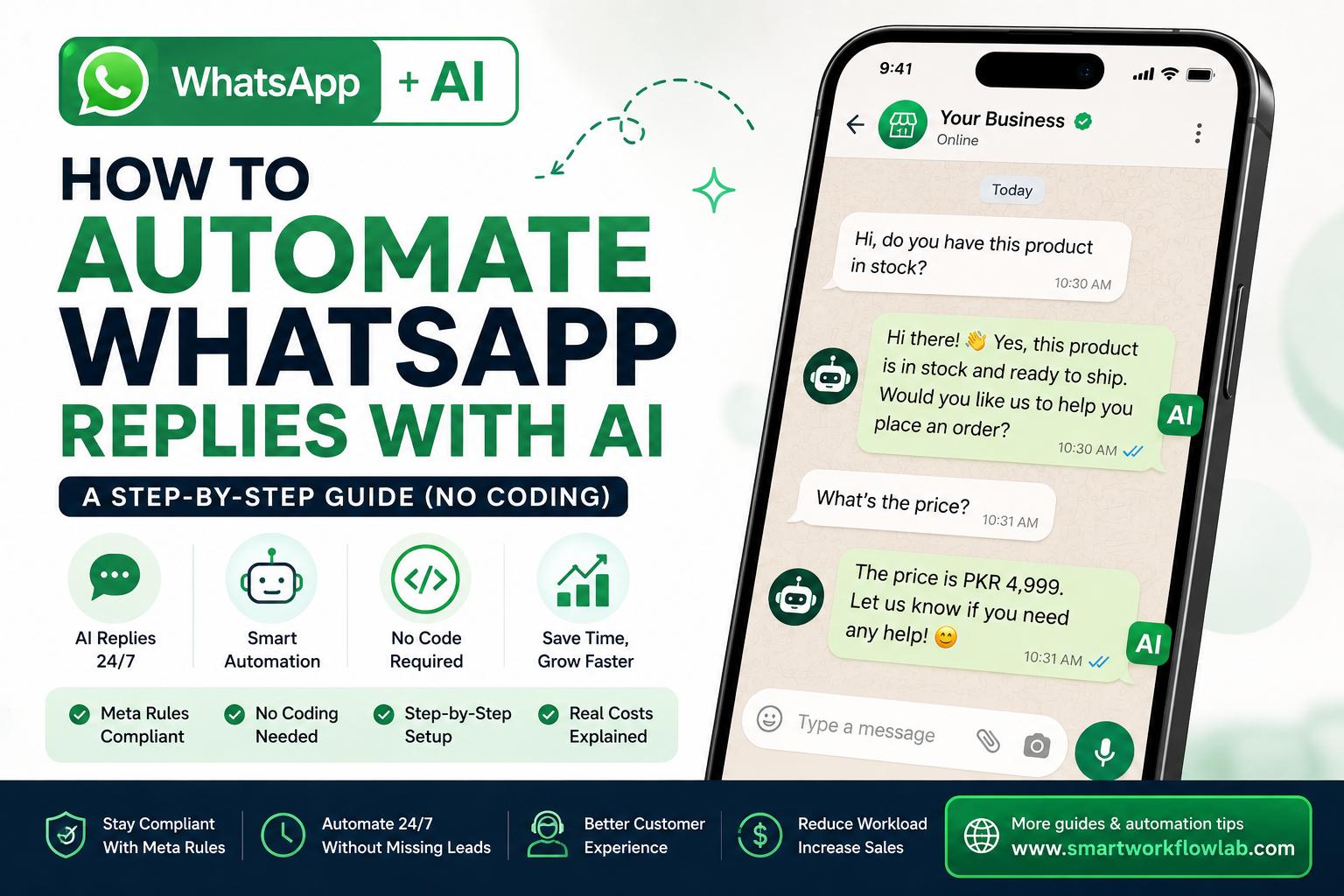
It’s 10:40 at night. A customer messages your business on WhatsApp asking whether their order has shipped. Your team clocked out hours ago. So the reply comes the next morning at 9:15 — if it comes at all. By then, half the time, the customer has already messaged a competitor who answered in thirty seconds.
WhatsApp is where a lot of customers now expect to reach a business, and they expect a fast answer. Automating your replies with AI is how you cover that gap without hiring someone to sit on the phone all night. The good news: you can do it without writing a single line of code. The important part most guides skip: there are real rules and real limits in 2026, and knowing them upfront saves you from wasted effort or a banned number.
This guide walks through what “automating WhatsApp replies with AI” actually means, what Meta allows now, the tools you need, and a step-by-step setup — written for business owners and operators, not developers.
What “Automating WhatsApp Replies With AI” Actually Means
There are two very different things people mean by this, and mixing them up is where most confusion starts.
The first is rule-based auto-replies: fixed messages that fire on a trigger. Someone messages you outside business hours, they get an away message. A new contact says hello, they get a greeting. These aren’t AI — they’re simple, useful, and free, but they can’t actually answer a question they weren’t scripted for.
The second is AI-powered replies: an assistant that reads what the customer actually wrote, understands the intent, and answers in natural language — pulling from your business’s real information. Ask “do you ship to Canada?” and it answers from your shipping policy. Ask about an order, then a return, then a change of address, and it follows the thread. That’s the version this guide focuses on, because it’s the one that actually replaces manual back-and-forth.
The catch: real AI replies don’t run on the app on your phone. They run through the WhatsApp Business Platform (the API), which we’ll get to. First, the rule that changed everything.
First, the 2026 Rule You Need to Know
Before you build anything, understand this: since January 2026, Meta no longer permits general-purpose AI chatbots on WhatsApp. An open-ended “chat about anything” bot with no clear business purpose is against the platform’s rules.
What’s still fully allowed are task-specific assistants — the ones that do an actual job. Answering FAQs, tracking orders, booking appointments, qualifying leads, handling support questions. In practice, this isn’t a limitation for most businesses, because a customer-service bot was never meant to write poetry. But it does mean you should build your AI around a defined purpose (“answer questions about our products, orders, and bookings”) rather than a vague “talk to customers” brief.
This is exactly why so many tool-vendor guides gloss over it — the rule doesn’t sell software. But building a bot that violates it can get your WhatsApp Business account restricted, so it’s worth knowing before you invest the time.
Personal WhatsApp vs WhatsApp Business
Here’s the honest answer to a question a lot of people are really asking: you cannot cleanly automate replies on your personal WhatsApp account.
Personal WhatsApp has no official automation features and no supported way to connect AI. The third-party apps that promise “auto-reply on any WhatsApp” work by unofficial means that break WhatsApp’s terms of service — and using them puts your number at real risk of being banned. It’s not worth it.
AI reply automation is built for WhatsApp Business, which comes in two forms:
- The WhatsApp Business app — the free app you download like normal WhatsApp. It offers greeting messages, away messages, and quick replies. Great for a micro-business, but rule-based only, with no AI and no real integrations.
- The WhatsApp Business Platform (API) — not an app you download, but a service you connect to through a provider. This is the only route to genuine AI replies, CRM integration, and automation at volume. It has a per-conversation cost.
If you’re a solo operator who just wants an “away” message, the free app is all you need. If you want an assistant that answers questions on its own, you’re going to the API — and that’s what the steps below cover.
The Three Levels of WhatsApp Automation
Not everyone needs the full setup. The right level depends mostly on your message volume and how complex the questions are.
| Level | What it does | Best for | AI? |
|---|---|---|---|
| Business app auto-replies | Greeting, away, and quick-reply messages on fixed rules | Micro-businesses under ~50 messages/day | No |
| Rule-based bot (no-code) | Menus, keyword triggers, branching flows, data capture | Predictable, structured conversations | No |
| AI assistant (API) | Understands free-text questions, answers from your knowledge, holds multi-turn conversations | Higher volume or varied, open-ended questions | Yes |
A useful test: if your incoming messages are mostly the same handful of questions, a rule-based bot with a menu handles them cheaply. The moment customers start asking things in their own words that a menu can’t predict, that’s when an AI assistant earns its cost.
What You’ll Need Before You Start
For the AI route, gather these first — it makes the setup far smoother:
- A WhatsApp Business account and a phone number not already tied to a personal WhatsApp.
- Access to the WhatsApp Business API, which you get through a provider (often called a BSP) or a no-code platform that handles the application for you. Approval can take anywhere from a few hours to a few days.
- A no-code chatbot platform to build and run the assistant (examples below).
- Your business information written down — FAQs, product and pricing details, shipping and returns policies, opening hours. This becomes the AI’s knowledge base, and the quality of your answers depends entirely on it.
- A clear, single purpose for the bot, in keeping with Meta’s task-specific rule.
How to Automate WhatsApp Replies With AI: Step by Step
This is the no-code path using an AI chatbot platform connected to the WhatsApp Business API. The exact buttons differ by tool, but the sequence is the same everywhere.
-
Pick a no-code platform and create an account. Choose one that explicitly supports WhatsApp AI agents (a few options are compared below). Most offer a free trial so you can build before you commit.
-
Connect the WhatsApp Business API. Inside the platform, follow its guided flow to link your WhatsApp Business account and get your number approved by Meta. Good platforms walk you through this without any technical work on your end — you’re filling in a form and verifying a number, not configuring servers.
-
Give the AI its instructions. This is the most important step. Write, in plain language, what the assistant is for, how it should sound, what it should and shouldn’t do, and when it should hand off to a human. Be specific — “answer questions about our products, orders, and store hours in a friendly, concise tone; if asked about anything else, offer to connect them to the team” beats a vague one-liner.
-
Build the knowledge base. Feed the AI your real information — upload a document, paste your FAQs, or point it at your website to crawl. This is what turns a generic bot into one that answers your customers about your business. Garbage in, generic out.
-
Set an exit and human-handoff. Define when the bot should stop and pass the conversation to a person — for example, once it’s collected what it needs, or the moment a customer asks for a human. Never leave customers trapped in a loop with no way out.
-
Add a greeting and any structured menus. A short opening message that sets expectations (“Hi! I can help with orders, bookings, and product questions”) tells customers what the bot can do, which cuts down on frustration.
-
Test it as a real customer would. Message your own number and try the awkward stuff — vague questions, typos, requests the bot can’t handle. Testing almost always surfaces gaps your planning missed. Fix them before you go live, not after.
-
Publish, then watch the first week closely. Go live, but read the real conversations for the first several days. You’ll spot questions the AI fumbled and answers worth adding to the knowledge base. The bot gets noticeably better with a little tuning in week one.
What It Actually Costs
There’s no single price tag, so it helps to separate the pieces.
The Business app auto-replies are free — greeting, away, and quick replies cost nothing.
The API route has two costs stacked together: the no-code platform’s subscription (to build and run the bot), and Meta’s own per-conversation charges. Those Meta charges vary by conversation type and by country, and the rules shift periodically. As a general pattern, replying to a customer who messaged you first — within a set service window — tends to be cheaper or free compared to messages your business starts. Because these numbers change and differ by region, check Meta’s current WhatsApp pricing and your chosen platform’s plans directly rather than trusting an older figure.
The honest rule of thumb: rule-based automation is cheap and predictable; AI automation costs more but earns its place once the volume of repetitive questions is high enough that answering them manually would cost you more in staff time.
No-Code Tools Worth Knowing
There’s no single “best” platform — the right one depends on your use case, volume, and how much you value AI versus structured flows. Here’s a general comparison of well-known categories rather than a ranking.
| Tool type | Good for | Keep in mind |
|---|---|---|
| Visual flow builders (e.g., Landbot) | Drag-and-drop rule-based bots plus an AI agent option, with easy integrations | Rich features can take a little time to learn |
| Marketing-focused platforms (e.g., Manychat) | Combined WhatsApp and Instagram automation for marketing and lead capture | Strongest on marketing flows, less on deep support AI |
| Open-source / flexible (e.g., Botpress) | Teams wanting maximum control over the AI’s behavior | More setup effort; some technical comfort helps |
| Support-focused AI agents | Businesses that mainly want to resolve customer questions automatically | Verify it fits your industry and languages |
Pricing, features, and integrations for these change often, so confirm current plans on each provider’s site before committing. As a general rule, a marketing-heavy business leans toward marketing platforms, a support-heavy one toward AI support agents, and anyone who wants both structured menus and open AI answers is well served by a flexible visual builder.
How to Make Auto-Replies Not Sound Like a Robot
An AI reply that feels canned can be worse than no reply at all. A few small things make the difference between “clearly a bot” and “that was actually helpful”:
- Keep messages short. WhatsApp is a chat, not an email. Two or three lines per message reads naturally; a wall of text screams automation.
- Add a small typing delay. A brief pause before the reply, and a typing indicator, makes the exchange feel human instead of instant-and-mechanical.
- Feed it real, specific knowledge. The difference between “I’m sorry, I don’t have that information” and a precise answer is almost always the quality of the knowledge base you gave it.
- Let it admit limits gracefully. A bot that says “let me connect you with someone who can help” when it’s stuck beats one that guesses wrong or loops.
- Always offer a human. The single biggest trust-builder is a visible, easy path to a real person. Customers tolerate a bot far better when they know they’re not trapped with it.
Mistakes to Avoid
Trying to automate your personal WhatsApp. As covered above, there’s no clean way to do it, and the unofficial workarounds risk your number. Use WhatsApp Business.
Building a general-purpose “chat about anything” bot. It’s against Meta’s 2026 rules and it isn’t what your customers want anyway. Give the AI a defined job.
Skipping the knowledge base. An AI assistant with no real information about your business produces confident, generic, useless answers. This is the step that determines whether the whole thing works.
No human handoff. Automating everything with no escape hatch is the fastest way to annoy the customers you were trying to serve. Automate the repetitive, route the rest.
Setting it and forgetting it. The first week of real conversations is where you learn what the bot gets wrong. Skipping that review leaves easy improvements on the table.
Choosing a tool before defining the job. Buying a platform and then figuring out what you want it to do usually means bending your process to the tool. Decide the use case first, then pick the tool that fits it.
How SmartWorkflowLab Helps
We test automation tools in real workflows before recommending them, which means we’ve seen where WhatsApp AI setups actually break down — the vague instructions, the thin knowledge base, the missing handoff — versus where they quietly save a team hours every week.
If you’re weighing which no-code platform fits your business, or trying to set up WhatsApp replies that help customers instead of frustrating them, that’s exactly the kind of hands-on, honest guidance we focus on.
Frequently Asked Questions
1. Can I automate replies on my personal WhatsApp with AI?
Not cleanly, and not safely. Personal WhatsApp has no official automation, and third-party apps that promise it work against WhatsApp’s terms and can get your number banned. AI reply automation is designed for WhatsApp Business — either the free Business app for simple rules, or the WhatsApp Business API for real AI conversations.
2. Do I need to know how to code to automate WhatsApp with AI?
No. No-code platforms handle the technical side for you — connecting to the WhatsApp Business API, building the conversation flow, and plugging in the AI. You’ll spend your time writing instructions and testing, not writing code.
3. Is the WhatsApp Business app enough, or do I need the API?
The free Business app covers greeting messages, away messages, and quick replies — useful rules, but no AI. For an assistant that actually understands questions and answers them, you need the WhatsApp Business API through a provider, which has a per-conversation cost.
4. What changed with Meta’s rules in 2026?
Since January 2026, Meta no longer allows general-purpose AI chatbots on WhatsApp. Task-specific assistants — answering FAQs, tracking orders, booking appointments — are still allowed. In practice this means your AI needs a clear business purpose, not an open-ended “chat about anything” bot.
5. How much does it cost to automate WhatsApp replies?
The Business app’s built-in auto-replies are free. The API route has two costs: the platform you use to build and run the bot, and Meta’s per-conversation charges, which vary by conversation type and country. Replies to a customer’s message within a 24-hour window are often cheaper or free compared to business-initiated messages.
6. Will an AI reply sound robotic to my customers?
It can, if you set it up lazily. Keeping messages short, feeding the AI a solid knowledge base, adding small typing delays, and always offering a “talk to a human” option are what make automated replies feel natural rather than canned.
7. How long does it take to set up?
A simple rule-based auto-reply in the Business app takes minutes. A no-code AI assistant on the API typically takes a few hours to a few days, with most of that time spent getting API approval and writing good instructions rather than building the flow itself.
8. Should the AI handle everything, or should a human step in?
A human should always be able to step in. The best setups let AI handle repetitive, well-defined questions and hand off to a person for anything sensitive, high-value, or outside the bot’s knowledge. Full automation with no escape hatch usually frustrates customers.
Final Thoughts
Automating WhatsApp replies with AI isn’t about removing the human touch — it’s about making sure the customer messaging you at 10:40 at night gets a helpful answer instead of silence, and your team isn’t stuck answering the same five questions all day.
Start simple. If you’re a micro-business, the free Business app’s away and greeting messages might be all you need this month. If you’re drowning in repetitive questions, a no-code AI assistant on the Business API is the step up — just build it around a clear job, give it real knowledge, and always leave a door open to a human.
Get one well-defined use case working, watch how customers actually use it for a week, and improve from there. That beats launching an over-ambitious bot that tries to do everything and does none of it well.
Ready to automate the right way? SmartWorkflowLab tests AI and automation tools in real workflows and shares honest verdicts — no sponsored placements. Explore our other guides, or get in touch if you’d like help choosing the right setup for your business.