How AI Is Changing Business Operations
Every business is being asked to do more with the same budget and the same headcount. Competitors are getting faster. Customers expect answers in minutes, not days. Data is piling up in every department, but few teams have time to actually use it.
Artificial intelligence is the main reason that pressure is now survivable rather than crushing. Not because it’s magic, but because it takes on the repetitive, data-heavy work that used to require hiring more people, and it does it at a scale and speed no team could match manually.
This guide walks through what AI actually does inside a business, department by department, what benefits are realistic, what challenges trip companies up, and how to start without wasting a budget on the wrong project.
What Is Artificial Intelligence in Business?
Artificial intelligence in a business context refers to software that can interpret data, make judgment-based decisions, and take action — reading a document, answering a customer question, predicting demand — rather than simply following a fixed script.
That’s different from the AI most people interact with as consumers. A photo filter or a voice assistant is built for entertainment or convenience. Business AI is built to plug into a specific workflow: it reads an invoice and pushes the data into accounting software, or it flags a customer likely to cancel their subscription so a retention team can step in first.
It’s also different from traditional automation. Older automation tools follow rules: if a field matches this exact pattern, do this exact thing. AI automation handles variation. It can read a form that doesn’t match any template it has seen before and still figure out what the fields mean.
Here’s a simple example. A small accounting firm used to have an employee manually retype data from every client-submitted receipt into their bookkeeping software. An AI-based system now reads the receipt photo directly — regardless of store, format, or handwriting — and enters the vendor, amount, and category on its own. The employee only steps in when the system isn’t confident about what it read. That’s the practical difference between AI and older automation: AI can handle the receipt it has never seen before.
This distinction matters when a business is deciding what to invest in. A rules-based script is cheaper and simpler, but it breaks the moment the input format changes. AI costs a bit more to set up properly, but it keeps working when a new vendor sends an invoice in a format nobody has configured for, or when a customer phrases a question in a way no script anticipated. Most mature operations end up using both — rules for the predictable parts of a process, AI for the parts that require judgment — rather than picking one approach for everything.
Why Businesses Are Investing in AI
A few forces are pushing this shift at the same time.
Competition is getting faster. A company that processes customer requests in minutes sets a new baseline expectation across its whole industry, and slower competitors feel it in retention numbers.
Labor costs and availability are unpredictable. Hiring for repetitive operational roles has gotten harder and more expensive in many markets, which pushes businesses toward tools that absorb transaction volume without proportional headcount growth.
Customer expectations have shifted. People are used to instant answers from at least one company they deal with regularly, and they measure everyone else against that.
Data volume has outpaced human capacity. Most businesses now generate more data — sales activity, support tickets, inventory movement — than any team could review manually in a useful timeframe.
Faster decisions are a real advantage. A pricing or inventory decision made today, based on current data, beats the same decision made next week based on last month’s spreadsheet.
Operations need to scale without breaking. Growing revenue without growing the operations team at the same rate depends on some of that added work being absorbed by software rather than people.
How AI Is Transforming Business Operations
Automating Repetitive Tasks
Data entry, scheduling, basic email responses, and document sorting are exactly the kind of high-volume, low-judgment work AI is best at removing from a person’s plate.
Intelligent Decision Making
AI models can weigh more variables than a person reasonably can in the moment — flagging a likely-fraudulent transaction, or recommending which lead a sales rep should call first based on engagement signals.
Data Analysis
Instead of a monthly report someone builds by hand, AI systems can continuously analyze sales, support, or operational data and surface what changed and why, in plain language.
Workflow Optimization
AI can identify where a process is slowing down — which approval step causes the most delay, which support ticket type takes longest to resolve — and suggest or apply adjustments.
Predictive Analytics
Forecasting demand, cash flow, or staffing needs based on historical patterns lets a business plan ahead instead of reacting after a shortage or surplus has already happened.
Employee Productivity
Removing repetitive, low-value tasks gives employees more time for the parts of their job that actually require judgment, creativity, or relationship-building.
Customer Personalization
AI can tailor product recommendations, email timing, and support responses to individual behavior at a scale no team could manage by hand.
Process Automation
Beyond single tasks, AI can manage a multi-step process end to end — receiving a request, checking it against policy, routing for approval, and updating records — with a person involved only where judgment is genuinely needed.
Business Intelligence
AI turns raw operational data into digestible insight, which matters most when the people who need that insight don’t have time to build their own reports.
Cost Reduction
Lower processing costs per transaction, fewer manual errors that require rework, and less time spent on administrative overhead all show up on the cost side of the ledger.
Risk Management
Pattern-based anomaly detection can flag a fraud attempt, a compliance gap, or an unusual transaction before it becomes a bigger problem.
Business Growth
Freed-up capacity and better data both support growth — a team can take on more customers or transactions without needing to double in size to handle them.
Note: The benefits described throughout this guide depend heavily on how well a business implements and maintains its AI systems. They are not automatic or guaranteed outcomes.
AI Across Every Business Department
AI shows up differently depending on the department, but the underlying pattern is consistent: it takes over repetitive, data-heavy work and surfaces insight a person would otherwise have to dig for manually.
| Department | Practical AI Applications |
|---|---|
| Sales | Lead scoring, call transcription and summarization, deal-risk flagging, CRM data entry automation |
| Marketing | Audience segmentation, personalized campaign content, performance prediction, first-draft copy generation |
| Customer Support | Chatbots and voice agents for first-response, ticket routing, sentiment detection, agent-assist summaries |
| Finance | Invoice extraction, anomaly and fraud detection, automated reconciliation, cash flow forecasting |
| Accounting | Receipt and expense processing, automated categorization, audit trail generation |
| Human Resources | Resume screening, interview scheduling, onboarding document processing, employee query handling |
| Operations | Workflow bottleneck detection, process automation, resource scheduling |
| Manufacturing | Computer vision defect inspection, predictive maintenance, production planning |
| Supply Chain | Demand forecasting, inventory optimization, supplier risk monitoring |
| Procurement | Vendor evaluation, contract data extraction, spend analysis |
| Legal | Contract review and clause extraction, document classification, compliance monitoring |
| Healthcare | Patient intake automation, clinical documentation support, insurance pre-authorization processing |
| Education | Personalized learning recommendations, administrative document processing, student engagement analysis |
| Retail | Demand forecasting, dynamic pricing, personalized recommendations, inventory replenishment |
| Logistics | Route optimization, delivery time prediction, automated freight matching |
| Real Estate | Lead qualification, property document processing, market trend analysis |
| IT Operations | Anomaly detection, automated ticket triage, predictive system maintenance |
| Executive Management | Consolidated performance dashboards, scenario forecasting, strategic decision support |
A few of these are worth a closer look because they tend to deliver the fastest, most measurable results.
Finance and accounting are often the best starting point for a first AI project. Invoice and receipt volume is high, the data is structured enough to work with, and the time savings are easy to measure against a clear before-and-after baseline.
Customer support is a close second. First-response automation for common questions — order status, password resets, basic troubleshooting — cuts wait times sharply while human agents focus on the issues that actually need a person’s judgment.
Operations and supply chain benefit most in businesses with physical inventory or scheduling complexity, where forecasting even modestly better than a manual spreadsheet translates directly into fewer stockouts and less wasted inventory.
Human resources is a quieter but consistent win. Resume screening and interview scheduling are exactly the kind of high-volume, well-defined tasks that free up an HR team’s time for the parts of hiring that actually require a human read on culture fit and candidate experience.
If you want a deeper look at how these pieces fit together at a company-wide level, our guide to AI business automation covers the technology stack and implementation approach in more depth. And if your bottleneck is specifically document-heavy work — invoices, forms, claims — Intelligent Document Processing is worth reading next.
Popular AI Technologies Used in Business
| Technology | What It Does |
|---|---|
| Machine Learning | Learns patterns from historical data to predict outcomes like demand or churn |
| Natural Language Processing (NLP) | Understands and processes human language in text and speech |
| Computer Vision | Interprets images and video — inspecting products, reading documents, verifying IDs |
| Generative AI | Creates new text, images, or code rather than just classifying existing data |
| AI Agents | Plan and execute multi-step tasks using tools, adjusting based on what they find along the way |
| Large Language Models (LLMs) | Power natural-language understanding and generation across most modern AI tools |
| Predictive Analytics | Forecasts future outcomes based on historical trends |
| OCR (Optical Character Recognition) | Converts images of text into machine-readable text |
| Intelligent Document Processing | Combines OCR, NLP, and machine learning to extract and validate structured data from documents |
| Robotic Process Automation (RPA) | Executes fixed, rules-based digital tasks, often paired with AI for the judgment-based parts |
| Conversational AI | Powers chatbots and voice assistants that handle natural-language conversations |
| Speech Recognition | Converts spoken language into text for transcription and voice commands |
| Recommendation Engines | Suggest products, content, or actions based on individual behavior patterns |
Most real business systems combine several of these at once rather than relying on just one. A customer support platform, for instance, typically uses NLP to understand a ticket, an LLM to draft a response, and machine learning to predict whether the issue is likely to escalate.
Benefits of AI for Modern Businesses
Increased Productivity
Removing repetitive work from a team’s plate means more of their time goes toward tasks that actually require a person’s judgment.
Faster Decision Making
Real-time data analysis supports decisions made today rather than next week, once a report finally gets built.
Reduced Operational Costs
Lower per-transaction processing costs and fewer manual errors that require rework both reduce operating expenses over time.
Improved Customer Experience
Faster response times and more relevant, personalized interactions tend to improve satisfaction and retention.
Higher Accuracy
Automated data extraction and validation catch mismatches a tired employee doing the two-hundredth entry of the day might miss.
Better Business Insights
Continuous data analysis surfaces patterns and trends that would otherwise sit unused in a spreadsheet nobody has time to open.
Enhanced Employee Satisfaction
Employees consistently report more satisfaction when repetitive data entry is removed and they can focus on more meaningful work.
Business Scalability
A team can absorb more transaction volume without growing headcount at the same rate.
Improved Compliance
AI systems that log every decision and action create a more complete audit trail than manual, paper-based processes typically produce.
Competitive Advantage
Businesses that automate a slow, painful part of the customer experience ahead of competitors tend to set the new baseline expectation in their market.
Important: These benefits vary significantly depending on the specific business, the process being automated, and the quality of implementation. None of them are guaranteed outcomes.
Real-World Business Applications of AI
The scenarios below are illustrative examples meant to show how AI typically gets applied in each setting — not documented case studies or guaranteed outcomes.
| Setting | Illustrative AI Application |
|---|---|
| Small Businesses | Automated invoice and receipt processing to reduce manual bookkeeping time |
| Large Enterprises | Company-wide workflow automation spanning finance, HR, and customer support |
| Healthcare | Patient intake automation and clinical documentation support |
| Manufacturing | Computer vision inspection and predictive equipment maintenance |
| Retail | Demand forecasting and personalized product recommendations |
| Financial Services | Fraud detection and automated transaction reconciliation |
| Insurance | Automated claims intake and document extraction |
| Logistics | Route optimization and delivery time prediction |
| Education | Administrative document processing and personalized learning support |
| Professional Services | Contract review support and automated time/expense tracking |
| Hospitality | Booking automation and personalized guest communication |
| Construction | Project document processing and resource scheduling |
| Real Estate | Lead qualification and property document automation |
Common Challenges of AI Adoption
| Challenge | Practical Recommendation |
|---|---|
| Data quality | Clean and standardize data before automating; a model can only be as reliable as the data it works from |
| Employee resistance | Communicate clearly what’s changing and why, and involve employees in process design early |
| Legacy system integration | Assess integration complexity during the planning phase, before committing to a platform |
| Security | Choose platforms with strong access controls and encryption appropriate to your industry |
| Privacy | Confirm how customer and employee data is stored, used, and retained before rollout |
| Compliance | Build audit trails and explainability into any system touching regulated data or decisions |
| Implementation costs | Start with a narrow, high-impact pilot rather than a company-wide rollout to manage cost and risk |
| Skill gaps | Plan for training time, and consider a partner for the technical parts of implementation |
| Change management | Treat adoption as an ongoing effort, not a one-time announcement |
| Governance | Define clear ownership and review processes for any AI system making consequential decisions |
None of these challenges should be read as a reason to avoid AI adoption. They’re the reason a planned, phased rollout consistently outperforms a rushed one.
How Businesses Can Successfully Implement AI
- Identify repetitive processes. Look for high-volume, rules-heavy work that currently requires manual effort.
- Define measurable business goals. Decide what “success” looks like in specific numbers before you start.
- Evaluate current workflows. Understand how a process actually runs today, including the exceptions employees handle informally.
- Prepare your data. Clean, consistent data is the foundation every AI system depends on.
- Choose the right platform. Match the tool to your specific process and industry requirements, not the other way around.
- Start with pilot projects. Prove the model on one process before expanding company-wide.
- Train employees. Adoption depends on people understanding and trusting the new system.
- Monitor KPIs. Track the metrics you defined in step two, honestly, against your baseline.
- Continuously optimize. Accuracy and value tend to improve over the first several months as the system learns from corrected exceptions.
- Partner with experienced consultants where needed. A knowledgeable partner can shorten the learning curve and help avoid common missteps.
Future of AI in Business Operations
AI agents that can plan and execute multi-step tasks, not just single actions, are moving from experimental projects into everyday operational use.
Autonomous workflows are extending the scope of what gets automated end-to-end, with humans checking in at defined decision points rather than every step.
Hyperautomation — combining AI, RPA, and process mining into a single automation strategy — is becoming a more common approach than any single tool used in isolation.
Predictive decision making is shifting some operational decisions from reactive to proactive, based on continuously updated forecasts rather than monthly reviews.
Generative AI continues to expand into drafting reports, contracts, and communications as a first step that a person then reviews and refines.
Intelligent document processing keeps improving in accuracy and expanding into more document types, including handwritten and highly variable formats.
Voice AI is becoming capable enough for more natural, less scripted customer interactions over the phone.
Autonomous customer service is expanding from simple FAQ handling into more complex, multi-step issue resolution.
Digital employees — AI systems assigned ongoing responsibility for a specific function, with human oversight — are a natural extension of where agentic automation is heading.
Businesses that want to be ready for these shifts don’t need to adopt every emerging trend immediately. Building clean data practices and a track record of successful, well-governed automation projects today is the best preparation for whatever comes next.
Best Practices for AI Adoption
- Start with a real business problem, not a technology you want to try
- Focus first on high-impact, repetitive processes
- Keep a human in the loop for high-stakes or ambiguous decisions
- Protect sensitive data with appropriate access controls and encryption
- Measure business outcomes against a clear baseline, not vague impressions
- Treat workflow improvement as ongoing, not a one-time project
- Invest in employee training alongside the technology itself
- Choose platforms that can scale as your needs grow
- Work with experienced implementation partners for complex projects
Frequently Asked Questions
What is AI in business? AI in business refers to software that can interpret data and make context-based decisions — reading a document, answering a question, predicting an outcome — rather than simply following a fixed set of rules.
How does AI improve business operations? It removes repetitive, data-heavy work from employees’ workload, speeds up decision-making with real-time data analysis, and reduces errors in high-volume processes like data entry and document handling.
Can small businesses use AI? Yes. Cloud-based AI tools have made automation accessible to small and mid-sized businesses, often with pricing that scales with usage rather than requiring a large upfront investment.
What departments benefit the most? Finance, accounting, and customer support are usually the fastest to show measurable results, because they combine high transaction volume with well-defined, repeatable processes.
Does AI replace employees? It typically changes the composition of a job more than it eliminates it outright — reducing time spent on repetitive tasks while increasing the need for oversight and judgment-based work.
How secure is AI? Security depends on the specific platform and how it’s implemented. Reputable vendors offer encryption, access controls, and compliance certifications relevant to different industries, and these should be evaluated carefully before adoption.
What are AI agents? AI agents are systems that can plan and carry out a sequence of steps — checking data, taking an action, adjusting based on the result — rather than executing a single task and stopping.
How much does AI implementation cost? Costs vary widely based on process complexity and whether you use an off-the-shelf tool or a custom-built solution. It’s more useful to price against your specific process than to expect a single industry-wide number.
How long does implementation take? A focused pilot on one process typically takes six to ten weeks. Company-wide adoption is usually a multi-quarter effort rolled out in phases.
What are the biggest AI challenges? Data quality, integration with older systems, and change management tend to matter more than the AI technology itself in determining whether a project succeeds.
Which industries benefit the most? Finance, healthcare, insurance, retail, and logistics tend to see the fastest results, largely because they combine high document or transaction volume with well-defined processes.
How do I get started with AI? Start by mapping your current processes and identifying the ones that are high-volume, repetitive, and currently manual. That gives you a concrete starting point instead of an open-ended technology search.
Conclusion
AI is changing business operations by taking over the repetitive, data-heavy work that used to require adding more people, and by giving decision-makers a clearer, faster picture of what’s actually happening in their business. That shows up differently in every department — faster invoice processing in finance, quicker first-response times in support, tighter forecasting in supply chain — but the underlying shift is the same everywhere: less manual effort spent on routine work, more capacity for the work that actually needs a person’s judgment.
The businesses seeing the best results aren’t the ones chasing every new AI trend. They’re the ones that took an honest look at where their operations are slowest or most repetitive, and started there.
If you’re trying to figure out where AI would make the biggest difference in your own operations, SmartWorkflowLab can help you map that out. Request an AI readiness assessment or workflow consultation and we’ll walk through your processes with you — no obligation, just a clear-eyed look at where automation would actually move the needle.
SEO Package
SEO Title: How AI Is Changing Business Operations: 2026 Guide | SmartWorkflowLab
Meta Description: A practical, no-hype guide to how AI is transforming business operations across every department — real applications, benefits, challenges, and an implementation roadmap.
Slug: how-ai-is-changing-business-operations
Canonical URL: https://smartworkflowlab.com/how-ai-is-changing-business-operations
Focus Keyword: How AI Is Changing Business Operations
Secondary Keywords: Artificial Intelligence in Business, AI Business Automation, AI Workflow Automation, Digital Transformation, Business Process Automation, AI for Business, Business Automation Solutions, AI Productivity, AI Business Operations, Enterprise AI
Open Graph:
- og:title — How AI Is Changing Business Operations
- og:description — A practical, department-by-department look at how AI is transforming modern business operations, with real applications and an implementation roadmap.
- og:type — article
- og:url — https://smartworkflowlab.com/how-ai-is-changing-business-operations
- og:image:alt — Business team reviewing an AI-driven operations dashboard across departments
Twitter Meta:
- twitter:card — summary_large_image
- twitter:title — How AI Is Changing Business Operations
- twitter:description — How AI is reshaping sales, finance, support, operations, and more — practical applications, benefits, and a rollout roadmap.
Featured Snippet Answers:
- What is AI in business? AI in business refers to software that can interpret data and make context-based decisions — reading a document, answering a question, predicting an outcome — rather than simply following a fixed set of rules.
- How is AI changing business operations? AI is automating repetitive, data-heavy work, speeding up decision-making, and giving businesses clearer, more current insight into their own operations.
- What are the benefits of AI for businesses? Increased productivity, faster decisions, reduced costs, improved accuracy, and better customer experience, though results vary by implementation.
- Can AI improve productivity? Yes, primarily by removing repetitive tasks from employees’ workload so they can focus on higher-value work.
- Which business processes can AI automate? Data entry, document processing, customer support triage, scheduling, and demand forecasting are among the most common starting points.
Image SEO:
| Image | Placement | Suggested Filename | Alt Text | Caption |
|---|---|---|---|---|
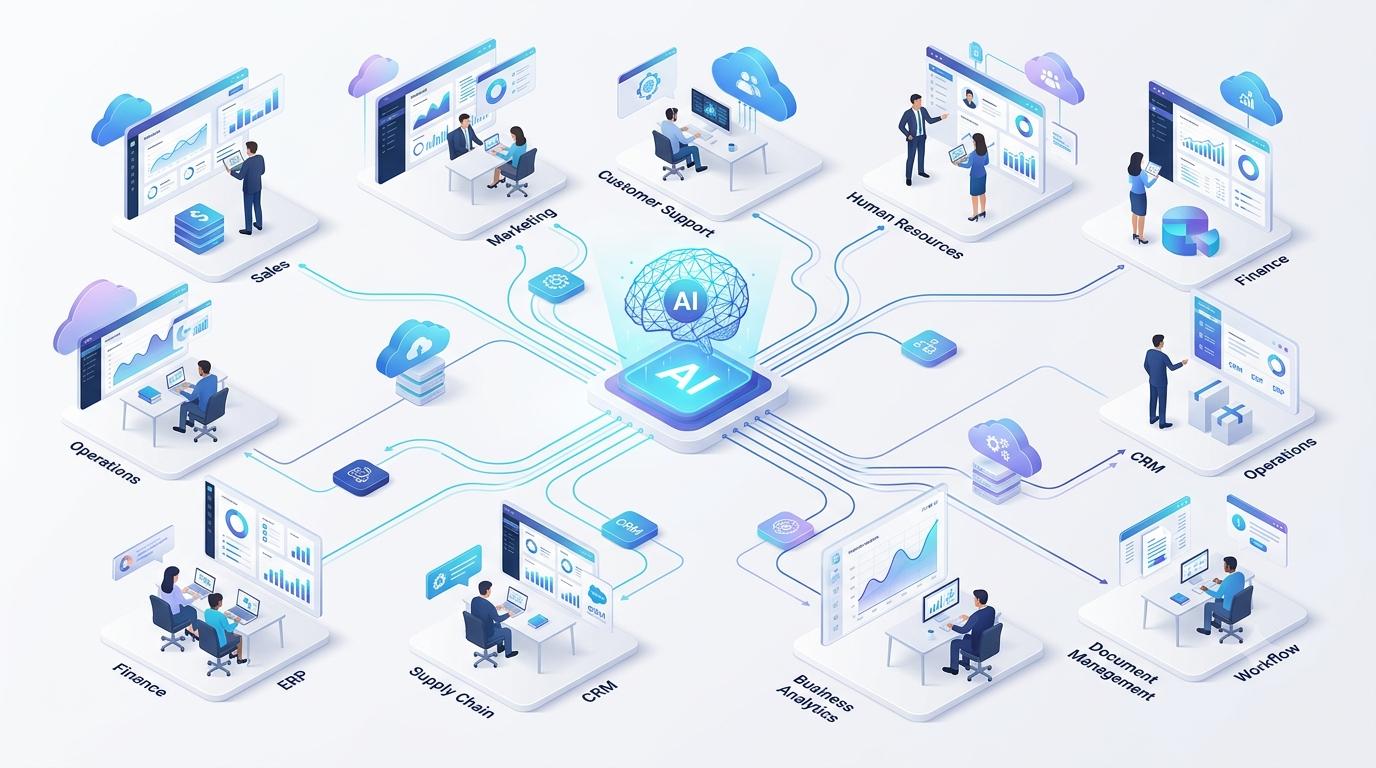
| Featured Hero Image | Top of article | ai-changing-business-operations-hero.jpg | Business team reviewing an AI-driven operations dashboard across departments | AI is reshaping how modern businesses run day to day. |
| Business Operations Workflow Diagram | After “How AI Is Transforming Business Operations” | ai-business-operations-workflow-diagram.jpg | Diagram showing an AI-automated business workflow from data intake to action | A typical AI-automated workflow, from data intake to action. |
| AI Across Business Departments Illustration | Within “AI Across Every Business Department” | ai-across-business-departments.jpg | Illustration showing AI applications across sales, finance, HR, and operations | AI applications vary by department but follow a similar pattern. |
| Before vs After AI Transformation | Within “Benefits” section | before-after-ai-transformation.jpg | Side-by-side comparison of a manual process versus an AI-automated process | Manual processes compared to their AI-automated equivalents. |
| Executive Analytics Dashboard | Within “Business Intelligence” content | executive-ai-analytics-dashboard.jpg | Executive dashboard showing AI-generated business performance insights | AI-generated dashboards give executives a clearer, faster view of performance. |
| AI Decision-Making Flowchart | Within “Intelligent Decision Making” content | ai-decision-making-flowchart.jpg | Flowchart showing how an AI system evaluates data before making a recommendation | How an AI system moves from data to a recommended decision. |
| Digital Transformation Roadmap | Within “Implementation” section | digital-transformation-roadmap.jpg | Roadmap graphic showing phased steps of an AI implementation project | A phased roadmap for adopting AI across business operations. |
| Business Intelligence Visualization | Within “Popular AI Technologies” section | business-intelligence-visualization.jpg | Data visualization showing business intelligence generated from AI analysis | AI-generated business intelligence turns raw data into usable insight. |
JSON-LD: Article Schema
{
  "@context": "https://schema.org",
  "@type": "Article",
  "headline": "How AI Is Changing Business Operations",
  "description": "A practical, no-hype guide to how AI is transforming business operations across every department — real applications, benefits, challenges, and an implementation roadmap.",
  "author": {
    "@type": "Organization",
    "name": "SmartWorkflowLab",
    "url": "https://smartworkflowlab.com"
  },
  "publisher": {
    "@type": "Organization",
    "name": "SmartWorkflowLab",
    "logo": {
      "@type": "ImageObject",
      "url": "https://smartworkflowlab.com/logo.png"
    }
  },
  "mainEntityOfPage": {
    "@type": "WebPage",
    "@id": "https://smartworkflowlab.com/how-ai-is-changing-business-operations"
  },
  "datePublished": "2026-07-10",
  "dateModified": "2026-07-10",
  "image": "https://smartworkflowlab.com/images/how-ai-is-changing-business-operations.jpg",
  "keywords": "How AI Is Changing Business Operations, Artificial Intelligence in Business, AI Business Automation, Digital Transformation, Enterprise AI"
}
JSON-LD: FAQ Schema
{
  "@context": "https://schema.org",
  "@type": "FAQPage",
  "mainEntity": [
    {
      "@type": "Question",
      "name": "What is AI in business?",
      "acceptedAnswer": {
        "@type": "Answer",
        "text": "AI in business refers to software that can interpret data and make context-based decisions — reading a document, answering a question, predicting an outcome — rather than simply following a fixed set of rules."
      }
    },
    {
      "@type": "Question",
      "name": "How does AI improve business operations?",
      "acceptedAnswer": {
        "@type": "Answer",
        "text": "It removes repetitive, data-heavy work from employees' workload, speeds up decision-making with real-time data analysis, and reduces errors in high-volume processes like data entry and document handling."
      }
    },
    {
      "@type": "Question",
      "name": "Can small businesses use AI?",
      "acceptedAnswer": {
        "@type": "Answer",
        "text": "Yes. Cloud-based AI tools have made automation accessible to small and mid-sized businesses, often with pricing that scales with usage rather than requiring a large upfront investment."
      }
    },
    {
      "@type": "Question",
      "name": "What departments benefit the most?",
      "acceptedAnswer": {
        "@type": "Answer",
        "text": "Finance, accounting, and customer support are usually the fastest to show measurable results, because they combine high transaction volume with well-defined, repeatable processes."
      }
    },
    {
      "@type": "Question",
      "name": "Does AI replace employees?",
      "acceptedAnswer": {
        "@type": "Answer",
        "text": "It typically changes the composition of a job more than it eliminates it outright — reducing time spent on repetitive tasks while increasing the need for oversight and judgment-based work."
      }
    },
    {
      "@type": "Question",
      "name": "How secure is AI?",
      "acceptedAnswer": {
        "@type": "Answer",
        "text": "Security depends on the specific platform and how it's implemented. Reputable vendors offer encryption, access controls, and compliance certifications relevant to different industries."
      }
    },
    {
      "@type": "Question",
      "name": "What are AI agents?",
      "acceptedAnswer": {
        "@type": "Answer",
        "text": "AI agents are systems that can plan and carry out a sequence of steps — checking data, taking an action, adjusting based on the result — rather than executing a single task and stopping."
      }
    },
    {
      "@type": "Question",
      "name": "How much does AI implementation cost?",
      "acceptedAnswer": {
        "@type": "Answer",
        "text": "Costs vary widely based on process complexity and whether you use an off-the-shelf tool or a custom-built solution. It's more useful to price against your specific process than to expect a single industry-wide number."
      }
    },
    {
      "@type": "Question",
      "name": "How long does implementation take?",
      "acceptedAnswer": {
        "@type": "Answer",
        "text": "A focused pilot on one process typically takes six to ten weeks. Company-wide adoption is usually a multi-quarter effort rolled out in phases."
      }
    },
    {
      "@type": "Question",
      "name": "What are the biggest AI challenges?",
      "acceptedAnswer": {
        "@type": "Answer",
        "text": "Data quality, integration with older systems, and change management tend to matter more than the AI technology itself in determining whether a project succeeds."
      }
    },
    {
      "@type": "Question",
      "name": "Which industries benefit the most?",
      "acceptedAnswer": {
        "@type": "Answer",
        "text": "Finance, healthcare, insurance, retail, and logistics tend to see the fastest results, largely because they combine high document or transaction volume with well-defined processes."
      }
    },
    {
      "@type": "Question",
      "name": "How do I get started with AI?",
      "acceptedAnswer": {
        "@type": "Answer",
        "text": "Start by mapping your current processes and identifying the ones that are high-volume, repetitive, and currently manual. That gives you a concrete starting point instead of an open-ended technology search."
      }
    }
  ]
}
JSON-LD: Breadcrumb Schema
{
  "@context": "https://schema.org",
  "@type": "BreadcrumbList",
  "itemListElement": [
    {
      "@type": "ListItem",
      "position": 1,
      "name": "Home",
      "item": "https://smartworkflowlab.com"
    },
    {
      "@type": "ListItem",
      "position": 2,
      "name": "Guides",
      "item": "https://smartworkflowlab.com/guides"
    },
    {
      "@type": "ListItem",
      "position": 3,
      "name": "How AI Is Changing Business Operations",
      "item": "https://smartworkflowlab.com/how-ai-is-changing-business-operations"
    }
  ]
}
JSON-LD: Organization Schema
{
  "@context": "https://schema.org",
  "@type": "Organization",
  "name": "SmartWorkflowLab",
  "url": "https://smartworkflowlab.com",
  "logo": "https://smartworkflowlab.com/logo.png"
}