

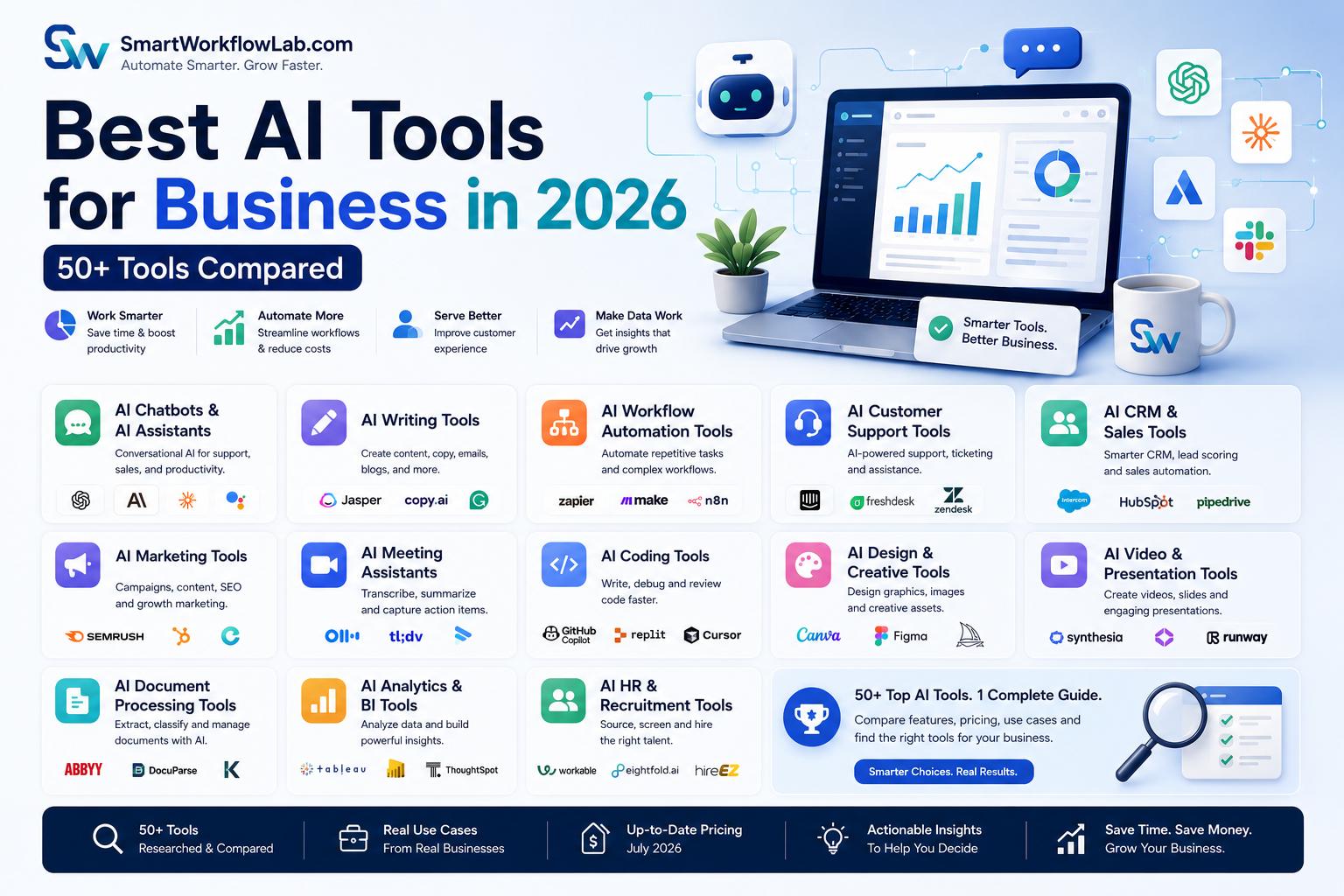
Last reviewed: July 2026. AI tools and pricing change quickly — we periodically re-check this guide and update feature details, new entrants, and pricing models as they shift. If you spot something outdated, let us know.
The hard part of buying AI software in 2026 isn’t finding a tool. It’s narrowing down the hundreds of options claiming to solve the exact same problem.
This guide organizes the landscape by category and use case, rather than pushing a single “best overall” pick, because the honest answer to “which AI tool should I buy” is almost always “it depends on your size, budget, existing systems, and what problem you’re actually trying to solve.” A ten-person agency and a thousand-person manufacturer need very different things from an AI writing tool or a document automation platform.
Below, you’ll find a breakdown of the major AI tool categories businesses rely on today, what each tool in that category tends to do well, who it fits best, and where its limitations show up. None of the rankings here are based on fabricated benchmarks or invented customer data — they reflect publicly known product positioning and general category patterns, and you should always verify current pricing and features directly with each vendor before buying.
What Are AI Tools for Business?
AI tools for business are software applications that use machine learning, natural language processing, or generative AI to help companies automate tasks, analyze data, create content, or make decisions faster than manual methods allow.
These tools work by processing information — text, documents, customer data, sales activity — and either generating an output (a draft email, a summary, an image) or taking an action (updating a record, routing a ticket, flagging an anomaly). The technology behind them varies: some rely on large language models for language understanding, some use predictive machine learning models, and some combine several techniques together.
Business AI differs from consumer AI in a specific way: business tools are built to plug into a workflow and produce output that matters to a company’s operations — a properly formatted invoice extraction, a CRM update, a compliant contract clause — rather than general entertainment or personal convenience.
A simple example: a marketing team using a consumer AI chatbot might ask it to “write a fun caption for Instagram.” A marketing team using a business AI tool asks it to generate ten on-brand caption variations, scheduled automatically based on past engagement data, with performance tracked against the rest of the campaign. Same underlying technology, very different level of business integration.
Common capabilities across most business AI tools today include text generation, document and data extraction, workflow automation, predictive forecasting, conversational support, and data visualization.
It’s worth understanding that “AI tool” has become a broad label covering some very different kinds of software. Some tools are built around a single large language model and mostly generate text or answer questions. Others combine several AI techniques — computer vision, predictive modeling, natural language processing — into a single platform focused on a specific business function, like document processing or sales forecasting. And a growing category, AI agents, goes further still, planning and executing multi-step tasks across connected systems rather than just producing a single output. Knowing which category a tool falls into matters as much as knowing its brand name, since it shapes what the tool can realistically do inside your business.
Benefits of AI Tools for Businesses
Higher productivity comes from removing repetitive tasks — drafting, data entry, scheduling — from an employee’s day.
Time savings show up most clearly in high-volume work like customer support triage or invoice processing, where minutes saved per transaction add up quickly across hundreds of transactions.
Cost reduction follows naturally from lower per-transaction processing costs and fewer errors that require rework.
Better customer experience results from faster response times and more consistent, personalized interactions.
Smarter decision making comes from AI systems that can process more data than a person could review manually, surfacing patterns in real time.
Business automation extends beyond single tasks into full workflows — a document arriving, getting extracted, validated, and routed without manual handling at each step.
Employee assistance shows up as first-draft content, meeting summaries, and research support that a person then reviews and refines.
Scalability lets a business absorb more transaction volume without growing headcount at the same rate.
Competitive advantage goes to businesses that automate a slow or frustrating part of the customer experience before their competitors do.
Data insights turn scattered information across systems into something a decision-maker can actually act on.
Buying tip: Don’t evaluate a tool on its feature list alone. Evaluate it on the specific bottleneck it removes from your actual workflow.
How to Choose the Right AI Tool
Picking the right AI tool is less about finding the “best” product on the market and more about matching a tool’s strengths to your specific constraints. A twelve-factor checklist can feel like a lot, but most businesses only need to seriously weigh four or five of these before a clear front-runner emerges.
| Factor | What to Consider |
|---|---|
| Business goals | What specific outcome are you trying to improve — speed, cost, accuracy, customer satisfaction? |
| Company size | Enterprise platforms often include features and pricing tiers that don’t make sense for a five-person team |
| Industry | Regulated industries (healthcare, finance, insurance) need tools with relevant compliance certifications |
| Budget | Factor in implementation and training costs, not just the subscription price |
| Ease of use | A powerful tool nobody on your team actually uses delivers zero value |
| Security | Look for encryption, access controls, and clear data-handling policies |
| Compliance | Confirm the tool meets relevant standards for your industry and region |
| Scalability | Will the tool still make sense if your transaction volume triples? |
| Integrations | Check compatibility with your existing CRM, ERP, or communication tools before buying |
| Customer support | Enterprise deployments especially benefit from responsive vendor support |
| API availability | Matters if you plan to build custom workflows around the tool |
| Customization | Some tools work well out of the box; others require configuration to fit your specific process |
A practical shortcut: if you already run your business heavily on one ecosystem — Microsoft, Google, or Salesforce, for instance — start your search with that ecosystem’s native AI offering before evaluating standalone alternatives. Native integration usually saves more setup time than a marginally more capable outside tool is worth.
Best AI Chatbots & AI Assistants
ChatGPT (OpenAI) — A general-purpose conversational AI known for strong reasoning, writing, and coding support. Best for teams needing a flexible assistant across research, drafting, and analysis. Advantage: broad capability and a large third-party plugin and API ecosystem. Limitation: business-specific data integration typically requires additional setup through the API or enterprise tier. Pricing is generally tiered between free, individual paid, and business/enterprise plans.
Claude (Anthropic) — A conversational AI known for careful reasoning and longer document handling. Best for teams working with lengthy documents, contracts, or detailed analysis. Advantage: strong performance on nuanced writing and reasoning tasks. Limitation: like most LLM assistants, it still needs to be connected to business systems for full workflow automation. Offered through free, paid individual, and business tiers.
Google Gemini — Google’s AI assistant, tightly integrated with Google Workspace (Docs, Sheets, Gmail). Best for teams already standardized on Google Workspace. Advantage: native integration reduces setup friction for Workspace-heavy teams. Limitation: less useful for teams outside the Google ecosystem. Pricing is bundled with Google Workspace plans or offered standalone.
Microsoft Copilot — Built into Microsoft 365 (Word, Excel, Outlook, Teams). Best for organizations standardized on Microsoft’s productivity suite. Advantage: deep integration across everyday office tools. Limitation: full value depends on being embedded in the Microsoft ecosystem already. Typically priced as an add-on to Microsoft 365 business plans.
Perplexity AI — An AI-powered answer engine focused on cited, research-style responses. Best for teams doing frequent research or fact-checking work. Advantage: source citations make it easier to verify claims. Limitation: less suited to long-form content generation compared to dedicated writing tools. Offers free and paid subscription tiers.
Meta AI — Meta’s assistant, integrated across WhatsApp, Instagram, and Facebook. Best for businesses running customer engagement primarily through Meta’s platforms. Advantage: native presence where many small businesses already talk to customers. Limitation: less suited to internal enterprise workflows outside of Meta’s ecosystem. Generally free to use within Meta’s apps.
Character AI (business use considerations) — Originally built for persona-based conversational experiences. Businesses considering it for customer-facing use should evaluate it carefully, since it was designed primarily for consumer entertainment rather than enterprise support workflows, and lacks the compliance and integration depth of purpose-built business assistants.
Best AI Writing Tools
| Tool | Best For | Key Strength |
|---|---|---|
| Jasper | Marketing teams producing high volumes of branded content | Brand voice customization across a team |
| Copy.ai | Small teams needing quick marketing copy | Simple templates for common copy formats |
| Writesonic | SEO-focused content teams | Built-in SEO content workflows |
| Anyword | Performance marketing teams | Predictive performance scoring for copy variants |
| Writer | Enterprises needing governed, on-brand content at scale | Strong enterprise style guide and compliance controls |
| Grammarly AI | Any team needing writing quality and tone checks | Broad integration across email, docs, and browsers |
| Notion AI | Teams already using Notion for docs and project management | Native integration with existing Notion workspaces |
These tools generally handle first-draft generation, tone adjustment, and editing support — useful for marketing copy, internal documentation, and email drafting, though human review remains important for brand accuracy and factual claims.
Best AI Workflow Automation Tools
| Tool | Best For | Key Strength |
|---|---|---|
| Zapier | Small to mid-sized businesses connecting everyday apps | Huge library of pre-built app integrations |
| Make | Teams needing more complex, visual automation logic | Visual workflow builder for multi-step automations |
| Microsoft Power Automate | Organizations standardized on Microsoft 365 | Deep integration with Microsoft business tools |
| UiPath | Enterprises automating high-volume, rules-based back-office work | Mature robotic process automation platform |
| Automation Anywhere | Large enterprises with complex, cross-system automation needs | Strong governance and scalability for enterprise RPA |
| Workato | Mid-market and enterprise teams needing robust integration automation | Enterprise-grade integration and automation in one platform |
| n8n | Technical teams wanting open-source, self-hosted automation | Full flexibility and control via open-source architecture |
| Pipedream | Developers building custom, code-based automation workflows | Developer-friendly, code-first automation approach |
Choosing between these often comes down to technical comfort level and integration needs. Businesses without a technical team typically start with Zapier or Make; those automating high-volume back-office processes often lean toward UiPath or Automation Anywhere. For a deeper look at how AI-driven and rules-based automation fit together, see our guide to AI agents for business.
Best AI Customer Support Tools
| Tool | Best For | Key Strength |
|---|---|---|
| Zendesk AI | Support teams already using Zendesk’s ticketing platform | AI features built directly into an established support platform |
| Intercom | SaaS companies wanting AI-driven in-app messaging and support | Strong conversational support experience |
| Freshworks | Mid-market teams wanting an affordable, full support suite | Balanced feature set at accessible pricing |
| Drift | B2B teams focused on conversational lead qualification | Strong sales-support conversational handoff |
| HubSpot AI | Teams already using HubSpot’s CRM and marketing tools | Native integration across HubSpot’s broader platform |
| Salesforce Service AI | Enterprises standardized on Salesforce | Deep integration with Salesforce CRM data |
Most of these tools handle first-response automation, ticket routing, and sentiment detection, with human agents stepping in for complex or sensitive issues.
Best AI CRM & Sales Tools
| Tool | Best For | Key Strength |
|---|---|---|
| Salesforce Einstein | Large enterprises already on Salesforce | Predictive scoring built into a mature CRM |
| HubSpot AI | Small to mid-sized businesses wanting an all-in-one CRM | Accessible entry point with strong usability |
| Zoho CRM AI | Budget-conscious small businesses | Affordable AI features within a broader Zoho suite |
| Microsoft Dynamics 365 AI | Enterprises standardized on Microsoft | Integration across Microsoft’s business applications |
| Pipedrive AI | Sales-focused small teams wanting simplicity | Straightforward pipeline management with AI assistance |
| Apollo AI | Outbound sales and prospecting teams | Strong lead database and outreach automation |
These tools generally support lead scoring, deal-risk flagging, and automated CRM data entry from calls and emails.
Best AI Marketing Tools
| Tool | Best For | Key Strength |
|---|---|---|
| HubSpot Marketing Hub | Teams wanting integrated CRM and marketing automation | Unified marketing and sales data |
| Semrush AI | SEO and content marketing teams | Strong keyword and competitive research tools |
| Surfer SEO | Content teams optimizing for search performance | Content scoring against search intent |
| Canva AI | Small businesses and marketing teams needing quick visuals | Accessible design tools with AI-assisted creation |
| Adobe Firefly | Teams needing brand-safe generative image content | Commercially safe generative image training |
| Buffer AI | Small teams managing social scheduling | Simple, affordable social media scheduling with AI captions |
| Hootsuite AI | Mid-market teams managing multiple social channels | Broader multi-channel social management |
Best AI Meeting Assistants
| Tool | Best For | Key Strength |
|---|---|---|
| Otter.ai | Teams wanting standalone transcription and summaries | Strong transcription accuracy across meeting platforms |
| Fireflies.ai | Sales and support teams wanting searchable call libraries | Robust call library search and CRM integration |
| Fathom | Teams wanting free, simple meeting summaries | Straightforward, no-cost entry point |
| Zoom AI Companion | Teams primarily meeting on Zoom | Native integration within Zoom |
| Microsoft Teams Copilot | Organizations standardized on Microsoft 365 | Integration across Teams and the broader Microsoft suite |
| Google Meet AI | Teams using Google Workspace | Native integration with Google Meet and Workspace |
These tools generally handle transcription, summarization, and action-item extraction, reducing the need for someone to take manual notes.
Best AI Coding Tools
| Tool | Best For | Key Strength |
|---|---|---|
| GitHub Copilot | Development teams using GitHub | Deep integration with GitHub’s existing developer ecosystem |
| Cursor | Developers wanting an AI-native code editor | Editor built around AI-assisted coding from the ground up |
| Amazon Q Developer | Teams building on AWS | Strong integration with AWS services and documentation |
| Codeium | Budget-conscious teams wanting a free/low-cost option | Accessible pricing with solid core functionality |
| Tabnine | Teams with strict code privacy requirements | Strong focus on private, on-premises code handling |
| Replit AI | Teams prototyping quickly or teaching coding | Fast, browser-based prototyping environment |
Best AI Design & Creative Tools
| Tool | Best For | Key Strength |
|---|---|---|
| Canva AI | Non-designers needing quick, professional visuals | Extremely accessible interface |
| Adobe Firefly | Brand teams needing commercially safe generative content | Trained on licensed content for commercial use |
| Midjourney | Teams wanting highly stylized, artistic image generation | Distinctive visual quality |
| Ideogram | Teams needing accurate text rendering within images | Strong performance on text-in-image generation |
| DALL·E | Teams already using OpenAI’s ecosystem | Convenient integration within ChatGPT workflows |
| Figma AI | Product and design teams using Figma | Native integration within existing design workflows |
Best AI Video & Presentation Tools
| Tool | Best For | Key Strength |
|---|---|---|
| Synthesia | Teams creating training or explainer videos at scale | AI avatar-based video generation without filming |
| HeyGen | Marketing teams needing quick localized video content | Strong multilingual video generation |
| Runway | Creative teams needing advanced video editing and generation | Advanced generative video capabilities |
| Gamma | Teams wanting fast, AI-generated presentations | Quick generation of polished slide decks |
| Beautiful.ai | Teams wanting design-guided presentation building | Automated design assistance while building slides |
| Tome | Teams building narrative-style presentations or pitches | Strong storytelling-focused presentation format |
Best AI Document Processing Tools
| Tool | Best For | Key Strength |
|---|---|---|
| ABBYY | Enterprises with complex, high-volume document processing needs | Long-established intelligent document processing platform |
| Google Document AI | Teams already on Google Cloud | Integration with the broader Google Cloud ecosystem |
| Azure AI Document Intelligence | Enterprises standardized on Microsoft Azure | Integration across Microsoft’s cloud and business tools |
| Amazon Textract | Teams building on AWS | Straightforward document extraction within AWS |
| Rossum | Finance teams focused on invoice processing | Strong specialization in invoice and financial document extraction |
| Hyperscience | Large enterprises with complex, high-security document workflows | Strong governance and accuracy controls for regulated industries |
These tools combine OCR, computer vision, and machine learning to extract and validate structured data from invoices, forms, and contracts. For a deeper explanation of how this technology works, see our guide to Intelligent Document Processing.
Best AI Analytics & Business Intelligence Tools
| Tool | Best For | Key Strength |
|---|---|---|
| Microsoft Power BI Copilot | Organizations standardized on Microsoft 365 | Natural-language querying within a familiar BI tool |
| Tableau AI | Teams needing rich, customizable data visualization | Strong visualization flexibility with AI-assisted insights |
| Looker | Teams needing governed, model-driven analytics | Strong data modeling layer for consistent metrics |
| Qlik | Enterprises needing associative data exploration | Distinctive associative analytics engine |
| ThoughtSpot | Business users wanting self-service, search-driven analytics | Natural-language search interface for non-technical users |
| IBM Cognos Analytics | Large enterprises with complex governance needs | Strong enterprise governance and reporting controls |
Best AI HR & Recruitment Tools
| Tool | Best For | Key Strength |
|---|---|---|
| LinkedIn Recruiter AI | Teams sourcing candidates directly through LinkedIn | Access to LinkedIn’s large professional network |
| Eightfold AI | Enterprises wanting AI-driven talent matching at scale | Strong skills-based candidate matching |
| HireVue | Teams conducting high-volume video interviews | Structured video interview assessment tools |
| Paradox | High-volume hourly hiring (retail, hospitality, logistics) | Conversational AI scheduling built for fast-moving hiring |
| Workday AI | Enterprises already using Workday for HR and finance | Integration across a broader HR and finance platform |
Comprehensive Comparison Table
| Tool | Primary Use | Best For | Business Size | Key Strength | Free Plan | Enterprise Support |
|---|---|---|---|---|---|---|
| ChatGPT | Conversational AI | General research and drafting | All sizes | Broad reasoning and flexibility | Yes | Yes |
| Claude | Conversational AI | Long document analysis | All sizes | Careful reasoning on complex text | Yes | Yes |
| Microsoft Copilot | Productivity assistant | Microsoft 365 users | SMB to enterprise | Deep Office integration | No | Yes |
| Zapier | Workflow automation | App-to-app automation | Small to mid-size | Huge integration library | Yes | Yes |
| UiPath | RPA | High-volume back-office automation | Enterprise | Mature RPA platform | Limited | Yes |
| HubSpot AI | CRM and marketing | Growing SMBs | Small to mid-size | Unified CRM and marketing data | Yes | Yes |
| Salesforce Einstein | CRM AI | Large sales organizations | Enterprise | Predictive scoring in a mature CRM | No | Yes |
| Zendesk AI | Customer support | Established support teams | SMB to enterprise | AI within a proven support platform | Limited | Yes |
| Jasper | Content generation | Marketing teams at scale | Mid-size to enterprise | Brand voice consistency | No | Yes |
| GitHub Copilot | Coding assistant | Developer teams | All sizes | GitHub ecosystem integration | Limited | Yes |
| Otter.ai | Meeting transcription | Any team with frequent meetings | All sizes | Transcription accuracy | Yes | Limited |
| Canva AI | Design | Small businesses and marketers | All sizes | Ease of use | Yes | Limited |
| ABBYY | Document processing | Enterprises with document-heavy operations | Enterprise | Long-established IDP accuracy | No | Yes |
| Power BI Copilot | Business intelligence | Microsoft-standardized organizations | SMB to enterprise | Natural-language data queries | Limited | Yes |
| Eightfold AI | Recruitment | Enterprises hiring at scale | Enterprise | Skills-based matching | No | Yes |
Best AI Tools by Industry
| Industry | Recommended Tool Categories | Why |
|---|---|---|
| Healthcare | Document processing, meeting assistants | High document volume and clinical documentation burden |
| Manufacturing | Workflow automation, analytics/BI | Predictive maintenance and production data analysis |
| Retail | CRM/sales, marketing, analytics/BI | Personalization and demand forecasting at scale |
| Banking & Financial Services | Document processing, analytics/BI | High compliance needs and document-heavy underwriting |
| Insurance | Document processing, customer support | Claims intake and first-notice-of-loss processing |
| Logistics & Supply Chain | Workflow automation, analytics/BI | Route optimization and inventory forecasting |
| Education | Meeting assistants, writing tools | Administrative documentation and content creation support |
| Real Estate | CRM/sales, document processing | Lead qualification and property document handling |
| Legal Firms | Document processing, writing tools | Contract review and document drafting support |
| Accounting Firms | Document processing, analytics/BI | Invoice and receipt processing at volume |
| Construction | Workflow automation, document processing | Project document tracking and scheduling |
| Marketing Agencies | Marketing tools, design/creative tools | Content production and campaign management at scale |
| E-commerce | CRM/sales, marketing, analytics/BI | Personalization, inventory forecasting, and customer retention |
| SaaS Companies | Customer support, coding tools | Support scaling and developer productivity |
| Small Businesses | Chatbots/assistants, workflow automation | Affordable entry points with immediate time savings |
| Large Enterprises | RPA, analytics/BI, document processing | Complex, high-volume, governance-heavy workflows |
Real Business Use Cases
The examples below are illustrative and meant to show typical applications — not documented case studies or guaranteed results.
| Use Case | Illustrative Example |
|---|---|
| Customer Support | An AI assistant handling first-response for order status and password reset questions |
| Sales Prospecting | An AI tool identifying and prioritizing leads based on engagement signals |
| Lead Qualification | A conversational AI pre-qualifying inbound leads before a rep engages |
| Content Creation | A writing tool drafting first-pass blog posts and social captions for review |
| Email Automation | An AI tool drafting personalized follow-up emails based on customer behavior |
| Invoice Processing | A document AI tool extracting and validating invoice data automatically |
| HR Recruitment | An AI tool screening resumes against role requirements before human review |
| Employee Onboarding | A workflow automation tool routing onboarding paperwork and system access requests |
| Knowledge Management | An AI assistant surfacing relevant internal documents in response to employee questions |
| Business Reporting | A BI tool generating a natural-language summary of monthly performance data |
| Document Processing | An IDP tool classifying and extracting data from mixed incoming document types |
| Marketing Campaigns | A marketing AI tool personalizing email content by customer segment |
| Meeting Summaries | A meeting assistant generating action items automatically after a call |
| Software Development | A coding assistant suggesting code completions and catching errors during development |
| Predictive Analytics | A forecasting tool predicting inventory needs based on historical sales patterns |
| Business Intelligence | A dashboard tool consolidating data from multiple systems into one executive view |
How to Successfully Adopt AI Tools
Buying the right tool is only half the equation. Plenty of businesses purchase a genuinely good AI product and still see it fail to deliver value, usually because adoption wasn’t planned as carefully as the purchase decision was.
- Identify business challenges. Start with a real operational pain point, not a tool you’ve heard about.
- Audit current workflows. Understand how a process actually runs today, including manual workarounds.
- Prioritize repetitive tasks. High-volume, rules-heavy work is the best starting point for measurable results.
- Evaluate AI vendors. Compare based on your specific requirements, not general popularity.
- Run pilot projects. Test with one team or process before a company-wide rollout.
- Measure ROI using internal KPIs. Track time saved, error reduction, or cost per transaction against a clear baseline.
- Train employees. Adoption depends on people understanding how and why to use the new tool.
- Monitor adoption. Low usage after rollout usually signals a training or fit problem, not a technology problem.
- Review security and compliance. Confirm the tool meets your industry’s data protection requirements.
- Scale gradually. Expand to additional teams or processes once the pilot proves its value.
- Continuously optimize workflows. Revisit configurations and prompts as your business needs evolve.
This same phased approach applies whether you’re rolling out a single AI writing tool or a broader business process automation initiative spanning multiple departments.
Common Mistakes to Avoid
- Choosing tools based only on popularity rather than fit for your specific process
- Ignoring integration requirements, leading to disconnected systems and duplicate data entry
- Not involving end users in tool selection, which often leads to poor adoption
- Poor data quality, which undermines even the best AI tool’s accuracy
- Lack of governance around who can configure or approve AI-driven actions
- Over-automating simple tasks that didn’t need a complex tool in the first place
- Ignoring security and privacy requirements specific to your industry
- Failing to measure business outcomes, making it impossible to prove ROI later
- Vendor lock-in considerations, especially when a tool’s data isn’t easily exportable
Future of AI Business Tools
AI agents capable of planning and executing multi-step tasks are moving from pilot projects into standard operational tools across more categories.
Agentic AI is expanding what a single tool can do autonomously, within defined boundaries and human oversight.
Multi-agent systems are emerging where specialized agents coordinate on a larger task, rather than one tool trying to do everything.
Autonomous workflows are extending further end-to-end, with human checkpoints at key decision points rather than every step.
Multimodal AI is combining text, image, voice, and document understanding into single tools rather than separate point solutions.
Enterprise copilots are becoming standard features embedded directly into existing business software rather than standalone products.
Hyperautomation, combining AI, RPA, and process mining, is becoming a more common strategy than relying on a single automation tool.
Vertical AI solutions, built specifically for an industry’s vocabulary and compliance needs, are increasingly outperforming general-purpose tools for specialized tasks.
Industry-specific AI platforms are expanding across healthcare, legal, and financial services, where domain accuracy matters more than general flexibility.
Human-AI collaboration models are maturing, with clearer norms emerging for when a tool acts autonomously versus when it requires human approval.
These trends are directional, not guaranteed timelines — the pace of adoption will vary by industry and company size.
Frequently Asked Questions
What are AI tools for business? AI tools for business are software applications that use machine learning or generative AI to automate tasks, analyze data, create content, or support decisions within a business workflow.
Which AI tool is best for small businesses? There’s no single best tool — small businesses generally benefit most from accessible, lower-cost options in chatbots, workflow automation, and CRM categories, chosen based on their specific bottleneck.
What is the best AI chatbot? This depends on your existing ecosystem — Microsoft Copilot fits Microsoft 365 users, Google Gemini fits Google Workspace users, and ChatGPT or Claude offer flexible, ecosystem-independent options.
What AI tools improve productivity? Writing assistants, meeting transcription tools, workflow automation platforms, and document processing tools tend to show the most immediate productivity gains for most businesses.
Can AI replace business employees? It typically changes what a role focuses on rather than eliminating it outright, reducing time spent on repetitive tasks while increasing the need for oversight and judgment-based work.
Are AI tools secure? Security varies by vendor and depends on how the tool is configured. Look for encryption, access controls, and compliance certifications relevant to your industry before adopting any tool.
How much do AI business tools cost? Costs range from free or low-cost individual plans to significant enterprise licensing fees, depending on the tool, scale, and level of customization required.
Can AI integrate with CRM and ERP systems? Many AI tools offer native integrations or APIs for common CRM and ERP platforms, though the depth of integration varies significantly by vendor and should be verified before purchase.
Which AI tool is best for automation? Zapier and Make suit smaller teams needing app-to-app automation; UiPath and Automation Anywhere suit enterprises with high-volume, rules-based back-office processes.
What industries benefit the most? Finance, healthcare, insurance, retail, and logistics tend to see the fastest measurable results, largely due to high transaction or document volume paired with well-defined processes.
How do I choose the right AI software? Start with your specific business goal and existing tech stack, then narrow options based on budget, ease of use, security requirements, and integration compatibility.
Do AI tools require technical expertise? Many modern tools are designed for business users without technical backgrounds, though enterprise-scale implementations, integrations, and custom automation typically benefit from IT or consultant involvement.
Conclusion
There isn’t one AI tool that fits every business. The right choice depends on your goals, your budget, the systems you already run, and how much customization your process actually needs.
What matters more than picking a “best” tool is picking the right category for your specific bottleneck — a document-heavy finance team needs a different solution than a support team drowning in repetitive tickets, even though both might reach for “AI” as the answer.
If you’re trying to figure out which AI tools actually fit your business — not just which ones are popular — SmartWorkflowLab can help you evaluate your options with a clear, practical lens. Request an AI technology consultation or business automation assessment and we’ll help you match the right tools, workflow automation, AI agents, or intelligent document processing to what your business actually needs.