Somewhere in your company, right now, someone is copying a number from one screen into another. Someone else is digging through an inbox looking for an approval that got buried under forty other emails. Someone is building the same weekly report they built last week, by hand, from scratch.
None of that work requires a skilled employee’s judgment. All of it eats hours that never show up on a project plan, because “checking email” and “updating the spreadsheet” don’t look like real tasks — they just quietly consume the day.
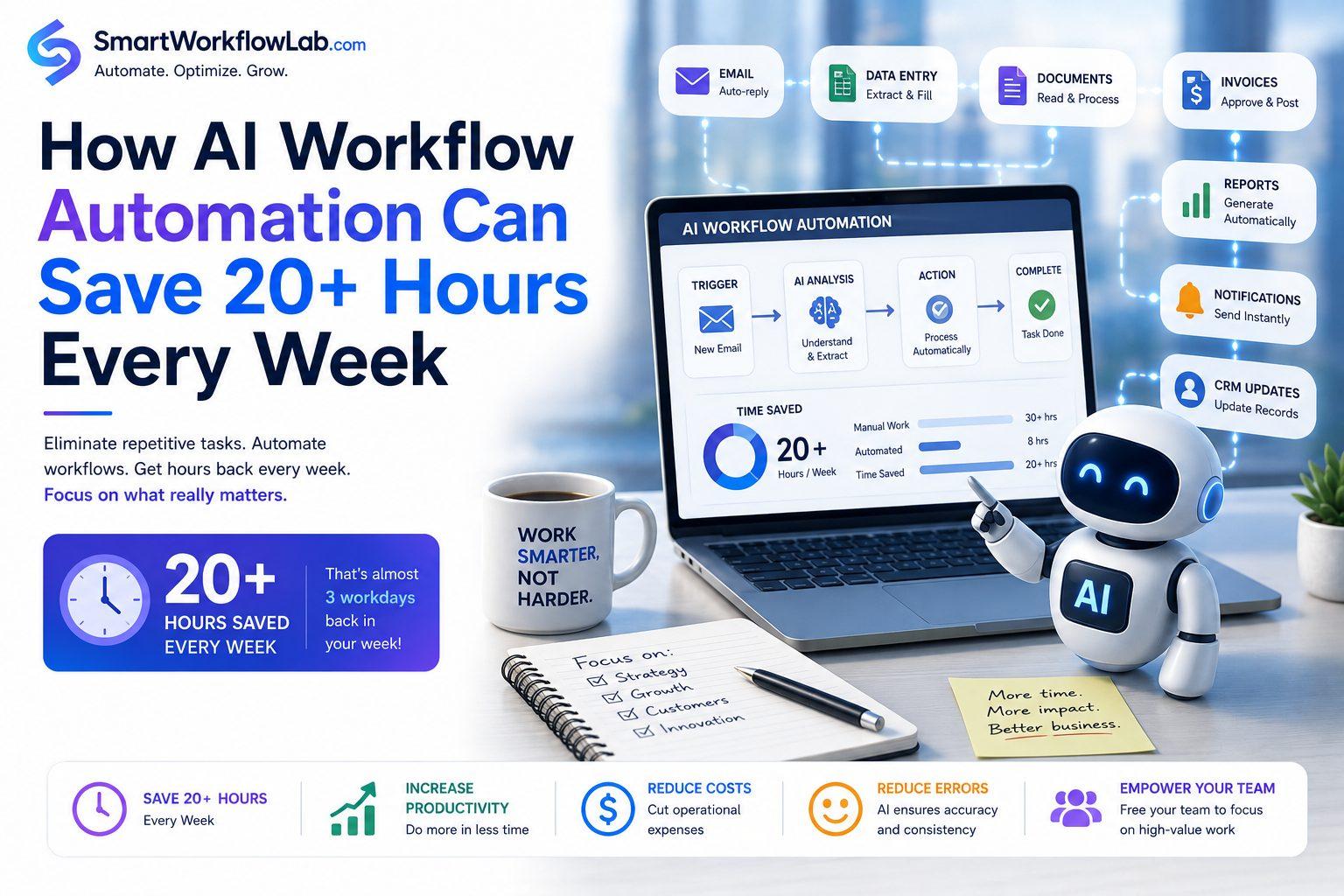
AI workflow automation isn’t a futuristic idea anymore. It’s a practical way to take that invisible, repetitive work off your team’s plate — and for many businesses, the time recovered adds up to more than 20 hours a week once a handful of processes are automated. This guide walks through what that actually looks like, process by process, with realistic estimates and an honest look at what it takes to get there.
What Is AI Workflow Automation?
AI workflow automation is the use of artificial intelligence — machine learning, natural language processing, and document understanding — to carry out multi-step business processes with little or no manual intervention, including steps that require interpreting unstructured information rather than just following a fixed rule.
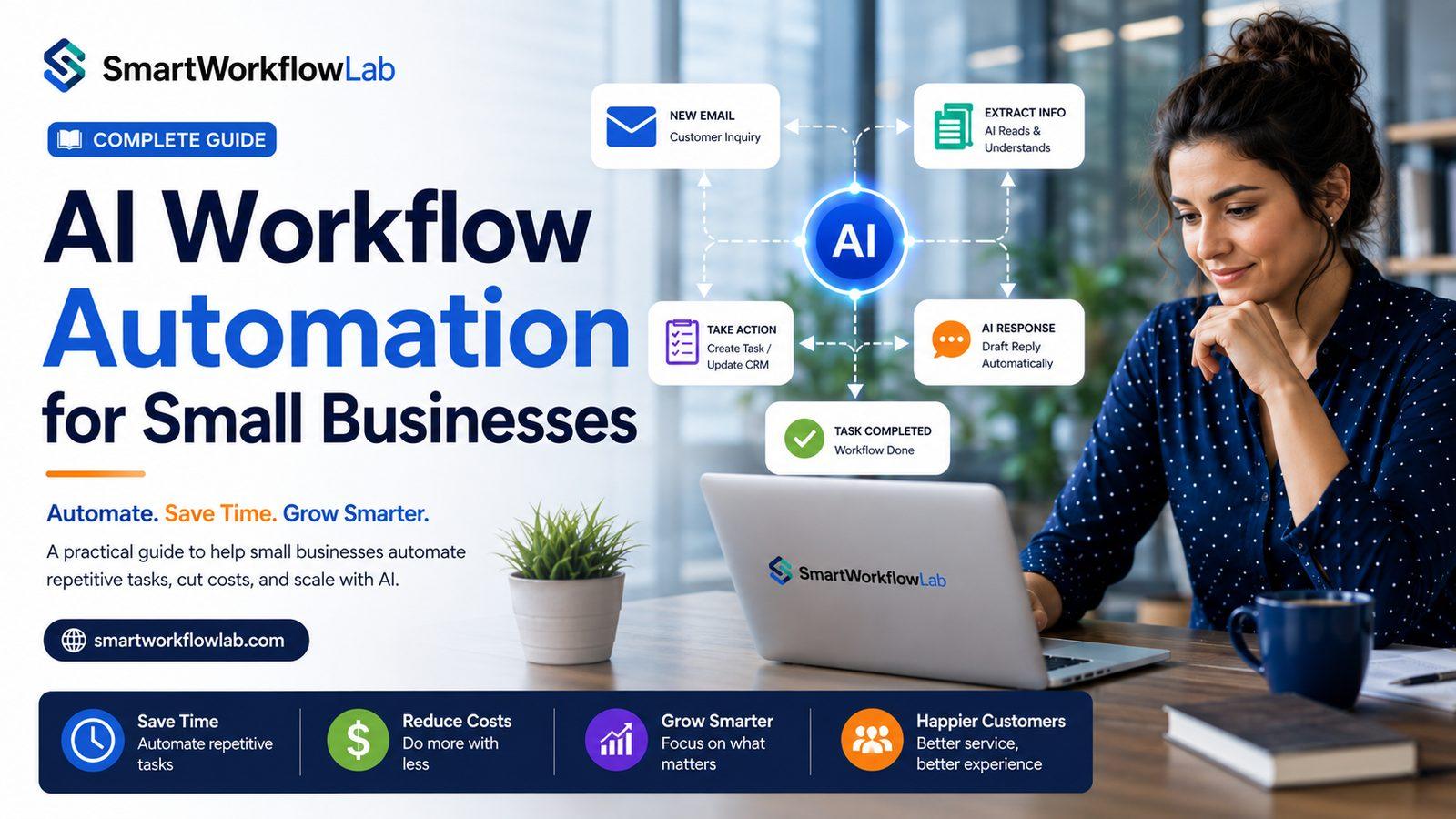
That last part is what separates it from older automation. Traditional workflow automation (think basic rules engines or simple “if this, then that” triggers) can move a task from one person’s queue to another’s, but it can’t read a customer’s email and understand what they’re actually asking for. AI workflow automation can — it interprets the content, decides what should happen next, and acts, while still following the guardrails a business sets for it.
A simple real-world example: a mid-sized logistics company receives shipment requests by email, in every possible format — some as a filled-out form, some as a one-line message, some with a PDF attached. A traditional rules engine would need a separate rule for each format and would break the moment a new customer sent something slightly different. An AI-driven workflow reads the email regardless of format, extracts the shipment details, checks them against current capacity, and creates the order in the operations system — flagging anything genuinely unclear for a human to review.
Common business applications include:
- Automatically extracting data from invoices, contracts, and forms
- Sorting and routing incoming emails and support tickets
- Updating CRM records after a call or meeting
- Triggering approval workflows and following up on stalled ones
- Generating recurring reports from live data instead of manual spreadsheet work
Why Businesses Waste So Much Time
Most productivity loss doesn’t come from one dramatic inefficiency — it comes from a dozen small, repetitive tasks that each seem too minor to fix on their own.
Manual data entry. Retyping information that already exists somewhere else — from a PDF into an ERP, from an email into a CRM — is one of the most common and most avoidable time drains in any office.
Email overload. Sorting, prioritizing, and responding to a full inbox consumes a meaningful chunk of the workday for most knowledge workers, and a large share of that volume is routine enough to handle without a human reading every message.
Approval bottlenecks. A request sits in someone’s inbox for two days not because the answer is hard, but because nobody’s tracking that it’s waiting.
Repetitive reporting. Pulling the same numbers into the same spreadsheet format every week, by hand, for a report that could largely build itself from live data.
Document processing. Reading, classifying, and keying in data from invoices, claims, and forms — work covered in more depth in our Intelligent Document Processing guide.
Customer inquiries. Answering the same handful of routine questions over and over, when most of them could be resolved instantly without a person in the loop.
Task assignments. Manually deciding who should handle an incoming request and forwarding it along, instead of routing it automatically based on type, urgency, or workload.
Spreadsheet management. Consolidating data from multiple sources into a master spreadsheet, a task that’s tedious, error-prone, and rarely anyone’s actual job title.
None of these individually feels like a crisis. Together, they’re where most of a company’s “missing” productivity actually lives.
How AI Workflow Automation Saves More Than 20 Hours Every Week
The estimates below are illustrative, not guaranteed outcomes — actual time savings depend heavily on your company’s size, document volume, and how manual your current processes are. They’re meant to show where the hours typically come from, not to promise a specific number for your business.
Automating Data Entry
Instead of a person retyping vendor, customer, or order details into a system, an AI-driven workflow reads the source document and populates the fields automatically, with a human reviewing only the exceptions. For a team handling a moderate volume of documents daily, this alone can reclaim several hours a week that used to go entirely into typing.
Email Classification and Responses
AI models can read incoming emails, determine intent, and either route them to the right person or draft a response for review. Teams fielding a high volume of routine inbound email often see the biggest single time recovery here, since so much of that volume is repetitive by nature.
Document Processing
Intelligent Document Processing extracts structured data from invoices, contracts, and forms automatically. This is frequently the highest-ROI automation on this list because document handling tends to be both high-volume and highly repetitive across finance, HR, and operations teams.
Invoice Automation
Beyond general document processing, invoice-specific automation handles three-way matching against purchase orders and flags discrepancies, cutting the time an accounts payable team spends per invoice from several minutes to a fraction of that for most invoices.
Employee Onboarding
New-hire paperwork — ID verification, tax forms, benefits enrollment — can be extracted and routed automatically, freeing HR from manually re-entering the same categories of data for every new employee.
Customer Support Automation
AI-driven support handles routine, repetitive questions instantly, freeing human agents for the conversations that actually need judgment, empathy, or escalation.
CRM Updates
Instead of a sales rep manually logging call notes and updating deal stages after every conversation, AI can transcribe calls, summarize key points, and update CRM fields automatically — a task that otherwise eats a meaningful chunk of a rep’s day, every day.
Sales Follow-ups
AI can draft and schedule personalized follow-up messages based on where a prospect is in the pipeline, so reps aren’t manually writing the same categories of email over and over.
Appointment Scheduling
Automated scheduling tools eliminate the back-and-forth of finding a time that works, a small task that adds up fast across a team handling a high volume of meetings or client bookings.
Report Generation
Recurring reports — weekly sales summaries, monthly financial rollups — can be built automatically from live data sources instead of manually compiled in a spreadsheet each cycle.
Team Notifications
Instead of someone manually pinging colleagues when a task is ready for the next step, automated workflows trigger the right notification the moment a condition is met.
Workflow Routing
Incoming requests — a support ticket, a purchase request, a document needing approval — get routed automatically based on type, urgency, or workload, rather than someone manually deciding where each one should go.
| Automated Process | Typical Weekly Time Recovered (illustrative) |
|---|---|
| Data entry | 3–5 hours |
| Email classification & responses | 3–4 hours |
| Document processing | 4–6 hours |
| Invoice automation | 2–3 hours |
| CRM updates | 2–3 hours |
| Reporting | 2–3 hours |
| Scheduling & notifications | 1–2 hours |
Added together across a handful of processes, it’s easy to see how a mid-sized team can reasonably reclaim more than 20 hours a week — but the exact number depends entirely on your current volume, team size, and how manual your starting point is. A company already running lean will see smaller gains than one still doing everything by hand.
Real Business Scenarios
These examples are illustrative, meant to show how the same underlying automation patterns apply across different industries — not a claim about any specific company’s results.
Manufacturing. A production planner spends hours each week reconciling supplier delivery confirmations with the production schedule. AI workflow automation can read incoming confirmations, match them automatically, and flag only the shipments that are late or short.
Healthcare. Front-desk staff at a clinic manually enter patient intake forms into the practice management system. Automated document processing can extract that data directly, cutting check-in time and transcription errors.
Finance. An accounting team manually matches invoices to purchase orders every week. Automated three-way matching handles the routine matches, leaving staff to review only genuine discrepancies.
Retail. A retailer’s customer service team answers the same order-status and return-policy questions dozens of times a day. An AI-driven support workflow resolves those instantly, freeing agents for complex complaints.
Logistics. Dispatchers spend time manually assigning incoming delivery requests to available drivers. Automated routing logic can assign based on location, capacity, and priority in real time.
Education. Administrative staff manually process enrollment forms and transcripts each term. Document automation extracts the relevant fields, reducing a seasonal crunch into a manageable, steady flow.
Legal. Paralegals spend hours during due diligence manually reviewing contracts for key clauses and dates. AI-assisted extraction flags the relevant clauses for review instead of requiring a full manual read-through of every document.
Real Estate. Agents manually follow up with every lead generated from a listing site. Automated, personalized follow-up sequences keep leads warm without a rep drafting each message by hand.
Professional Services. Consultants spend hours each week compiling status reports for clients. Automated reporting pulls live project data into a consistent, recurring format without manual assembly.
Benefits Beyond Saving Time
Higher accuracy. Automated extraction and validation catch mismatches a tired human reviewer might miss on the fifth hour of data entry.
Lower operational costs. Less manual labor per transaction translates directly into lower processing cost at volume.
Faster approvals. Automated routing and reminders keep requests from silently stalling in someone’s inbox.
Improved customer experience. Faster responses and fewer errors show up directly in customer satisfaction.
Better compliance. Automated workflows log every step, giving compliance and audit teams a far more complete trail than manual processes typically produce.
Reduced employee burnout. Removing repetitive, low-judgment tasks tends to measurably improve job satisfaction among the staff who used to do them.
Greater scalability. Volume spikes don’t require proportional headcount growth when the routine work is automated.
Stronger collaboration. Automated notifications and routing keep handoffs between teams from getting lost.
Better decision-making. Automated reporting surfaces trends and exceptions faster than a manually compiled report ever could.
Popular AI Workflow Automation Use Cases
| Department | Common Use Cases |
|---|---|
| HR | Onboarding document processing, benefits enrollment routing, policy Q&A |
| Finance | Invoice processing, expense report review, reconciliation |
| Marketing | Campaign performance reporting, content approval routing |
| Sales | CRM updates, lead follow-up, quote generation |
| IT Operations | Ticket triage, routine alert response, access request routing |
| Customer Support | Ticket classification, first-response automation, FAQ resolution |
| Supply Chain | Delivery confirmation matching, inventory alerts |
| Procurement | Purchase request routing, vendor document processing |
| Project Management | Status reporting, task assignment, deadline reminders |
| Document Management | Classification, extraction, archiving |
| Knowledge Management | Internal Q&A, document search and summarization |
| Internal Communication | Automated updates and notifications across teams |
Businesses building this out often pair it with broader AI Business Automation and broader business process automation initiatives, since workflow automation tends to work best as part of a coordinated strategy rather than a single isolated tool.
Key Features to Look for in AI Workflow Automation Software
- Visual workflow builder — lets non-technical staff map and adjust processes without needing a developer for every change.
- AI-powered decision making — the ability to interpret unstructured input, not just move data along a fixed path.
- Document recognition — built-in extraction for common document types like invoices and forms.
- Integrations — pre-built connectors to common ERP, CRM, and communication tools.
- Analytics — visibility into where time is actually being saved, and where bottlenecks remain.
- Security — encryption, access controls, and compliance certifications relevant to your industry.
- Role-based permissions — control over who can view, edit, or approve within a given workflow.
- Audit logs — a complete record of every automated decision and action taken.
- Cloud deployment — accessibility without heavy on-premise infrastructure.
- Scalability — the platform should handle growing volume without a full re-architecture.
- API support — the flexibility to connect to systems the platform doesn’t natively support.
- Low-code capabilities — the ability for operations staff, not just engineers, to build and adjust workflows.
Common Challenges and How to Overcome Them
Employee resistance. Framing automation as removing tedious work — not replacing people — and involving staff early in the design tends to reduce pushback significantly.
Poor process mapping. Automating a process nobody has clearly documented usually just automates the confusion. Map the process honestly before building around it.
Data quality. Feeding an automated workflow inconsistent or incomplete data guarantees inconsistent output. Clean the data source, not just the automation layer.
Integration issues. Older or heavily customized systems can be harder to connect than modern cloud platforms. Assess integration complexity during scoping, not mid-rollout.
Security concerns. Choose vendors that can demonstrate proper data handling practices and relevant certifications for your industry, and treat this as a vetting criterion from day one.
Compliance. Especially in regulated industries, build audit trails and approval checkpoints into the workflow from the start rather than retrofitting them later.
Training. Staff need to understand not just how to use the new workflow, but what to do when the system flags an exception.
Budget. Start with the highest-impact, lowest-complexity process to build an early, measurable win before expanding the budget for a larger rollout.
Best Practices for Successful AI Workflow Automation
- Start with repetitive processes, not the most complex ones, to build early confidence and momentum.
- Measure current performance before automating, so you have a real baseline to compare against.
- Automate gradually, one process at a time, rather than attempting a company-wide transformation at once.
- Train employees on both the new tools and what to do when something needs human review.
- Monitor KPIs specific to each automated process — time saved, error rate, cost per transaction.
- Continuously optimize workflows as business processes and document formats change over time.
- Choose scalable platforms that won’t need to be replaced as volume grows.
- Partner with experienced consultants who can flag which processes are — and aren’t — good candidates for automation.
Frequently Asked Questions
What is AI workflow automation? It’s the use of artificial intelligence to run multi-step business processes with minimal manual work, including tasks that require interpreting unstructured information like emails or documents.
Can small businesses use AI automation? Yes. Cloud-based, usage-priced platforms have made AI workflow automation accessible to small and mid-sized businesses, not just large enterprises with dedicated IT teams.
How much time can AI automation save? It depends heavily on your current processes and volume, but many businesses recover a meaningful number of hours per week once a handful of repetitive processes — like data entry, email handling, and reporting — are automated.
What processes should be automated first? High-volume, repetitive, well-defined processes — like invoice processing or routine customer inquiries — usually offer the fastest and clearest return.
Is AI workflow automation expensive? Costs vary by platform and process complexity. Many tools are priced by usage, which lets businesses start small and scale spend alongside results rather than committing to a large upfront investment.
Can AI replace employees? It typically changes what employees spend their time on more than it eliminates roles outright — reducing repetitive work while increasing the need for oversight and exception handling.
How secure is AI automation? Security depends on the specific platform and how it’s configured. Look for encryption, access controls, and compliance certifications relevant to your industry before adopting any tool.
What industries benefit most? Any industry with high-volume, repetitive, document- or communication-heavy processes tends to see strong results — finance, healthcare, logistics, retail, and professional services are common early adopters.
How long does implementation take? A focused pilot on a single process often takes a matter of weeks. Broader, multi-department rollouts are typically phased over several months.
What software is commonly used? The landscape includes platforms from established vendors like Microsoft, Google Cloud, IBM, Salesforce, UiPath, Automation Anywhere, and ABBYY, alongside specialized workflow-automation platforms — the right choice depends on your existing systems and specific processes.
How does AI automate workflows? By combining document and language understanding with workflow logic — reading unstructured input, making a routing or extraction decision, and acting within rules a business defines, escalating anything uncertain to a human.
Is workflow automation worth it? For processes that are high-volume and repetitive, most businesses see a clear return. For low-volume or constantly-changing processes, the investment is harder to justify — which is why scoping matters as much as the technology itself.
Conclusion
The hours a business loses to manual work rarely show up as one big problem. They show up as a dozen small ones — retyped data, unread emails, stalled approvals, spreadsheets rebuilt from scratch every week. Individually, none of them look worth fixing. Together, they’re often the difference between a team that feels perpetually behind and one that has room to focus on the work that actually moves the business forward.
AI workflow automation doesn’t require replacing your systems or your people. It requires identifying where the repetitive work actually lives, automating it deliberately — one process at a time — and measuring whether it’s working.
If you’re not sure where to start, that’s exactly the conversation SmartWorkflowLab has with businesses every week. We look at your actual processes, not a generic template, and help you find the automation that will realistically move the needle for your team.
Ready to find your 20 hours? Talk to SmartWorkflowLab about a workflow assessment — no obligation, just a clear-eyed look at where automation would help most.