Most articles about AI business automation read like they were written to satisfy a search algorithm rather than a business owner staring at a spreadsheet at 11 p.m., trying to figure out why invoices still take nine days to process.
This guide is written for that person.
Over the past few years, we’ve sat in on implementation calls, watched automation projects succeed, and watched a fair number of them quietly fail. What separates the two isn’t the software vendor’s logo. It’s whether the business understood what AI automation actually does, where it fits, and where it doesn’t.
That’s what this guide covers — plainly, with real numbers, real use cases, and a roadmap you could hand to your operations team this week.
What Is AI Business Automation?
AI business automation is the use of artificial intelligence — machine learning, natural language processing, computer vision, and generative AI — to run business processes with minimal human intervention, while also making judgment calls that older automation tools couldn’t make.
That last part is the whole story. Traditional automation follows rules. AI automation follows patterns, context, and probability, which means it can handle the messy, unstructured work that rules-based systems choke on: reading a handwritten invoice, triaging an ambiguous support ticket, or flagging a contract clause that looks unusual compared to a thousand others it has seen.
In practical terms, AI business automation shows up as:
- Software that reads and processes documents (intelligent document processing) without a human typing data into fields
- Chatbots and voice agents that resolve customer issues without a queue
- Systems that predict inventory needs before a shortage happens
- Finance tools that catch anomalies before they become fraud
- Sales and marketing platforms that personalize outreach at a scale no team could match manually
None of this replaces strategy, relationships, or judgment calls that carry real business risk. It replaces the repetitive, rules-heavy, data-heavy work that consumes hours without needing much of a human brain to do it.
It’s worth being clear about what AI business automation is not, because the term gets stretched to cover almost anything with “AI” in the product name. A spellchecker isn’t AI automation. A scheduled email isn’t AI automation. Meaningful automation means a system that makes a contextual decision — extracting the right data from a document it has never seen before, deciding which support ticket needs urgent attention — and then acts within defined boundaries.
That distinction matters because it changes how you evaluate vendors. A tool that simply moves data from one system to another isn’t doing anything an AI needs to be involved in. A tool that reads a customer’s angry email, understands the underlying issue, checks account history, and drafts a personalized resolution is doing something categorically different.
The other useful way to think about AI business automation is as a spectrum rather than an on/off switch. On one end sits full automation, appropriate for low-risk, high-confidence tasks like categorizing an incoming email. On the other end sits AI-assisted work, where a human makes the final call but the AI has done the heavy lifting — drafting a response, summarizing a document, flagging an anomaly. Most successful implementations live somewhere in the middle, and deciding exactly where each process sits on that spectrum is one of the most important calls a business makes during rollout.
Why AI Is Changing Business Operations
Three things converged to make this the moment AI automation stopped being experimental and started being operational.
First, the models got good enough to trust. Large language models can now read a contract, summarize a call, or classify a support ticket with accuracy that rivals a trained employee — not perfectly, but reliably enough to build processes around.
Second, the cost of running AI dropped sharply. What required a data science team and months of custom model training in 2021 can now be done with an API call and a well-written prompt. That changes who can afford automation — not just Fortune 500 companies, but a 40-person logistics firm or a regional accounting practice.
Third, labor economics shifted. Hiring and retaining skilled operations staff got more expensive and less predictable almost everywhere. Businesses aren’t automating because they want fewer people. Most are automating because they can’t reliably staff the repetitive work at all, and they’d rather point their people at higher-value tasks.
Put together, this is why McKinsey, Gartner, and Deloitte have all published research over the past two years showing automation-related productivity investment accelerating industry-wide, not just in tech. Operations, finance, and customer service functions are typically named as the earliest and largest beneficiaries.
There’s a fourth factor that doesn’t get discussed enough: customer expectations changed alongside the technology. A customer who gets an instant, accurate answer from one company’s AI-driven support is far less patient with a competitor’s 48-hour email queue. Once one player in an industry automates well, it resets the baseline expectation for everyone else — part of why AI automation has moved from “nice to have” to “competitive necessity” in sectors like e-commerce, financial services, and telecom.
It’s also worth noting what hasn’t changed. The fundamentals of good operations — clear processes, clean data, defined ownership — matter exactly as much as they always did. AI doesn’t fix a disorganized business; it amplifies whatever is already there. A company with clear, well-documented processes will get clean, reliable automation. A company with tribal knowledge and inconsistent data will get a project that stalls in the pilot phase, no matter how sophisticated the model is. The technology is rarely the limiting factor anymore. Organizational readiness is.
Traditional Automation vs. AI Automation
This distinction gets muddied constantly in vendor marketing, so it’s worth being precise.
Traditional automation — think RPA (robotic process automation), macros, and rules-based workflow engines — is excellent at doing the same, well-defined task the same way every time. It breaks the moment the input changes shape.
AI automation is built to handle variation. It doesn’t need the invoice to be in the exact same template every time. It doesn’t need the customer’s question to match a predefined script. It reasons across unstructured input.
| Aspect | Traditional Automation | AI Business Automation |
|---|---|---|
| Best suited for | Fixed, rules-based tasks | Variable, judgment-based tasks |
| Handles unstructured data | Poorly (needs structured input) | Well (text, voice, images, PDFs) |
| Adapts to new scenarios | No — breaks or requires reprogramming | Yes — learns from patterns and context |
| Setup approach | Scripted steps, “if this, then that” | Trained or prompted models plus workflow logic |
| Maintenance | High — brittle to UI/format changes | Moderate — models retrain or fine-tune over time |
| Example | Auto-filling a form from a fixed template | Reading any invoice format and extracting the right fields |
| Cost to start | Lower upfront | Slightly higher upfront, lower long-term maintenance |
| Decision-making | None — follows exact rules | Contextual judgment within defined guardrails |
The honest answer for most companies isn’t “replace RPA with AI.” It’s combining both — RPA for the deterministic steps, AI for the parts that require interpretation. This hybrid model is often called intelligent automation, and it’s where most mature automation stacks are heading in 2026.
Consider a simple example: processing an employee expense report. The steps that don’t change — routing to the right manager, checking against policy thresholds, updating accounting once approved — are perfect for traditional RPA. But reading a crumpled receipt photo, deciding whether “client dinner” fits policy given the trip context, and flagging a report that looks unusual compared to that employee’s typical spending all require judgment only AI can bring. A well-designed system uses RPA for the plumbing and AI for the parts that require actual interpretation.
This is also where automation budgets go sideways. Companies with a mature RPA practice sometimes assume they need to rip everything out and start over with AI. In practice, the better path is almost always additive: keep the bots doing what they do well, and layer AI on top specifically where the existing rules-based system breaks down.
If you’re earlier in the automation journey and haven’t yet mapped your core processes, it’s worth starting with a broader look at business process automation before layering AI on top — process clarity first, intelligence second.
Benefits of AI Business Automation
Time savings that compound. A single AI-automated workflow might save 10 hours a week. Ten workflows across a mid-sized company can free up the equivalent of several full-time roles worth of capacity — without a single layoff, just redirected effort.
Fewer costly errors. Manual data entry has an error rate that’s rarely under 1%, and in high-volume finance or logistics operations, that adds up to real money. AI-driven document processing and validation catch mismatches humans miss on the fifth hour of data entry.
Faster customer response times. AI-handled first-response support can cut initial response time from hours to seconds, which measurably affects customer satisfaction scores and retention.
Better decision-making. Predictive models surface patterns — churn risk, demand spikes, fraud signals — long before a human analyst would catch them in a spreadsheet.
Scalability without proportional headcount growth. A support team augmented by AI can handle a much larger ticket volume without hiring at the same rate the business is growing.
Employee satisfaction. This one is underrated. Employees consistently report more satisfaction when AI removes tedious data entry and lets them focus on relationship-building, strategy, or problem-solving — the work they were actually hired to do.
Consistency around the clock. Human performance naturally dips with fatigue or end-of-shift rushes. An AI system handling document review or customer triage performs the same at 3 a.m. as at 10 a.m., which matters for businesses operating across time zones.
Better compliance posture. When AI systems log every decision and every action taken, businesses end up with a far more complete audit trail than manual processes typically produce.
Competitive differentiation that compounds. The first mover who automates a slow, painful part of the customer experience earns a reputation advantage that’s hard for slower competitors to catch, because customer expectations reset around the new standard almost immediately.
It’s worth being honest that not every benefit shows up immediately. The businesses that get the most value tend to measure a baseline before automating, track the same metrics afterward, and treat the first quarter of any rollout as a learning period rather than expecting the platform to run itself perfectly on day one.
How AI Business Automation Works
At a high level, every AI automation system follows a similar architecture, regardless of the industry:
- Data ingestion — the system pulls in information from emails, documents, CRMs, ERPs, sensors, or customer interactions.
- Understanding and classification — AI models interpret the data: extracting fields from a document, classifying an email’s intent, or transcribing a call.
- Decision logic — the workflow engine determines what happens next, often blending AI judgment with deterministic business rules.
- Action execution — the system updates records, sends communications, triggers approvals, or hands off to a human when confidence is low.
- Feedback and improvement — outcomes are logged and, in mature systems, fed back to improve future accuracy.
That last step — feedback loops — is what separates a genuinely intelligent automation system from a one-time script. The best implementations get measurably more accurate over the first 60–90 days as the system encounters edge cases and either learns from them or gets explicit correction rules added.
Here’s how that plays out in practice. A mid-sized distribution company automates its purchase order matching process. In week one, the system correctly matches about 82% of incoming invoices without human review — solid, not great. The remaining 18% get routed to a reviewer, who corrects mismatches and tags why each one failed: a vendor using a different SKU format, a rounding discrepancy, a partial shipment invoiced separately. Those tags feed back into the matching logic. By week eight, the same company is matching 96% of invoices without review — not because someone rewrote the software, but because the feedback loop did its job.
This is the pattern worth understanding before you set expectations internally: AI automation systems typically start good and get better, rather than starting perfect. Vendors who promise 99% accuracy from day one, with no learning curve, are usually oversimplifying what actually happens in production.
Two other elements matter in this architecture. First, confidence scoring — most well-built systems attach a confidence level to each decision. A document extraction with 98% confidence can proceed automatically; one at 61% gets routed to a human. Second, escalation logic — a well-designed workflow always defines what happens when the AI genuinely doesn’t know what to do, rather than forcing a guess. That escalation path is often the difference between an automation system employees trust and one they quietly work around.
Key Technologies Behind AI Automation
Machine Learning
Machine learning models identify patterns in historical data to predict outcomes — demand forecasting, credit risk scoring, churn prediction. It’s the workhorse behind most “predictive” automation. A retailer feeding years of sales data into a forecasting model gets a system that accounts for seasonality and promotional lift in ways a manual spreadsheet formula never could. The tradeoff: these models need enough historical data to learn from — a brand-new product with no sales history is a genuinely hard forecasting problem for any model.
Generative AI
Generative AI creates new content — text, images, code, summaries — rather than just classifying or predicting. This powers automated report writing, marketing copy generation, and draft contract creation. Its practical value isn’t replacing a skilled writer or lawyer — it’s removing the blank-page problem, letting a marketing team review and refine ten AI-drafted ad variations in the time it used to take to draft one from scratch.
Large Language Models (LLMs)
LLMs are the technology behind most of the “understanding” layer in modern automation — reading emails, summarizing meetings, answering questions in natural language, and increasingly, acting as the reasoning engine inside AI agents. What makes LLMs particularly valuable for business automation is that they don’t need rigid input formats. An LLM can read an email written in broken English, a rushed one-line Slack message, or a formal legal letter, and extract the same underlying intent from all three — something that would have required three separate parsing rules in a pre-AI system.
Computer Vision
Computer vision lets systems interpret images and video: reading a damaged package photo, inspecting a manufacturing line for defects, or verifying an ID document. In insurance claims processing, for instance, computer vision can assess vehicle damage photos submitted by a policyholder and produce a preliminary repair cost estimate within seconds — a task that used to require an adjuster’s in-person inspection and days of waiting.
Natural Language Processing (NLP)
NLP is the broader discipline behind understanding and generating human language — sentiment analysis, intent detection, entity extraction. It underlies most customer service and document-processing automation. When a support system automatically detects that a customer’s message carries frustration and urgency — even if the customer never uses an explicit complaint word — and prioritizes that ticket accordingly, that’s NLP sentiment analysis at work behind the scenes.
Intelligent Document Processing (IDP)
IDP combines computer vision, NLP, and machine learning specifically to extract structured data from unstructured documents — invoices, contracts, claims forms, ID cards — regardless of layout or format. This is arguably the single highest-ROI technology category in business automation today, because so much of enterprise work still runs on documents: PDFs, scanned forms, emailed attachments. A well-implemented IDP system can read an invoice from a vendor it has never seen before, correctly identify the invoice number, line items, tax amount, and payment terms, and push that data directly into the accounting system without a human retyping a single field.
These technologies rarely operate in isolation. A single customer service automation might use NLP to understand a ticket, an LLM to draft a response, and machine learning to predict escalation risk. Understanding the individual pieces matters less than understanding how they combine — which is usually where a knowledgeable implementation partner earns their fee.
Small Business AI Automation Use Cases (2026)
If you run a small business, start with the jobs below. Each one is repeated often, follows clear rules, and can be automated with tools that have free or low-cost plans.
| Business task | What AI automates | Typical tools | Difficulty |
|---|---|---|---|
| Answering common customer questions | Replies to FAQs on your site, email or WhatsApp, and hands harder ones to you | Tidio, Intercom Fin, WhatsApp Business Platform | Easy |
| Capturing and following up on leads | Saves form leads to your CRM, scores them, and sends a first reply | Make or Zapier + HubSpot Free CRM | Easy |
| Meeting notes and follow-ups | Records calls, writes the summary, and lists action items | Fireflies.ai, Otter.ai, Fathom | Easy |
| Invoicing and payment reminders | Creates invoices from finished jobs and chases late payers | QuickBooks or Xero with automation | Medium |
| Social media posting | Turns one blog post into scheduled posts for each channel | ChatGPT or Claude + Buffer or Make | Medium |
| Reading documents | Pulls data from receipts, invoices and forms into a spreadsheet | Intelligent document processing tools | Medium |
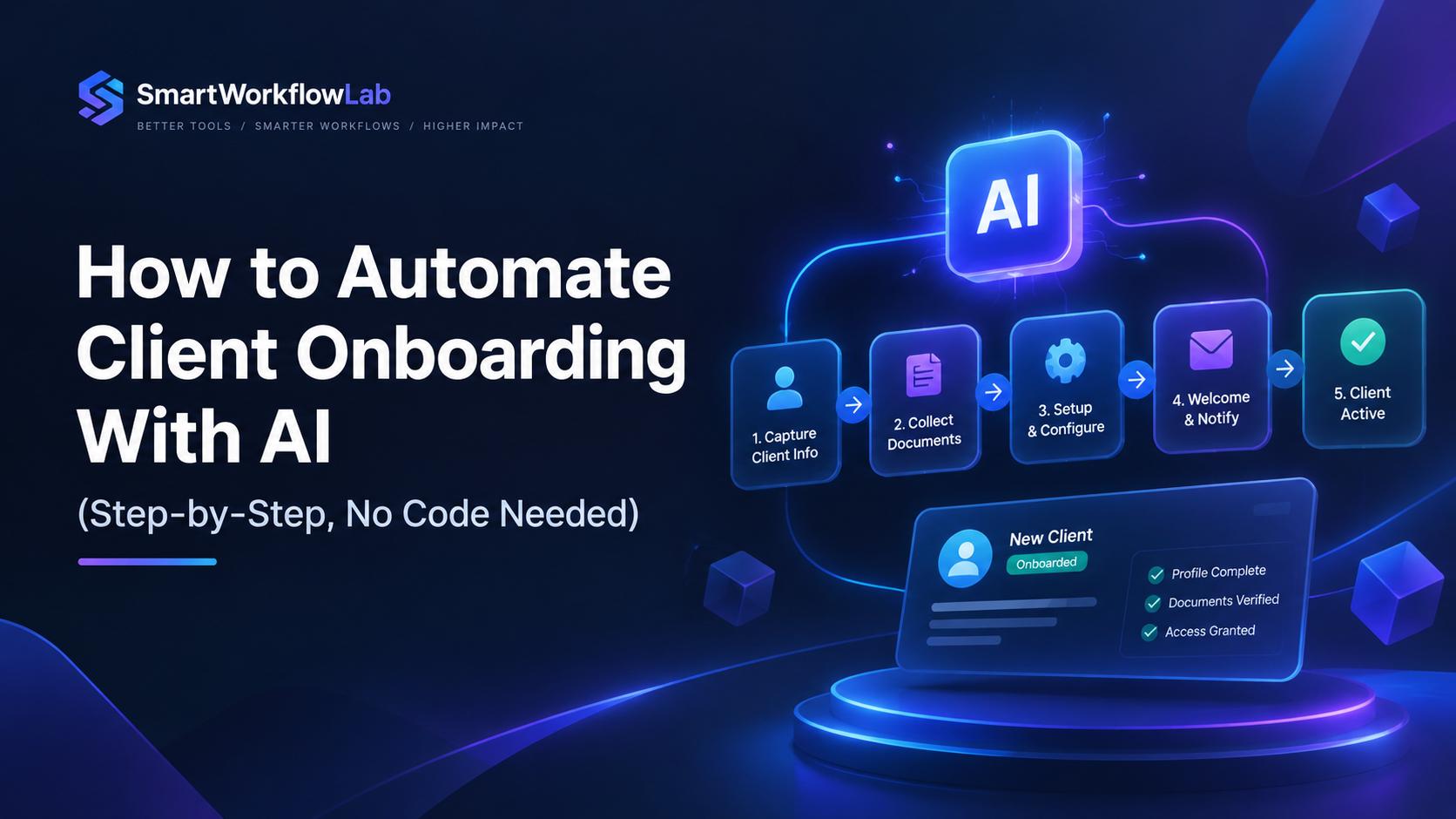
| Client onboarding | Sends the welcome pack, contract and intake form, then creates the project | Make or Zapier + your project tool | Medium |
| Weekly reporting | Collects numbers from your tools and writes a plain-English summary | Make or n8n + ChatGPT or Claude | Harder |
Where to start: pick the one task that eats the most of your week, automate only that, and measure the time saved for a month before adding the next. Step-by-step guides for several of these are on the site: automating invoicing, client onboarding, WhatsApp replies, and document processing.
Real Business Use Cases
Theory is easy to write and hard to trust. Here’s where AI business automation is actually delivering results across departments.
Marketing Automation
AI now handles audience segmentation, dynamic content personalization, campaign performance prediction, and even first-draft ad copy generation. A retail brand running AI-personalized email campaigns typically sees meaningfully higher open and click-through rates compared to generic batch-and-blast sends, because the content and timing adapt to individual behavior rather than a single campaign calendar.
Picture a mid-sized skincare brand running quarterly promotions. Instead of one email blast to the entire list, an AI-driven system segments customers by purchase history and browsing behavior — a re-engagement offer to lapsed buyers, a complementary-product recommendation to recent purchasers, a loyalty reward to top spenders — generated and scheduled automatically, with only the strategy and brand guardrails set by a human marketer.
Sales Automation
AI scores leads based on engagement signals, drafts personalized outreach, and flags deals at risk of stalling based on conversation patterns pulled from call transcripts. Sales reps spend less time on CRM data entry and more time actually selling.
A B2B software company can use AI to transcribe and summarize every sales call, update the CRM with next steps, and flag deals where the prospect’s language (“I need to check with my team,” three calls running) suggests stalling risk — prompting a manager check-in before the deal quietly dies.
Customer Support
AI chatbots and voice agents now resolve a substantial share of Tier 1 support tickets — password resets, order status, basic troubleshooting — without human involvement, while routing complex or emotionally sensitive issues to human agents with full context already summarized for them.
The businesses that do this well design the handoff carefully — a customer escalated to a human shouldn’t have to repeat their issue from scratch. Getting that handoff wrong is one of the fastest ways to turn an efficiency win into a customer complaint.
Finance Automation
Accounts payable and receivable are among the highest-ROI starting points for AI automation. Invoice extraction, three-way matching, anomaly detection for fraud, and automated reconciliation cut processing time from days to hours in most implementations.
A manufacturing company processing 3,000 supplier invoices a month might see its invoice-to-payment cycle drop from twelve days to three once AI-driven extraction and matching are in place — not because payment terms changed, but because invoices no longer sit in a manual queue. Early-payment discounts that used to be missed suddenly become achievable.
HR Automation
Resume screening, interview scheduling, onboarding document processing, and employee query handling (benefits questions, PTO balances) are increasingly automated, freeing HR teams to focus on culture, retention, and hiring strategy rather than paperwork.
For a fast-growing company hiring at volume, an AI system that pre-screens applications and schedules first-round interviews automatically can compress a hiring pipeline from weeks to days — a real advantage when strong candidates are fielding multiple offers.
Manufacturing
Computer vision inspects products on the line for defects far faster and more consistently than manual inspection. Predictive maintenance models flag equipment likely to fail before it causes downtime, based on sensor data patterns.
A parts manufacturer running computer vision inspection can catch surface defects a fatigued human inspector might miss late in a shift, while a predictive maintenance model monitoring vibration and temperature sensors can flag a bearing likely to fail weeks before it does — turning an unplanned stoppage into a scheduled maintenance window.
Healthcare
AI automation handles appointment scheduling, insurance pre-authorization paperwork, clinical documentation summarization, and patient intake — reducing administrative burden that has been consistently cited as a leading driver of clinician burnout.
A multi-provider clinic using AI to draft clinical notes from a recorded patient conversation, subject to physician sign-off, can give clinicians back meaningful time per visit that used to go into after-hours documentation.
Retail
Demand forecasting, dynamic pricing, inventory replenishment, and personalized product recommendations are now largely AI-driven in mid-size and large retail operations, reducing both stockouts and excess inventory carrying costs.
A multi-location retailer can use AI demand forecasting to allocate inventory differently across stores based on local buying patterns rather than shipping identical assortments everywhere — reducing markdowns in one region while avoiding stockouts in another.
Logistics
Route optimization, predictive delivery windows, automated freight matching, and warehouse robotics coordination all rely on AI models processing real-time data far faster than manual dispatch ever could.
A regional delivery company using AI route optimization that factors in real-time traffic and driver availability can typically fit more stops into the same driver-hours than a dispatcher manually building routes each morning — reducing per-delivery cost while giving customers tighter delivery windows.
AI Agents in Business
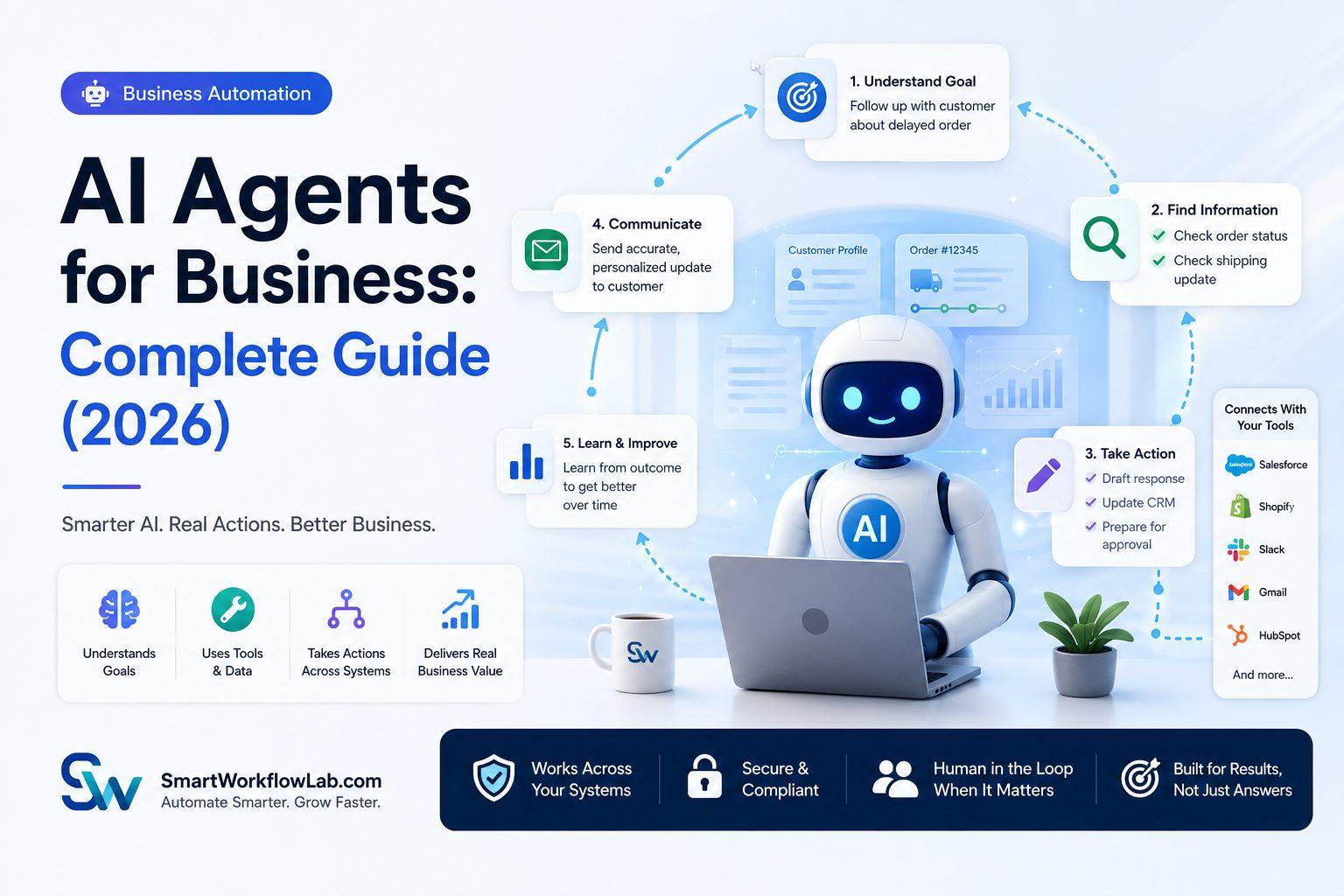
The newest and fastest-moving layer of business automation is the AI agent — a system that doesn’t just execute a single task but can plan a sequence of steps, use tools, and adjust its approach based on what it finds along the way.
Where a traditional automation script might extract data from an invoice and stop, an agent might: extract the data, check it against a purchase order, flag a discrepancy, draft a message to the vendor, and escalate to a human only if the vendor doesn’t respond within a set window.
This matters for business leaders because it changes the unit of automation from “one task” to “one outcome.” Instead of automating a single step in accounts payable, you can automate the entire exception-handling process around it, with a human checking in only at genuine decision points.
Agents are powerful, but they’re also the part of AI automation most likely to be over-hyped. A well-scoped agent with clear guardrails, approval checkpoints, and audit trails delivers real value. An agent given open-ended authority over financial transactions or customer commitments without oversight is a liability. The businesses getting this right treat agents like a capable new hire — given real responsibility, but not unsupervised access to everything on day one.
A useful mental model: think about onboarding a genuinely talented new employee. You wouldn’t hand them the corporate credit card and unrestricted system access on day one — you’d give them a defined scope, a manager to check in with, and expand their authority as they proved reliable. Agentic AI automation should follow the same logic.
Practically, this means most successful agent deployments include three design elements: a clearly bounded toolset (the agent can check inventory and draft a vendor email, but cannot issue a refund without approval), a logging system that records every action and its reasoning, and a defined escalation threshold (transactions over a certain dollar amount route to a human automatically, no exceptions). Businesses that skip these elements in the name of moving fast tend to regret it the first time an agent does something technically correct but contextually wrong.
Common Challenges
Data quality. AI automation is only as good as the data feeding it. Businesses with messy, inconsistent, or siloed data typically hit a wall before they hit ROI.
Integration complexity. Legacy ERPs, older CRMs, and industry-specific software don’t always play nicely with modern AI tools, and integration work is frequently underestimated in project timelines.
Change management. Employees who fear job displacement will quietly resist or work around automation. Transparent communication about what’s being automated — and why — matters more than the technology itself.
Over-automation. Trying to automate everything at once, rather than starting with high-volume, low-complexity processes, is the single most common reason automation projects stall.
Governance and compliance. Especially in finance, healthcare, and legal contexts, AI decisions need audit trails, explainability, and human oversight built in from day one — not bolted on after a regulator asks a question.
Vendor lock-in and platform sprawl. Businesses that adopt several point solutions from different vendors often end up with disconnected systems that don’t share data, recreating the silos automation was supposed to eliminate.
Unrealistic timeline expectations. Leadership teams expecting a company-wide AI transformation in a single quarter are setting themselves up for disappointment. Meaningful automation is a program, not a project.
Each of these challenges is manageable, and none should be read as a reason to avoid automation altogether. They’re simply why a thoughtful rollout plan matters more than the specific software brand a business chooses.
Implementation Roadmap
A structured rollout consistently outperforms a “buy the platform and figure it out” approach. Here’s the sequence that tends to work.
Phase 1: Assessment (Weeks 1–3)
Map your current processes. Identify which are high-volume, rules-heavy, and currently manual — these are your best automation candidates. Document current cycle times and error rates as your baseline.
This phase deserves more rigor than most companies give it. Sit down with the people actually doing the work — not just their managers — and walk through the process step by step, including every exception they handle informally. It’s common to discover that the “official” documented process and what employees actually do day-to-day have quietly diverged over time.
Phase 2: Prioritization (Week 4)
Score candidate processes on two axes: business impact and implementation complexity. Start with high-impact, low-complexity processes to build early wins and internal confidence.
A simple 2x2 grid works well: plot each candidate by potential savings on one axis and implementation difficulty on the other. The “quick wins” quadrant — high impact, low complexity — is where your pilot should live. Resist starting with the flashiest use case if it’s also the most technically complex one; an early stumble does more damage to buy-in than a modest win does good.
Phase 3: Pilot (Weeks 5–10)
Implement AI automation on one or two processes only. Set clear success metrics up front — time saved, error rate reduction, cost per transaction. Run in parallel with existing manual processes before fully cutting over.
Running in parallel matters more than it sounds like it should. It gives you a real comparison, a safety net if the automated process has early hiccups, and confidence among employees that the new system is being validated rather than simply imposed on them.
Phase 4: Evaluation (Weeks 11–12)
Compare pilot results against your baseline. Gather feedback from the employees whose workflows changed — they’ll catch edge cases leadership won’t see.
This is also the point for an honest go/no-go decision. Not every pilot succeeds on the first attempt, and that’s a normal outcome rather than a failure — the right response is usually to diagnose why (bad data, an underspecified process) rather than abandoning AI automation as a concept.
Phase 5: Scale (Months 4–8)
Expand to additional processes and departments, applying lessons from the pilot. This is also the point to introduce more advanced capabilities like AI agents for exception handling, once the foundational data and integration work is proven.
Scaling works best when it follows the same prioritization logic as pilot selection — moving to the next-highest-impact, next-lowest-complexity process rather than automating everything simultaneously.
Phase 6: Continuous Improvement (Ongoing)
Automation isn’t “set and forget.” Review accuracy metrics quarterly, retrain or adjust models as business processes evolve, and keep a channel open for employee-reported edge cases.
Businesses change — new products, new vendors, new regulations — and a system built around last year’s reality will quietly degrade in accuracy if nobody’s watching. Companies that sustain ROI over multiple years treat this as a genuine operating discipline, not an afterthought.
Best Practices
- Start with a single, well-defined process rather than a company-wide transformation. A narrow, successful pilot builds the organizational trust needed for everything that follows.
- Keep a human in the loop for high-stakes or high-ambiguity decisions. Automation should reduce workload on routine decisions, not remove accountability from consequential ones.
- Set measurable success criteria before you start, not after. Define what “working” looks like in specific numbers — time saved, error rate, cost per transaction — before the system goes live, so the evaluation isn’t a post-hoc justification exercise.
- Invest in data cleanup before automation, not instead of it. Feeding an AI system inconsistent or incomplete data guarantees inconsistent, unreliable output, no matter how sophisticated the model.
- Communicate openly with employees about what’s changing and why. Framing automation as “removing the parts of your job you’ve complained about” lands very differently than framing it as a mystery project happening to the team.
- Choose vendors or partners who can demonstrate implementation experience in your specific industry, not just generic case studies. A platform that’s excellent for e-commerce personalization may be a poor fit for healthcare compliance requirements, and vice versa.
- Build audit trails and explainability into any AI system that touches customer-facing decisions or financial transactions. If you can’t explain why the system made a decision, you have a liability, not an asset.
- Assign clear internal ownership. Automation initiatives that don’t have a named owner accountable for outcomes tend to lose momentum after the initial launch enthusiasm fades.
- Budget for iteration, not just initial setup. The first version of any automated workflow is rarely the final version — plan for a few rounds of refinement in both timeline and budget.
Expert Recommendations
A few patterns show up consistently across the automation projects that hold up well two or three years later, based on what we’ve observed working alongside operations teams during rollouts.
Recommendation 1: Automate the exception-handling, not just the happy path. Almost any vendor demo can automate the straightforward, 80% case. The real value — and difficulty — is in handling the 20% that doesn’t fit the standard pattern. Plan for this from the start rather than treating exceptions as an afterthought.
Recommendation 2: Treat your first automated process as a template, not a one-off. Document what worked and what didn’t. The second process you automate should take meaningfully less time than the first, because you’re reusing lessons about data quality and change management rather than starting from zero.
Recommendation 3: Involve frontline employees in the design, not just the rollout. The people processing invoices, answering tickets, or screening resumes have accumulated years of tacit knowledge about edge cases that never made it into a process document. Skipping their input is one of the most common reasons automated systems miss real-world scenarios in their first few months.
Recommendation 4: Don’t confuse a lower headcount need with a mandate to cut staff immediately. Businesses that get the best long-term results redeploy freed-up capacity toward higher-value work first, letting natural attrition — rather than layoffs — right-size the team over time.
Recommendation 5: Pick a partner who will tell you when not to automate something. Not every process is a good candidate — low-volume, highly relationship-driven, or constantly-changing processes often aren’t worth the investment. A partner who pushes every process toward automation regardless of fit is optimizing for their own contract value, not your outcome.
ROI Analysis
Return on investment varies significantly by process and industry, but a few illustrative, commonly-cited patterns show up across implementations:
| Process | Typical Manual Cost/Time | Typical AI-Automated Result | Estimated Payback Period |
|---|---|---|---|
| Invoice processing | 10–15 min per invoice, manual entry | 1–2 min per invoice, exception-only review | 3–6 months |
| Tier 1 customer support | Hours-long response queue | Seconds to minutes, 24/7 availability | 2–4 months |
| Resume screening | 15–20 min per resume | Seconds per resume, ranked shortlist | 1–3 months |
| Demand forecasting | Manual spreadsheet models, wide error margin | Continuously updated model, tighter accuracy | 6–12 months |
| Contract review (first pass) | 1–2 hours per contract | Minutes, with flagged clauses for human review | 3–6 months |
A useful way to frame ROI for stakeholders isn’t just “hours saved,” but cost per transaction before and after automation, multiplied by transaction volume. A finance team processing 5,000 invoices a month that cuts per-invoice handling time by even 8 minutes is recovering the equivalent of roughly 650 hours of labor monthly — often enough on its own to justify the platform cost within two quarters.
The businesses that get burned on ROI are usually the ones that automated a process without first measuring its true current cost. Baseline data isn’t optional — it’s the only way to prove the investment worked.
It’s also worth accounting for ROI that doesn’t show up on a spreadsheet immediately. Faster invoice processing doesn’t just save labor hours — it improves vendor relationships and unlocks early-payment discounts. Faster support response doesn’t just reduce headcount pressure — it improves retention numbers that show up in revenue months later. When building a business case, present both the direct, easily quantifiable savings and the secondary effects, clearly labeled as such.
One more consideration experienced operators build into their ROI models: the cost of not automating. A competitor who automates a year before you do is compounding a speed and cost advantage every month you don’t — often larger than the platform’s price tag, even though it rarely appears in a formal ROI calculation.
Case Study Snapshot: A Mid-Sized Company’s First 12 Months
To make this less abstract, here’s a composite scenario built from patterns we’ve seen repeatedly across similar-sized companies — not a single client’s exact numbers, but a realistic picture of how a rollout tends to unfold.
A 120-employee wholesale distribution company starts with one problem: accounts payable is a bottleneck. Two employees spend most of their week manually entering invoice data from dozens of vendors, each with different formats, and the company is missing early-payment discounts because approvals take too long.
Month 1–2: The company maps its invoice process and documents a baseline: 11 days average processing time per invoice, with a 4% manual data-entry error rate.
Month 3: They pilot AI-driven extraction on their five highest-volume vendors only. The system correctly extracts data on 89% of these invoices without correction in week one.
Month 4–5: Accuracy climbs to 97% for the pilot group as the feedback loop absorbs edge cases. Processing time drops to under a day, and the two AP employees start working the exception queue and chasing early-payment discounts instead of data entry.
Month 6–8: The system expands to all vendors, adding a document-classification layer for variable formats. Overall processing time drops from 11 days to roughly 2.5 days on average.
Month 9–12: With the AP win established internally, the company begins a second pilot in customer support, moving faster the second time around.
The lesson embedded in this scenario isn’t really about invoices. It’s about sequencing: start narrow, prove the model, let the win build the internal trust and expertise that make the next automation project faster and lower-risk than the first.
How This Compares to Related Terms
“Automation” gets used as an umbrella word for several distinct things. Here’s how the terms people often confuse actually relate to each other.
Workflow automation vs. business process automation. These get used interchangeably, but they’re not quite the same thing.
| Aspect | Workflow Automation | Business Process Automation |
|---|---|---|
| Scope | A specific sequence of tasks within one process | An entire end-to-end process, often across departments |
| Example | Automating the approval steps for a purchase request | Automating the full procure-to-pay process |
| Complexity | Usually narrower and faster to implement | Usually broader and more strategic |
| Best starting point | Individual teams solving a specific bottleneck | Company-wide operational overhauls |
Workflow automation is usually the building block. Business process automation is what you get when several related workflows are connected into one coherent, end-to-end system.
Business process automation vs. ERP. A common point of confusion for companies evaluating software investments.
| Aspect | Business Process Automation | ERP (Enterprise Resource Planning) |
|---|---|---|
| Purpose | Automates specific tasks and processes | Centralizes core business data and operations |
| Scope | Can be narrow (one process) or broad (many processes) | Broad by nature — finance, inventory, HR, operations |
| Flexibility | Can be built or adjusted around unique workflows | Often follows more standardized structures |
| Relationship | Can work inside or alongside an ERP system | Often includes some automation features built in |
An ERP system centralizes business data. Automation is a capability that can exist within that platform or entirely separate from it. Many companies use an ERP as the foundation and layer custom automation on top to handle what the standard ERP doesn’t cover well.
Business process automation vs. CRM.
| Aspect | Business Process Automation | CRM (Customer Relationship Management) |
|---|---|---|
| Purpose | Automates internal business tasks and processes | Manages customer and lead relationships and data |
| Focus | Operational efficiency | Sales, marketing, and customer interactions |
| Automation role | Broader — can apply to any department | Automation here specifically supports sales and marketing workflows |
| Example | Automating internal approval routing | Automating follow-up emails to leads |
A CRM often includes its own automation features for sales and customer communication, but it’s still just one piece of a company’s overall process landscape. Businesses that need automation across finance, operations, and HR — not just sales — usually need broader process automation alongside their CRM.
Common Mistakes
Automating a broken process. If a workflow is inefficient today, automating it just makes the inefficiency faster. Fix the process, then automate it.
Skipping the pilot phase. Full-scale rollouts without a pilot tend to surface expensive problems at the worst possible time — in production, at volume.
Ignoring employee input. The people doing the manual work today usually know exactly where the edge cases and exceptions live. Skipping their input means discovering those edge cases the hard way.
Choosing tools before mapping needs. Buying a platform because a competitor uses it, rather than because it fits your specific process, is one of the most common and most expensive mistakes in this space.
No governance plan. Especially with AI agents making autonomous decisions, the absence of audit trails or approval checkpoints turns a productivity win into a compliance risk.
Treating automation as an IT project instead of a business initiative. The most successful implementations are owned jointly by operations leadership and technical teams. Projects handed entirely to IT, with no operational stakeholder driving process design, frequently produce technically functional systems that don’t solve the actual business problem.
Underestimating the change management effort. The technical build is often the easier half. Getting employees to trust and correctly use a new system — rather than working around it — usually takes as much deliberate effort as the implementation itself.
Future Trends for 2026
Agentic automation becomes standard, not experimental — more businesses will run multi-step, tool-using AI agents for end-to-end process ownership rather than single-task bots.
Industry-specific AI automation platforms will continue outpacing general-purpose tools, as vertical-specific training data and compliance features become a competitive differentiator.
Human-AI collaboration models mature, with clearer standards emerging for when AI decides autonomously versus when it must escalate to a person.
Smaller businesses gain more access, as no-code and low-code AI automation platforms lower the technical barrier that used to require in-house data science teams.
Regulation catches up, particularly around AI decision transparency in finance, healthcare, and hiring — businesses building explainability in now will have a real advantage over those retrofitting it later.
Multimodal automation becomes the norm, with systems that fluidly combine text, voice, image, and video understanding in a single workflow — a customer support agent, for instance, that can read a photo of a damaged product, listen to a voice message describing the issue, and respond via whichever channel the customer prefers, all within one continuous interaction.
Automation ROI reporting becomes more standardized, as businesses that have run these programs for several years develop clearer internal benchmarks, making it easier for newer adopters to set realistic expectations rather than relying purely on vendor-provided projections.
Talent shifts toward automation oversight roles. As routine execution work gets automated, demand grows for people skilled at designing, auditing, and improving automated workflows — a genuinely new career path that barely existed five years ago and is likely to keep expanding through the back half of the decade.
Frequently Asked Questions
What is AI business automation in simple terms? It’s the use of artificial intelligence to handle business tasks and decisions — like reading documents, answering customer questions, or forecasting demand — with far less manual work than traditional processes require.
Is AI business automation only for large enterprises? No. Cloud-based AI tools have made automation accessible and affordable for small and mid-sized businesses, often with pricing that scales with usage rather than requiring large upfront investment.
How is AI automation different from RPA? RPA follows fixed rules and breaks when inputs vary. AI automation interprets unstructured data and handles variation, making the two complementary rather than competing approaches.
How long does it take to implement AI business automation? A focused pilot on one process typically takes 6–10 weeks. Company-wide transformation is a multi-quarter to multi-year effort, ideally rolled out in phases.
What’s the average ROI timeline? Most well-scoped automation projects show measurable ROI within 3–6 months, though this varies by process complexity and starting data quality.
Do AI automation tools require technical expertise to manage? Modern platforms are increasingly built for business users, not just developers, though larger implementations still benefit from IT and data governance involvement.
Is AI automation safe for handling sensitive data? It can be, provided the vendor offers proper data encryption, access controls, and compliance certifications relevant to your industry — this should be a core vetting criterion, not an afterthought.
Will AI automation replace jobs? It typically changes job composition more than it eliminates roles outright — reducing time spent on repetitive tasks while increasing demand for oversight, exception-handling, and strategic work.
Which department should we automate first? Finance and customer support are usually the highest-ROI starting points because they combine high transaction volume with well-defined, repeatable processes — the ideal profile for an early automation win. That said, the right starting point depends on where your specific business feels the most operational pain today.
How much does AI business automation typically cost? Costs vary widely based on process complexity and integration needs. Off-the-shelf tools for a single process often start in the low thousands per month, while enterprise-wide custom implementations can run into six figures. Price against the specific processes you’re automating rather than assuming a flat industry-wide number.
Can AI automation integrate with our existing software? Most modern platforms connect via APIs to common ERPs, CRMs, and communication tools. Integration complexity depends more on how old or customized your systems are than on the AI platform itself — worth assessing during the assessment phase, not mid-implementation.
Conclusion
AI business automation isn’t a single tool you buy — it’s a capability you build, one well-chosen process at a time. The companies seeing real returns aren’t the ones with the flashiest AI agent demo. They’re the ones who mapped their processes honestly, picked the right starting point, measured their baseline, and scaled only after proving the model worked.
That’s a more patient path than most vendor pitches suggest, but it’s the one that actually holds up two years later.
If you’re trying to figure out where your business should start — which process to pilot, what kind of ROI is realistic for your industry, and how to avoid the common traps — that’s exactly the conversation SmartWorkflowLab has with businesses every week. We don’t lead with a platform. We lead with your process map, your data, and a plan that fits the business you actually run, not a generic template.
Ready to see where AI automation fits in your operations? Talk to SmartWorkflowLab about a process assessment — no obligation, just a clear-eyed look at where automation would actually move the needle for you.